Page 2 - Contents
Contents 2 Warning and Safety instructions ..................................................................... 4 Caring for the environment .............................................................................. 11 Guide to the appliance ........................................................
Page 3 - Cleaning and care
Contents 3 Cleaning and care ............................................................................................. 35 Service ................................................................................................................ 35 Contact in case of malfunction ......................
Page 4 - Warning and Safety instructions; It is essential to read these instructions.; Correct application; This vacuum cleaner is not intended for outdoor use.
Warning and Safety instructions 4 It is essential to read these instructions. This vacuum cleaner conforms to current safety requirements. In-appropriate use can lead to personal injury and damage to prop-erty. Please read the operating instructions before using the vacuumcleaner and charging the ...
Page 5 - Safety with children
Warning and Safety instructions 5 This vacuum cleaner can be used for all normal cleaning of car- pets, rugs and robust hard flooring. This vacuum cleaner is intended for use at altitudes of up to 4000 m above sea level. The vacuum cleaner must only be used to vacuum dry floor sur- faces. Do n...
Page 6 - Technical safety
Warning and Safety instructions 6 Technical safety The vacuum cleaner operates at 25.2 V. It is classified as a class III appliance.This appliance is supplied by a safety extra-low voltage (SELV)power source where the voltage is low enough to protect users fromthe risk of electrical shock. A Class...
Page 7 - Cleaning
Warning and Safety instructions 7 If the vacuum cleaner is to be stored unused for a long period, the battery should be removed. The supply terminals must not be short-circuited. Cleaning Do not immerse the vacuum cleaner or any accessories supplied with it in water. The Electrobrush/handhel...
Page 8 - Accessories
Warning and Safety instructions 8 Do not vacuum up any inflammable or combustible liquids or gases and do not vacuum in areas where such substances arestored. Never touch the Electrobrush/handheld brush (varies according to the model) while it is rotating. Do not use the Electrobrush/handheld ...
Page 9 - xx; XX
Warning and Safety instructions 9 Technical safety The AP01 battery, the LG01 charger and the LS03 charger cradle are designed for use with the Miele HS19 vacuum cleaner. For safetyreasons, the vacuum cleaner must not be used with a battery, char-ger or charger cradle produced by another manufactu...
Page 10 - Correct use
Warning and Safety instructions 10 Stop using the AP01 battery immediately if you notice an unusual smell from it, if liquid is leaking from it, if it is significantly overheatingor if it is discoloured or deformed. Dispose of the AP01 battery im-mediately (see safety notice “Disposing of the AP01...
Page 11 - Caring for the environment; Disposing of old batteries
Caring for the environment 11 Disposal of the packing mater-ial The packaging is designed to protectthe appliance from damage duringtransportation. The packaging materialsused are selected from materials whichare environmentally friendly for disposaland should be recycled. Recycling the packaging re...
Page 12 - Guide to the appliance
Page 14 - Installation and connection; Assembling the vacuum cleaner
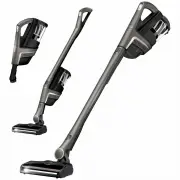
14 Installation and connection Assembling the vacuum cleaner You can assemble the vacuum cleanerin 2 different ways. You can place the suction tube eitherabove or below the PowerUnit. The advantages of placing the PowerUnit at the bottom of the va- cuum cleaner are as follows:- secure self-standin...
Page 16 - Inserting the battery
16 Press the release catch to separatethe individual sections from eachother. Inserting the battery Remove the protective sticker fromthe battery. Push the battery along the guide linesuntil it audibly clicks into place in thePowerUnit. If you want to separate the sectionsagain, press both r...
Page 23 - Using the accessories supplied; Upholstery nozzle
23 Using the accessories supplied Upholstery nozzle Accessory for cleaning upholstery,mattresses and cushions. Crevice nozzle Accessory for cleaning in folds,crevices or corners. Dusting brush Accessory for vacuuming skirtingboards, carved furniture or orna-ments.The head can be swivelled to a...
Page 25 - Use; Switching on and off
25 Use Switching on and off Pull the charger out of the chargingsocket on the battery if you havecharged the battery directly. If you have charged the battery in thewall bracket, take the vacuum cleanerout of the wall bracket. Press the On/Off switch on the Com-fort handle . Regulating the ...
Page 26 - Maintenance; Risk of injury caused by rotating
26 Maintenance Risk of injury caused by rotating roller brush.You can injure yourself on the rotat-ing roller brush.Switch the vacuum cleaner off beforedoing any maintenance work. Usethe On/Off switch on the Comforthandle to do this. We recommend using only genuineMiele accessories bearing the “OR...
Page 32 - Problem solving guide; Risk of injury caused by rotating roller brush.
32 Problem solving guide With the help of the following guide, minor faults in the performance of the appli-ance, some of which may result from incorrect operation, can be remedied withoutcontacting Miele. This will save you time and money because you won't need aservice call. Please note that a cal...
Page 34 - Error messages
34 Error messages Risk of injury caused by rotating roller brush. You can injure yourself on the rotating roller brush.Switch the vacuum cleaner off before dealing with any problems. Use the On/Off switch on the Comfort handle to do this. Error messages are displayed with a quick flashing light on...
Page 35 - Service; Contact in case of malfunction
35 Cleaning and care Risk of injury caused by rotating roller brush.You can injure yourself on the rotat-ing roller brush.Switch the vacuum cleaner off beforecleaning it. Use the On/Off switch onthe Comfort handle to do this. Vacuum cleaner and accessories Risk of electric shock from mains volta...
Page 36 - Optional accessories; Purchasing accessories
36 Optional accessories Follow the flooring manufacturer’scleaning and care instructions. We recommend using only genuineMiele accessories bearing the “ORI-GINAL Miele” logo on the packaging.Only these will guarantee the optimumperformance of your vacuum cleanerand the best possible cleaning results...
Page 37 - Electrical connection; Test Marks
37 Electrical connection All work should be carried out by a suit-ably qualified and competent person instrict accordance with national andlocal safety regulations. The voltageand rated load are given on the dataplate located underneath the vacuumcleaner. Please ensure that these matchthe household ...
Page 40 - Miele New Zealand Limited
Miele Experience Centre and Head Office Melbourne: 1 Gilbert Park DriveKnoxfield, VIC 3180 Miele Experience Centre South Melbourne: 206-210 Coventry StreetSouth Melbourne, VIC 3205 Miele Experience Centre and Office Sydney: 3 Skyline PlaceFrenchs Forest, NSW 2086 Miele Experience Centre and Office B...