Page 2 - TABLE OF CONTENTS
TABLE OF CONTENTS 2 3 IMPORTANT SAFETY INSTRUCTIONS 3 READ ALL INSTRUCTIONS BEFORE USE 3 WARNING STATEMENTS 6 CAUTION STATEMENTS 8 PRODUCT OVERVIEW 8 Product Features 11 OPERATION-WASHER 11 Using the Washer 14 Adding Cleaning Products 17 Control Panel 20 Wash Cycles 23 Cycle Modifiers 23 Options and...
Page 3 - IMPORTANT SAFETY INSTRUCTIONS; READ ALL INSTRUCTIONS BEFORE USE; Safety Messages; WARNING STATEMENTS; Installation; WARNING
3 IMPORTANT SAFETY INSTRUCTIONS ENGLISH IMPORTANT SAFETY INSTRUCTIONS READ ALL INSTRUCTIONS BEFORE USE Safety Messages Your safety and the safety of others are very important. We have provided many important safety messages in this manual and on your appliance. Always read and follow all safety mess...
Page 4 - Grounding Instructions; Operation
4 IMPORTANT SAFETY INSTRUCTIONS • Destroy the carton, plastic bag, and other packing materials after the appliance is unpacked. Children might use them for play. Cartons covered with rugs, bedspreads, or plastic sheets can become airtight chambers. • The appliance must be installed and electrically ...
Page 6 - Maintenance; CAUTION STATEMENTS; CAUTION
6 IMPORTANT SAFETY INSTRUCTIONS • Do not use replacement parts that have not been recommended by the manufacturer (e.g.parts made at home using a 3D printer). Maintenance • Do not repair or replace any part of the appliance. All repairs and servicing must be performed by qualified service personnel ...
Page 7 - SAVE THESE INSTRUCTIONS
7 IMPORTANT SAFETY INSTRUCTIONS ENGLISH SAVE THESE INSTRUCTIONS another cycle may result in personal injury or damage to the washer, clothes, walls, floor, and surrounding objects due to abnormal vibration. • Clean the lint filter before or after each load.
Page 8 - PRODUCT OVERVIEW; Product Features; Front View
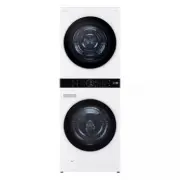
8 PRODUCT OVERVIEW PRODUCT OVERVIEW Product Features The images in this guide may be different from the actual components and accessories, which are subject to change by the manufacturer without prior notice for product improvement purposes. Front View a Control Panel b 3-Piece Lint Filter c Dryer D...
Page 9 - Product Specifications; Included Accessories
9 PRODUCT OVERVIEW ENGLISH Product Specifications Accessories Included Accessories a Water Drain Hose (for Dryer) b Band Clamps (5 EA) c Cable Ties (3 EA) d Hole Caps e Wrench f Non-skid Pads g Elbow Bracket (for securing drain hose) h Drain Hose Connector i Short Drain Hose j Screws (2 EA) Model WK...
Page 10 - Required Accessory; Required Accessories for the Electric Dryer (sold separately)
10 PRODUCT OVERVIEW Required Accessory a Hot and Cold Water Hoses (for Washer) Optional Accessory (sold separately) a Pet care accessories kit b Drying Rack Required Accessories for the Electric Dryer (sold separately) a 4-wire power cord kit b 3-wire power cord kit WARNING • For your safety and for...
Page 11 - Using the Washer; Operation Overview; NOTE
11 OPERATION-WASHER ENGLISH OPERATION-WASHER Using the Washer WARNING • To reduce the risk of fire, electric shock, or injury to persons, read the SAFETY INSTRUCTIONS before operating this appliance. Operation Overview 1 Sort laundry and load the washer.• Sort laundry by fabric type, soil level, col...
Page 12 - Sorting Laundry; Grouping Similar Items
12 OPERATION-WASHER Sorting Laundry CAUTION • Clothing or articles that are waterproof or water-resistant must be washed in the Waterproof , Bedding , Bulky/Large , or Jumbo Wash cycle only. (Examples include water resistant clothing, mattress covers, outdoor clothes, and plastic mats.) Failure to d...
Page 13 - Loading the Washer; General Tips
13 OPERATION-WASHER ENGLISH Loading the Washer WARNING • Clothing or articles that are waterproof or water- resistant must be washed in the Waterproof , Bedding , Bulky/Large , or Jumbo Wash cycle only. (Examples include water resistant clothing, mattress covers, outdoor clothes, and plastic mats.) ...
Page 14 - Small Items; Adding Cleaning Products; About Detergent Use; Tablet Detergents; Using the Dispenser
14 OPERATION-WASHER Small Items • Do not wash a single small item. Add enough similar items to the load to prevent an out-of- balance load. • Wash small, light items in a mesh bag. Small items can get caught in the door seal, and brassiere hooks can snag on other clothing or the drum. Adding Cleanin...
Page 15 - Pre-wash Detergent Compartment; Main Wash Detergent Compartment
15 OPERATION-WASHER ENGLISH 3 Gently close the detergent dispenser drawer before starting the cycle.• Slamming the drawer closed may result in the detergent overflowing into another compartment or dispensing into the drum earlier than programmed. • Be careful not to get a hand caught in the drawer w...
Page 16 - Fabric Softener Compartment
16 OPERATION-WASHER Fabric Softener Compartment This compartment holds fabric softener, which is automatically dispensed during the final rinse cycle. Either powdered or liquid fabric softener may be used.• Do not exceed the maximum fill line. Using too much fabric softener may stain clothes or caus...
Page 17 - Control Panel; Control Panel Features for the Washer
17 OPERATION-WASHER ENGLISH Control Panel Control Panel Features for the Washer a Power On/Off Button • Press this button to turn the washer on or off.• Pressing this button during a cycle will cancel that cycle and any load settings will be lost.• The door will unlock after a brief pause. NOTE • If...
Page 18 - Remote Start; Time and Status Display
18 OPERATION-WASHER • These buttons allow you to select additional cycle options. Certain buttons also allow you to activate special functions by pressing and holding the button for 3 seconds . Remote Start Use a smartphone to control your washer remotely.- For more information, see SMART FUNCTIONS ...
Page 20 - Wash Cycles; Cycle Guide
20 OPERATION-WASHER Wash Cycles The wash cycles are designed for specific types of wash loads. Select the cycle that best matches the load contents for maximum wash performance and fabric care. See Sorting Laundry section for best results, and follow the fabric care labels on your garments. For a gu...
Page 21 - Available Options
21 OPERATION-WASHER ENGLISH Available Options † This option is automatically included in the cycle and cannot be deselected. NOTE • If the Turbo Wash option is on, you cannot set the spin level to No Spin . Soil Level Default: Normal Available: All Cycle Heavy Duty Description Suitable for washing h...
Page 23 - Cycle Modifiers; About Modifier Buttons; Options and Extra Functions; Special Cycles
23 OPERATION-WASHER ENGLISH Cycle Modifiers About Modifier Buttons Each cycle has default settings that are selected automatically. You can also customize these settings using the cycle modifier buttons.• Repeatedly press the button for the desired modifier until the indicator light for the desired ...
Page 24 - Locking/Unlocking the Control Panel
24 OPERATION-WASHER WARNING • Do not attempt to override the door lock mechanism or reach into the washer during a steam cycle. Steam can cause severe burns. Turbo Wash Adding this option reduces the cycle time while still providing similar wash performance to the same cycle without Turbo Wash . NOT...
Page 25 - Using the Dryer; Check the Lint Filter Before Every
25 OPERATION-DRYER ENGLISH OPERATION-DRYER Using the Dryer WARNING • To reduce the risk of fire, electric shock, or injury to persons, read the SAFETY INSTRUCTIONS before operating this appliance. Operation Overview 1 Clean the lint filter.• If the lint filter has not already been cleaned, lift out ...
Page 26 - Loading the Dryer
26 OPERATION-DRYER • On some models, the door automatically locks when the cycle starts. To open the door during a cycle, pause the cycle. Always ensure the lint filter is properly installed before running the dryer. Running the dryer with a loose or missing lint filter will damage the dryer and art...
Page 28 - Control Panel Features for the Dryer
28 OPERATION-DRYER Control Panel Control Panel Features for the Dryer a Power Button • Press the button to turn the appliance on. Press again to turn the appliance off. NOTE • Pressing the Power button during a cycle will cancel that cycle and any load settings will be lost. b Cycles • Press a butto...
Page 30 - Dry Cycles
30 OPERATION-DRYER Dry Cycles Cycle Guide The appliance automatically sets the dryness level and temperature at the recommended setting for each cycle. The estimated time remaining will be shown in the display. • Dry Mode : Speed > Normal > Energy Saver • Dry Level : Damp > Less > Normal...
Page 32 - More Time / Less Time; Control Lock
32 OPERATION-DRYER Cycle Modifiers About Modifier Buttons Each cycle has default settings that are selected automatically. Customize these settings using the cycle modifier buttons. Press the button for the desired modifier to open the modifier’s screen. Dry Mode Use this option to help reduce energ...
Page 33 - Signal; Drum Light
33 OPERATION-DRYER ENGLISH • Turning off the power will not reset this function. You must deactivate this function before you can access any other options and functions. Locking/Unlocking the Control Panel 1 Turn on the power. 2 Press and hold the Time Dry button for 3 seconds to activate/deactivate...
Page 34 - SMART FUNCTIONS; Using LG ThinQ Application; LG ThinQ Application Features; Installing LG ThinQ App and; Models with QR Code
34 SMART FUNCTIONS SMART FUNCTIONS Using LG ThinQ Application The LG ThinQ application allows you to communicate with the appliance using a smartphone. LG ThinQ Application Features • Remote Start - Control the appliance remotely from the LG ThinQ application. • Downloaded - Download new and special...
Page 35 - Using the Washer/Dryer Remotely; Using Remote Start; Downloaded Cycle
35 SMART FUNCTIONS ENGLISH 3 Touch the add ( ~ ) button on the LG ThinQ app to connect your LG appliance. Follow the instructions in the app to complete the process. NOTE • You may be asked to provide a password to connect to the LG network (not your home network) during the Wi-Fi setup. The passwor...
Page 36 - Cloud Cycle; RF Module Specifications; FCC RF Radiation Exposure Statement; Open Source Software Notice; Smart Diagnosis; Function
36 SMART FUNCTIONS Cloud Cycle Use the LG ThinQ app to start cycles with various options. Cloud cycles are deleted from the appliance once the power is turned off. RF Module Specifications † This feature is only available on some models. FCC Notice The following notice covers the transmitter module ...
Page 37 - Using LG ThinQ to Diagnose Issues; Using Audible Diagnosis to
37 SMART FUNCTIONS ENGLISH Using LG ThinQ to Diagnose Issues If you experience a problem with your Wi-Fi equipped appliance, it can transmit troubleshooting data to a smartphone using the LG ThinQ application. • Launch the LG ThinQ application and select the Smart Diagnosis TM feature in the menu. F...
Page 38 - MAINTENANCE; Washer; Care after Wash; Cleaning the Exterior; Cleaning the Drum
38 MAINTENANCE MAINTENANCE WARNING • To reduce the risk of fire, electric shock, or injury to persons, read this entire owner’s manual, including the SAFETY INSTRUCTIONS, before operating this appliance. • Unplug the appliance before cleaning to avoid the risk of electric shock. Failure to follow th...
Page 39 - Removing Mineral Buildup; Leaving the Door Open; Cleaning the Dispenser Drawer
39 MAINTENANCE ENGLISH • For other drum cleaning products, follow the cleaner manufacturer’s instructions and recommendations. • Do not exceed the maximum fill line when adding bleach or powdered cleaners. Powdered cleaners may remain in the drum after cleaning. 3 Close the door and press the Power ...
Page 40 - Cleaning the Door Seal; Cleaning the Water Inlet Filters
40 MAINTENANCE • Do not use soap when cleaning the drawer and inserts. 6 Wipe off any moisture with a dry towel or cloth after cleaning. 7 To clean the drawer opening, use a small, non-metal brush to clean the recess. Remove all residue from the upper and lower parts of the recess. 8 Replace the dra...
Page 41 - Cleaning the Drain Pump Filter
41 MAINTENANCE ENGLISH 6 Rinse filters thoroughly and press them back into place. 7 Flush then reattach the water hoses.• Before reattaching the water inlet hoses, flush them by running several gallons of water through them into a bucket or drain, preferably with the faucets wide open for maximum fl...
Page 42 - Care in Cold Climates; Storing the Appliance; When the Water Inlet Hoses Are Frozen
42 MAINTENANCE 8 Close the drain pump filter cover. NOTE • An OE message blinks on the display when the drain pump filter is clogged with dirt. Clean the drain pump filter. Care in Cold Climates Storing the Appliance If the washer will not be used for an extended period of time and is in an area tha...
Page 43 - When the Drain Hose is Frozen
43 MAINTENANCE ENGLISH 4 Immerse the water inlet hoses in hot water to thaw them. 5 Reconnect the water inlet hoses to the water inlets of the washer and to the faucets.• See Connecting the Water Inlet Hoses for details. 6 Turn on the faucets. 7 Press the Power button to turn on the washer. 8 Press ...
Page 44 - Dryer; Cleaning the 3-Piece Lint Filter
44 MAINTENANCE Dryer Regular Cleaning Cleaning the Exterior Proper care of your appliance can extend its life. The outside of the appliance can be cleaned with warm water and a mild, nonabrasive household detergent. Immediately wipe off any spills with a soft, damp cloth. NOTE • Do not use methylate...
Page 45 - Cleaning the Outer Filter; Using Drum Care Feature
45 MAINTENANCE ENGLISH 3 After drying both inner filters completely reassemble the small filter by sliding the tabs at each side into the grooves on the large filter. Close the filter assembly by folding the sides back together and snapping them closed in the center.• Ensure the left and right sides...
Page 46 - Using Condenser Care Feature; Thawing out the Accessories
46 MAINTENANCE 3 Press the Start/Pause button. • This function operates for about 3 hours. 4 Open the dryer door and leave it open to allow air to circulate in the drum. WARNING • For safety reasons, do not allow children or animals to climb into the appliance. Doing so could cause damage or injury....
Page 47 - Thawing out the Appliance Manually
47 MAINTENANCE ENGLISH installation location and ambient temperature of the appliance. 3 When thawing is complete, dry clothes as usual. Thawing out the Appliance Manually 1 Open the dryer door and pull out both the inner and outer filters. 2 Carefully pour 34 oz. (1 liter) of hot water at 140 ℉ / 6...
Page 48 - TROUBLESHOOTING; FAQs: Frequently Asked Questions
48 TROUBLESHOOTING TROUBLESHOOTING The appliance is equipped with an automatic error-monitoring system to detect and diagnose problems at an early stage. If the appliance does not function properly or does not function at all, check the following before you call for service. Washer FAQs: Frequently ...
Page 50 - Noises
50 TROUBLESHOOTING Noises vs VIBRATION SENSOR ERROR Vibration sensor malfunctions. • Call for service. Problem Possible Cause & Solution Clicking Door lock sounds when the door locks or unlocks. • Normal operation Spraying or hissing Water spraying or circulating during the cycle • Normal operat...
Page 53 - Performance
53 TROUBLESHOOTING ENGLISH Performance Washer is not filling properly. Filter is clogged. • Make sure that inlet filters on the fill valves are not clogged. Refer to Cleaning the Water Inlet Filters in MAINTENANCE . Inlet hoses may be kinked. • Check that inlet hoses are not kinked or clogged. Energ...
Page 54 - Odor
54 TROUBLESHOOTING Odor Wrinkling Hot and cold water inlet hoses are reversed. • Hot water rinse can set wrinkles in garments. Check the inlet hose connectors. Staining Bleach or softener dispensed too soon. • Dispenser compartment was overfilled or closed too quickly, causing the bleach or softener...
Page 58 - Odors
58 TROUBLESHOOTING Odors Clothes are shrinking. Garment care instructions are not being followed. • To avoid shrinking your clothes, always consult and follow fabric care instructions. Some fabrics will naturally shrink when washed. Other fabrics can be washed but will shrink when dried in a dryer. ...
Page 60 - Common
60 TROUBLESHOOTING Common Wi-Fi Problem Possible Cause & Solution Trouble connecting appliance and smartphone to Wi-Fi network The password for the Wi-Fi network was entered incorrectly. • Delete your home Wi-Fi network and begin the connection process again. Mobile data for your smartphone is t...
Page 61 - LIMITED WARRANTY; USA; TERMS AND CONDITIONS
61 LIMITED WARRANTY ENGLISH LIMITED WARRANTY USA TERMS AND CONDITIONS ARBITRATION NOTICE: THIS LIMITED WARRANTY CONTAINS AN ARBITRATION PROVISION THAT REQUIRES YOU AND LG ELECTRONICS (“LG”) TO RESOLVE DISPUTES BY BINDING ARBITRATION INSTEAD OF IN COURT, UNLESS YOU CHOOSE TO OPT OUT. IN ARBITRATION, ...
Page 62 - THIS LIMITED WARRANTY DOES NOT COVER:; PROCEDURE FOR RESOLVING DISPUTES:
62 LIMITED WARRANTY EXCLUSIONS OR LIMITATIONS MAY NOT APPLY TO YOU. THIS LIMITED WARRANTY GIVES YOU SPECIFIC LEGAL RIGHTS AND YOU MAY ALSO HAVE OTHER RIGHTS THAT VARY FROM STATE TO STATE. THIS LIMITED WARRANTY DOES NOT COVER: • Service trips to deliver, pick up, or install, educate how to operate, c...
Page 68 - For inquiries or comments,
LG Customer Information Center Register your product Online! www.lg.com For inquiries or comments, visit www.lg.com or call: 1-800-243-0000 U.S.A. 1-888-542-2623 CANADA