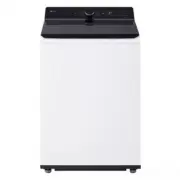
Page 2 - TABLE OF CONTENTS
TABLE OF CONTENTS 2 3 IMPORTANT SAFETY INSTRUCTIONS 3 READ ALL INSTRUCTIONS BEFORE USE 3 WARNING STATEMENTS 6 CAUTION STATEMENTS 7 PRODUCT OVERVIEW 7 Product Features 9 INSTALLATION 9 Before Installing 10 Choosing the Proper Location 11 Unpacking and Removing Shipping Material 11 Connecting the Wate...
Page 3 - IMPORTANT SAFETY INSTRUCTIONS; READ ALL INSTRUCTIONS BEFORE USE; Safety Messages; WARNING STATEMENTS; Installation; WARNING
3 IMPORTANT SAFETY INSTRUCTIONS ENGLISH IMPORTANT SAFETY INSTRUCTIONS READ ALL INSTRUCTIONS BEFORE USE Safety Messages Your safety and the safety of others are very important. We have provided many important safety messages in this manual and on your appliance. Always read and follow all safety mess...
Page 4 - Operation
4 IMPORTANT SAFETY INSTRUCTIONS • Keep packing materials out of the reach of children. Packaging material can be dangerous for children. There is a risk of suffocation. • Destroy the carton, plastic bag, and other packing materials after the appliance is unpacked. Children might use them for play. C...
Page 5 - Maintenance; Grounding Instructions
5 IMPORTANT SAFETY INSTRUCTIONS ENGLISH • Do not modify or extend the power cord.• If the electrical supply cord is damaged, it must only be replaced by the manufacturer or its service agent or a similar qualified person in order to avoid a hazard. • Do not put oily or greasy clothing, candles or fl...
Page 6 - SAVE THESE INSTRUCTIONS; CAUTION STATEMENTS; CAUTION
6 IMPORTANT SAFETY INSTRUCTIONS SAVE THESE INSTRUCTIONS CAUTION STATEMENTS CAUTION • To reduce the risk of minor or moderate injury to persons, malfunction, or damage to the product or property when using this product, follow basic precautions, including the following: Installation • Install the pro...
Page 7 - PRODUCT OVERVIEW; Product Features; Front View
7 PRODUCT OVERVIEW ENGLISH PRODUCT OVERVIEW Product Features The images in this guide may be different from the actual components and accessories, which are subject to change by the manufacturer without prior notice for product improvement purposes. NOTE • For your safety and for extended product li...
Page 8 - Accessories; Included Accessories; Product Specifications
8 PRODUCT OVERVIEW Accessories Included Accessories a Tie Strap b Leg Holders † † Refer to the installation guide included with the leg holders for instructions on proper usage. Required Accessories (sold separately) a Hot and Cold Water Hoses Product Specifications The appearance and specifications...
Page 9 - INSTALLATION; Before Installing; Installation Overview
9 INSTALLATION ENGLISH INSTALLATION Before Installing WARNING • Moving or installation of the appliance requires two or more people. Failure to follow these instructions may result in injury. • Store and install the appliance where it will not be exposed to temperatures below freezing or exposed to ...
Page 10 - Tools Needed; Choosing the Proper; Power Outlet
10 INSTALLATION f Connecting to the Power Supply g Final Installation Check Tools Needed a Pliers b Flat-Blade Screwdriver c Level Choosing the Proper Location Check the following requirements for the install location before installing the washer.• Allow for sufficient space between the walls and th...
Page 11 - Unpacking and Removing; Unpacking Shipping Material; Connecting the Water Inlet
11 INSTALLATION ENGLISH Unpacking and Removing Shipping Material Remove all shipping materials from the washer for proper operation and inspect it for shipping damage. CAUTION • Failure to remove shipping materials can cause excessive noise and vibration. Unpacking Shipping Material 1 Lift the washe...
Page 12 - How to Connect the Water Inlet; Connecting the Drain Hose
12 INSTALLATION NOTE • If your water supply contains a lot of debris, a whole home water filter may help to remove the debris from the water before it reaches the washer inlets. • Do not store or install the washer in a location subject to freezing temperatures. Damage to the water inlet hoses and i...
Page 13 - Using a Standpipe to Drain; Using a Laundry Tub to Drain; Leveling the Washer
13 INSTALLATION ENGLISH • The end of the drain hose should be located a minimum of 29.5 inches (75 cm) and a maximum of 96 inches (244 cm) above the bottom of the washer. • For best results, locate the end of the drain hose no higher than 66 inches (168 cm) above the bottom of the washer. As the dra...
Page 14 - How to Level the Washer; Final Installation Check; Connecting to the Power Supply
14 INSTALLATION NOTE • Before installing the washer, make sure that the floor is clean, dry and free of dust, dirt, water and oil so the washer feet cannot slide easily. Feet that move or slide on the floor can contribute to excessive vibration and noise. How to Level the Washer 1 Position the washe...
Page 15 - Testing the Washer; Installation Check Error Codes
15 INSTALLATION ENGLISH • Make sure that the appliance is grounded.• Connect this appliance to a grounded outlet conforming to the rating prior to use. Failure to do so may result in fire, electric shock, or malfunction. • Do not damage or cut off the ground prong of the power cord. Doing so may cau...
Page 16 - OPERATION; Before Use; Operation Overview; Sorting Laundry; Grouping Similar Items
16 OPERATION OPERATION Before Use WARNING • To reduce the risk of fire, electric shock, or injury to persons, read the SAFETY INSTRUCTIONS before operating this appliance. Operation Overview Before the first wash, select the Normal cycle and add a half amount of the detergent. Start the appliance wi...
Page 17 - Fabric Care Labels; Loading the Washer; General Tips
17 OPERATION ENGLISH Colors Sort articles by color. Wash dark clothes separately from light colors or whites. Mixing dark clothes with light clothes can result in dye transfer or discoloration of the lighter clothes. Soil Level Wash heavily soiled clothing together. Washing lightly soiled clothing i...
Page 18 - Bulky Items; Small Items; General Tips for Models with an
18 OPERATION • For best results, load dry items only. If washing very wet items, wring out excess water before loading, or run a Spin Only cycle to extract excess water before adding detergent and starting the desired cycle. • The washer can be fully loaded, but the tub should not be tightly packed ...
Page 19 - Adding Cleaning Products; About Detergent Use; Tablet Detergents; Using the Detergent and Softener
19 OPERATION ENGLISH agitator could cause damage to the items or the washer. Adding Cleaning Products About Detergent Use This washer is designed for use with only HE (High- Efficiency) detergents. • HE detergents produce fewer suds, dissolve more efficiently to improve washing and rinsing performan...
Page 20 - Using the Liquid Bleach Dispenser
20 OPERATION a Liquid fabric softener compartment b Main wash liquid detergent compartment c Main wash powdered detergent compartment 3 Gently close the detergent dispenser drawer before starting the cycle.• Slamming the drawer closed may result in the detergent overflowing into another compartment ...
Page 22 - Control Panel; Control Panel Features
22 OPERATION Control Panel Control Panel Features a Power On/Off Button • Press this button to turn the washer on or off.• Pressing this button during a cycle will cancel that cycle and any load settings will be lost.• The door will unlock after a brief pause. NOTE • If there is any water remaining ...
Page 23 - Time and Status Display
23 OPERATION ENGLISH Time and Status Display a Estimated Time Remaining • When a cycle is selected, the default time for that cycle is displayed. This time will change as modifiers or options are selected. • If the display shows --- , then the time will be displayed after the load sensing has detect...
Page 24 - Wash Cycles; Cycle Guide
24 OPERATION Wash Cycles The wash cycles are designed for specific types of wash loads. Select the cycle that best matches the load contents for maximum wash performance and fabric care.See the Sorting Laundry section for best results, and follow the fabric care labels on your garments. For a guide ...
Page 26 - Available Options
26 OPERATION Available Options † This option is automatically included in the cycle and cannot be deselected. NOTE • Delay Start and Extra Rinse can be selected for every cycle in this table. Cycle Downloaded (Delicates) Description You can use a smartphone to download a specialized cycle to this cy...
Page 27 - Cycle Modifiers; About Modifier Buttons; Options and Extra Functions; TurboWash
27 OPERATION ENGLISH Cycle Modifiers About Modifier Buttons Each cycle has default settings that are selected automatically. You can also customize these settings using the cycle modifier buttons.• Repeatedly press the button for the desired modifier until the indicator light for the desired setting...
Page 28 - Signal; Delay Start
28 OPERATION Rinse+Spin Select this option to rinse and spin a load separately from a regular cycle. This can be helpful in preventing fresh stains from setting in fabrics. Signal The washer plays a melody when the wash cycle is finished. The buttons make a sound each time they are pressed.• Press a...
Page 29 - Spin Only
29 OPERATION ENGLISH Spin Only Use this option to spin clothes and drain the water from the tub.• Use this option to drain water if the wash cycle is interrupted by a power failure or to spin dry hand-washed items. 1 Press the Power button to turn on the washer.• Do not select a cycle. 2 Press and h...
Page 30 - SMART FUNCTIONS; LG ThinQ Application; LG ThinQ Application Features; Installing LG ThinQ App and; Models with QR Code
30 SMART FUNCTIONS SMART FUNCTIONS LG ThinQ Application The LG ThinQ application allows you to communicate with the appliance using a smartphone. LG ThinQ Application Features For products that contain the Wireless LAN module• Remote Start - Control the appliance remotely from the LG ThinQ applicati...
Page 31 - Using the Appliance Remotely; Remote Start; Download Cycle; Update Your Product
31 SMART FUNCTIONS ENGLISH • To verify the Wi-Fi connection, check that the f icon on the control panel is lit. • The appliance supports 2.4 GHz Wi-Fi networks only. To check your network frequency, contact your Internet service provider or refer to your wireless router manual. • LG ThinQ is not res...
Page 32 - RF Module Specifications
32 SMART FUNCTIONS • After the update, the product function may change from what is indicated in the user manual. 1 Once you get an update notification, it will also send an update notification to your smartphone. 2 Tap the update notification on your smartphone to enter the Feature Updates screen i...
Page 33 - Smart Diagnosis; Function
33 SMART FUNCTIONS ENGLISH (2) This device must accept any interference, including interference that may cause undesired operation of the device. IC Radiation Exposure Statement This equipment complies with IC radiation exposure limits set forth for an uncontrolled environment.This equipment should ...
Page 34 - MAINTENANCE; Regular Cleaning; Care after Wash; Cleaning the Exterior; Periodic Maintenance; Cleaning the Tub
34 MAINTENANCE MAINTENANCE WARNING • To reduce the risk of fire, electric shock, or injury to persons, read this entire owner’s manual, including the SAFETY INSTRUCTIONS , before operating this appliance. • Unplug the appliance before cleaning to avoid the risk of electric shock. Failure to follow t...
Page 35 - Removing Mineral Buildup
35 MAINTENANCE ENGLISH • For other tub cleaning products, follow the cleaner manufacturer’s instructions and recommendations. • Do not exceed the maximum fill line when adding bleach or powdered cleaners. Powdered cleaners may remain in the tub after cleaning. 3 Close the lid and press the Power but...
Page 36 - Cleaning the Bleach Dispenser; Cleaning the Water Inlet Filters
36 MAINTENANCE 5 Wipe off any moisture with a dry towel or cloth after cleaning. 6 To clean the drawer opening, use a small, non-metal brush to clean the recess. Remove all residue from the upper and lower parts of the recess. 7 Return the inserts to the proper compartments and replace the drawer.• ...
Page 37 - Care in Cold Climates; Storing the Washer; When the Water Inlet Hoses are
37 MAINTENANCE ENGLISH Care in Cold Climates Storing the Washer If the washer will not be used for an extended period of time and is in an area that could be exposed to freezing temperatures,follow these steps to protect the washer from damage. NOTE • Make sure the tub is empty before following thes...
Page 38 - When the Drain Hose is Frozen
38 MAINTENANCE 8 Press and hold the Spin button for 3 seconds to run the Spin Only cycle for draining and spinning. 9 Press the Start/Pause button and check that the water fills properly. When the Drain Hose is Frozen 1 Pour hot water in the washer tub and close the lid. 2 Wait for 1 - 2 hours. 3 Pr...
Page 39 - TROUBLESHOOTING; Before Calling for Service; Error Messages
39 TROUBLESHOOTING ENGLISH TROUBLESHOOTING The washer is equipped with an automatic error-monitoring system to detect and diagnose problems at an early stage. If the washer does not function properly or does not function at all, check the following before you call for service. Before Calling for Ser...
Page 41 - Noises
41 TROUBLESHOOTING ENGLISH Noises LE MOTOR LOCKED ERROR A motor error has occurred. • Allow the washer to stand for 30 minutes and then restart the cycle.• If the error code is still displayed, call for service. Eb CLUTCH ERROR Clutch error • Mechanical failure• Unplug the washer and call for servic...
Page 45 - Performance
45 TROUBLESHOOTING ENGLISH Performance Wi-Fi Problem Possible Cause & Solution Wrinkling Washer is not unloaded promptly. • Always remove items from the washer as soon as the cycle is complete. Washer is overloaded. • The washer can be fully loaded, but the tub should not be tightly packed with ...
Page 47 - LIMITED WARRANTY; USA; TERMS AND CONDITIONS; THIS LIMITED WARRANTY DOES NOT COVER:
47 LIMITED WARRANTY ENGLISH LIMITED WARRANTY USA TERMS AND CONDITIONS ARBITRATION NOTICE: THIS LIMITED WARRANTY CONTAINS AN ARBITRATION PROVISION THAT REQUIRES YOU AND LG ELECTRONICS (“LG”) TO RESOLVE DISPUTES BY BINDING ARBITRATION INSTEAD OF IN COURT, UNLESS YOU CHOOSE TO OPT OUT. IN ARBITRATION, ...
Page 48 - PROCEDURE FOR RESOLVING DISPUTES:
48 LIMITED WARRANTY • Damage or failure of the Product resulting from operating the Product in a corrosive atmosphere or contrary to the Product owner’s manual. • Damage or failure of the Product caused by accidents, pests and vermin, lightning, wind, fire, floods, acts of nature, or any other cause...
Page 51 - CANADA
51 LIMITED WARRANTY ENGLISH CANADA TERMS AND CONDITIONS ARBITRATION NOTICE: THIS LIMITED WARRANTY CONTAINS AN ARBITRATION PROVISION THAT REQUIRES YOU AND LG TO RESOLVE DISPUTES BY BINDING ARBITRATION INSTEAD OF IN COURT, UNLESS THE LAWS OF YOUR PROVINCE OR TERRITORY DO NOT PERMIT THAT, OR, IN OTHER ...
Page 56 - For inquiries or comments,
LG Customer Information Center Register your product Online! www.lg.com For inquiries or comments, visit www.lg.com or call: 1-800-243-0000 U.S.A. 1-888-542-2623 CANADA