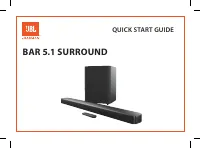
JBL JBLBAR300PROBLKAM - User Manual
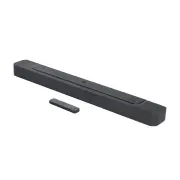
JBL JBLBAR300PROBLKAM Sound Bar – User Manual, read for free online in PDF format. We hope this helps you resolve any issues you may have. If you have further questions, please contact us through the contact form.


Table of Contents:
- Page 2 – IMPORTANT SAFETY INSTRUCTIONS; Verify Line Voltage Before Use
- Page 3 – TABLE OF CONTENTS
- Page 4 – Thank you for purchasing the JBL BAR 300 (soundbar) which; JBL One app; With the JBL One app, you can; For more information, see “; Subscription may be needed and not provided by the
- Page 5 – WHAT’S IN THE BOX; Soundbar; * Power cord quantity and plug type vary region.; Product information & wall-mounting template
- Page 6 – System startup; OPTICAL
- Page 8 – Desktop placement; Place the soundbar on a flat and stable surface.; The power cord shall be properly connected to power.; the supplied wall-mounting template to a wall by using; Make sure that the wall can support the weight of the soundbar.
- Page 9 – Connection with your TV and digital; (Recommended connection for the best Dolby Atmos experience); To play audio from the digital device connected to the
- Page 10 – Connect the soundbar with the; Connect the soundbar with your TV by using an optical cable.; are sold separately.
- Page 11 – Bluetooth connection; To reconnect the last paired device; The Bluetooth connection will be lost if the distance between the; Connection with your home network; power
- Page 12 – On your Android or iOS device, you can name the soundbar in the; The screen on the soundbar shows; Use the supplied power cord only.
- Page 13 – D surround sound; On the remote control, press; Connection with your TV and; The ATMOS effects are available in Dolby audio content only.
- Page 14 – “HELLO”
- Page 15 – Play from the TV source; Connection with your TV and digital; functions are discarded.; Play from the HDMI IN source; Connection with your TV; Full compatibility with all HDMI-CEC devices is not guaranteed.
- Page 16 – Play from the Bluetooth source; Bluetooth connection; Play through the JBL One app; Connection with your home; Access your presets with the (Moment) button
- Page 17 – Play through AirPlay; Play through Amazon Music
- Page 18 – playback pauses on the current connected device when you start; and select the grouped speakers.
- Page 19 – PureVoice dialogue enhancement
- Page 20 – RESTORE FACTORY SETTINGS; On the soundbar, press and hold
- Page 21 – Updating through a USB storage device; directory of a USB storage device.; PRODUCT SPECIFICATIONS; General specification:
- Page 22 – System; FACTORY SETTINGS; Sound; and; Check if you have enabled Bluetooth on the device.
- Page 23 – Remote control; “SETUP WIFI”; Playback; AirPlay cannot find the soundbar as an AirPlay speaker for
- Page 25 – OPEN SOURCE LICENSE NOTICE; This product contains open source software licensed under
BAR 300
OWNER’S MANUAL
"Loading the manual" means you need to wait until the file loads and becomes available for online reading. Some manuals are very large, and the time they take to appear depends on your internet speed.
Summary
2 2 IMPORTANT SAFETY INSTRUCTIONS Verify Line Voltage Before Use The JBL BAR 300 (soundbar) has been designed for use with 100-240 volt, 50/60 Hz AC current. Connection to a line voltage other than that for which your product is intended can create a safety and fire hazard and may damage the unit. I...
www.jbl.com English 3 3 TABLE OF CONTENTS IMPORTANT SAFETY INSTRUCTIONS 2 1. INTRODUCTION 4 2. WHAT’S IN THE BOX 5 3. PRODUCT OVERVIEW 6 3.1 SOUNDBAR 6 3.2 REMOTE CONTROL 7 4. PLACE 8 4.1 DESKTOP PLACEMENT 8 4.2 WALL-MOUNTING 8 5. CONNECT 9 5.1 CONNECTION WITH YOUR TV AND DIGITAL DEVICES 9 5.2 BLUET...
4 4 1. INTRODUCTION Thank you for purchasing the JBL BAR 300 (soundbar) which is designed to bring an extraordinary 3D sound experience to your home entertainment system. We encourage you to take a few minutes to read through this manual, which describes the product and includes step-by-step instruc...