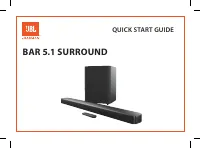
JBL JBLBAR21BLKAS - User Manual
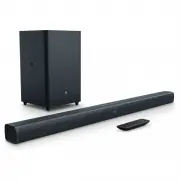
JBL JBLBAR21BLKAS Sound Bar – User Manual, read for free online in PDF format. We hope this helps you resolve any issues you may have. If you have further questions, please contact us through the contact form.


Table of Contents:
- Page 2 – TABLE OF CONTENTS
- Page 3 – Soundbar; Wall Mount Brackets; CONNECT YOUR SOUNDBAR; Connect Soundbar to your TV; Do confirm if HDMI CEC function on your TV is turned on.
- Page 4 – Connect Soundbar to other devices; Power on your system
- Page 5 – button in sequence. Panel display will show “PAIRING”; PLACE YOUR SOUNDBAR; a. Place the Soundbar on the table; USE YOUR SOUNDBAR SYSTEM; to start Bluetooth pairing; PAIRING
- Page 6 – CONNECTED; NOTES; Control USB playback
- Page 7 – Before you connect a USB device, be aware of the following:; Before you start; Surround sound mode; Synchronize video and sound; RESPOND TO YOUR TV REMOTE; TV REMOTE OFF
- Page 8 – Set display brightness; receive more information about downloading update files.; PRODUCT SPECIFICATIONS; General
- Page 9 – Bluetooth specification; • Bluetooth Profile; USB specification; • 5.8G Max Transmitting power
- Page 10 – Remote Control; The remote control does not work.
- Page 11 – change without notice. The Bluetooth
JBL Bar 2.1
OWNER’S MANUAL
"Loading the manual" means you need to wait until the file loads and becomes available for online reading. Some manuals are very large, and the time they take to appear depends on your internet speed.
Summary
2 TABLE OF CONTENTS 1. INTRODUCTION 3 2. WHAT’S IN THE BOX 3 3. CONNECT YOUR SOUNDBAR 3 CONNECT SOUNDBAR TO YOUR TV 3 CONNECT SOUNDBAR TO OTHER DEVICES 4 POWER ON YOUR SYSTEM 4 PAIR WITH THE SUBWOOFER 4 4. PLACE YOUR SOUNDBAR 5 PLACE THE SOUNDBAR ON THE TABLE 5 WALL MOUNT THE SOUNDBAR 5 5. USE YOUR ...
www.jbl.com E n g lis h 3 1. INTRODUCTION Thank you for purchasing the JBL Bar 2.1. The JBL Bar 2.1is designed to bring an extraordinary sound experience to yourhome entertainment system. We urge you to take a few minutesto read through this manual, which describes the productand includes step-by-st...
4 Connect to TV through Optical An Optical connection supports digital audio and is an alternativeto an HDMI audio connection. Note: Confirm to set your TV audio settings to support “external speakers” and disable the built-in TV speakers. Connect Soundbar to other devices Option 1: Connect digital ...