Page 2 - IMPORTANT SAFETY INSTRUCTIONS; Verify Line Voltage Before Use
22 IMPORTANT SAFETY INSTRUCTIONS Verify Line Voltage Before Use The JBL Bar 2.0 (soundbar) has been designed for use with 100-240 volt, 50/60 Hz AC current. Connection to a line voltage other than that for which your product is intended can create a safety and fire hazard and may damage the unit. If...
Page 3 - TABLE OF CONTENTS
www.jbl.com English 3 3 TABLE OF CONTENTS IMPORTANT SAFETY INSTRUCTIONS 2 1 INTRODUCTION 4 2 WHAT’S IN THE BOX 5 3 PRODUCT OVERVIEW 6 3.1 CONTROLS AND INDICATORS 6 3.2 CONNECTORS 6 3.3 REMOTE CONTROL 6 4 PLACE 7 4.1 DESKTOP PLACEMENT 7 4.2 WALL-MOUNTING 7 5 CONNECT 8 5.1 TV CONNECTION 8 5.2 BLUETOOT...
Page 4 - INTRODUCTION
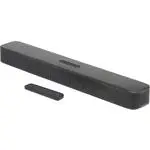
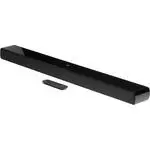
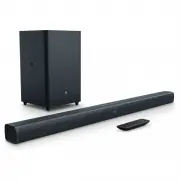
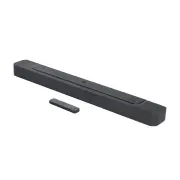
44 1 INTRODUCTION Thank you for purchasing the JBL Bar 2.0 All-in-One (soundbar) which is designed to bring an extraordinary sound experience to your home entertainment system. We encourage you to take a few minutes to read through this manual, which describes the product and includes step-by-step i...
Page 5 - WHAT’S IN THE BOX; Main unit
www.jbl.com English 5 5 2 WHAT’S IN THE BOX Unpack the box carefully and ensure that the following parts are included. If any part is damaged or missing, do not use it and contact your retailer or customer service representative. Main unit Remote control (with 2 AAA batteries) Power cord* * Power co...
Page 6 - PRODUCT OVERVIEW; Controls and indicators; TV
66 3 PRODUCT OVERVIEW 3.1 Controls and indicators 4 1 3 2 1. (Power) • Switch on or to standby 2. -/+ (Volume) • Decrease or increase the volume • Press and hold to decrease or increase the volume continuously • Press the two buttons together to mute or unmute. 3. (Source) • Select a sound source: T...
Page 7 - PLACE; Desktop placement; Place the soundbar on a flat and stable surface.; Fasten the screw onto the back of the soundbar.
www.jbl.com English 7 7 4 PLACE 4.1 Desktop placement Place the soundbar on a flat and stable surface. TV NOTES: − The power cord shall be properly connected to power. − Do not place any objects on the top of the soundbar. 4.2 Wall-mounting 1 3 4 2 ≤8 mm/ 0.31" 4mm/ 0.16" ≥30 mm/1.18" Fi...
Page 8 - CONNECT; Through the supplied HDMI cable; Through an optical cable; Bluetooth connection; Connect a Bluetooth device
88 5 CONNECT 5.1 TV connection Connect the soundbar with your TV through the supplied HDMI cable or an optical cable (sold separately). Through the supplied HDMI cable An HDMI connection supports digital audio and video with a single connection. HDMI connectivity is the best option for your soundbar...
Page 9 - Follow Step 3 under “Connect a Bluetooth device”.; PLAY; Switch on; Auto standby
www.jbl.com English 9 9 2. Follow Step 3 under “Connect a Bluetooth device”. • If the device has ever been paired with the soundbar, first unpair “JBL Bar 2.0” on the device. NOTES: − The Bluetooth connection will be lost if the distance between the soundbar and Bluetooth device exceeds 33 ft (10 m)...
Page 10 - Play from the TV source; HDMI ARC; Play from the Bluetooth source
10 10 6.2 Play from the TV source With the soundbar connected, you can enjoy TV audio from the soundbar speakers. HDMI ARC OPTICAL 1. Make sure that your TV is set to support external speakers and the built-in TV speakers are disabled. Refer to the owner’s manual of your TV for more information. 2. ...
Page 11 - SOUND SETTINGS; Audio sync; RESTORE FACTORY SETTINGS
www.jbl.com English 11 11 7 SOUND SETTINGS Audio sync With the audio sync function, you can synchronize audio and video to make sure that no delay is heard from your video content. 1. On the remote control, press and hold TV . → Ready for audio sync: The status indicator scrolls white. 2. Within fiv...
Page 12 - SOFTWARE UPDATE; Check that you have saved the software update file to the root; 0 PRODUCT SPECIFICATIONS; General specification:
12 12 9 SOFTWARE UPDATE For optimal product performance and your best user experience, JBL may offer software updates for the soundbar system in the future. Please visit www.jbl.com or contact JBL call center to receive more information about downloading update files. 1. Check that you have saved th...
Page 13 - 1 TROUBLESHOOTING; System
www.jbl.com English 13 13 11 TROUBLESHOOTING Never try to repair the product yourself. If you have problems using this product, check the following before you request services. System The unit will not turn on.• Check if the power cord is plugged into power and the soundbar. The soundbar has no resp...
Page 14 - 2 TRADEMARKS; The Bluetooth; 3 OPEN SOURCE LICENSE NOTICE; This product contains open source software licensed under
14 14 12 TRADEMARKS The Bluetooth ® word mark and logos are registered trademarks owned by Bluetooth SIG, Inc. and any use of such marks by HARMAN International Industries, Incorporated is under license. Other trademarks and trade names are those of their respective owners. The terms HDMI, HDMI High...