Page 2 - IMPORTANT SAFETY INSTRUCTIONS; Verify Line Voltage Before Use
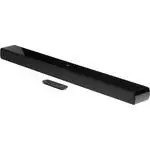
22 IMPORTANT SAFETY INSTRUCTIONS Verify Line Voltage Before Use The JBL Bar 2.1 Deep Bass (soundbar and subwoofer) has been designed for use with 100-240 volt, 50/60 Hz AC current. Connection to a line voltage other than that for which your product is intended can create a safety and fire hazard and...
Page 3 - TABLE OF CONTENTS
www.jbl.com English 3 3 TABLE OF CONTENTS IMPORTANT SAFETY INSTRUCTIONS 2 1. INTRODUCTION 4 2. WHAT’S IN THE BOX 5 3. PRODUCT OVERVIEW 6 3.1 SOUNDBAR 6 3.2 SUBWOOFER 6 3.3 REMOTE CONTROL 7 4. PLACE 7 4.1 DESKTOP PLACEMENT 7 4.2 WALL-MOUNTING 8 5. CONNECT 8 5.1 TV CONNECTION 8 5.2 DIGITAL DEVICE CONN...
Page 4 - INTRODUCTION; Thank you for purchasing the JBL Bar 2.1 Deep Bass (soundbar
44 1 INTRODUCTION Thank you for purchasing the JBL Bar 2.1 Deep Bass (soundbar and subwoofer) which is designed to bring an extraordinary sound experience to your home entertainment system. We encourage you to take a few minutes to read through this manual, which describes the product and includes s...
Page 5 - WHAT’S IN THE BOX; Soundbar
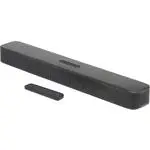
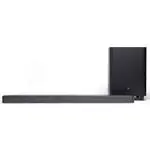
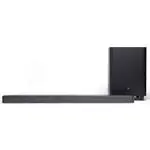
www.jbl.com English 5 5 2 WHAT’S IN THE BOX Unpack the box carefully and ensure that the following parts are included. If any part is damaged or missing, do not use it and contact your retailer or customer service representative. Soundbar Subwoofer Remote control (with 2 AAA batteries) Power cord* x...
Page 6 - PRODUCT OVERVIEW; Controls; Connect to the HDMI output on your digital device; POWER
66 3 PRODUCT OVERVIEW 3.1 Soundbar Controls 4 1 3 2 1. (Power) • Switch on or to standby 2. -/+ (Volume) • Decrease or increase the volume • Press and hold to decrease or increase the volume continuously • Press the two buttons together to mute or unmute 3. (Source) • Select a sound source: TV (defa...
Page 7 - Switch on or to standby; TV; Select the TV source; HDMI; Select the HDMI IN source; PLACE; Desktop placement
www.jbl.com English 7 7 3.3 Remote control 1 23 5 4 6 7 1. • Switch on or to standby 2. TV • Select the TV source 3. (Bluetooth) • Select the Bluetooth source • Press and hold to connect another Bluetooth device 4. • Select the bass level for subwoofer: low, middle, or high 5. HDMI • Select the HDMI...
Page 8 - CONNECT; Connect the soundbar with your TV through the supplied HDMI; Connect the soundbar with your TV by using the supplied; Through an optical cable
88 4.2 Wall-mounting 1 4 3 2 ≤8 mm/ 0.31" 4mm/ 0.16" ≥30 mm/1.18" 1. Preparation: a) With a minimum distance of 2” (50mm) from your TV, stick the supplied wall-mounting template to a wall by using adhesive tapes. b) Use your ballpen tip to mark the screw holder location. Remove the templ...
Page 9 - Digital device connection; Bluetooth connection; Connect a Bluetooth device; “BT PAIRING”; “BT PAIRING”
www.jbl.com English 9 9 5.2 Digital device connection 1. Make sure that you have connected your TV to the soundbar through the HDMI ARC connection (See “Through the supplied HDMI cable” under “TV connection” in the “CONNECT” chapter). 2. Use an HDMI cable (V1.4 or later) to connect the soundbar with...
Page 10 - PLAY; “HELLO”; “STDBY”; Play from the TV source; “LEARNING”
10 10 6 PLAY 6.1 Power-on/Auto standby/Auto wakeup POWER Switch on 1. Connect the soundbar and subwoofer to power by using the supplied power cords. 2. On the soundbar, press to switch on. → “HELLO” is displayed. → The subwoofer is connected to the soundbar automatically. Connected: turns solid whit...
Page 11 - “EXIT LEARNING”; Play from the HDMI IN source; Play from the Bluetooth source
www.jbl.com English 11 11 3. Repeat Step 2 to complete the button learning. 4. To exit the TV remote control learning mode, press and hold and + on the soundbar until “EXIT LEARNING” is displayed. → The soundbar returns to the last selected source. 6.3 Play from the HDMI IN source With the soundbar ...
Page 12 - SOUND SETTINGS; Bass adjustment; RESTORE FACTORY SETTINGS
12 12 7 SOUND SETTINGS Bass adjustment 1. Check that the soundbar and subwoofer are properly connected (See the “INSTALL” chapter). 2. On the remote control, press repeatedly to switch between bass levels. → “ LOW” , “MID” and “HIGH” are displayed. Audio sync With the audio sync function, you can sy...
Page 13 - SOFTWARE UPDATE; “UPGRADING”; 0 RE-CONNECT THE SUBWOOFER; To re-enter the subwoofer pairing mode; “SUBWOOFER
www.jbl.com English 13 13 9 SOFTWARE UPDATE For optimal product performance and your best user experience, JBL may offer software updates for the soundbar system in the future. Please visit www.jbl.com or contact JBL call center to receive more information about downloading update files. 1. To check...
Page 14 - 1 PRODUCT SPECIFICATIONS; General specification:; 2 TROUBLESHOOTING; System
14 14 11 PRODUCT SPECIFICATIONS General specification: • Power supply: 100 - 240V AC, ~ 50/60 Hz • Total speaker power output (Max. @THD 1%): 300 W • Output power (Max. @THD 1%): 2 x 50 W (Soundbar) 200 W (Subwoofer) • Transducer: 4 x racetrack drivers + 2 x 1” tweeter (Soundbar); 6.5” (subwoofer) •...
Page 15 - The Bluetooth reception is poor. Move the source device; Remote control; Check if the batteries are drained. If so, replace them with; 3 TRADEMARKS; The Bluetooth
www.jbl.com English 15 15 The connected Bluetooth device connects and disconnects constantly.• The Bluetooth reception is poor. Move the source device closer to the soundbar, or remove any obstacle between the source device and the soundbar. Remote control The remote control does not work.• Check if...
Page 16 - 4 OPEN SOURCE LICENSE NOTICE; This product contains open source software licensed under
16 16 14 OPEN SOURCE LICENSE NOTICE This product contains open source software licensed under GPL. For your convenience, the source code and relevant build instruction are also available at http://www.jbl.com/opensource.html . Please feel free to contact us at: Harman Deutschland Gmb HATT: Open Sour...