Page 2 - IMPORTANT SAFETY INSTRUCTIONS; Verify Line Voltage Before Use
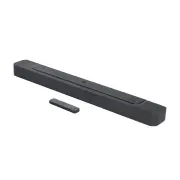
2 2 IMPORTANT SAFETY INSTRUCTIONS Verify Line Voltage Before Use The JBL BAR 300 (soundbar) has been designed for use with 100-240 volt, 50/60 Hz AC current. Connection to a line voltage other than that for which your product is intended can create a safety and fire hazard and may damage the unit. I...
Page 3 - TABLE OF CONTENTS
www.jbl.com English 3 3 TABLE OF CONTENTS IMPORTANT SAFETY INSTRUCTIONS 2 1. INTRODUCTION 4 2. WHAT’S IN THE BOX 5 3. PRODUCT OVERVIEW 6 3.1 SOUNDBAR 6 3.2 REMOTE CONTROL 7 4. PLACE 8 4.1 DESKTOP PLACEMENT 8 4.2 WALL-MOUNTING 8 5. CONNECT 9 5.1 CONNECTION WITH YOUR TV AND DIGITAL DEVICES 9 5.2 BLUET...
Page 4 - Thank you for purchasing the JBL BAR 300 (soundbar) which; JBL One app; With the JBL One app, you can; For more information, see “; Subscription may be needed and not provided by the
4 4 1. INTRODUCTION Thank you for purchasing the JBL BAR 300 (soundbar) which is designed to bring an extraordinary 3D sound experience to your home entertainment system. We encourage you to take a few minutes to read through this manual, which describes the product and includes step-by-step instruc...
Page 5 - WHAT’S IN THE BOX; Soundbar; * Power cord quantity and plug type vary region.; Product information & wall-mounting template
www.jbl.com English 5 5 2. WHAT’S IN THE BOX Unpack the box carefully and ensure that the following parts are included. If any part is damaged or missing, do not use it and contact your retailer or customer service representative. Soundbar Remote control (with 2 AAA batteries) (AAA) Power cord* * Po...
Page 6 - System startup; OPTICAL
6 6 3. PRODUCT OVERVIEW 3.1 Soundbar 3.1.1 Controls 5 3 4 1 2 1) (Source) • Switch on • Select a sound source: TV (default, for audio input from TV connection where the HDMI OUT (TV ARC/ TV eARC) connector is prioritized over the OPTICAL connector), Bluetooth or HDMI IN 2) / (Volume) • Switch on • D...
Page 8 - Desktop placement; Place the soundbar on a flat and stable surface.; The power cord shall be properly connected to power.; the supplied wall-mounting template to a wall by using; Make sure that the wall can support the weight of the soundbar.
8 8 4. PLACE 4.1 Desktop placement Place the soundbar on a flat and stable surface. 2.5- 3.0 m / 8.2- 9.8 ft > 4 m / 13 ft >5c m / 2” NOTES: – The power cord shall be properly connected to power. – Do not place any objects on the top of the soundbar. 4.2 Wall-mounting 1 540 mm/21.26’’ 1a) 1b) ...
Page 9 - Connection with your TV and digital; (Recommended connection for the best Dolby Atmos experience); To play audio from the digital device connected to the
www.jbl.com English 9 9 5. CONNECT 5.1 Connection with your TV and digital devices For audio playback through the soundbar, connect the soundbar with your TV through the supplied HDMI cable or an optical cable (sold separately). An HDMI connection supports digital audio and video with a single conne...
Page 10 - Connect the soundbar with the; Connect the soundbar with your TV by using an optical cable.; are sold separately.
10 10 5.1.2 TV (HDMI eARC) HDMI OUT (TV ARC/TV eARC) HDMI OUT * HDMI (eARC) HDMI IN TV 1. Connect the soundbar with the HDMI IN (eARC) connector on your TV by using the supplied HDMI cable. • On your TV, check that HDMI-CEC and HDMI eARC have been enabled. Refer to the owner’s manual of your TV for ...
Page 11 - Bluetooth connection; To reconnect the last paired device; The Bluetooth connection will be lost if the distance between the; Connection with your home network; power
www.jbl.com English 11 11 5.2 Bluetooth connection Through Bluetooth, connect the soundbar with your Bluetooth device, such as a smartphone, tablet and laptop. Settings Bluetooth Bluetooth DEVICES JBL Bar 300_xxxx Now Discoverable Connected < 10 m / 33 ft BT PAIRING 5.2.1 Connect a Bluetooth devi...
Page 12 - On your Android or iOS device, you can name the soundbar in the; The screen on the soundbar shows; Use the supplied power cord only.
12 12 3. If necessary, use an Ethernet cable to connect the soundbar to your home network. • Make sure that you connect to the same network as you did during the setup. NOTES: – On your Android or iOS device, you can name the soundbar in the JBL One app. – On your iOS device, add the soundbar to the...
Page 13 - D surround sound; On the remote control, press; Connection with your TV and; The ATMOS effects are available in Dolby audio content only.
www.jbl.com English 13 13 6.2 3D surround sound 6.2.1 Sound calibration Optimize your 3D surround sound experience for your unique listening environment. 1 CALIBRATION 2 CALIBRATING PRESS AGAIN TO CONFIRM DONE 1. On the remote control, press CALIBR to start calibration. → “CALIBRATION” is displayed ...
Page 14 - “HELLO”
14 14 6.2.3 Bass adjustment You can make bass adjustment as needed. LVL3 LVL5 LVL4 LVL1 LVL2 • On the remote control, press to switch between bass levels. → “LVL1” to “LVL5” is displayed (Default: “LVL3” ). 7. PLAY 7.1 Power-on/Auto standby/Auto wakeup HELLO 7.1.1 Switch on • To switch on, press any...
Page 15 - Play from the TV source; Connection with your TV and digital; functions are discarded.; Play from the HDMI IN source; Connection with your TV; Full compatibility with all HDMI-CEC devices is not guaranteed.
www.jbl.com English 15 15 7.2 Play from the TV source With the soundbar connected, you can enjoy TV audio from the soundbar speakers. OPTICAL HDMI eARC/ HDMI ARC TV 1. Make sure that your TV is set to support external speakers and the built-in TV speakers are muted. Refer to the owner’s manual of yo...
Page 16 - Play from the Bluetooth source; Bluetooth connection; Play through the JBL One app; Connection with your home; Access your presets with the (Moment) button
16 16 7.4 Play from the Bluetooth source Through Bluetooth, stream audio play on your Bluetooth device to the soundbar. . < 10 m / 33 ft × 1 × 2 × 3 1. Check that the soundbar has been properly connected to your Bluetooth device (See “ 5.2 Bluetooth connection ”). 2. To select the Bluetooth sourc...
Page 17 - Play through AirPlay; Play through Amazon Music
www.jbl.com English 17 17 2. On the soundbar, • Press on the remote control to access the personalized playlist and speaker settings. MOMENT 7.6 Play through Chromecast built-in Through Chromecast built-in, stream audio on your Android or iOS device to the soundbar. 1. On the soundbar, • Check that ...
Page 18 - playback pauses on the current connected device when you start; and select the grouped speakers.
18 18 2. On your Android or iOS device, a) Check that your Android or iOS device has been connected to the same network as the soundbar. b) Launch the JBL One app, and check that you have enabled the streaming service of Amazon Alexa. JBL One JBL BAR 300_xxxx 3. Launch the Amazon Alexa app to start ...
Page 19 - PureVoice dialogue enhancement
www.jbl.com English 19 19 7.9.3 Alexa MRM: Multi-Room Music 1. Check that you have enabled the streaming service of Amazon Alexa on the soundbar through the JBL One app. JBL One JBL BAR 300_xxxx 2. Through the Amazon Alexa app, create a Multi-room Music group for the soundbar. Refer to the Amazon Al...
Page 20 - RESTORE FACTORY SETTINGS; On the soundbar, press and hold
20 20 9. RESTORE FACTORY SETTINGS By restoring the default settings defined at factories, you remove all your personalized settings from the soundbar. • On the soundbar, press and hold , and for more than 5 seconds. → “RESET” is displayed. → The soundbar restarts. 10. SOFTWARE UPDATE For optimal pro...
Page 21 - Updating through a USB storage device; directory of a USB storage device.; PRODUCT SPECIFICATIONS; General specification:
www.jbl.com English 21 21 Updating through a USB storage device Software update files USB CHECKING UPDATE 1. Check that you have saved the software update file to the root directory of a USB storage device. • Make sure that your USB storage device meets the following requirements: - Maximum capacity:...
Page 22 - System; FACTORY SETTINGS; Sound; and; Check if you have enabled Bluetooth on the device.
22 22 Dimensions• Soundbar dimensions (W x H x D): 820 x 56 x 103.5 mm / 32.3’’ x 2.2’’ x 4.1” • Soundbar weight: 2.5 kg / 5.5 lbs • Packaging dimensions (W x H x D): 1060 x 120 x 170 mm / 41.7” x 4.7” x 6.7” • Packaging Weight: 4.1 kg / 9 lbs 12. TROUBLESHOOTING Never try to repair the product your...
Page 23 - Remote control; “SETUP WIFI”; Playback; AirPlay cannot find the soundbar as an AirPlay speaker for
www.jbl.com English 23 23 Remote control The remote control does not work.• Check if the batteries are drained. If so, replace them with new ones. • Reduce the distance and angle between the remote control and the main unit. Failed to complete the TV remote control learning.• Check if you are using ...
Page 25 - OPEN SOURCE LICENSE NOTICE; This product contains open source software licensed under
www.jbl.com English 25 25 14. OPEN SOURCE LICENSE NOTICE This product contains open source software licensed under GPL. For your convenience, the source code and relevant build instruction are also available at https://harman-webpages. s3.amazonaws.com/JBL_BAR_Gen3_package_license_list.htm . Please ...