Page 2 - CAUTION: MERCURY NOTICE; N O M E R C U R Y; Hg; Customer Assistance; For assistance with this product, please visit; CAUTION: ELECTRONIC WASTE NOTICE
2 NOTICE: To avoid possible compressor damage, do not run air conditioner if the outside temperature drops below 50°F (10°C). CAUTION: MERCURY NOTICE If this product is replacing a control that contains mercury in a sealed tube, do not place the old control in the trash. Contact your local waste man...
Page 3 - Table of Contents; or
3 Installation Installation ....................................................... 3Advanced Installation ................................ 9 About Your New Thermostat Controls and Home Screen Quick Reference ......................................... 11Preset Energy-Saving Schedules...... 12 Program...
Page 5 - Mount Wallplate; Mount the new wallplate using the included screws and anchors.; Connect Wires; Remove metal
5 5 Mount Wallplate Mount the new wallplate using the included screws and anchors. Drill 3/16-in. holes for drywallDrill 3/32-in. holes for plaster 6 Connect Wires Simply match wire labels.If labels do not match letters on the thermostat, check “Alternate Wiring (Conventional Systems)” on page 6 and...
Page 7 - Install Batteries
7 7 Install Batteries Install two AAA alkaline batteries. Back of thermostat RTHXXXX M32707 Alternate wiring (for heat pumps with auxiliary or backup heat only) If labels do not match letters on the thermostat, check the chart below and connect to terminal as shown here (see notes, below). Leave met...
Page 8 - Set Fan Operation Switch; Electric or Heat Pump:; Install Thermostat; 0 Turn Power Back On
8 8 Set Fan Operation Switch Move the switch to the proper setting: Gas or Oil: For gas or oil heating systems, leave the fan operation switch in this factory-set position (for systems that control the fan in a call for heat). Electric or Heat Pump: Change the switch to this setting for heat pump or...
Page 9 - Advanced Installation; Enter System Setup; RUN
9 11 If Your System Type is... If your system type is: q Single Stage Heat and Cool q Heat Only or Cool Only Congratulations, you’re done! If your system type is: q Heat Pump* with Backup Heat Continue with Advanced Installation to match your thermostat to your system type.*Heat Pump—an air conditio...
Page 10 - About Your New Thermostat
10 NOTE: If you do not press any button for 60 seconds while you are in the setup menu, the thermostat automatically saves any changes made and exits the menu. Function Description Press the s or t button to Setting 1 select system type 0 Heating & cooling: Gas, oil or electric heating with cent...
Page 11 - Thermostat Controls; SYSTEM; Display Screen; Lo; Heat
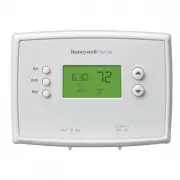
11 M33612 Heat Off Cool Auto On Fan Heat Off Cool Auto On Fan Set Hold Run Thermostat Controls Set: Press to set time/day/ schedule. Hold: Press to override programmed temperature control. Run: Press to resume program schedule. Temperature adjustment Press the up or down buttons until you reach the ...
Page 12 - Set the Time and Day; SET; Program Schedule
12 Set the Time and Day 1. Press the SET button, then press s or t to set the clock time. 2. Press the SET button, then press s or t to select the day of the week. 3. Press RUN to save & exit. NOTE: If the clock flashes, the thermostat will follow your settings for the Monday “Wake” time period ...
Page 15 - Built-In Compressor Protection; Early Start; Cool
15 Program Schedule Override (Permanent) Built-In Compressor Protection This feature helps prevent damage to the compressor in your air conditioning or heat pump system.Damage can occur if the compressor is restarted too soon after shutdown. This feature forces the compressor to wait 5 minutes befor...
Page 16 - Battery Replacement; Lo Batt; Change Filter; Change
16 Battery Replacement Install two fresh AAA batteries when Lo Batt flashes on the screen. Lo Batt appears for 60 days before the batteries are depleted.Replace batteries once a year, or when you will be away for more than a month.Most settings are stored in non- volatile (permanent) memory. Only th...
Page 17 - Troubleshooting
17 Troubleshooting If you have difficulty with your thermostat, please try the following suggestions. Most problems can be corrected quickly and easily. Display is blank • Make sure fresh AAA alkaline batteries are correctly installed. Heating or cooling system does not respond • Set system switch t...
Page 18 - -Year Limited Warranty
33-00110EF-05 ©2020 Resideo Technologies, Inc. All rights reserved.The Honeywell Home trademark is used under license from Honeywell International, Inc. This product is manufactured by Resideo Technologies, Inc. and its affiliates.Tous droits réservés. La marque de commerce Honeywell Home est utilis...
Page 19 - Série; Veuillez lire le mode; Pour obtenir de l’aide veuillez; Thermostat; Identifier le type de système
Heat Off Cool Auto On Fan Heat Off Cool Auto On Fan Set Hold Run RTH2510/ RTH2410 Série Veuillez lire le mode d’emploi et le conserver en lieu sûr. Pour obtenir de l’aide veuillez visiter honeywellhome.com Manuel du propriétaire Thermostat programmable Identifier le type de système Ce thermostat est...
Page 20 - Services à la clientèle; MISE EN GARDE : AVIS RELATIF AU MERCURE
2 AVIS : Pour éviter d’endommager le compresseur, ne faites pas fonctionner le climatiseur si la température extérieure est inférieure à 10 °C (50 °F). N O M E R C U R Y N E PA S J E T E R L E M E R C U R E Hg RTHXXXX M32707 Services à la clientèle Pour obtenir de l’aide avec ce produit, veuillez co...
Page 21 - Table des matières; ou
3 Installation Installation ....................................................... 3Guía de instalación avanzada ................ 9 À propos du thermostat Aide-mémoire sur les commandes et l’écran d’accueil .................................... 11Programmes d’économie d’énergie préconfigurés ..........
Page 22 - Retirer l’ancien thermostat; Étiqueter les fils
4 2 Retirer l’ancien thermostat Retirer l’ancien thermostat, mais laisser en place la plaque murale et les fils sans les détacher. M32731 TO REMOVE WALLPLATE PULL HERE Plaque de montage Laisser la plaque de montage en place C C MCR33823 Désignation de la borne Si vous possédez un thermostat plus anc...
Page 23 - “Autre option de câblage (Système conventionnel)” au page 6 (voir les; Retirer le cavalier
5 5 Installer la plaque Installer la nouvelle plaque murale à l’aide des vis et des chevilles d’ancrage fournies. Percer des trous de 3/16 po si le mur est en placoplâtrePercer des trous de 3/32 po si le mur est en plâtre 6 Raccorder les fils Il suffit ensuite de faire correspondre les fils avec les...
Page 25 - Installer les piles; aire ou de secours uniquement)
7 Dos du thermostat RTHXXXX M32707 7 Installer les piles Installer 2 piles alcalines AAA à l’arrière du thermostat. Autre option de câblage (pour les thermopompes avec chauffage auxili- aire ou de secours uniquement) Si les étiquettes ne correspondent pas aux lettres sur le thermostat, consulter le ...
Page 26 - Réglages du ventilateur; Electric or Heat Pump :; Fixer le thermostat à la; 0 Rétablir l’alimentation
8 8 Réglages du ventilateur Placer le sélecteur à la position qui correspond au système : Gas or Oil : S’il s’agit d’un système de chauffage au gaz ou au mazout, laisser le sélecteur à la position réglée en usine (pour les systèmes qui commandent la mise en marche du ventilateur lors d’une demande d...
Page 27 - Guide d’installation avancé
9 11 Si votre système est du type suivant... Si votre système est du type suivant: q Chauffage et refroidissement à un étage q Chauffage uniquement ou refroidissement uniquement Félicitations, vous avez terminé Si votre système est du type suivant: q Thermopompe* avec chauffage de secours Passer au ...
Page 28 - À propos du thermostat
10 REMARQUE : Si aucun bouton n’est touché pendant 60 secondes dans le menu de configuration, le thermostat enregistre automatiquement toute modification effectuée et quitte le menu. Fonction Description - Appuyer sur les touches s ou t pour Réglage 1 sélectionnez le type de système 0 Chauffage et r...
Page 29 - Commandes de thermostat; Écran d’affichage
11 M33612 Heat Off Cool Auto On Fan Heat Off Cool Auto On Fan Set Hold Run Commandes de thermostat La commande FAN (ventilateur) est utilisée pour commander le ventilateur.En mode de Réglage de la température Appuyer sur les touches haut ou bas jusqu’à l ’obtention de la température désirée. Remarqu...
Page 33 - Protection intégrée du compresseur; Démarrage précoce
15 Dérogation (temporaire) au programme Protection intégrée du compresseur We Wake am Cool 75 On 6:30 M32711 Cette fonction sert à éviter d’endommager le compresseur qui fait partie du système de refroidissement ou de la thermopompe.Le compresseur pourrait en effet être endommagé s’il redémarre trop...
Page 34 - Remplacement des piles; Changer le filtre
16 Remplacement des piles Tirer le thermostat par le bas pour le détacher de la plaque murale. Retourner le thermostat et installer des piles alcalines AAA neuves, puis remettre le thermostat en place. Mettre la commande System (Système) sur Off (Arrêt) avant de retirer les piles. Dans le cas contra...
Page 35 - Dépannage
17 Dépannage En cas de difficultés avec le thermostat, essayer les suggestions suivantes. La plupart des problèmes peuvent être réglés rapidement et facilement. Rien n’apparaît à l’écran • S’assurer qu’il y a bien des piles alcalines AAA neuves en place. Le système de chauffage ou de refroidissement...
Page 36 - Garantie limitée d’un an
33-00110EF-05 ©2020 Resideo Technologies, Inc. All rights reserved.The Honeywell Home trademark is used under license from Honeywell International, Inc. This product is manufactured by Resideo Technologies, Inc. and its affiliates.Tous droits réservés. La marque de commerce Honeywell Home est utilis...