Honeywell CT31A1003/E1 - User Manual
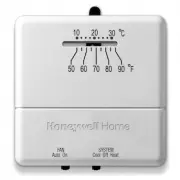
Honeywell CT31A1003/E1 Thermostat – User Manual, read for free online in PDF format. We hope this helps you resolve any issues you may have. If you have further questions, please contact us through the contact form.


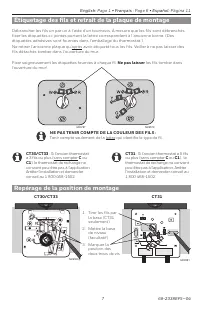
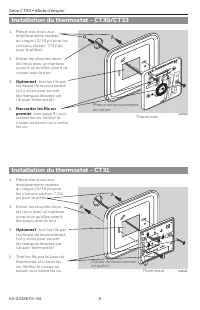
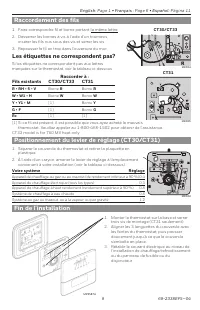
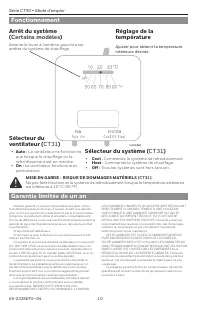



Table of Contents:
- Page 2 – Label wires and remove old wallplate
- Page 3 – Mount thermostat base - CT31
- Page 4 – Finish installation; Connect to
- Page 5 – Temperature setting
- Page 6 – Retrait de l’ancien thermostat; Vérifier le contenu du paquet :
- Page 7 – Étiquetage des fils et retrait de la plaque de montage; Repérage de la position de montage
- Page 8 – Installation du thermostat - CT31
- Page 9 – Les étiquettes ne correspondent pas?; Raccordement des fils; Fils existants; Fin de l’installation
- Page 10 – Garantie limitée de un an; Arrêt du système; Fonctionnement
- Page 11 – Lista de comprobación previa a la instalación; Owner’s Manual; Remueva su viejo termostato
- Page 12 – Rotule los cables y retire la vieja placa de montaje; Repérez la position de montage
- Page 13 – Instalación de placa de montaje - CT30/CT33
- Page 14 – ¿Los rótulos no coinciden?; Connecte los cables; Cables; Finalice la instalación
- Page 15 – Garantía limitada de un año; Sistema apagado
Owner’s Manual
English: Page 1
Mode d’emploi
Français : Page 6
Manual de Uso
Español: Página 11
CT30 Series
Low-Voltage Thermostat
M37781
69-2338EFS-04
M23786
MERCURY NOTICE
If your old thermostat contains
mercury, contact your local waste
management authority for proper
disposal instructions.
TURN OFF POWER
at heating/cooling system (or fuse/circuit-breaker panel).
Remove cover and thermostat, but leave wallplate with wires attached.
Is there a sealed tube containing mercury?
If so, see mercury notice below.
Leave wallplate in place.
Old thermostat
Cover
Getting started
Remove your old thermostat
Check package contents:
• Thermostat
• Coverplate
•
Wall anchors & screws (2 each)
•
Caution card
•
Wire labels
Before you begin, make sure you have:
•
No. 2 Phillips & small pocket screwdrivers
• Hammer
•
Level (optional)
• Pencil
•
Drill and bit (3/16” for drywall, 7/32” for
plaster)
"Loading the manual" means you need to wait until the file loads and becomes available for online reading. Some manuals are very large, and the time they take to appear depends on your internet speed.
Other Manuals for Honeywell CT31A1003/E1
Summary
CT30 Series • Owner's Manual 69-2338EFS—04 2 0 0 0 M23787 Wrap supplied labels securely around each wire. Do not let wires fall into wall opening! IGNORE WIRE COLORS: Use only letter designations to identify wire types. For CT31 : If your old thermostat has 5 or more wires (not counting terminals C ...
English: Page 1 • Français : Page 6 • Español: Página 11 3 69-2338EFS—04 M29583 M29582 1. Drill holes at pencil-marked locations (3/16” holes for drywall, 7/32” holes for plaster). 2. Use hammer to tap anchors into holes until flush with wall. 3. Optional: Pull wires through cover plate (if needed t...
CT30 Series • Owner's Manual 69-2338EFS—04 4 M29587A M29586 1. Mount thermostat on base and tighten three mounting screws (CT31 only). 2. Align the 3 tabs on the cover with slots on the thermostat, then push gently until the cover snaps into place. 3. Restore power at the heating/cooling system, or ...


