Honeywell RCHTSENSOR-2PK/E - User Manual
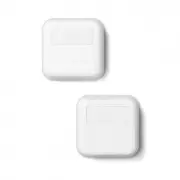
Honeywell RCHTSENSOR-2PK/E Thermostat – User Manual, read for free online in PDF format. We hope this helps you resolve any issues you may have. If you have further questions, please contact us through the contact form.


Table of Contents:
- Page 2 – Getting Started; Placement Tips
- Page 3 – Démarrage; Conseils pour le positionnement
- Page 4 – Inicio; Ayuda para la ubicación
Wireless Room Sensors
for T9 and T10 Pro
Smart Thermostats
Quick Start Guide
Détecteurs de pièce sans fil
pour thermostats
intelligents T9 et T10 Pro
Guide de démarrage rapide
Sensores inalámbricos
de habitación para los
termostatos inteligentes
T9 y T10 Pro
Guía de inicio rápido
Resideo Inc., 1985 Douglas Drive North
Golden Valley, MN 55422
www.resideo.com
©2018 Resideo Technologies, Inc.
All rights reserved. The Honeywell Home trademark is used under license from Honeywell International Inc.
Tous droits réservés. La marque de commerce Honeywell Home est utilisée sous licence avec l’autorisation d’Honeywell
International Inc.
Todos los derechos reservados. La marca comercial Honeywell Home se utiliza en virtud de la licencia emitida por
Honeywell International Inc..
33-00429EFS—01 M.S. 11-18
Printed in U.S.A.
33-00429EFS-01
"Loading the manual" means you need to wait until the file loads and becomes available for online reading. Some manuals are very large, and the time they take to appear depends on your internet speed.
Other Manuals for Honeywell RCHTSENSOR-2PK/E
Summary
Getting Started Read before installing. 1 3 2 Open the Menu Tap “Devices & Sensors” Tap “Add” Devices & Sensors Add Follow the on-screen instructions 4 5ft 1.5m Placement Tips • DO place about 5 feet above the floor.• DO place on inside walls.• DON’T place behind furniture or doors.• DON’T p...
Démarrage Lire avant l’installation. 1 3 2 Ouvrez le menu. Appuyez sur « Devices & Sensors » (Appareils et détecteurs). Appuyez sur « Add » (Ajouter). Devices & Sensors Add Veuillez suivre les directives à l’écran. 4 1,5m 5 pi Conseils pour le positionnement • Placer à environ 1,5 m (5 pi) d...
Inicio Leer antes de instalar. 1 3 2 Abra el menú Toque “Devices & Sensors” (Dispositivos y sensores) Toque “Add” (Añadir). Devices & Sensors Add Siga las instrucciones en la pantalla 4 5ft 1,5m Ayuda para la ubicación • COLOQUE a unos 1.5 metros (5 pies) del piso. • COLOQUE en las paredes i...


