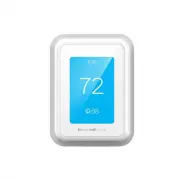
Page 2 - Read before installing.; Included in your box:
2 Read before installing. Included in your box: Tools you will need: You may need: Installation Guide Screws and anchors Phillips screwdriver Wire Stripper Home Wi-Fi Password Wireless room sensor T9 Wi-Fi Thermostat Small flat head screwdriver Needle-nose pliers C-Wire Adapter (optional) UWP Wallpl...
Page 3 - Compatibility Section
3 Compatibility Section For help, see: ONLINE GUIDES AND SUPPORT VIDEOS AT: honeywellhome.com/support SOCIAL Twitter: @Honeywell_Home, Facebook: Honeywell Home Or contact: EMAIL [email protected] PHONE 1-800-633-3991 Electrical Specifications INPUT: 24V~@60Hz, 0.2A • REQUIRED: A C-Wire (common wire)...
Page 4 - Removing your old thermostat
4 Removing your old thermostat You will need: Screwdriver, needle-nose pliers OFF ON 75 1 2 3 Turn off power To protect your equipment, turn off the power at the breaker box or switch that controls you heating and cooling equipment. Note: The thermostat off switch will not turn off the power to the ...
Page 5 - YES
5 5 6 7 4 Take a picture of your existing wall plate’s wiring In order to capture all of the letters next to the terminals, be sure to take multiple pictures from different angles.You may need to reference this image later. Remove any jumpers A jumper is used to connect two terminals. It may look li...
Page 7 - Connecting Your Unused C-Wire
7 11 12 13 Do you have a zoning panel? You have a zoning panel if you have multiple thermostats and one furnace or heating system. C-Wire Adapter installation is more complicated on zoned systems. Call 1-855-733-5465 to find a pro-installer. Proceed to the next step. Do you have an unused wire? Look...
Page 9 - Installing Your New Thermostat
9 Installing Your New Thermostat You will need: Level, pencil, drill and a 7/32in drill bit Thermostat Screws UWP wallplate Wall Anchors 33-00421ES_A.indd 9 11/7/2018 10:37:46 AM
Page 13 - Getting the most from the T9 Wi-Fi Thermostat
13 Getting the most from the T9 Wi-Fi Thermostat Prioritize Rooms Prioritize a specific room or multiple rooms, or let comfort follow your move using built-in motion detection. Control on the Go Adjust your thermostat from anywhere using your tablet or smartphone. Save Energy With geofencing, you ca...
Page 14 - Using your thermostat
14 Using your thermostat The screen will wake up by pressing the center area of the displayed temperature. 74 2 18% Indoor Temperature Displays the current indoor temperature. Adjust Temperature Touch the up and down arrows to set your desired temperature. Current Priority Displays the type of prior...
Page 15 - Using Priority
15 Using Priority Priority creates an average temperature in your home based on specific rooms. This allows you to prioritize comfort where you want it. Selected Rooms Rooms you manually select create an average temperature in your home. Unselected Room Will not contribute to the average temperature...
Page 16 - Troubleshooting; negative consequences for the environment and human health.
16 Troubleshooting If you have difficulty with your thermostat, please try the following suggestions. Most problems can be corrected quickly and easily. Display is blank • Check circuit breaker and reset if necessary.• Make sure power switch for heating & cooling system is on.• Make sure furnace...
Page 17 - -year limited warranty
17 Resideo warrants this product, excluding battery, to be free from defects in workmanship or materials, under normal use and service, for a period of two (2) years from the date of first purchase by the original purchaser. If at any time during the warranty period the product is determined to be d...
Page 19 - Guías en línea; TERMOSTATO T9; Guía de instalación
Guías en línea honeywellhome.com TERMOSTATO T9 Guía de instalación 33-00421ES_A.indd 1 11/7/2018 10:37:47 AM
Page 20 - Leer antes de instalar.; Contenido de la caja:
2 Leer antes de instalar. Contenido de la caja: Necesitará las siguientes herramientas: Podría necesitar: Guía de instalación Tornillos y anclajes Destornillador Phillips Pelacables Contraseña de la red wifi del hogar Sensor inalámbrico para habitación Accesorio del termostato T9 con conexión wifi D...
Page 21 - Sección de compatibilidad; Para obtener ayuda, consulte lo siguiente:
3 Sección de compatibilidad Para obtener ayuda, consulte lo siguiente: GUÍAS Y VIDEOS DE SOPORTE EN LÍNEA EN: honeywellhome.com/support REDES SOCIALES Twitter: @Honeywell_Home, Facebook: Honeywell Home O póngase en contacto: CORREO ELECTRÓNICO [email protected] TELÉFONO 1-800-633-3991 Especificacion...
Page 22 - Quitar el termostato anterior
4 Quitar el termostato anterior Necesitará lo siguiente: Destornillador, alicates de punta OFF ON 75 1 2 3 Desconecte el suministro de energía Para proteger el equipo, desconecte el suministro de energía en el interruptor o la caja de disyuntores que controla el equipo de calefacción y refrigeración...
Page 23 - SÍ
5 5 6 7 4 Tome una fotografía del cableado de su placa de pared existente Asegúrese de tomar varias fotografías desde ángulos diferentes para capturar todas las letras que se encuentran al lado de las terminales.Es posible que después necesite tomar la imagen como referencia. Quite todos los puentes...
Page 25 - Conexión del cable C no usado
7 11 12 13 ¿Tiene un panel de zonas? Tiene un panel de zonas si cuenta con varios termostatos y un sistema de calefacción o caldera. La instalación del adaptador del cable C es más complicada en sistemas con zona. Llame al 1-855-733-5465 para obtener un instalador profesional. Continúe con el siguie...
Page 27 - Instalación del termostato nuevo
9 Instalación del termostato nuevo Necesitará lo siguiente: Nivel, lápiz, taladro y una broca de 7/32” Termostato Tornillos Placa de pared UWP Pared Anclajes 33-00421ES_A.indd 9 11/7/2018 10:37:48 AM
Page 31 - Aprovechar al máximo el termostato T9 Wi-Fi
13 Aprovechar al máximo el termostato T9 Wi-Fi Priorice las habitaciones Priorice una o varias habitaciones específicas, o permita que la comodidad lo siga mediante la detección de movimiento incorporada. Control sobre la marcha Ajuste el termostato desde cualquier lugar usando su tablet o teléfono ...
Page 32 - Usar su termostato
14 Usar su termostato La pantalla se activará cuando presione el área central de la temperatura que se muestra. 74 2 18% Temperatura interior Muestra la temperatura interior actual. Ajustar temperatura Toque las flechas arriba y abajo para configurar su temperatura deseada. Prioridad actual Muestra ...
Page 33 - Uso de la prioridad
15 Uso de la prioridad La configuración de prioridades genera una temperatura promedio en el hogar tomando como referencia habitaciones específicas. Esto le permite priorizar la comodidad en los espacios que desee. 72 72 72 72 72 72 72 72 Habitaciones activas Las habitaciones con movimiento detectad...
Page 34 - Solución de problemas; medioambiente y en la salud de las personas.
16 Solución de problemas Si tiene dificultades con el termostato, intente las siguientes sugerencias. La mayoría de los problemas se puede corregir rápida y fácilmente. La pantalla está en blanco • Revise el disyuntor del circuito y restablezca si es necesario. • Asegúrese que el interruptor de alim...
Page 35 - POLIZA DE GARANTIA
17 IMPORTADO EN MEXICO POR: Instromet Mexicana S. de R.L. de C.V. Avenida Santa Fe 94, Torre A Piso 1, Zedec ED Plaza Santa Fe, Alvaro Obregon, Ciudad de Mexico, CP 01210 01-800-083-5925Instromet Mexicana S. de R.L. de C.V. garantiza que éste producto está libre de defectos en su mano de obra y mate...