Page 2 - Instructions; General safety instructions
Instructions 4 1 Instructions 1.1 General safety instructions Risk of personal injury • During use the appliance and its accessible parts become very hot. Never touch the heating elements during use. • Protect your hands by wearing oven gloves when handling food inside the oven cavity. • Never try t...
Page 3 - Risk of damaging the appliance
Instructions 5 EN • Keep the oven door closed during cooking. • If you need to move food or at the end of cooking, open the door 5 cm for a few seconds, let the steam come out, then open it fully. • DO NOT USE OR STORE FLAMMABLE MATERIALS NEAR THE APPLIANCE. • NEVER USE AEROSOL CANS NEAR THE APPLIAN...
Page 5 - Installation
Instructions 7 EN Installation • THIS APPLIANCE MUST NOT BE INSTALLED IN BOATS OR CARAVANS. • The appliance must not be installed on a stand. • Position the appliance into the cabinet cutout with the help of a second person. • To prevent overheating, the appliance must not be installed behind a deco...
Page 6 - Appliance purpose; Power voltage
Instructions 8 1.2 Appliance purpose • This appliance is intended for cooking food in the home environment. Every other use is considered improper. • The appliance is not designed to operate with external timers or with remote-control systems. 1.3 Manufacturer liability The manufacturer declines all...
Page 7 - • Deliver the appliance to the; How to read the user manual; Danger of suffocation
Instructions 9 EN • Deliver the appliance to the appropriate recycling facility for electrical and electronic equipment waste, or deliver it back to the retailer when purchasing an equivalent product, on a one for one basis. Our appliances are packaged in non-polluting and recyclable materials.• Del...
Page 8 - Description; General Description
Description 10 2 Description 2.1 General Description 1 Control panel 2 Oven light 3 Seal 4 Door 5 Fan 6 Evaporation tray 7 Water supply tube 8 Rack support frames Frame shelf
Page 9 - Display
Description 11 EN 2.2 Control panel 1 Display The touchscreen display allows you to interact with the device. Press the icons to access the various available functions. The display will show all operational parameters, such as: selected function, pre-set cooking programs or time/temperature settings...
Page 10 - Interior lighting; Advantages of steam cooking
Description 12 2.3 Other parts Interior lighting The appliance’s interior lighting comes on:• When the door is opened.• When any function is selected, apart from the Descaling , Sabbath mode and Vapour Clean function. • When no function is selected, or during a cooking function, press the symbol to ...
Page 11 - Available accessories; Useful when steaming fish and vegetables.
Description 13 EN 2.5 Available accessories Sponge Useful for removing condensation from the oven cavity. Evaporation tray cover Useful for distributing the steam uniformly inside the oven. Jug Useful for containing liquids when filling and emptying the reservoir. Perforated tray Useful when steamin...
Page 12 - Tray rack; Other cooking containers; • You can also use your own containers for
Description 14 Tray rack To be placed over the top of the oven tray; for cooking foods which may drip. Deep tray Useful for collecting fat from foods placed on the rack above and for cooking pies, pizzas and baked desserts. 2.6 Other cooking containers • You can also use your own containers for cook...
Page 13 - Use; Danger of burns
Use 15 EN 3 Use 3.1 Instructions High temperature inside the oven during use Danger of burns • Keep the oven door closed during cooking. • Protect your hands by wearing oven gloves when moving food inside the oven. • Open the appliance door carefully during or after cooking. • Take care because stea...
Page 14 - Preliminary operations; Racks and trays
Use 16 3.2 Preliminary operations 1. Remove any protective film from the outside or inside of the appliance, including accessories. 2. Remove any labels (apart from the technical data plate) from the accessories and from the oven cavity. 3. Remove and wash all the appliance accessories (see 4 Cleani...
Page 16 - First use
Use 18 First use On the first use, or after a power failure, will flash on the appliance’s display. In order to be able to start any cooking operation, the current time must be set (if the oven is being turned on for the first time, it is also recommended you set the required language). Select the s...
Page 17 - • Empty the reservoir as described in
Use 19 EN For safety reasons, when connecting the appliance to the mains for the first time or after a power failure, even if there is only a very small amount of water inside the reservoir, at the end of the first set function (even if steam is not used) a message appears on the display prompting y...
Page 19 - symbol to confirm the set
Use 21 EN 9. Press the symbol to confirm the set cooking temperature (for example 90°C). 10. If you wish to set an end of cooking time, press the symbol and select “function delayed”. 11. Enter the required end of cooking time (for example 13.30: first touch the hours box, then the numbers 1 and 3; ...
Page 20 - The appliance waits for the delay start time.
Use 22 The appliance waits for the delay start time. A request to fill the reservoir with water is shown on the display. Filling the reservoir 13. Fill the jug provided (or a container) with sufficient water for the cooking duration. 14. Open the oven door.15. Place the jug (or container) on the ope...
Page 21 - Extract the tube from its seat and
Use 23 EN 16. Extract the tube from its seat and immerse its end into the jug (or container) until it reaches the bottom. 17. Press the symbol to start filling the reservoir with water. 18. When finished, press “ok” to confirm that you have finished filling the reservoir. The appliance will automati...
Page 22 - Shake the tube to remove any residual
Use 24 19. Shake the tube to remove any residual water. 20. Return the tube to its seat and remove the jug (or container). 21. Close the door. The appliance starts the function automatically using the set parameters. When the door is closed, an automatic system will automatically draw in any residua...
Page 23 - Preheating stage
Use 25 EN Preheating stage Steaming is always preceded by a preheating stage, which allows the appliance to heat up to cooking temperature. A progressive increase in the temperature reached indicates that this stage is in progress. When the preheating finishes, the temperature will have reached the ...
Page 24 - Removing residual water
Use 26 Removing residual water At the end of steam cooking, the water can be drained from the reservoir. 22. When the steam function has ended, press the return symbol : the appliance prompts you to drain the water from the reservoir. 23. Stand to the side of the appliance and open the door ajar for...
Page 25 - Return the tube to its seat and remove
Use 27 EN When completed, the display will indicate that the residual water draining process has ended. 28. Press “ok” to confirm.29. Shake the tube to remove any residual water. 30. Return the tube to its seat and remove the jug. 31. Remove the cover from the evaporation tray inside the oven cavity...
Page 26 - Advice for steaming
Use 28 Advice for steaming • Pasta and rice: once a temperature of 100°C has been reached the cooking time will be the same as on a cooktop. Put the pasta or rice in a metal tray and cover with about a centimetre of water. For best results when cooking rice, place a lid on the container or cover wit...
Page 27 - the steam function will
Use 29 EN • Reheating foods: the steam function will not dry the foods and will improve moisture content. A previously prepared home-made meal, covered with aluminium foil requires about 10-12 minutes to cook. Ready meals require about double the amount of time indicated on the packaging. • Defrosti...
Page 28 - Combination cooking functions
Use 30 Combination cooking functions 1. Press the time shown on the display to activate the appliance. 2. Select the cooking functions icon on the “ home screen ”. 3. Select a combination cooking function. 4. Enter the required duration (for example 25 minutes: first touch the minutes box, then the ...
Page 32 - Traditional cooking functions
Use 34 Traditional cooking functions 1. Select the cooking functions icon on the “ home screen ”. 2. Press the symbol to access the traditional functions menu. 3. Select the required function. 4. The appliance will begin preheating. The display will show the chosen function, the pre-set temperature,...
Page 33 - Traditional functions list
Use 35 EN Traditional functions list Fan forced The combination of the fan and the circular heating element (incorporated in the rear of the oven) allows you to cook different foods on several levels, as long as they need the same temperatures and same type of cooking. Hot air circulation ensures in...
Page 34 - Changing a function during cooking
Use 36 Changing a function during cooking 1. Press the symbol corresponding to the function you wish to modify. 2. Press the symbol to access the traditional functions menu. Fan grill The air produced by the fan softens the strong heatwave generated by the grill, perfectly grilling even very thick c...
Page 35 - Changing the pre-set temperature
Use 37 EN 3. Press the symbol of the new function required. 4. The display will show the new function chosen, the pre-set temperature, the current time and the progress in reaching the new pre-set temperature. Changing the pre-set temperature 1. Press the displayed temperature to change it. 2. Use t...
Page 36 - Timer during function
Use 38 Timer during function 1. Press the symbol during a cooking function. 2. Press timer . 3. Enter the required duration (for example 25 minutes: first touch the minutes box, then the numbers 2 and 5). 4. Press the symbol to confirm. 5. The countdown starts. 6. Wait for the buzzer to indicate tha...
Page 37 - Timed cooking
Use 39 EN Timed cooking 1. Press the symbol during a cooking function. 2. Press duration . 3. Enter the required duration (for example 25 minutes: first touch the minutes box, then the numbers 2 and 5). 4. Press the symbol to confirm. 5. Timed cooking starts. 6. At the end of the cooking cycle, “fun...
Page 38 - duration
Use 40 Modifying the data set during timed cooking During operation, it is possible to modify timed cooking duration: 1. Press the symbol. 2. Press duration . 3. Enter the new required duration and press the symbol to confirm. Delayed cooking 1. After having set a cooking time, press the symbol. 2. ...
Page 39 - temperature
Use 41 EN 7. At the end of the cooking process, “function ended” appears on the display and a buzzer will sound that can be deactivated by pressing one of the editable areas on the display ( temperature , function , and ) or by opening the door. Changing the settings during delayed cooking During op...
Page 40 - General advice
Use 42 3.5 Cooking advice General advice • It is not possible to shorten cooking times by increasing the temperature (the food could be overcooked on the outside and undercooked on the inside). • Cooking times vary according to the thickness and quality of the food and to consumer taste. • The first...
Page 41 - Special functions; home screen
Use 43 EN Advice for defrosting • Place frozen foods without their packaging in a lidless container on the first shelf of the oven cavity. • Avoid overlapping the food.• To defrost meat, use the rack placed on the second level and a tray on the first level. In this way, the liquid from the defrostin...
Page 42 - List of special functions
Use 44 List of special functions Timer This function sounds a buzzer when the time set has elapsed. Defrost by time This function allows you to defrost food on the basis of a selectable time. Proving The proving function, using the heat coming from the top, makes it possible to prove all types of do...
Page 43 - Timer
Use 45 EN Timer 1. Select timer from the “ special functions ” menu. 2. Enter the required duration (for example 25 minutes: first touch the minutes box, then the numbers 2 and 5). 3. Press the symbol to confirm. 4. The countdown starts. 5. Wait for the buzzer to indicate that the time has finished....
Page 44 - Defrost by time
Use 46 Defrost by time 1. Place the food inside the appliance.2. Select defrost by time from the “ special functions ” menu. 3. Enter the required duration (for example 35 minutes). 4. Press the symbol to confirm. The display shows the main screen with the set duration. 5. Press the symbol to confir...
Page 45 - function
Use 47 EN When finished, “function ended” appears on the display and a buzzer will sound that can be deactivated by pressing one of the editable areas on the display ( function , and ) or by opening the door. Proving 1. Position the dough to prove on the second level. 2. Select proving from the “ sp...
Page 47 - Reheat
Use 49 EN Reheat 1. Place the food to be heated inside the oven. 2. Select reheat from the “ special functions ” menu. 3. Enter the required duration (from 30 seconds to 99 minutes ). For example, 15 minutes: first touch the minutes box, then the numbers 1 and 5). 4. Press the symbol to confirm. The...
Page 49 - Sabbath mode
Use 51 EN 1. Select Sabbath mode from the “ special functions ” menu. 2. Press the symbol to start the Sabbath mode function or press the value of the set temperature to modify it (from 60° to 100°). 3. When finished keep the return symbol pressed in order to return to the main menu. Fill reservoir ...
Page 51 - Empty reservoir
Use 53 EN Empty reservoir 1. Select empty reservoir from the “ special functions ” menu. The ‘empty reservoir’ screen appears on the display. 2. Place the jug provided (or container) on the open door. 3. Extract the tube and insert its end into the jug (or container). 4. Press the symbol to start dr...
Page 52 - preset programs
Use 54 When completed, the display will indicate that the residual water draining process has ended. 5. Press “ok” to confirm.6. Shake the tube to remove any residual water. 7. Return the tube to its seat, remove the jug and close the door. 3.7 Preset programs This mode allows you to select a previo...
Page 53 - Starting a program
Use 55 EN Starting a program 1. Press the and symbols to select the type of dish required from the “preset programs” menu. Then press the name of the dish to confirm. 2. Select the subtype of dish to be cooked and press the name of the subtype to confirm. 3. Select the type of cooking (according to ...
Page 54 - If you select the
Use 56 It is now possible to start the selected program, permanently change the settings, or use the delayed cooking function. 7. If you select the start option, cooking will start using the default program settings and all the set parameters will be shown on the display. 8. A buzzer will sound and ...
Page 55 - End of program
Use 57 EN End of program 1. The appliance will warn the user when the program finishes via the buzzer and the flashing symbol. 2. To perform a new cooking cycle with the parameters that are already set up, press the symbol (press it twice if the buzzer is on). The appliance will restart cooking auto...
Page 57 - Predefined programs table
Use 59 EN Predefined programs table MEAT Subcategory Cooking Weight (Kg) Function % Steam Shelf Temp. (°C) Time (minutes) Roast beef rare 1 40 2 180 60 medium 1 40 2 180 80 well done 1 40 2 180 90 Pork spare ribs fresh 1 50 2 150 140 Pork chops fresh 1 - 3 250 15 Pork sausages fresh 1 - 3 250 12 Bac...
Page 58 - FISH
Use 60 FISH VEGETABLES Subcategory Cooking Weight (Kg) Function Steam % Shelf Temp. (°C) Time (minutes) Baked fish fresh 0.5 - 1 160 35 Barramundi fillet fresh 0.5 100 2 + 1 85 5 Cod fillet fresh 1 100 2 + 1 100 6 Salmon fillet fresh 0.8 100 2 + 1 100 5 Prawns fresh 1 100 2 + 1 90 5 Fish (whole) fre...
Page 59 - BREAD
Use 61 EN DESSERTS/PASTRIES BREAD Subcategory Cooking Weight (Kg) Function Steam % Shelf Temp. (°C) Time (minutes) Ring cake fresh 1 - 1 160 60 Biscuits/muffins fresh 0.6 - 1 160 18 Profiteroles fresh 0.5 - 1 180 70 Meringues fresh 0.3 - 1 120 90 Tarts fresh 0.8 - 1 170 40 Croissants fresh 0.6 - 1 1...
Page 60 - PIZZA
Use 62 PIZZA PASTA/RICE SLOW COOKING Subcategory Cooking Weight (Kg) Function Steam % Shelf Temp. (°C) Time (minutes) Pan baked pizza fresh 1 - 1 250 9 Subcategory Cooking Weight (Kg) Function Steam % Shelf Temp. (°C) Time (minutes) Pasta bake/Lasagne fresh 2 - 1 220 40 Paella fresh 2 100 2 100 35 Q...
Page 61 - Personal programs; personal programs
Use 63 EN 3.8 Personal programs This menu allows you to enter a personal program with the parameters you wish to use. On first use, the appliance will only offer you to add a new recipe. After storing your personal recipes, they will be available in the relative menu. Select the personal programs ic...
Page 62 - • cooking function
Use 64 • cooking function • cooking duration • frame shelf • weight of dish 3. Make the required changes. 4. To save the program, press the symbol. The appliance will prompt you to enter a name for the recipe you have just created. 5. Enter the name of the recipe. The character deletes the preceding...
Page 65 - Delayed cooking
Use 67 EN 4. If you confirm the deletion, the display will show a confirmation message. Delayed cooking 1. Select a previously saved personal recipe from the “personal programs” menu (in the example, the recipe, recipe 1 has been stored). 2. Select function delayed . 3. Enter the required end of coo...
Page 66 - settings
Use 68 3.9 Settings The product’s configuration can be set using this menu. Select the settings icon on the “ home screen ”. Language 1. Select language from the “ settings ” menu. 2. Press the and symbols to scroll through the available languages. 3. Select the required language. 4. Select yes to c...
Page 67 - Clock
Use 69 EN Clock 1. Press the or symbol and select clock from the “ settings ” menu. 2. Enter the current time. 3. Press the symbol to confirm. Control lock 1. Press the or symbol and select control lock from the “ settings ” menu. 2. To confirm the activation of the control lock, select yes . During...
Page 68 - demo mode
Use 70 Demo mode (for showrooms only) 1. Press the or symbol and select demo mode from the “ settings ” menu. 2. To confirm the activation of demo mode select yes . Eco-Logic 1. Press the or symbol and select eco-logic from the “ settings ” menu. 2. To confirm the activation of the eco-logic mode, s...
Page 69 - Sound
Use 71 EN Sound 1. Press the or symbol and select sound from the “ settings ” menu. 2. To disable the sound associated with the pressing of the symbols on the display select no . Keep warm 1. Press the or symbol and select keep warm from the “ settings ” menu. The appliance makes a sound each time a...
Page 70 - yes
Use 72 2. To confirm the activation of the keep warm function, select yes . Eco-Light 1. Press the or symbol and select eco-light from the “ settings ” menu. 2. To confirm the activation of the eco-light mode select yes . The keep warm function is activated as soon as cooking finishes and is indicat...
Page 71 - Digital clock
Use 73 EN Digital clock 1. Press the or symbol and select digital clock from the “ settings menu ”. 2. To confirm the activation of the digital clock select yes . 3. When no appliance function is active, the display will show the current time in digital format. Displays the time in digital format. I...
Page 73 - Cleaning and maintenance; Cleaning the surfaces; Ordinary daily cleaning
Cleaning and maintenance 75 EN 4 Cleaning and maintenance 4.1 Instructions 4.2 Cleaning the surfaces To keep the surfaces in good condition, they should be cleaned regularly after use. Let them cool first. Ordinary daily cleaning Always use only specific products that do not contain abrasives or chl...
Page 74 - Cleaning the door; Removing the door
Cleaning and maintenance 76 4.3 Cleaning the door Removing the door For easier cleaning, it is recommended to remove the door and to place it on a tea towel.To remove the door proceed as follows:1. Open the door completely and insert two pins into the holes on the hinges as indicated in the figure. ...
Page 75 - Removing the internal glass panels
Cleaning and maintenance 77 EN Removing the internal glass panels For easier cleaning, the internal glass panels of the door can be removed.1. Open the door.2. Remove the internal glass panel by pulling the rear part gently upwards, following the movement indicated by the arrows ( 1 ). 3. Then, pull...
Page 76 - The rubber strips; Cleaning the oven
Cleaning and maintenance 78 7. The rubber strips A, B and C of the intermediate glass unit must face towards the external glass panel. 8. Centre and insert the 4 pins into their seats in the oven door by applying slight pressure. 4.4 Cleaning the oven For the best oven upkeep, clean it regularly aft...
Page 77 - Descaling
Cleaning and maintenance 79 EN Descaling The following message will appear on the display from time to time to indicate that you should carry out the descaling of the evaporation tray on the bottom of the oven. 1. Press yes to accept the request to run the descaling procedure. 2. Open the door compl...
Page 78 - Manual descaling
Cleaning and maintenance 80 8. When cleaning is complete, close the door. Manual descaling If you decide to carry out descaling before being prompted to do so it is possible to perform the function manually.1. Select manual descaling from the “ special functions ” menu. 2. Carry out the procedure in...
Page 79 - Removing rack/tray support frames
Cleaning and maintenance 81 EN Removing rack/tray support frames Removing the guide frames enables the sides to be cleaned more easily.To remove the guide frames:1. Unscrew the fastening pins of the frame: 2. Pull the frame towards the inside of the oven in order to release it from the fastening pin...
Page 80 - • Pour approx. 40 cc of water onto the
Cleaning and maintenance 82 • Pour approx. 40 cc of water onto the floor of the oven. Be careful that it does not overflow from the cavity. • Spray a water and washing up liquid solution inside the oven using a spray nozzle. Direct the spray against the side walls, upwards, downwards and towards the...
Page 81 - The duration and temperature of the
Cleaning and maintenance 83 EN 2. The duration and temperature of the cleaning cycle will appear on the display. 3. Press the symbol to confirm. The assisted cleaning cycle starts. 4. If the temperature inside the oven is too high, an acoustic signal will sound and a warning message on the display w...
Page 82 - Programmed vapour clean cycle set-up
Cleaning and maintenance 84 Programmed vapour clean cycle set-up Like the other cooking functions the time at which the vapour clean cycle starts can be set.1. After having selected the special Vapour Clean function, press the symbol. 2. Enter the required end time for the Vapour Clean function (for...
Page 83 - Cleaning the reservoir; clean reservoir
Cleaning and maintenance 85 EN 4.5 Cleaning the reservoir 1. Select clean reservoir from the “ special functions ” menu. The display shows the request to fill the reservoir. 2. Fill the jug provided (or a container) with a mixture of water and citric acid. 3. Open the oven door.4. Place the jug (or ...
Page 84 - symbol to start filling the
Cleaning and maintenance 86 6. Press the symbol to start filling the reservoir with the solution. 7. When finished, press “ok” to confirm that you have finished filling the reservoir. The display indicates the time remaining to the end of the cleaning cycle. At the end of the process, a buzzer will ...
Page 85 - reservoir cleaning
Cleaning and maintenance 87 EN 8. Press the symbol to start draining the remaining solution from the reservoir into the jug (or container). When finished, “ reservoir cleaning complete ” appears on the display. 9. Press “ok” to confirm the end of the reservoir cleaning procedure. 10. Shake the tube ...
Page 86 - Extraordinary maintenance; Replacing the internal light bulb
Cleaning and maintenance 88 4.6 Extraordinary maintenance Replacing the internal light bulb 1. Completely remove all accessories from inside the oven. 2. Remove the rack/tray support frames. 3. Remove the bulb cover using a tool (e.g. a screwdriver). 4. Slide the bulb out and remove it. 5. Replace t...
Page 88 - Installation; Electrical connection
Installation 90 5 Installation 5.1 Electrical connection General information Check the grid characteristics against the data indicated on the plate.The identification plate bearing the technical data, serial number and brand name is visibly positioned on the appliance.Do not remove this plate for an...
Page 89 - Position of the power cable
Installation 91 EN 5.2 Positioning Position of the power cable (rear view) Front panel seal Glue the seal provided to the rear of the front panel to prevent water or other liquids from leaking in. Heavy appliance Crushing hazard • Position the appliance into the cabinet cutout with the help of a sec...
Page 90 - Fastening bushings
Installation 92 Fastening bushings Remove the bushing covers from the front of the oven. Mount the appliance into the recess.Secure the appliance to the piece of furniture using screws. Cover the bushings with the previously removed covers. Appliance overall dimensions (mm) (front view) (top view)
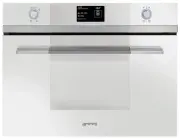


 Smeg A11X-7
User Manual
Smeg A11X-7
User Manual
 Smeg A11XPY-9
User Manual
Smeg A11XPY-9
User Manual
 Smeg A1PYID-7
User Manual
Smeg A1PYID-7
User Manual
 Smeg A1PYID-9
User Manual
Smeg A1PYID-9
User Manual
 Smeg A3AU-81
User Manual
Smeg A3AU-81
User Manual
 Smeg A5AU-81
User Manual
Smeg A5AU-81
User Manual
 Smeg ALFA1035EH
User Manual
Smeg ALFA1035EH
User Manual
 Smeg ALFA1035EHDS
User Manual
Smeg ALFA1035EHDS
User Manual
 Smeg ALFA1035EHT
User Manual
Smeg ALFA1035EHT
User Manual
 Smeg ALFA1035H
User Manual
Smeg ALFA1035H
User Manual
 Smeg ALFA1035H-2
User Manual
Smeg ALFA1035H-2
User Manual
 Smeg ALFA420EH
User Manual
Smeg ALFA420EH
User Manual
 Smeg ALFA420EHDS
User Manual
Smeg ALFA420EHDS
User Manual
 Smeg ALFA420EHT
User Manual
Smeg ALFA420EHT
User Manual
 Smeg ALFA625EH
User Manual
Smeg ALFA625EH
User Manual
 Smeg ALFA625EHDS
User Manual
Smeg ALFA625EHDS
User Manual
 Smeg ALFA625EHT
User Manual
Smeg ALFA625EHT
User Manual
 Smeg ALFA625H
User Manual
Smeg ALFA625H
User Manual
 Smeg ALFA625H-2
User Manual
Smeg ALFA625H-2
User Manual
 Smeg ALFA625HR-2
User Manual
Smeg ALFA625HR-2
User Manual