Logitech C922 Pro - Manuals
User Manual Logitech C922 Pro
1
2

3
4
5
6
7
8
9
10
11
12
13
14
Summary
Page 2 - CONTENTS; English 3
CONTENTS English 3 Français 6 Español 9 Português 12
Page 3 - KNOW YOUR PRODUCT; Autofocus; English
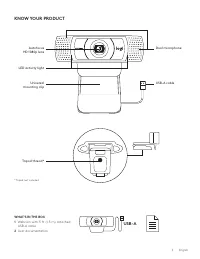
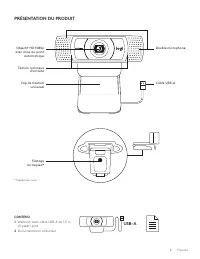
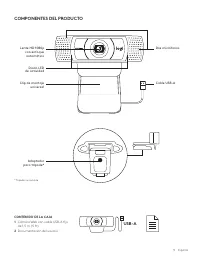
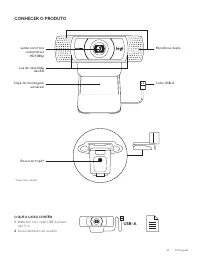
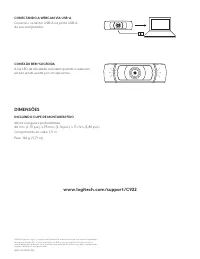
KNOW YOUR PRODUCT Autofocus HD 1080p lens LED activity light Universal mounting clip Tripod thread* USB-A cable Dual microphone WHAT’S IN THE BOX1 Webcam with 5 ft (1 5 m) attached USB-A cable 2 User documentation USB-A * Tripod not included 3 English
Page 4 - SETTING UP THE WEBCAM; English
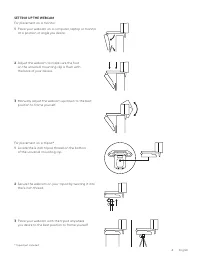
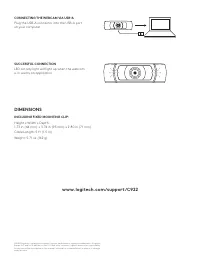
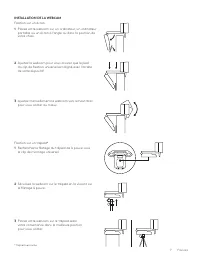
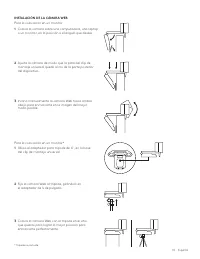
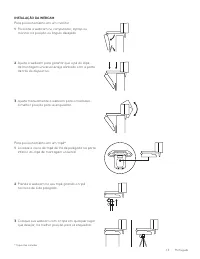
SETTING UP THE WEBCAM For placement on a monitor 1 Place your webcam on a computer, laptop or monitor at a position or angle you desire For placement on a tripod* 1 Locate the ¼ inch tripod thread on the bottom of the universal mounting clip 2 Adjust the webcam to make sure the foot on the universal...
Logitech Web Cameras Manuals
-
 Logitech 960-001054
User Manual
Logitech 960-001054
User Manual
-
 Logitech 960-001485
User Manual
Logitech 960-001485
User Manual
-
Logitech 991-000478
User Manual
-
 Logitech C270
User Manual
Logitech C270
User Manual
-
Logitech C270
Manual
-
 Logitech C310
User Manual
Logitech C310
User Manual
-
Logitech C310
Manual
-
 Logitech C505
User Manual
Logitech C505
User Manual
-
 Logitech C505e
User Manual
Logitech C505e
User Manual
-
 Logitech C615
Manual
Logitech C615
Manual
-
 Logitech C920
Manual
Logitech C920
Manual
-
 Logitech C925e
User Manual
Logitech C925e
User Manual
-
 Logitech Webcam BRIO
User Manual
Logitech Webcam BRIO
User Manual