Logitech C925e - User Manual
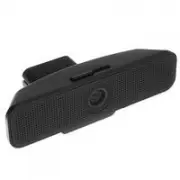
A user manual for the Logitech C925e Business Webcam covers essential setup, operation, and connectivity details. The guide highlights key features like its 1080p autofocus lens, dual microphones, privacy shutter, and universal mounting options. It includes instructions for physical installation–such as attaching to monitors or tripods–and troubleshooting basic connection procedures via USB-A, ensuring compatibility with standard hardware configurations.


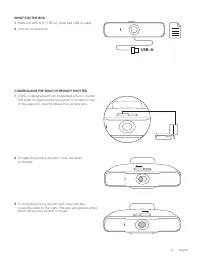

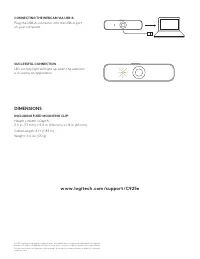
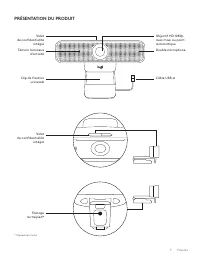
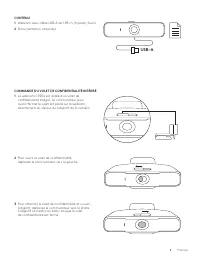
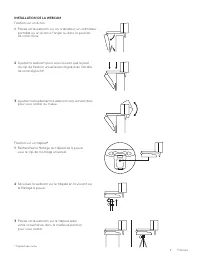
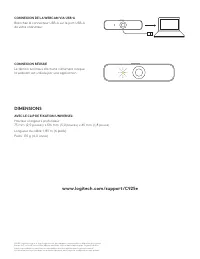
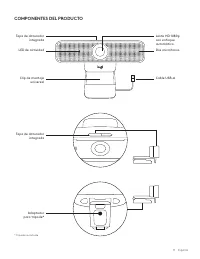
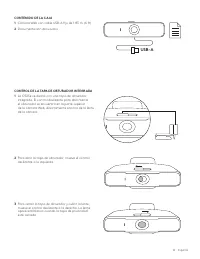
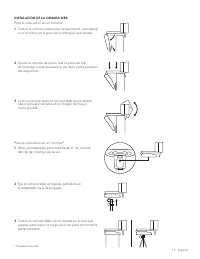
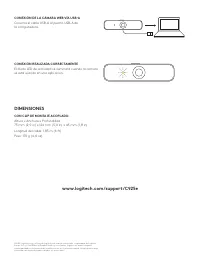
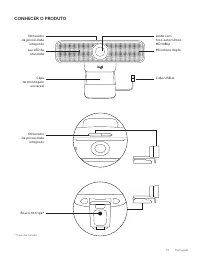
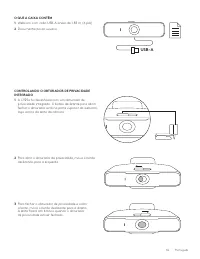
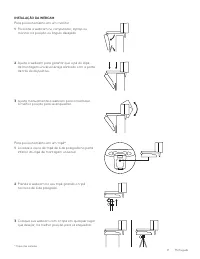
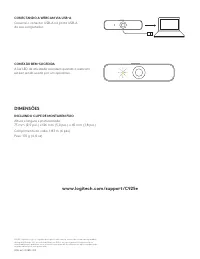
Table of Contents:
- Page 1 – Setup Guide Cover
- Page 2 – Table of Contents
- Page 3 – Webcam Component Identification
- Page 4 – Operating the Privacy Shutter
- Page 5 – Webcam Mounting Methods
- Page 6 – Connection Status and Dimensions
- Page 7 – Webcam Features Overview
- Page 8 – Privacy Shutter Operation Details
- Page 9 – Installation Instructions
- Page 10 – Connection and Dimensions with Mounting Clip
- Page 11 – Webcam Component Details
- Page 12 – Package Contents and Shutter Operation
- Page 13 – Webcam Installation Instructions
- Page 14 – Connection Status and Dimensions with Clip
- Page 15 – Webcam Feature Summary
- Page 16 – Package Contents and Shutter Operation
- Page 17 – Webcam Installation Procedures
- Page 18 – USB Connection and Dimensions
C925e BUSINESS WEBCAM
Complete Setup Guide
Guide d'installation complet
"Loading the manual" means you need to wait until the file loads and becomes available for online reading. Some manuals are very large, and the time they take to appear depends on your internet speed.
Was this manual helpful?
About this manual
- Brand
- Logitech
- Model
- C925e
- Document type
- User Manual
- Category
- Web Camera
- Language(s)
- English, Spanish, French
- Pages
- 18
- File size
- 2.7 MB
- Format
Summary
Cover page for the Complete Setup Guide of the Logitech C925e Business Webcam.
Listing of section starting pages across multiple language versions of the manual.
Identification and labeling of webcam components including the autofocus lens, dual microphones, LED light, privacy shutter, mounting clip, USB-A cable, and tripod thread with diagrams.