Logitech Webcam BRIO - User Manual
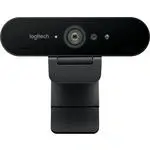
A user manual for the Logitech Brio webcam covers essential aspects of its design, functionality, and setup. The guide highlights key components like the lens, IR sensor, microphone, and USB connectivity, emphasizing compatibility with modern systems (including USB 3.0 for 4K video). It also addresses advanced features such as Windows Hello facial recognition, background customization, and troubleshooting support for seamless integration into video calls or applications.
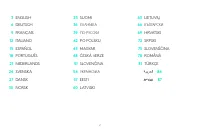
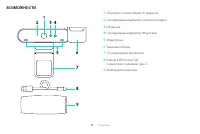
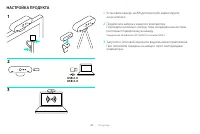
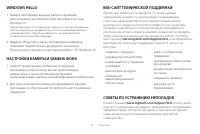

Table of Contents:
- Page 1 – Product Identification and Setup Guide Cover
- Page 2 – Manual Table of Contents Structure
- Page 3 – Device Component Features and Functions
- Page 4 – Video Camera Setup Instructions
- Page 5 – Facial Recognition and Support Configuration
BRIO
Setup Guide
"Loading the manual" means you need to wait until the file loads and becomes available for online reading. Some manuals are very large, and the time they take to appear depends on your internet speed.
Was this manual helpful?
Helpful for 3 of 3 readers
About this manual
- Brand
- Logitech
- Model
- Webcam BRIO
- Document type
- User Manual
- Category
- Web Camera
- Language(s)
- German, English, Spanish, French, Italian, Dutch, Polish, Russian, Swedish
- Pages
- 6
- File size
- 320 KB
- Format
Summary
Cover page featuring the Logitech Brio webcam branding and setup guide information.
Listing of available languages and their corresponding page numbers within the manual structure.
Detailed labeling and functional explanations for all physical components of the device, including a diagram of parts such as the lens, sensor, microphone, cable, and case.