Logitech C922 Pro - User Manual
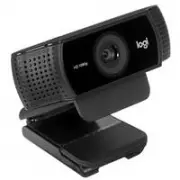
A user manual for the Logitech C922 Pro HD Stream Webcam outlines essential setup, installation, and technical specifications. The guide covers mounting methods–directly on monitors or via tripods–and confirms USB-A connectivity with an LED indicator. Physical details like dimensions, cable length (1.5 meters), and weight are also provided alongside included components such as the autofocus HD 1080p lens, dual microphone, and universal mounting clip.
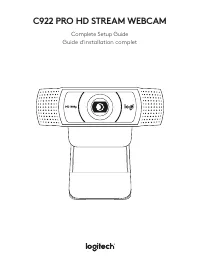
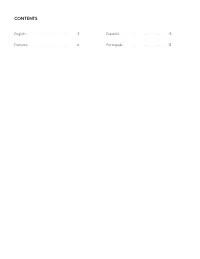
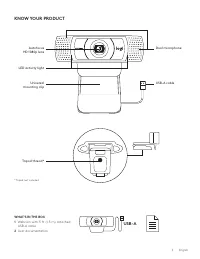
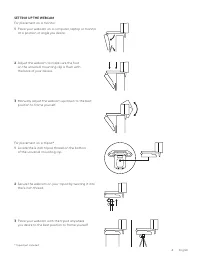
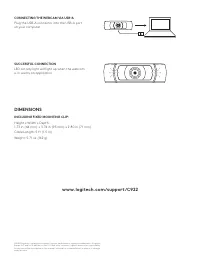
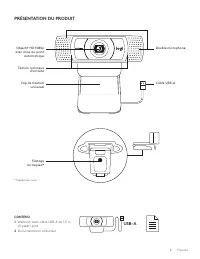
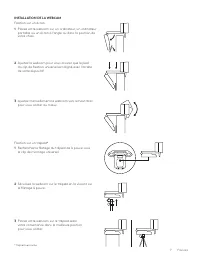
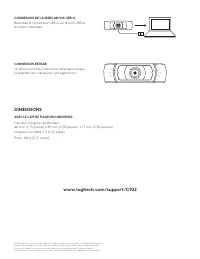
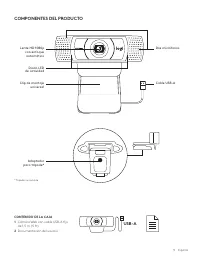
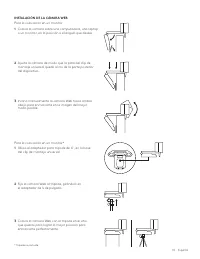
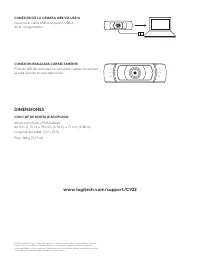
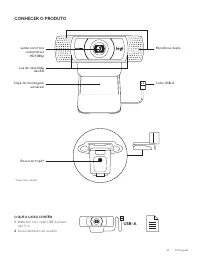
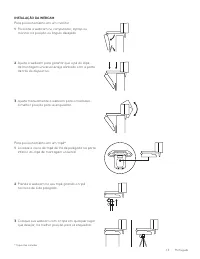
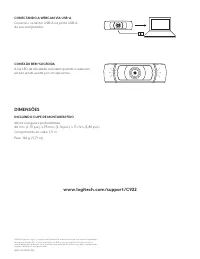
Table of Contents:
- Page 1 – Product Setup Guide Overview
- Page 2 – Table of Contents Language Index
- Page 3 – Webcam Components and Contents
- Page 4 – Webcam Mounting Instructions
- Page 5 – USB Connection and Physical Dimensions
- Page 6 – Detailed Webcam Components and Contents
- Page 7 – Installation Instructions in French
- Page 8 – USB Connection and Specifications with Mounting Clip
- Page 9 – Webcam Components and Contents Summary
- Page 10 – Webcam Installation Instructions in Spanish
- Page 11 – USB Connection and Physical Dimensions with Clip
- Page 12 – Webcam Component Overview and Contents
- Page 13 – Installation Instructions in Portuguese
- Page 14 – Final Connection Status and Device Specifications
C922 PRO HD STREAM WEBCAM
Complete Setup Guide
Guide d'installation complet
"Loading the manual" means you need to wait until the file loads and becomes available for online reading. Some manuals are very large, and the time they take to appear depends on your internet speed.
Was this manual helpful?
About this manual
- Brand
- Logitech
- Model
- C922 Pro
- Document type
- User Manual
- Category
- Web Camera
- Language(s)
- English, Spanish, French
- Pages
- 14
- File size
- 1.8 MB
- Format
Summary
Cover page featuring a line drawing of the webcam and its specifications.
Listing starting page numbers for manual sections in English, Français, Español, and Português.
Identification of components including the autofocus lens, dual microphones, LED activity light, mounting clip, USB-A cable, and tripod thread. Lists included items: webcam, cable, and documentation.