Page 2 - All rights reserved
Copyright ©2011 LG Electronics, Inc. All rights reserved . LG and the LG logo are registered trademarks of LGGroup and its related entities. All other trademarks are theproperty of their respective owners. UN431_cover_Ver1.1_110728.qxd 7/28/11 2:41 PM Page 2
Page 3 - I m p o r ta n t S a f ety P re c a u t i o n s
I m p o r ta n t S a f ety P re c a u t i o n s 1 Impor tant Safe ty Precautions Read these instructions. Breaking the rules may be dangerous orillegal. Further detailed information is given in this user guide. WARNING! Violation of the instructions may cause serious injury or death. 1. Never use an...
Page 4 - Important Safety Precautions
Important Safety Precautions 2 Impor tant Safe ty Precautions 1. Do not expose the battery charger or adapter to direct sunlight or use it in places with high humidity, such asa bathroom. 2. Do not use harsh chemicals (such as alcohol, benzene, thinners, etc.) or detergents to clean your phone. This...
Page 6 - Ta b l e o f C o n te n ts; Table of Contents
Ta b l e o f C o n te n ts 4 T able of Cont ent s Important Safety Precautions 1 Table of Contents 4 Welcome 9 Technical Details 10 Important Information 10 FCC Part 15 Class B Compliance 10FCC RF Exposure Information 10 Phone Overview 13 Menus Overview 15 Getting Started with YourPhone 18 The Batte...
Page 7 - Using Phone Menus; Contacts; Call History
5 T able of Cont ent s Contacts in Your Phone’sMemory 26 The Basics of Storing ContactsEntries 26 Phone Numbers With Pauses 26 Storing a Number with Pauses 27Adding a Pause to an ExistingNumber 27 Your Phone’s Contacts List 27 Scrolling Through Your Contacts 28 Options 28 Making a Call From Your Pho...
Page 8 - easyedge; My Schedule
Table of Contents 6 T able of Cont ent s 5. Videos 49 6. Sound 50 7. Shuffle 51 easyedge SM 52 1. Launch 53 My Schedule 54 1. Alarm Clock 54 2. Calendar 54 3. Notepad 55 Music 56 1. Last Played Song 56 2. All Songs 56 3. My Playlists 57 4. Albums 57 5. Artists 57 6. Genres 57 Tools 58 1. Voice Comma...
Page 9 - Tone Room
7 T able of Cont ent s 2.1.1 Main Screen 66 2.1.2 Front Screen 66 2.1.3 Shuffle 66 2.2 Widget 67 2.2.1 Widget Settings 67 2.2.2 Widget Location 67 2.3 Banner 67 2.4 Backlight 68 2.5 Menu Styles 68 2.6 Language 68 2.7 Clocks & Calendar 68 2.7.1 Main Screen 69 2.7.2 Front Screen 69 2.8 Font Settin...
Page 10 - Troubleshooting; Accessories
Table of Contents 8 T able of Cont ent s Troubleshooting 82 TIA (TelecommunicationsIndustry Association) SafetyInformation 84 Exposure to Radio Frequency Signal 84 Antenna Care 84 Safety 84 Phone Operation 85 Tips on Efficient Operation 85 Driving 85 Electronic Devices 85 Pacemakers 85 Persons with ...
Page 11 - We l c o m e; LG Wine II
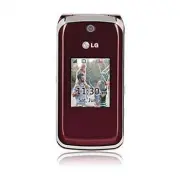
We l c o m e 9 W e lcome Thank you for choosing theadvanced and compact LG Wine II cellular phone, designed tooperate with the latest digitalmobile communicationtechnology, Code DivisionMultiple Access (CDMA). Alongwith the many advanced featuresof the CDMA system, such asgreatly enhanced voice clar...
Page 12 - Te c h n i c a l D eta i l s; Important Information
Te c h n i c a l D eta i l s 10 T echnical De tails Important Information This user’s guide providesimportant information on the useand operation of your phone.Please read all the informationcarefully prior to using the phonefor the best performance and toprevent any damage to or misuseof the phone....
Page 14 - Technical Details; Caution
Technical Details 12 T echnical De tails body and the back of the phone,including the antenna, whetherextended or retracted. Third-party belt-clips, holsters andsimilar accessories containingmetallic components should notbe used. Avoid the use ofaccessories that cannot maintain0.9 inches (2.0 cm) di...
Page 15 - P h o n e O ve r v i ew
P h o n e O ve r v i ew 13 Phone Ov ervie w 1 . Earpiece Lets you hear the caller and automated prompts. 2 . Flip Open to answer an incoming call and close to end the call (dependent on the Answer Options inCall Settings menu). 3 . LCD Screen Displays messages and status icons. 4 . Left Soft Key Use...
Page 16 - Phone Overview
14 Phone Ov ervie w Phone Overview Phone Ov ervie w 1 . Earphone Jack Allow the use of a wired headset. 2 . Volume Keys Use to adjust the ringer volume in standby mode and the earpiece volume during acall. Ringer volume can only be adjusted with theflip open. 3 . Charger/ Accessory Port Connects the...
Page 17 - M e nu s O ve r v i ew
15 M e nu s O ve r v i ew Men us Ov ervie w Contacts 1. New Contact 2. Contact List 3. Groups 4. Speed Dials 5. My vCard Messaging 1. New Text Message 2. New Picture Message 3. Inbox 4. Sent 5. Drafts 6. Voicemail 7. Templates 8. Settings 1. All Messages 2. Text Message 3. Picture Message 4. Edit Vo...
Page 18 - Menus Overview; easy; edge; Settings
Menus Overview 16 Men us Ov ervie w easy edge My Schedule 1. Alarm Clock 2. Calendar 3. Notepad Music 1. Last Played Song 2. All Songs 3. My Playlists 4. Albums 5. Artists 6. Genres Tools 1. Voice Command 1. Start Command 2. Command Mode 3. Announce Alert 4. Train Word 5. Best Match 2. My Menu 3. Ca...
Page 19 - FM Radio
17 Men us Ov ervie w 5. Master Reset 4. Call Settings 1. Answer Options 2. Auto Retry 3. One-Touch Dial 4. Voice Privacy 5. Noise Cancellation 6. Airplane Mode 7. TTY Mode 5. Bluetooth 1. Paired Devices 2. Power 3. My Visibility 4. My Bluetooth Name 5. My Bluetooth Info 6. PC Connection 1. USB Modem...
Page 20 - The Battery; Installing the Battery; Press down on the battery; Removing the Battery; Make sure the power is off so; G ett i n g S ta r te d w i t h Yo u r P h o n e
18 Getting St ar ted with Y our Phone The Battery The phone comes with arechargeable battery. Keep thebattery charged while not in usein order to maximize talk andstandby time. The battery chargelevel is shown at the top rightcorner of the LCD screen. Installing the Battery 1. Press down on the batt...
Page 21 - Charging the Battery; Battery Charge Level; Turning the Phone On; Install a charged battery or
19 Getting St ar ted with Y our Phone Charging the Battery Warning! Use only the charger provided with the phone. Using any charger other than the one included with the LG Wine II may damage your phone or battery. 1. Attach the charger to the phone. Make sure that the LGlogo faces down and the ‘B’si...
Page 22 - Getting Started with Your Phone; Turning the Phone Off; Signal Strength; Icon Glossary; Making Calls
Getting Started with Your Phone 20 Getting St ar ted with Y our Phone 2. Press for a few seconds until the LCD screen lights up. Turning the Phone Off 1. Press and hold until the LCD screen turns off. Signal Strength Call quality depends on thesignal strength in your area. Thesignal strength is indi...
Page 23 - Correcting Dialing Mistakes; Card
4. Press to end the call. Correcting Dialing Mistakes If you make a mistake while dialinga number, press once to erase the last digit entered orhold down for at least 2 seconds to delete all digits. How to Install YourmicroSD TM Card 1. Locate the microSD TM slot on the right side of the phoneand ge...
Page 24 - Redialing Calls; twice to redial the; Receiving Calls; When the phone rings or
Getting Started with Your Phone 22 Getting St ar ted with Y our Phone Redialing Calls 1. Press twice to redial the last number you called,received or missed. Up to 40calls are stored in each of thecall history lists (Missed,Received and Dialed Calls); youcan select one of these toredial. Receiving C...
Page 25 - Quick Access to Convenient Features; Lock Mode; Mute; Quick Volume Adjustment
23 Quick A cce ss t o Con venient F e a ture s Quick Access to Convenient Features Lock Mode Sets your phone to require a 4-digit Lock Code in order to usethe phone. To quickly lock your phone press for three seconds. To unlock, press the Left Soft Key Unlock, enter the Lock Code and press . Mute Fu...
Page 26 - to receive a waiting; Caller ID; OR
Quick Access to Convenient Features 24 Quick A cce ss t o Con venient F e a tur e s Check with your cellular serviceprovider for information aboutthis function. 1. Press to receive a waiting call. 2. Press again to switch between calls. Caller ID Caller ID displays the phonenumber (if available) or ...
Page 27 - E n te r i n g a n d E d i t i n g I n f o r m at i o n; Text Input; Key Functions; : Press to change text
25 Ent ering and Editing Informa tion E n te r i n g a n d E d i t i n g I n f o r m at i o n Text Input You can input and edit text foryour Banner, Calendar, Contacts,Alarm Clock, Notepad, andMessages. When entering text,several functions are available. Key Functions Left Soft Key : Press to select...
Page 28 - C o n ta c ts i n Yo u r P h o n e ’s M e m o r y; Save
26 Cont acts in Y our Phone’ s Memory C o n ta c ts i n Yo u r P h o n e ’s M e m o r y The Basics of StoringContacts Entries 1. From the home screen, enter the phone number you wantto save (up to 48 digits). 2. Press the Left Soft Key Save . 3. Select either Save New or Update Existing . 4. Use to ...
Page 29 - Storing a Number with Pauses; Your Phone’s Contacts List
27 Cont acts in Y our Phone’ s Memory Storing a Number with Pauses 1. Press Menu . 2. Press Contacts . 3. Press New Contact . 4. Enter a name (up to 22 characters). 5. Enter the number in any of the text fields presented ( Mobile 1/ Home 1/ Work 1/ Mobile2/ Home 2/ Work 2/ Fax ). 6. Press the Right ...
Page 30 - Contacts in Your Phone’s Memory; Options
Contacts in Your Phone’s Memory 28 Cont acts in Y our Phone’ s Memory Searching by Letter 1. Press the Right Soft Key Contacts to display your Contacts alphabetically. 2. Press (or press repeatedly) the key on the keypad thatcorresponds with the searchletter. Scrolling Through YourContacts 1. Press ...
Page 32 - U s i n g P h o n e M e nu s; Access and Options
U s i n g P h o n e M e nu s 30 Cont acts Contacts The Contacts Menu allows youto store names, phone numbersand other information in yourphone’s memory. When youaccess the Contacts List, thenumber in parenthesesrepresents the number of entriesyou have stored (Up to 1000). Access and Options 1. Press...
Page 34 - Assign
Contacts 32 Cont acts 4. Speed Dials Allows you to view your SpeedDials list, designate new SpeedDials, or remove Speed Dialdesignations entered in yourContacts. 1. Press , , . 2. Use to highlight the desired Speed Dial location(or enter the Speed Dialdigit), and press Assign . 3. Use to highlight t...
Page 35 - Messaging
Messaging 33 Messaging Messaging The LG Wine II can store up to 535 messages (including amaximum of 200 SMS messagesand 100 MMS messages in theInbox). Messaging and messagecontents are determined byphone mode and servicecapability. Other limits toavailable characters per messagemay apply. Please che...
Page 37 - Viewing Your Inbox
35 Messaging * Editing the Subject and Text fields Preview/ Add/ Go to/ SaveAs/ Priority Level/ Remove/Cancel * Editing the Image/Video and Audio fields Preview/ Add Slide/ Go to/Save As Draft/ Priority Level/Remove/ Cancel 11. Press to send. 3. Inbox The phone notifies you whenyou receive a new mes...
Page 40 - Save as Templates
Messaging 38 Messaging Save as Templates Stores the message as a template for futuremessages. Lock/Unlock Locks or unlocks the selected message. Message Info Shows message information. 5. Drafts Displays saved messages andmessage drafts. 1. Press , , . 2. Use to highlight a Saved message. 3. Press E...
Page 42 - highlight; Messaging Settings; and
Messaging 40 Messaging 8. Settings Allows you to configure messagingsettings. 1. Press , , . 2. Use to highlight All Messages / Text Message / Picture Message/ EditVoicemail # and press . Messaging Settings 8.1 All Messages 1. Reply Setting (Text Message Only/ Selection) Text Message Onlyautomatical...
Page 43 - To
41 Messaging 6. Speed Messaging (On/ Off) Allows you to use Speed Dialnumbers, just enter completeyour message and hold downthe Speed Dial number in the To field. 8.2 Text Message 1. Auto View (On/ Off) When set to On, newmessages will automaticallydisplay on your screen whenthey are received. 2. Au...
Page 44 - Messaging/ Call History; to highlight an
Messaging/ Call History 42 Messaging/ Call Hist ory 9. Delete All Allows you to erase the messagesstored in your Inbox, Sent, orDrafts message folders. You canalso erase all messages at thesame time. 1. Press , , . 2. Use to highlight an option: Delete Inbox / Delete Sent / Delete Drafts / Delete Al...
Page 47 - Call History/ Multimedia; to highlight a data call; Multimedia
Call History/ Multimedia 45 Call Hist ory/ Multimedia 6. Data Counter Allows you to view the amount ofSent and Received data. 1. Press , , . 2. Use to highlight a data call list, then press . Received Data / Sent Data / All Data 3. Press the Left Soft Key Reset to reset the Received Data and Sent Da...
Page 50 - White Balance
Multimedia 48 Multimedia 3. Press the Right Soft Key Options to change change the following settings: Options Tab Options White Balance Auto / Sunny / Tungsten / Cloudy / Fluorescent Record Time 15 sec/ 1 hour Settings Tab Options Memory Storage Phone Memory/ Card Memory Send Reminder On/ Off 3. Pre...
Page 54 - Downloading Applications; Incoming Calls
easyedge SM 52 easy edge SM easy edge SM easy edge SM allows you to do more than just talk on yourphone. easy edge SM is a technology and service thatallows you to download and useapplications on your phone. With easy edge SM , it is quick and easy to personalize your phone toyour lifestyle and tast...
Page 58 - Music
My Schedule/ Music 56 My Schedule/ Music While entering a note, changethe text input mode with the LeftSoft Key Abc . ● Access a Notepad entry andpress View . ● To erase, press the Right SoftKey Options . ● Delete ● Edit ● Delete All ● To edit the Notepad entry,press View and press the Left Soft Key...
Page 59 - Add Playlist
57 Music Delete/Add toPlaylist/Delete Multiple/FileInfo/Settings 3. My Playlists Allows you to create and listen toPlaylists. 1. Press , , . 2. Select Add Playlist to create a new playlist or highlight anexisting playlist and press theRight Soft Key Options for the following options: Delete/New Play...
Page 60 - Tools; from
Tools 58 T ools Tools Allows you to make use ofvarious tools and applications toyour phone. 1. Voice Command Allows you to make phone callsquickly and easily by voice. Yourphone recalls the number fromyour Contacts and then dials it.This menu is helpful for thosewho are driving or who may beblind. I...
Page 62 - Highlight the location of your
Tools 60 T ools 1.2 Command Mode Allows you to set commandmode as Normal or Speed. 1. Press , , , . 2. Select an option. Normal/ Speed 1.3 Announce Alert Allows you to activate AnnounceAlert for incoming calls andmessages. 1. Press , , , . 2. Select an option. Disable/ Announce/Announce + Ring 1.4 T...
Page 65 - or
63 Sett ings Settings The Settings Menu has optionsto customize your phone. Access and Options 1. Press Menu . 2. Press Settings . 3. Select a sub-menu. 1. Sound 2. Display3. Security4. Call Settings5. Bluetooth6. PC Connection7. System8. Memory9. Phone Info. 1. Sound Provides options to customizeth...
Page 71 - Pres the Left Soft Key
69 Sett ings 2.7.1 Main Screen Allows you to choose the kind ofscreen clock to be displayed onyour inner screen. 1. Press , , , , . 2. Highlight a setting, then press . Off/ Normal Clock/ AnalogClock/ Digital Clock/ DualClock/ Calendar/ Clock &Keymap 3. Pres the Left Soft Key Set to save the set...
Page 72 - are the; and press
Settings 70 Settings 2.9 Color Schemes You can customize your phone’sdisplay theme. 1. Press , , , . 2. Highlight a setting, then press . Black/ White are the two options available. 2.0 Name Match for Dialing This feature displays Contactswhose names match the keysentered while dialing a number. 1. ...
Page 73 - Lock; Restrictions
71 Sett ings Lock The phone is always locked. When locked, you can receiveincoming calls and make onlyemergency calls. On Power Up The phone is locked when it is turned on. 3.2 Restrictions Allows you to restrict Calls,Messaging, Camera or easy edge SM . 1. Press , , . 2. Enter the four-digit lock c...
Page 75 - to highlight a setting,
73 Sett ings 4. Call Settings The Call Settings menu allowsyou to designate how the phonehandles both incoming andoutgoing calls. 4.1 Answer Options Allows you to determine how tohandle an incoming call. 1. Press , , , . 2. Use to highlight a setting, then press . Flip Open/ SEND Key Only/Any Key/ A...
Page 76 - Noise Cancellation
Settings 74 Settings 4.4 Voice Privacy Allows you to set the voiceprivacy feature for CDMA calls asEnhanced or Standard. CDMAoffers inherent voice privacy.Check with your service providerfor availability. 1. Press , , , . 2. Use to highlight a setting, then press . Enhanced / Standard 4.5 Noise Canc...
Page 77 - TTY Full
75 Sett ings 4.7 TTY Mode Allows you to attach a TTY(Teletype Writer) device enablingyou to communicate with partiesalso using a TTY device. A phonewith TTY support is able totranslate typed characters tovoice. Voice can also betranslated into characters andthen displayed on the TTY. 1. Press , , , ...
Page 78 - For pairing new Bluetooth
Settings 76 Settings 5.1 Paired Devices Pairing is the process that allowsthe handset to locate, establishand register 1-to-1 connectionwith the target device. For pairing new Bluetooth ® device 1. Press , , , . 2. Follow the Bluetooth ® accessory instructions to setthe device to pairing mode. 3. Pr...
Page 79 - Visible; My Bluetooth Name; My Bluetooth Info
77 Sett ings 5.3 My Visibility Allows you to set the visibility ofyour Bluetooth ® device. 1. Press , , , . 2. Use to highlight a setting, then press . Visible / Hidden 5.4 My Bluetooth Name Allows you to edit the name ofthe Bluetooth ® device. 1. Press , , , . 2. Press and hold to clear the existin...
Page 81 - On
79 Sett ings 2. Use to highlight On or Off , then press . 7.1.4 Serving System Identifies the channel number ofa system that is served as a SIDNumber. This information shouldonly be used for technicalsupport. 1. Press , , , , . 7.2 Location Allows you to turn On or Off theLocation function on yourph...
Page 82 - Browse for tones to download; FM Frequency Range
Settings/ Tone Room/ FM Radio 80 Settings/ T one R oom/ FM R adio 9. Phone Info. The Phone Info menu providesyou with specific informationpertaining to your phone model. 1. Press , , . 2. Use to highlight an option and press , or press the correspondingnumber key. My Number / ESN/MEID/ Icon Glossary...
Page 83 - press
FM Radio/ PAC-MAN 81 FM R adio/ P A C-MAN Automatic Scan Station Tuning Available broadcast stations aredependent on the transmissionsignal strength in your currentlocation. Press to scroll through the available FM radiotransmissions in your area. FM Radio Options 1. Use to change stations, press Ch...
Page 84 - Tro u b l es h o ot i n g
Tro u b l es h o ot i n g 82 T rouble shooting This section lists some problems that you might encounter while usingyour phone. Some problems require that you call your service provider,but most of problems you encounter are easy to correct yourself Symptom Possible causes Possible Corrective measur...
Page 86 - S a f ety; Antenna Care
S a f ety 84 Safe ty TIA (TelecommunicationsIndustry Association)Safety Information The following is the completeTIA Safety Information forwireless handheld phones. Exposure to Radio FrequencySignal Your wireless handheld portablephone is a low power radiotransmitter and receiver. When it isON, it r...
Page 87 - Phone Operation
85 Safe ty modifications, or attachmentscould damage the phone andmay violate FCC regulations. Phone Operation NORMAL POSITION: Hold thephone as you would any othertelephone with the antennapointed up and over your shoulder. Tips on Efficient Operation For your phone to operate mostefficiently: Do n...
Page 88 - Safety; Persons with Pacemakers:
Safety 86 Safe ty recommends that a minimumseparation of six inches bemaintained between a handheldwireless phone and a pacemakerto avoid potential interferencewith the pacemaker. Theserecommendations are consistentwith the independent researchby and recommendations ofWireless Technology Research. P...
Page 89 - Vehicles
87 Safe ty or health care facilities may useequipment that could besensitive to external RF energy. Vehicles RF signals may affect improperlyinstalled or inadequatelyshielded electronic systems inmotor vehicles. Check with themanufacturer or itsrepresentative regarding yourvehicle. You should also c...
Page 91 - Safety Information
89 Safe ty battery to explode. ● The battery does not need tobe fully discharged beforerecharging. ● Use only LG-approvedchargers specific to yourphone model since they aredesigned to maximize batterylife. ● Do not disassemble or short-circuit the battery. ● Keep the battery’s metalcontacts clean. ●...
Page 94 - Avoiding hearing damage
Safety 92 Safe ty ● When the phone is not usedfor a long period time, store itin a safe place with the powercord unplugged. ● Using the phone in proximityto receiving equipment (i.e.,TV or radio) may causeinterference to the phone. ● Only authorized personnelshould service the phone andits accessori...
Page 95 - Using your phone safely
93 Safe ty muffled speech, stop listeningand have your hearing checked.The louder the volume, the lesstime is required before yourhearing could be affected.Hearing experts suggest that toprotect your hearing: ● Limit the amount of time youuse your phone and/orheadset at high volume. ● Avoid turning ...
Page 96 - Do wireless phones pose a
Safety 94 Safe ty FDA Consumer Update The U.S. Food andDrug Administration’s Center for Devices andRadiological Health ConsumerUpdate on Mobile Phones: 1. Do wireless phones pose a health hazard? The available scientific evidencedoes not show that any healthproblems are associated withusing wireless...
Page 97 - The National Institutes of Health
95 Safe ty wireless phones are shown toemit radiofrequency energy (RF)at a level that is hazardous to theuser. In such a case, the FDAcould require the manufacturersof wireless phones to notifyusers of the health hazard and torepair, replace, or recall thephones so that the hazard nolonger exists. A...
Page 98 - What kinds of phones are
Safety 96 Safe ty participates in some interagencyworking group activities, as well. The FDA shares regulatoryresponsibilities for wirelessphones with the FederalCommunications Commission(FCC). All phones that are soldin the United States must complywith FCC safety guidelines thatlimit RF exposure. ...
Page 99 - What are the results of the
97 Safe ty from the source. The so called“cordless phones,” which have abase unit connected to thetelephone wiring in a house,typically operate at far lowerpower levels, and thus produceRF exposures far below the FCCsafety limits. 4. What are the results of the research done already? The research do...
Page 100 - What research is needed to
Safety 98 Safe ty other cancers. None of the studiesdemonstrated the existence of anyharmful health effects fromwireless phone RF exposures.However, none of the studies cananswer questions about long-termexposures, since the averageperiod of phone use in thesestudies was around three years. 5. What ...
Page 101 - What is the FDA doing to
99 Safe ty 6. What is the FDA doing to find out more about thepossible health effects ofwireless phone RF? The FDA is working with the U.S.National Toxicology Program andwith groups of investigatorsaround the world to ensure thathigh priority animal studies areconducted to address importantquestions...
Page 102 - How can I find out how
Safety 100 Safe ty 7. How can I find out how much radio frequencyenergy exposure I can getby using my wirelessphone? All phones sold in the UnitedStates must comply with FederalCommunications Commission(FCC) guidelines that limit radiofrequency energy (RF) exposures.The FCC established theseguidelin...
Page 103 - What steps can I take to
101 Safe ty for measuring the radiofrequency energy (RF) exposurefrom wireless phones and otherwireless handsets with theparticipation and leadership ofFDA scientists and engineers.The standard, “RecommendedPractice for Determining theSpatial-Peak Specific AbsorptionRate (SAR) in the Human BodyDue t...
Page 104 - What about children using
Safety 102 Safe ty wireless phone will reduce RFexposure. If you must conductextended conversations bywireless phone every day, youcould place more distancebetween your body and thesource of the RF, since theexposure level drops offdramatically with distance. Forexample, you could use a headsetand c...
Page 105 - What about wireless
103 Safe ty wireless phone causes braintumors or other ill effects. Theirrecommendation to limit wirelessphone use by children was strictlyprecautionary; it was not based onscientific evidence that any healthhazard exists. 11. What about wireless phone interference withmedical equipment? Radio frequ...
Page 106 - Where can I find
Safety 104 Safe ty the use of wireless phones forpossible interactions with othermedical devices. Should harmfulinterference be found to occur,the FDA will conduct testing toassess the interference and workto resolve the problem. 12. Where can I find additional information? For additional informatio...
Page 107 - Your
105 Safe ty Consumer Informationon SAR (Specific Absorption Rate)This Model Phone Meets theGovernment’s Requirements forExposure to Radio Waves. Your wireless phone is a radiotransmitter and receiver. It isdesigned and manufactured notto exceed the emission limits forexposure to radiofrequency (RF)e...
Page 111 - Ac c es s o r i es; attery Charger
Ac c es s o r i es 109 A cce ssorie s There are a variety of accessories available for your mobile phone.Consult your local dealer for availability. Optional items are soldseparately. B attery Charger The battery charger allows you to charge yourphone. B attery Vehicle Power Charger The vehicle powe...
Page 112 - Wa r ra n ty I n f o r m at i o n
Wa r ra n ty I n f o r m at i o n 110 W arranty Informa tion 1. WHAT THIS WARRANTYCOVERS: LG offers you a limited warrantythat the enclosed subscriber unitand its enclosed accessories willbe free from defects in materialand workmanship, according tothe following terms andconditions:(1) The limited w...
Page 114 - Warranty Information
Warranty Information 112 W arranty Informa tion implied either in fact or byoperations of law, statutory orotherwise, including, but notlimited to any implied warranty ofmerchantability or fitness for aparticular purpose. (2) Shipping damage is the sole responsibility of the shippingcompany. 3. EXCL...
Page 115 - I n d ex
A Accessories 109Airplane Mode 74Alarm Clock 54Albums 57Alert type 64All Calls 44All Messages 40All Songs 56Announce Alert 60Answer Options 73Artists 57Auto NAM 78Auto Retry 73 B Back to Top 65Backlight 68Banner 67Battery Charge Level19Battery Informationand Care 88Best Match 60Bluetooth 75 C Calcul...
Page 116 - Index
G Genres 57Getting Started withYour Phone 18Groups 31 H Help 59How to Install YourmicroSD TM Card 21 How to Remove YourmicroSD TM Card 21 I Images 49Important SafetyPrecautions 1Inbox 35Index 113Installing the Battery18 L Language 68 Last Played Song /Now Playing 56Launch 53Location 79Lock Mode 23Lo...
Page 119 - MEMO
MEMO UN431_Eng_manual1.0_110720.qxd 7/20/11 5:51 PM Page 117
Page 120 - Precaución de Seguridad Importante
Precaución de Seguridad Importante 1 Pr ecaución de Seguridad Impor ta nt e Lea estas sencillas instrucciones. Romper las reglas puede serpeligroso o ilegal. Se ofrece más información detallada en esta guíadel usuario. ¡Aviso! No seguir las instrucciones puede ocasionar lesiones graves o la muerte. ...
Page 123 - C o n te n i d o
C o n te n i d o 4 Cont enido Precaución de Seguridad Importante 1 Contenido 4 Bienvenidos 9 Información importante 10 Cumplimiento de clase B según el artículo 15 de la FCC 10 Información sobre la exposición a radiofrecuencias de la FCC 10 Detalles Técnicos 10 Descripción general del teléfono 13 De...
Page 124 - Contactos en la memoria; Uso de los menús del; Contactos; Mensajería; Lista Llam
5 Cont enido Introducción de texto 26 Aspectos básicos delalmacenamiento de entradas decontactos 27 Números de teléfono con pausas 27 Contactos en la memoria del teléfono 27 Almacenar un número con pausas 28 Agregar una pausa a un número ya existente 28 Lista de Contactos 29 Desplazamiento por sus c...
Page 125 - Contenido; Mi Horario; Herramientas; Ambiente
Contenido 6 Cont enido 4. Imágenes 51 5. Vídeos 52 6. Sonido 53 7. Revolver 54 easyedge SM 55 1. Lanzar 56 Mi Horario 57 1. Alarma de Reloj 57 2. Calendario 57 3. Nota 58 Música 59 1. Últ. Canción Repro. 59 2. Todas las Canciones 59 3. Mi Listas 60 4. Álbums 60 5. Artistas 60 6. Géneros 60 Herramien...
Page 128 - B i e nve n i d o s; Nota
B i e nve n i d o s 9 Bien venidos Felicidades por elegir el avanzadoy compacto teléfono celular LG Wine II , diseñado para funcionar con la más recientetecnología de comunicacionesmóviles digitales: Acceso múltiplede división de código (CDMA).Junto con las muchas funcionesavanzadas del sistema CDMA...
Page 129 - D eta l l es Té c n i c o s; Lea esta
D eta l l es Té c n i c o s 10 Detalles Técnicos Información importante Esta guía del usuario contieneinformación importante acerca deluso y funcionamiento delteléfono. Lea toda la informacióncon cuidado antes de usar elteléfono para obtener undesempeño óptimo y evitarcualquier daño o mal uso delapa...
Page 131 - Detalles Técnicos; Precaución
Detalles Técnicos 12 Detalles Técnicos metálicos. Evite el uso deaccesorios que no puedanconservar una distancia de 2.0cm (0.9 de pulgada) entre elcuerpo del usuario y la parteposterior del teléfono y que nose hayan probado paradeterminar que cumplen loslímites de la exposición aradiofrecuencias de ...
Page 132 - D es c r i p c i ó n g e n e ra l d e l te l é f o n o
13 Descripción gener al del t e léfono D es c r i p c i ó n g e n e ra l d e l te l é f o n o 1. Auricular Le permite escuchar a quien le llama, alertas y avisos automáticos. 2. Tapa Abra la tapa para contestar una llamada entrante y ciérrela para terminar la llamada (dependiendo de Opciones de Cont...
Page 133 - Descripción general del teléfono
14 Descripción gener al del t e léfono 1 . Toma para auricular Permite utilizar el auricular con conexión de cable. 2 . Teclas de volumen Úselas para ajustar el volumen del timbre en estado de espera y el volumen delauricular durante una llamada. El volumen deltimbre solo puede ser ajustado con la t...
Page 134 - D es c r i p c i ó n g e n e ra l d e l o s m e nú s
15 Descripción gener al de los men ús D es c r i p c i ó n g e n e ra l d e l o s m e nú s Contactos 1. Nuevo Contacto 2. Lista de Contactos 3. Grupos 4. Marcados Veloces 5. Mi vCard Mensajería 1. Nuevo Mensaje Texto 2. Nuevo Mensaje Foto 3. Entrada 4. Enviado 5. Borrador 6. Correo de Voz 7. Texto R...
Page 135 - Descripción general de los menús
Mi Horario 1. Alarma de Reloj 2. Calendario 3. Nota Música 1. Últ. Canción Repro. 2. Todas las Canciones 3. Mi Listas 4. Álbums 5. Artistas 6. Géneros Herramientas 1. Comando de Voz 1. Iniciar Comando 2. Modo de Comando 3. Anunciar Alertas 4. Entrenar Palabra 5. Mejor Coincidencia 2. Mi Menú 3. Calc...
Page 137 - La batería; Instalación de la batería; C ó m o e m p e z a r c o n s u te l é f o n o
La batería El teléfono viene con una bateríarecargable. Para maximizar eltiempo de llamada y de espera,mantenga el teléfono cargandocuando no esté en uso. El nivelde carga de la batería se muestraen la esquina superior derechade la pantalla LCD. Instalación de la batería 1. Presione la tapa de la ba...
Page 138 - Cargar la batería; Conecte el cargador al; Nivel de carga de la batería; Encender el teléfono; Instale una batería cargada o
19 Cómo empezar con su t e léfono Cargar la batería ¡Advertencia! Use únicamente elcargador que viene incluido con elteléfono. El uso de cualquiercargador distinto del que vieneincluido con el LG Wine II puededañar el teléfono o la batería. 1. Conecte el cargador al teléfono. Asegúrese que ellogo de...
Page 139 - Cómo empezar con su teléfono; Apagar el teléfono; Mantenga oprimido; Fuerza de la señal; Hacer llamadas; Asegúrese de que el teléfono
Cómo empezar con su teléfono 20 Cómo empezar con su t e léfono Apagar el teléfono 1. Mantenga oprimido hasta que se apague la pantalla. Fuerza de la señal La calidad de las llamadasdepende en la fuerza de la señalen su área. La fuerza de la señalse muestra en la pantalla segúnel número de barras que...
Page 141 - Remarcado de llamadas
Cómo empezar con su teléfono 22 Cómo empezar con su t e léfono Remarcado de llamadas 1. Oprima dos veces para remarcar el último número quemarcó, recibió o perdió. Hasta40 llamadas se almacenan encada de las listas del historialde llamadas (estos incluyenllamadas perdidas, recibidas ymarcadas); pued...
Page 142 - Modo de bloqueo; Desbloq; Función de silencio; Mudo; Ajuste rápido del volumen; Ac c es o rá p i d o a f u n c i o n es p rá c t i c as
Modo de bloqueo Ajusta su teléfono para que serequiera su Código Bloqueo de 4dígitos para usar el teléfono. Para bloquear rápidamente suteléfono, oprima por 3 segundos. Para desbloquear,oprima la tecla suave izquierda Desbloq e introduzca el Código Bloqueo y oprima . Función de silencio La función d...
Page 143 - Acceso rápido a funciones prácticas; para recibir una; Identificador de Llamadas
Acceso rápido a funciones prácticas 24 A cce so r ápido a funcione s pr áctica s en retención la llamada activamientras contesta la llamada queestá entrando. Hable con suproveedor de servicio parapedirle información sobre estafunción. 1. Oprima para recibir una llamada en espera. 2. Oprima de nuevo ...
Page 145 - Funciones de las teclas; Tecla suave izquierda:; I n t ro d u c i r y e d i ta r i n f o r m a c i ó n
Introducción de texto Puede introducir y editar textopara su Pendón, Calendario,Contactos, Alarma de Reloj, Notay Mensajes. Existen variasfunciones disponibles alintroducir texto. Funciones de las teclas Tecla suave izquierda: Oprímala para seleccionarun modo de introducciónde texto: - Pala.T9 (PALA...
Page 146 - Contactos en la memoria del teléfono; Oprima la tecla suave
Contactos en la memoria del teléfono 27 Intr oducir y edit ar información Aspectos básicos delalmacenamiento deentradas de contactos 1. En el modo de espera, introduzca el número deteléfono (hasta 48 dígitos)que desee guardar. 2. Oprima la tecla suave izquierda Guar . 3. Selecciona Guardar Nuevo Con...
Page 151 - Uso de los menús del teléfono; Acceso y Opciones
Uso de los menús del teléfono 32 Cont actos Contactos El menú Contactos le permitealmacenar nombres, números deteléfono y otros datos en lamemoria de su teléfono. Alacceder la Lista de Contactos, elnúmero en paréntesis representael número de entradas que haalmacenado (hasta 1000). Acceso y Opciones ...
Page 154 - Enviar Mensaje Texto
Mensajería 35 Mensajería Mensajería El LG Wine II puede almacenar hasta 535 mensajes (incluyendolímite máximo de 200 mensajesSMS y 100 mensajes MMS en laEntrada). La Mensajería y contenidos delos mensajes son determinadospor el modo del teléfono y lacapacidad del servicio. Puedenaplicar otros límite...
Page 155 - Nuevo Mensaje Foto
Cambiar modo de introducirtexto Mientras introduciendo texto,oprima la tecla suave izquierda para elegir Pala.T9/ Abc/ 123/ Símbolos . 2. Nuevo Mensaje Foto Le permite enviar mensajes deTexto, Imágen y Audio. 1. Oprima , , . 2. Introduzca la dirección del recipiente u oprima la teclasuave derecha Op...
Page 158 - Ver
39 Mensajería 4. Enviado Se pueden almacenar hasta 100(50 SMS and 50 MMS)mensajes en la carpeta Enviado.Accede la lista de Enviado paraver los contenidos de mensajesenviados y comprobar si latransmisión fue éxito o no. 1. Oprima , , . 2. Use para resaltar un mensaje enviado. 3. Oprima la tecla suave...
Page 159 - Guardar Texto Ráp
Mensajería 40 Mensajería Guardar Texto Ráp Almacena el mensaje como una plantilla paramensajes futuros. Bloq/Desbloq Bloquea o desbloquea el mensajeseleccionado. Info. Mensaje Muestra la información del mensaje recibido. 5. Borrador Muestra los mensajes guardadosy borradores. 1. Oprima , , . 2. Use ...
Page 160 - Anular
41 Mensajería 6. Correo de Voz Le permite acceso a los mensajesnuevos grabados en su buzón decorreo de voz. El teléfono lealerta cuando tiene un mensajede voz nuevo. Para comprobar su buzón decorreo de voz 1. Oprima , , . 2. Oprima para llamar a su buzón de correo de voz. ● Oprima para marcar a su b...
Page 161 - Opciones; Configuración de repetición
Mensajería 42 Mensajería 3. Use para resaltar una plantilla y oprima la teclasuave derecha Opciones . Luego resalte la opción Borrar/ Editar y oprima para seleccionar. 8. Ambiente Le permite configurar ajustespara mensajería. 1. Oprima , , . 2. Use para resaltar Todos los mensajes/ Mensaje deTexto/ ...
Page 165 - Llamadas
3. Marcadas Llam. Le permite ver la lista de las masrecientes llamadas que ha hecho,hasta 40 entradas. 1. Oprima , , . 2. Use para resaltar una entrada. 3. Oprima la tecla suave izquierda Mensaje , Ver para ver la información acerca de la llamada o la teclasuave derecha Opciones para las siguientes ...
Page 166 - Lista Llam/ Multimedia
Lista Llam/ Multimedia 47 List a Llam/ Multimedia 2. Use para resaltar una de las siguientes listas dellamadas. 3. Oprima la tecla suave izquierda Rest. para restablecer el cronómetro para Llam. de Base y Llam. de Roam . 6. Contador de Datos Le permite ver la cantidad dedatos recibidos y transmitido...
Page 167 - Acceso directo
Multimedia 48 Multimedia 1. Tomar Foto Tomando fotos con la cámaraincorporada del teléfono es tansimple como eligiendo un sujeto,apuntando el lente y oprimiendoun botón. Puedes activar elmodo cámara del teléfono si elteléfono esta abierto o cerrado. 1. Oprima , , . 2. Seleccione de las siguientes op...
Page 168 - Disparo Auto
49 Multimedia Disparo Auto Apagado/ 3 Segundos/ 5 Segundos/ 10Segundos Marco Le permite agregar marcos divertidos a sus fotos. Ficha Ambiente Almacenaje de La Memoria Memoria Del Teléfono/Memoria de La Tarjeta Sonido del Obturador Ninguno/ Sonido 1/ Sonido2/ Sonido 3/ Say Cheese Auto-Guardar Habilit...
Page 170 - Fijar Como
51 Multimedia ● Galería Guarda el vídeo al teléfono y abre Vídeos. ● Enviar Guarda el vídeo al teléfono y abre un mensajede foto. ● New vídeo Borra el vídeo actual y regresa a la Cámarapara grabar otro vídeo. 3. Grabar Voz Le permite agregar, escuchar yborrar breves recordatoriosverbales. 1. Oprima ...
Page 171 - Env
Multimedia 52 Multimedia 3. Use su tecla de navegación para ver las imágenes ydesplazarse por ellas. 4. Oprima la tecla suave izquiera Env para enviar la foto, Ver para ver la foto y la tecla suave derecha para acceder a las siguientesopciones: Fijar Como/ Filtro dearchivo/ Presentación/Tomar Foto/ ...
Page 175 - para ir a la ficha
easyedge SM 56 easy edge SM 1. Lanzar Le permite descargaraplicaciones seleccionadas ymuestra la lista de aplicacionesreenviada de la conexión alservidor de easy edge SM . 1. Oprima , . Administración de susaplicaciones de easyedge SM Agregue nuevas aplicaciones yelimine las antiguas en cualquiermom...
Page 178 - Música
Mi Horario/ Música 59 Mi Hor ario/ Música Durante el ingreso de una nota,cambie el modo de introducciónde texto con la tecla suaveizquierda Abc . ● Acceda a Nota y resalte laentrada y oprima Ver . ● Para más opciones, oprima latecla suave derecha Opciones . ● Borrar ● Editar ● Borrar Todos ● Para ed...
Page 180 - y diga
Herramientas 61 Herr amient a s Herramientas Le permite usar variasherramientas y aplicaciones de suteléfono. 1. Comando de Voz Le permite hacer llamadas deteléfono rápida y fácilmentemediante comandos verbales. Suteléfono retira el número de susContactos y lo marca. Este menútambién es útil para qu...
Page 183 - Fijada; AC; Operador
Herramientas 64 Herr amient a s 1.5 Mejor Coincidencia Le permite ajustar la MejorCoincidencia. 1. Oprima , , , . 2. Seleccione una opción. 1 Coincidencia/ 4 Coincidencias 2. Mi Menú Le permite tener acceso a menúspreferidos rápidamente. Hay unmáximo de 12 espacios donde sepueden almacenar menús. 1....
Page 185 - Iniciar; Cambiar
Herramientas 66 Herr amient a s 6. Cronómetro Esta función le permite usar elteléfono como cronómetro. 1. Oprima , , . 2. Oprima Iniciar para empezar y oprima Pare para parar. ● Puede usar la función devuelta con la tecla suavederecha Regazo . Hay un límite de 20 vueltas. 3. Oprima la tecla suave iz...
Page 186 - para desplazarse por
Ambiente 67 Ambient e Ambiente El menú Ambiente tiene opcionespara personalizar su teléfono. Acceso y opciones 1. Oprima Menú . 2. Oprima Ambiente . 3. Seleccione un sub-menú. 1. Sonido 2. Pantalla3. Seguridad4. Config. de Llamada5. Bluetooth6. Conexión PC7. Sistema8. Memoria9. Info. de Tel 1. Sonid...
Page 187 - ajustar; para seleccionar una
Ambiente 68 Ambient e 1.2 Volumen Le permite configurar variosvalores de volumen. 1. Oprima , , , . 2. Seleccione Volumen Principal / Teclado / Audífono / Altavoz. 3. Use para ajustar el volumen del timbre y presione para guardar la configuración. 1.3 Alertas de Mensaje Le permite seleccionar el tip...
Page 188 - para seleccionar el; Desactivación
69 Ambient e 3. Use para seleccionar el tipo de tono y oprima Guar . Sólo Timbre/ Sólo Vibrar/Timbre & Vib Opciones para Alertas deEmer.: Timbre & Vib/ Sólo Vibrar 1.5 Alertas Servicio Le permite encender o apagarcualquiera de las 4 opciones deAviso. 1. Oprima , , , . 2. Seleccione una opció...
Page 189 - Tono de Trasladar
Ambiente 70 Ambient e 2. Resalte Encendido / Apagado con y luego oprima . 1.7 Tono de Trasladar Le permite configurar un tonodisponible que sonará cuandoabra o cierre la tapa de suteléfono. 1. Oprima , , , . 2. Resalte Encendido / Apagado con y luego oprima . 2. Pantalla Opciones para personalizar l...
Page 192 - Icono
73 Ambient e 2.5 Estilo de Menú Le permite elegir si desea que elmenú se muestre como lista ocomo iconos. 1. Oprima , , , . 2. Resalte Icono o Lista y oprima . 2.6 Idiomas Le permite configurar la funcióndel idioma según su preferencia.Elija entre inglés y español. 1. Oprima , , , . 2. Resalte Inglé...
Page 193 - Configuraciones de
Ambiente 74 Ambient e 2.7.2 Pantalla Delantera Le permite elegir el tipo de relojde la pantalla que se muestra enla pantalla en el exterior delteléfono. 1. Oprima , , , , . 2. Resalte una opción y luego oprima . Reloj Normal/ RelojAnalógico/ Reloj Digital/Minimizada reloj 3. Oprima para guardar la c...
Page 195 - Restringir
Ambiente 76 Ambient e 3.2 Restringir Le permite restringir Llamadas,Mensajería, Cámara o easy edge SM . 1. Oprima , , . 2. Introduzca el código de bloqueo de cuatro dígitos yoprima . 3. Oprima Restringir e introduzca el código debloqueo de nuevo. 4. Use para resaltar Llamadas Entrantes/Llamadas Sali...
Page 196 - Cambiar Código de; de cuatro dígitos y; Reinicio Principal
77 Ambient e 5. Cuando termine de editar el número, oprima Guar para guardar o la tecla suavederecha Cancelar para cancelar la edición. 3.4 Cambiar Código de Bloqueo Le permite introducir un nuevocódigo de bloqueo de cuatrodígitos. 1. Oprima , , . 2. Introduzca el código de bloqueo de cuatro dígitos...
Page 197 - Opciones de Contestar; Apagado; Marcación de 1Toque
Ambiente 78 Ambient e 5. Aparecerá una mensaje que dirá “Todas las configuracionesrevertirán al valor implécito defábrica." 6. Use para resaltar una opción y oprima . Revertir/ Cancelar 4. Config. de Llamada El menú Config. de Llamada lepermite decidir cómo el teléfonomaneja las llamadas de entr...
Page 198 - Cancelación de Ruido
79 Ambient e fija en Apagado , los números de Marcado veloz designados en susContactos no funcionarán. 1. Oprima , , , . 2. Resalte su selección con y luego oprima para guardar. Encendido / Apagado 4.4 Privacidad Le permite configurar la funciónde privacidad de voz para lasllamadas CDMA como Mejorad...
Page 200 - Aparatos Emparejados; Buscar
81 Ambient e 5.1 Aparatos Emparejados El emparejamiento es el procesoque permite que el teléfonoubique, establezca y registre unaconexión 1-a-1 con eldispositivo objetivo. Para emparejar un nuevodispositivo Bluetooth ® 1. Oprima , , , . 2. Consulte las instrucciones del accesorio de Bluetooth ® para...
Page 201 - Siempre
Ambiente 82 Ambient e códigos coincidentes.Consulte las instrucciones delaccesorio de Bluetooth ® para utilizar la contraseñaadecuada (por lo general“0000” - 4 ceros). Introduzcala contraseña y oprima . 6. Seleccione Siempre preguntar/ Siempreconectar 7. Una vez conectado, el dispositivo aparecerá e...
Page 202 - Mi Nombre de Bluetooth; Guar; Mi Info de Bluetooth
83 Ambient e 5.4 Mi Nombre de Bluetooth Le permite editar el nombre delBluetooth ® . 1. Oprima , , , . 2. Manténga oprimida para borrar el nombre existente. 3. Use el teclado numérico para introducir un nuevo nombrepersonalizado. 4. Oprima Guar para guardar y salir o la tecla suavederecha Cancelar p...
Page 203 - Sólo
Ambiente 84 Ambient e del teléfono. Deje estaconfiguración comopredeterminada a menos quedesee alterar la selección delsistema como se lo haya indicadosu proveedor de servicio. 1. Oprima , , , , . 2. Use para resaltar Sólo Base / Automático A/ Automático B y oprima para guardar. 7.1.2 Fijar NAM Le p...
Page 204 - Siguien
85 Ambient e 7.2 Lugar Le permite Encender o Apagar lafunción de Ubicación en suteléfono. Si está configurada enEncendida, los servicios desatélite basados en GPS (Sistemade Posicionamenteo Global) sonaccedidos. 1. Oprima , , , . 2. Oprima la tecla suave derecha Siguien . hasta la última página. Lue...
Page 205 - Lea la advertencia y; Rango de la frecuencia FM
Tone Room/ FM Radio 86 T one R oom/ FM R adio Tone Room Permite acceder a los tonos maspopulares directamente desde suteléfono. Navegando Tone Roompuede resultar en cargos dedatos. Por favor consulte a suproveedor de servicio para másinformación. 1. Oprima , . 2. Lea la advertencia y seleccione Sí p...
Page 207 - S o l u c i ó n d e p ro b l e m as
S o l u c i ó n d e p ro b l e m as 88 Solución de pr oblema s Esta sección enumera algunos problemas que podría encontrar alutilizar el teléfono. Algunos problemas requieren que llame a suproveedor de servicios, pero en la mayoría de los casos, puedecorregirlos usted mismo. Síntoma Causas posibles ...
Page 209 - S e g u r i d a d
S e g u r i d a d 90 Seguridad Información deseguridad de la TIA Lo que sigue es la Informacióncompleta de seguridad de la TIA(Asociación de la industria de lastelecomunicaciones) sobreteléfonos inalámbricos de mano. Exposición a las señales deradiofrecuencia Su teléfono celular de manoinalámbrico e...
Page 211 - Dispositivos electrónicos
Seguridad 92 Seguridad ● Preste toda su atención aconducir: manejar conseguridad es su primeraresponsabilidad; ● Use la operación a manoslibres, si la tiene; ● Salga del camino yestaciónese antes de hacer orecibir una llamada si lascondiciones de manejo o laley así lo demandan. Dispositivos electrón...
Page 212 - Aparatos para la sordera
93 Seguridad ● Deben usar la oreja opuesta almarcapasos para reducir almínimo la posibilidad deinterferencia; ● Deben apagar el teléfono deinmediato si tienen motivopara sospechar que estáocurriendo una interferencia. Aparatos para la sordera Algunos teléfonos inalámbricosdigitales pueden interferir...
Page 213 - Vehículos
Seguridad 94 Seguridad Vehículos Las señales de RF pueden afectara los sistemas electrónicos malinstalados o blindados demanera inadecuada en losvehículos automotores. Pregunteal fabricante o a su representanterespecto de su vehículo. Tambiéndebe consultar al fabricante decualquier equipo que hayaañ...
Page 214 - No seguir las
95 Seguridad tenemos: las áreas deabastecimiento de combustible(como las gasolineras), bajocubierta en barcos, instalacionesde almacenamiento otransferencia de combustible osustancias químicas, vehículosque usen gas de petróleo licuado(como propano o butano), áreasen las que el aire contengasustanci...
Page 215 - enchufe eléctrico de pared.
Seguridad 96 Seguridad enchufe eléctrico de pared. ● Use el adaptador correctopara su teléfono al usar elcargador de baterías en elextranjero. ● Únicamente use el cargadorde baterías aprobado. En casocontrario, esto podría darcomo resultado graves dañosal teléfono. Información y cuidado de labatería...
Page 216 - No desarme ni aplaste la
97 Seguridad batería y los tiempos deconversación y espera. ● La función de autoprotecciónde la interrumpe laalimentación del teléfonocuando su operación esté enun estado anormal. En estecaso, extraiga la batería delteléfono, vuelva a instalarla yencienda el teléfono. Peligros de explosión,descargas...
Page 217 - Aviso general; No pinte el teléfono.
Seguridad 98 Seguridad batería. Podría ocasionar unincendio. Aviso general ● El uso de una batería dañadao el introducir la batería en laboca pueden causar gravslesiones. ● No coloque cerca del teléfonoartículos que contengancomponentes magnéticoscomo serían tarjetas decrédito, tarjetas telefónicas,...
Page 218 - ¡Información de
99 Seguridad actualización del software. Porfavor respalde sus números deteléfono importantes.(También podrían borrarse lostonos de timbre, mensajes detexto, mensajes de voz,imágenes y videos.) Elfabricante no es responsablede daños debidos a la pérdidade datos. ● Al usar el teléfono en lugarespúbli...
Page 219 - Evite los daños a la audición
Seguridad 100 Seguridad ● Limite la cantidad de tiempoque usa su teléfono oaudífonos a un volumen alto. ● Evite subir el volumen parabloquear entornos ruidosos. ● Baje el volumen si no puedeescuchar a la gente hablandocerca de usted. Para obtener información sobrecómo ajustar un límite máximo devolu...
Page 220 - Actualización de
101 Seguridad ● Evite subir el volumen parabloquear entornos ruidosos. ● Baje el volumen si no puedeescuchar a la gente hablandocerca de usted. Para obtener información sobrecómo ajustar un límite máximo devolumen en sus audífonos, vea la guíade características del terminal. Uso de los audífonos con...
Page 222 - Environmental Protection Agency
103 Seguridad ● Diseñar teléfonos inalámbricos detal modo que se minimice laexposición del usuario a RF que nosea necesaria para la función deldispositivo y ● Cooperar para dar a los usuariosde teléfonos inalámbricos la mejorinformación sobre los posiblesefectos del uso de los teléfonosinalámbricos ...
Page 234 - Ac c es o r i o s; Cargador de Batería
Ac c es o r i o s 115 A cce sorios Cargador de Batería El cargador de batería permite cargar la batería para uso con el teléfono. B atería Cargador para el automóvil El cargador para el automóvil le permite hacerfuncionar el teléfono y llevar a cabo una cargalenta de la batería del teléfono en su ve...
Page 235 - D e c l a ra c i ó n D e G a ra n t í a L i m i ta d a; extiende solo al comprador
D e c l a ra c i ó n D e G a ra n t í a L i m i ta d a 116 Declar ación De Gar antía Limit ada 1. LO QUE CUBRE ESTAGARANTÍA: LG le ofrece una garantia limitadade que la unidad de suscriptoradjunta y sus accesoriosincluidos estaran libres dedefectos de materiales y manode obra segun los terminos ycon...
Page 236 - eliminado el numero de
117 Declar ación De Gar antía Limit ada (6) El cliente se hara cargo del costo de envio del productoal Departamento de servicioal cliente de LG. LG se haracargo del costo de envio delproducto de vuelta alconsumidor despues derealizar el servicio segunesta garantia limitada. 2. LO QUE NO CUBRE ESTAGA...
Page 237 - Declaración De Garantía Limitada
Declaración De Garantía Limitada 118 Declar ación De Gar antía Limit ada serie, o en los que este seailegible. (6) Esta garantia limitada se otorga en lugar de cualquierotra garantia, explicita oimplicita, de hecho o por lodispuesto en las leyes,establecido por ellas oimplicado, incluso, aunquede ma...
Page 239 - Llame o escriba para
Declaración De Garantía Limitada 120 Declar ación De Gar antía Limit ada 5. CÓMO OBTENER SERVICIOPOR LA GARANTÍA: Para obtener servicio de estagarantia llame al siguientetelefono desde cualquierubicacion continental de losEstados Unidos: Tel. 1-800-793-8896 o Fax. 1-800-448-4026 O visite http://us.l...
Page 240 - Í n d i c e
123 # Correo de Voz 43#s de Emergencia 76 A Acceso rápido afunciones prácticas 23Accesorios 115Actualización de laFDA para losconsumidores 101Ajuste rápido delvolumen 23Ajustes widget 71Alarma de Reloj 57Álbums 60Alertas Servc 69Ambiente 42, 67Anunciar Alertas 63Apagar el teléfono 20Aparatos Emparej...
Page 243 - Otros
S Seguridad 75, 90Selec Sistema 83Sistema 83Sistema de Servicio 84Solución de problemas88Sonido 53, 67 T Texto Rápido 41Timbres 67Tipo de Alerta 68Todas las Canciones59Todas Llam. 46Todos los mensajes 42Tomar Foto 48Tone Room 86Tono de Trasladar 70Tonos de Activación/Desactivación 69 U Ubicación wid...


 LG A7110
User Manual
LG A7110
User Manual
 LG AX5000
User Manual
LG AX5000
User Manual
 LG C1300
User Manual
LG C1300
User Manual
 LG C1300A
User Manual
LG C1300A
User Manual
 LG C1300I
User Manual
LG C1300I
User Manual
 LG C1500
User Manual
LG C1500
User Manual
 LG C2000
User Manual
LG C2000
User Manual
 LG CB630
User Manual
LG CB630
User Manual
 LG CE500
User Manual
LG CE500
User Manual
 LG CF360
User Manual
LG CF360
User Manual
 LG CF360A
User Manual
LG CF360A
User Manual
 LG CG180
User Manual
LG CG180
User Manual
 LG CG225
User Manual
LG CG225
User Manual
 LG CG300
User Manual
LG CG300
User Manual
 LG CP150
User Manual
LG CP150
User Manual
 LG CU320
User Manual
LG CU320
User Manual
 LG CU400
User Manual
LG CU400
User Manual
 LG CU405
User Manual
LG CU405
User Manual
 LG CU500
User Manual
LG CU500
User Manual