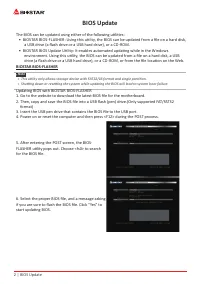
Page 2 - BIOS Update; The BIOS can be updated using either of the following utilities:; Updating BIOS with BIOSTAR BIOS-FLASHER
2 | BIOS Update BIOS Update The BIOS can be updated using either of the following utilities: • BIOSTAR BIOS-FLASHER: Using this utility, the BIOS can be updated from a file on a hard disk, a USB drive (a flash drive or a USB hard drive), or a CD-ROM. • BIOSTAR BIOS Update Utility: It enables autom...
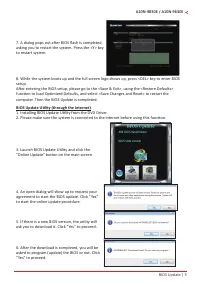
Page 3 - BIOS Update Utility (through the Internet)
BIOS Update | 3 A10N-9830E / A10N-9630E 7. A dialog pops out after BIOS flash is completed, asking you to restart the system. Press the <Y> key to restart system. 8. While the system boots up and the full screen logo shows up, press <DEL> key to enter BIOS setup. After entering the BIOS ...
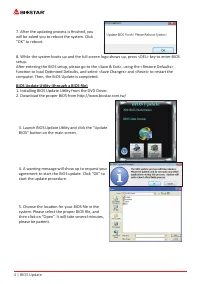
Page 4 - BIOS Update Utility (through a BIOS file)
4 | BIOS Update 7. After the updating process is finished, you will be asked you to reboot the system. Click “OK” to reboot. 8. While the system boots up and the full screen logo shows up, press <DEL> key to enter BIOS setup. After entering the BIOS setup, please go to the <Save & Exit&...
Page 5 - Backup BIOS; Click the Backup BIOS button on the main screen
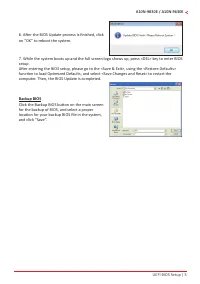
UEFI BIOS Setup | 5 A10N-9830E / A10N-9630E 6. After the BIOS Update process is finished, click on “OK” to reboot the system. 7. While the system boots up and the full screen logo shows up, press <DEL> key to enter BIOS setup. After entering the BIOS setup, please go to the <Save & Exit...
Page 6 - UEFI BIOS Setup; these settings to NVRAM.
6 | UEFI BIOS Setup UEFI BIOS Setup Introduction The purpose of this manual is to describe the settings in the AMI UEFI BIOS Setup program on this motherboard. The Setup program allows users to modify the basic system configuration and save these settings to NVRAM. UEFI BIOS determines what a comput...
Page 7 - � Main Menu; an overview of the basic system information.; BIOS Information; Shows system memory size, VGA shard memory will be excluded.; System Language; Choose the system default language.; System Date; Set the system internal clock.
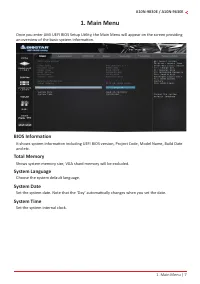
1. Main Menu | 7 A10N-9830E / A10N-9630E 1� Main Menu Once you enter AMI UEFI BIOS Setup Utility, the Main Menu will appear on the screen providing an overview of the basic system information. BIOS Information It shows system information including UEFI BIOS version, Project Code, Model Name, Build D...
Page 8 - � Advanced Menu; and other system devices.; Trusted Computing
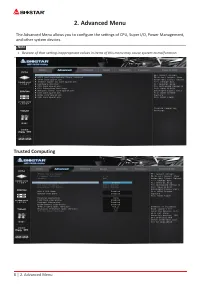
8 | 2. Advanced Menu 2� Advanced Menu The Advanced Menu allows you to configure the settings of CPU, Super I/O, Power Management, and other system devices. Note » Beware of that setting inappropriate values in items of this menu may cause system to malfunction. Trusted Computing
Page 10 - ACPI Settings/WakeUp Event control; This item enables or disables BIOS ACPI Auto Configuration.
10 | 2. Advanced Menu ACPI Settings/WakeUp Event control Enable ACPI Auto Configuration This item enables or disables BIOS ACPI Auto Configuration. Options: Disabled (Default) / Enabled Enable Hibernation This item enables or disables system ability to Hibernate (OS/S4 Sleep State). This option may ...
Page 11 - Wake system with Fixed Time; Wake up date; PS2 Keyboard PowerOn; This item allows you to control the keyboard power on function.; Stroke Keys; This item will show only when Keyboard PowerOn is set “Stroke Key.”; PS2 Mouse PowerOn; This item allows you to control the mouse power on function.; USB Device Wakeup from S3/S4; This item allows you to set USB Device Wakeup from S3/S4.
2. Advanced Menu | 11 A10N-9830E / A10N-9630E Wake system with Fixed Time This item enables or disables the system to wake on by alarm event. When this item is enabled, the system will wake on the hr::min::sec specified. Options: Disabled (Default) / Enabled Wake up date You can choose which date th...
Page 12 - SATA Configuration; OnChip SATA function; This item enables or disables OnChip SATA function.; IT8613 Super IO Configuration
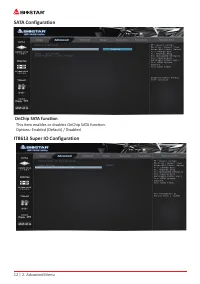
12 | 2. Advanced Menu SATA Configuration OnChip SATA function This item enables or disables OnChip SATA function. Options: Enabled (Default) / Disabled IT8613 Super IO Configuration
Page 13 - Serial Port 1 Configuration; Serial Port; This item select an optimal settings for Super IO Device.; PWM Processor Hot
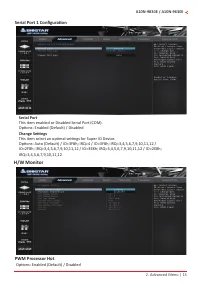
2. Advanced Menu | 13 A10N-9830E / A10N-9630E Serial Port 1 Configuration Serial Port This item enabled or Disabled Serial Port (COM). Options: Enabled (Default) / DisabledChange Settings This item select an optimal settings for Super IO Device. Options: Auto (Default) / IO=3F8h; IRQ=4 / IO=3F8h; IR...
Page 14 - CPU Configuration
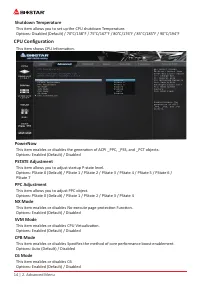
14 | 2. Advanced Menu Shutdown Temperature This item allows you to set up the CPU shutdown Temperature. Options: Disabled (Default) / 70°C/158°F / 75°C/167°F / 80°C/176°F / 85°C/185°F / 90°C/194°F CPU Configuration This item shows CPU Information. PowerNow This item enables or disables the generatio...
Page 15 - PCI Subsystem Settings; ABove 4G Decoding; Virtualization Support.; BME DMA Mitigation
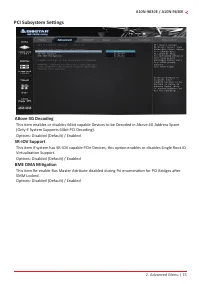
2. Advanced Menu | 15 A10N-9830E / A10N-9630E PCI Subsystem Settings ABove 4G Decoding This item enables or disables 64bit capable Devices to be Decoded in Above 4G Address Space (Only if System Supports 64bit PCI Decoding). Options: Disabled (Default) / Enabled SR-IOV Support This item if system ha...
Page 16 - Network Stack Configuration; Network Stack; This item enables or disables UEFI network stack.; IPv4 PXE Support; Number of times presence of media will be checked.
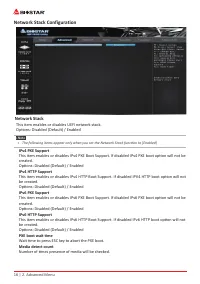
16 | 2. Advanced Menu Network Stack Configuration Network Stack This item enables or disables UEFI network stack. Options: Disabled (Default) / Enabled Note » The following items appear only when you set the Network Stack function to [Enabled] IPv4 PXE Support This item enables or disables IPv4 PX...
Page 17 - CSM Configuration
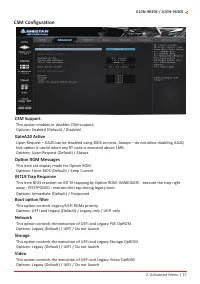
2. Advanced Menu | 17 A10N-9830E / A10N-9630E CSM Configuration CSM Support This option enables or disables CSM support. Options: Enabled (Default) / Disabled GateA20 Active Upon Request – GA20 can be disabled using BIOS services. Always – do not allow disabling GA20; this option is useful when any ...
Page 18 - Other PCI device ROM priority; NVMe Configuration; The item shows NVMe controller and driver information.; USB Configuration; Legacy USB Support
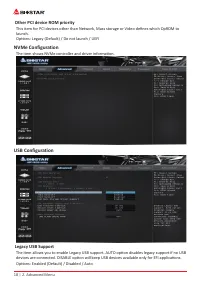
18 | 2. Advanced Menu Other PCI device ROM priority This item for PCI devices other than Network, Mass storage or Video defines which OpROM to launch. Options: Legacy (Default) / Do not launch / UEFI NVMe Configuration The item shows NVMe controller and driver information. USB Configuration Legacy U...
Page 19 - USB Mass Storage Driver Support; This item enables or disables USB Mass Storage Driver Support.; USB transfer time-out; Device power-up delay in seconds; USB FLASH DRIVE PMAP; according to a drive type.
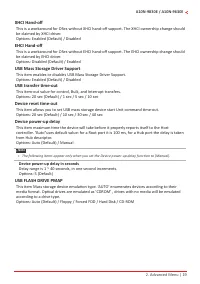
2. Advanced Menu | 19 A10N-9830E / A10N-9630E XHCI Hand-off This is a workaround for OSes without XHCI hand-off support. The XHCI ownership change should be claimed by XHCI driver. Options: Enabled (Default) / Disabled EHCI Hand-off This is a workaround for OSes without EHCI hand-off support. The EH...
Page 20 - � Chipset Menu; when communicating with its own special components.; South Bridge
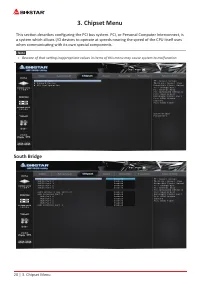
20 | 3. Chipset Menu 3� Chipset Menu This section describes configuring the PCI bus system. PCI, or Personal Computer Interconnect, is a system which allows I/O devices to operate at speeds nearing the speed of the CPU itself uses when communicating with its own special components. Note » Beware o...
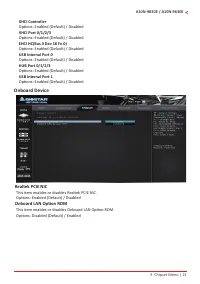
Page 21 - XHCI Controller; Onboard Device; Realtek PCIE NIC; This item enables or disables Realtek PCIE NIC.; Onboard LAN Option ROM
3. Chipset Menu | 21 A10N-9830E / A10N-9630E XHCI Controller Options: Enabled (Default) / DisabledXHCI Port 0/1/2/3 Options: Enabled (Default) / DisabledEHCI HC(Bus 0 Dev 18 Fn 0) Options: Enabled (Default) / DisabledUSB Internal Port 0 Options: Enabled (Default) / DisabledHUB Port 0/1/2/3 Options: ...
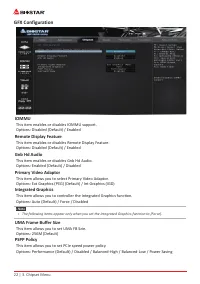
Page 22 - GFX Configuration
22 | 3. Chipset Menu GFX Configuration IOMMU This item enables or disables IOMMU support. Options: Disabled (Default) / Enabled Remote Display Feature This item enables or disables Remote Display Feature. Options: Disabled (Default) / Enabled Gnb Hd Audio This item enables or disables Gnb Hd Audio. ...
Page 23 - Surround View; This item support multi-display function.
3. Chipset Menu | 23 A10N-9830E / A10N-9630E Surround View This item support multi-display function. Options: Disabled (Default) / Enabled
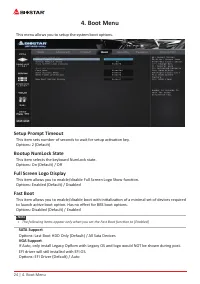
Page 24 - � Boot Menu; This menu allows you to setup the system boot options.; Setup Prompt Timeout; This item sets number of seconds to wait for setup activation key.; Bootup NumLock State; This item selects the keyboard NumLock state.; Full Screen Logo Display; to launch active boot option. Has no effect for BBS boot options.; SATA Support; EFI driver will still installed with EFI OS.
24 | 4. Boot Menu 4� Boot Menu This menu allows you to setup the system boot options. Setup Prompt Timeout This item sets number of seconds to wait for setup activation key. Options: 2 (Default) Bootup NumLock State This item selects the keyboard NumLock state. Options: On (Default) / Off Full Scree...
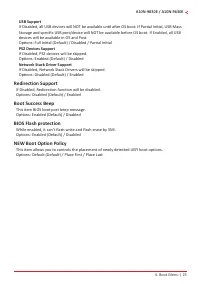
Page 25 - USB Support; Redirection Support
4. Boot Menu | 25 A10N-9830E / A10N-9630E USB Support If Disabled, all USB devices will NOT be available until after OS boot. If Partial Initial, USB Mass Storage and specific USB port/device will NOT be available before OS boot. If Enabled, all USB devices will be available in OS and Post. Options:...
Page 26 - � Security Menu; Administrator Password; This item sets Administrator Password.; User Password; This item sets User Password.; Secure Boot Menu
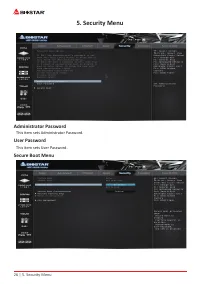
26 | 5. Security Menu 5� Security Menu Administrator Password This item sets Administrator Password. User Password This item sets User Password. Secure Boot Menu
Page 27 - Secure Boot; system is in user mode. The mode change requires platform reset.; Secure Boot Customization; Delete all Secure Boot Key databases from NVRAM.; Key Management; Factory Key Provision
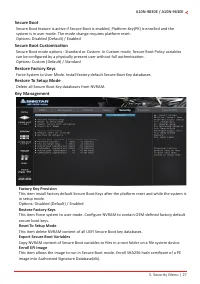
5. Security Menu | 27 A10N-9830E / A10N-9630E Secure Boot Secure Boot feature is active if Secure Boot is enabled, Platform Key(PK) is enrolled and the system is in user mode. The mode change requires platform reset. Options: Disabled (Default) / Enabled Secure Boot Customization Secure Boot mode op...
Page 28 - Remove ‘UEFI CA’ from DB
28 | 5. Security Menu Remove ‘UEFI CA’ from DB Device Guard ready system must not list ‘Microsoft UEFI CA’ Certificate in Authorized Signature database(db).Restore DB defaults Restore DB variable to factory defaults.Platform Key (PK) Options: Details / Export / Update / DeleteKey Exchange Keys Optio...
Page 29 - � Tweaker Menu; DDR Memory Voltage; This item DDR Memory Voltage Control.
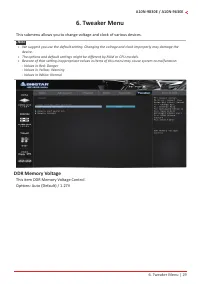
6. Tweaker Menu | 29 A10N-9830E / A10N-9630E 6� Tweaker Menu This submenu allows you to change voltage and clock of various devices. Note » We suggest you use the default setting. Changing the voltage and clock improperly may damage the device. » The options and default settings might be differe...
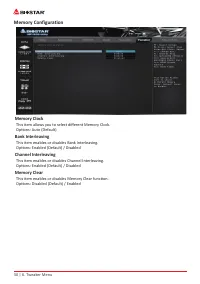
Page 30 - Memory Configuration; Memory Clock; This item allows you to select different Memory Clock.; Bank Interleaving; This item enables or disables Bank Interleaving.; Channel Interleaving; This item enables or disables Channel Interleaving.; Memory Clear; This item enables or disables Memory Clear function.
30 | 6. Tweaker Menu Memory Configuration Memory Clock This item allows you to select different Memory Clock. Options: Auto (Default) Bank Interleaving This item enables or disables Bank Interleaving. Options: Enabled (Default) / Disabled Channel Interleaving This item enables or disables Channel In...
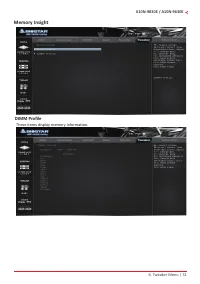
Page 31 - Memory Insight; DIMM Profile; These items display memory information.
6. Tweaker Menu | 31 A10N-9830E / A10N-9630E Memory Insight DIMM Profile These items display memory information.
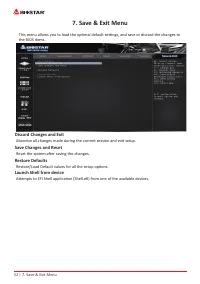
Page 32 - Reset the system after saving the changes.; Restore Defaults; Restore/Load Default values for all the setup options.; Launch Shell from device
32 | 7. Save & Exit Menu 7� Save & Exit Menu This menu allows you to load the optimal default settings, and save or discard the changes to the BIOS items. Discard Changes and Exit Abandon all changes made during the current session and exit setup. Save Changes and Reset Reset the system afte...

 Biostar A68N-2100K
User Manual
Biostar A68N-2100K
User Manual
 Biostar B450NH
User Manual
Biostar B450NH
User Manual
 Biostar B550
User Manual
Biostar B550
User Manual
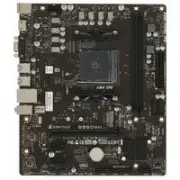 Biostar B550MH
User Manual
Biostar B550MH
User Manual
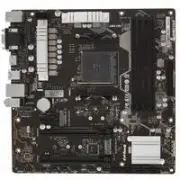 Biostar B550MX/E PRO
User Manual
Biostar B550MX/E PRO
User Manual
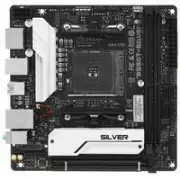 Biostar B550T
User Manual
Biostar B550T
User Manual
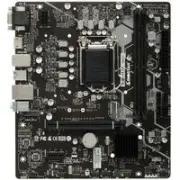 Biostar B560MH-E 2.0
User Manual
Biostar B560MH-E 2.0
User Manual
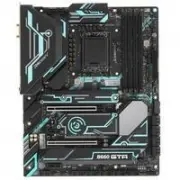 Biostar B660GTA
User Manual
Biostar B660GTA
User Manual
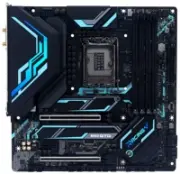 Biostar B660GTQ
User Manual
Biostar B660GTQ
User Manual
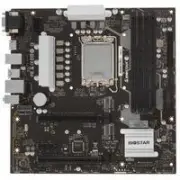 Biostar B660MX-E PRO
User Manual
Biostar B660MX-E PRO
User Manual
 Biostar B760
User Manual
Biostar B760
User Manual
 Biostar FX9830
User Manual
Biostar FX9830
User Manual
 Biostar H510
User Manual
Biostar H510
User Manual
 Biostar H610
User Manual
Biostar H610
User Manual
 Biostar H61MHV3
User Manual
Biostar H61MHV3
User Manual
 Biostar H81MHV3 3.0
User Manual
Biostar H81MHV3 3.0
User Manual
 Biostar J4125
User Manual
Biostar J4125
User Manual
 Biostar Z490
User Manual
Biostar Z490
User Manual