Page 2 - CONTENTS
CONTENTS Welcome 2 SteelSeries Engine 3 Product Overview 5–6 Setup 7 Translations Español 9 简体中文 10 繁體中文 11 日本語 12 한국어 14 Deutsch 15 Русский 16 Français 17 Italiano 19 Português 20 Polskie 21 Regulatory 23
Page 3 - PRIMED FOR VICTORY
2 PRIMED FOR VICTORY Your new mouse is the result of our unyielding pursuit of perfection for over 15 years. We poured our hearts into creating the best possible gaming mouse by pushing the boundaries of performance through precision, comfort, and durability. The Prime is our glory, now go chase you...
Page 4 - To enjoy; STEELSERIES ENGINE
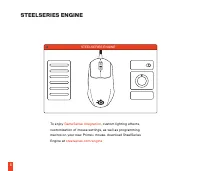
STEELSERIES ENGINE 3 To enjoy GameSense Integration , custom lighting effects, customization of mouse settings, as well as programming macros on your new Prime+ mouse, download SteelSeries Engine at steelseries.com/engine STEELSERIES ENGINE
Page 5 - PACKAGE CONTENTS
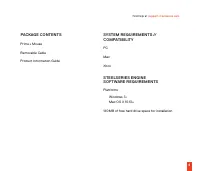
4 find help at support.steelseries.com PACKAGE CONTENTS Prime+ Mouse Removable Cable Product Information Guide SYSTEM REQUIREMENTS // COMPATIBILITY PC Mac Xbox STEELSERIES ENGINE SOFTWARE REQUIREMENTS Platforms Windows 7+ Mac OS X 10.13+ 140 MB of free hard drive space for installation
Page 6 - PRODUCT OVERVIEW; Left Mouse Button
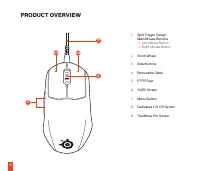
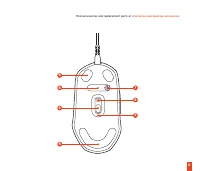
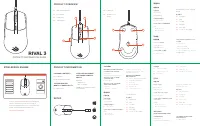
1.1 1.2 2 4 3 5 9 5 6 7 8 5 5 PRODUCT OVERVIEW 1 Split Trigger Design Main Mouse Buttons 1.1 Left Mouse Button 1.2 Right Mouse Button 2 Scroll Wheel 3 Side Buttons 4 Removable Cable 5 PTFE Feet 6 OLED Screen 7 Menu Button 8 Dedicated Lift Off Sensor 9 TrueMove Pro Sensor
Page 8 - SETUP
Page 9 - OLED MENU; MENU BREAKDOWN; OLED menu access
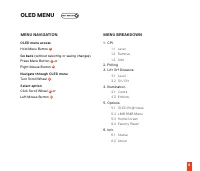
8 OLED MENU MENU BREAKDOWN 1. CPI 1.1 Level 1.2 Remove 1.3 Add 2. Polling3. Lift Off Distance 3.1 Level 3.2 On/Off 4. Illumination 4.1 Colors 4.2 Effects 5. Options 5.1 OLED Brightness 5.2 LMB RMB Menu 5.3 Home Screen 5.4 Factory Reset 6. Info 6.1 Status 6.2 About MENU NAVIGATION OLED menu access Ho...
Page 10 - ESPAÑOL; CONTENIDO DEL PAQUETE; Botón izquierdo del ratón; Retrocede; DESGLOSE DEL MENÚ
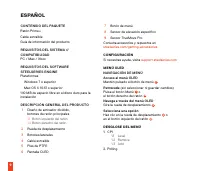
9 ESPAÑOL CONTENIDO DEL PAQUETE Ratón Prime+Cable extraíbleGuía de información del producto REQUISITOS DEL SISTEMA // COMPATIBILIDAD PC / Mac / Xbox REQUISITOS DEL SOFTWARE STEELSERIES ENGINE Plataformas Windows 7 o superior Mac OS X 10.13 o superior140 MB de espacio libre en el disco duro para la i...
Page 11 - Lift Off Distance; 包装内容; 设置
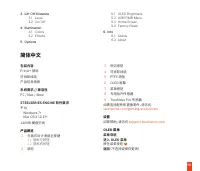
10 3. Lift Off Distance 3.1 Level 3.2 On/Off 4. Illumination 4.1 Colors 4.2 Effects 5. Options 5.1 OLED Brightness 5.2 LMB RMB Menu 5.3 Home Screen 5.4 Factory Reset 6. Info 6.1 Status 6.2 About 简体中文 包装内容 Prime+ 鼠标可拆卸线缆产品信息指南 系统要求 // 兼容性 PC / Mac / Xbox STEELSERIES ENGINE 软件要求 平台 Windows 7+ Mac OS X...
Page 12 - 繁體中文; 包裝內容
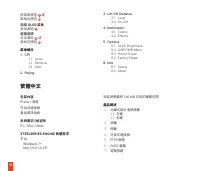
11 按菜单按钮 7 或 鼠标右按钮 1.2 浏览 OLED 菜单 滚动滚轮 2 选择选项 点击滚轮 2 或 鼠标左按钮 1.1 菜单细分 1. CPI 1.1 Level 1.2 Remove 1.3 Add 2. Polling 3. Lift Off Distance 3.1 Level 3.2 On/Off 4. Illumination 4.1 Colors 4.2 Effects 5. Options 5.1 OLED Brightness 5.2 LMB RMB Menu 5.3 Home Screen 5.4 Factory Reset 6. Info 6.1 Status 6...
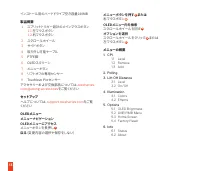
Page 13 - 日本語; パッケージ内容
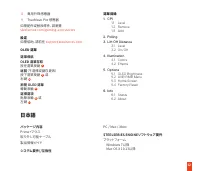
12 8 專用升降感應器 9 TrueMove Pro 感應器 如需配件或替換零件,請瀏覽 steelseries.com/gaming-accessories 設定 如需協助,請前往 support.steelseries.com OLED 選單 選單導航OLED 選單存取 按住選單按鍵 7 返回 (不選擇或儲存更改) 按下選單按鍵 7 或 右鍵 1.2 瀏覽 OLED 選單 轉動滾輪 2 選擇選項 點擊滾輪 2 或 左鍵 1.1 選單目錄 1. CPI 1.1 Level 1.2 Remove 1.3 Add 2. Polling3. Lift Off Distance 3.1 Level...
Page 15 - 한국어; 패키지 구성품
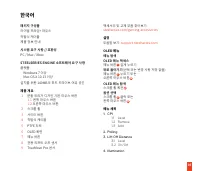
14 한국어 패키지 구성품 라이벌 프라임+ 마우스착탈식 케이블제품 정보 안내 시스템 요구 사항 // 호환성 PC / Mac / Xbox STEELSERIES ENGINE 소프트웨어 요구 사항 플랫폼 Windows 7 이상 Mac OS X 10.13 이상설치를 위한 140MB의 하드 드라이브 여유 공간 제품 개요 1 분할 트리거 디자인 기본 마우스 버튼 1.1 왼쪽 마우스 버튼 1.2 오른쪽 마우스 버튼 2 스크롤 휠 3 사이드 버튼 4 착탈식 케이블 5 PTFE 피트 6 OLED 화면 7 메뉴 버튼 8 전용 리프트 오프 센서 9 T...
Page 16 - DEUTSCH; LIEFERUMFANG; PRODUKTÜBERSICHT; Zurückgehen
15 4.1 Colors 4.2 Effects 5. Options 5.1 OLED Brightness 5.2 LMB RMB Menu 5.3 Home Screen 5.4 Factory Reset 6. Info 6.1 Status 6.2 About DEUTSCH LIEFERUMFANG Prime+ MausAbnehmbares KabelProduktinformationshandbuch SYSTEMANFORDERUNGEN // KOMPATIBILITÄT PC / Mac / Xbox STEELSERIES ENGINE – SOFTWAREANF...
Page 17 - AUFBAU DES MENÜS; РУССКИЙ; КОМПЛЕКТАЦИЯ
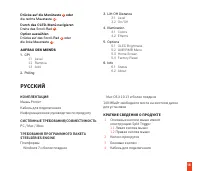
16 Drücke auf die Menütaste 7 oder die rechte Maustaste 1.2 . Durch das OLED-Menü navigieren Drehe das Scroll-Rad 2 . Option auswählen Drücke auf das Scroll-Rad 2 oder die linke Maustaste 1.1 . AUFBAU DES MENÜS 1. CPI 1.1 Level 1.2 Remove 1.3 Add 2. Polling 3. Lift Off Distance 3.1 Level 3.2 On/Off ...
Page 18 - Навигация по меню OLED; FRANÇAIS; CONTENU DE L’EMBALLAGE
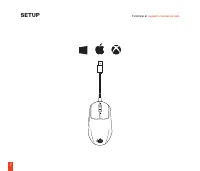
17 5 Фторопластовые опорные накладки 6 OLED-экран 7 Кнопка меню 8 Специальный датчик отрыва 9 Датчик TrueMove Pro Для подбора аксессуаров и запасных частей перейдите на страницу steelseries.com/gaming-accessories . НАСТРОЙКА Справочную информацию см. на сайте support.steelseries.com . МЕНЮ OLED НАВИ...
Page 19 - Revenir en arrière; DÉCOMPOSITION DU MENU
18 CONFIGURATION SYSTÈME REQUISE // COMPATIBILITÉ PC / Mac / Xbox EXIGENCES DU LOGICIEL STEELSERIES ENGINE Plateformes Windows 7 + Mac OS X 10.13 +140 Mo d’espace disque dur libre pour l’installation VUE D’ENSEMBLE DU PRODUIT 1 Boutons principaux de la souris en gâchette scindée 1.1 Bouton gauche de...
Page 20 - ITALIANO; CONTENUTO DELLA CONFEZIONE; PANORAMICA DEL PRODOTTO; Torna indietro; SUDDIVISIONE DEL MENU
19 ITALIANO CONTENUTO DELLA CONFEZIONE Mouse Prime+Cavo rimovibileGuida informazioni sul prodotto REQUISITI DI SISTEMA // COMPATIBILITÀ PC / Mac / Xbox REQUISITI SOFTWARE STEELSERIES ENGINE Piattaforme Windows 7 e versioni successive Mac OS X 10.13 e versioni successive140 MB di spazio libero sul di...
Page 21 - PORTUGUÊS; CONTEÚDO DA EMBALAGEM; VISÃO GERAL DO PRODUTO; MENU DE NAVEGAÇÃO
20 3. Lift Off Distance 3.1 Level 3.2 On/Off 4. Illumination 4.1 Colors 4.2 Effects 5. Options 5.1 OLED Brightness 5.2 LMB RMB Menu 5.3 Home Screen 5.4 Factory Reset 6. Info 6.1 Status 6.2 About PORTUGUÊS CONTEÚDO DA EMBALAGEM Rato Prime +Cabo removível GUIA DE INFORMAÇÕES SOBRE O PRODUTO Requisitos...
Page 22 - ESTRUTURA DO MENU; POLSKIE; ZAWARTOŚĆ OPAKOWANIA; PRZEGLĄD PRODUKTU
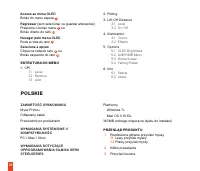
21 Acesso ao menu OLED Botão do menu espera 7 Regressar (sem selecionar ou guardar alterações) Pressione o botão menu 7 ou Botão direito do rato 1.2 Navegar pelo menu OLED Rode a roda do rato 2 Selecione a opção Clique na roda do rato 2 ou Botão esquerdo do rato 1.1 ESTRUTURA DO MENU 1. CPI 1.1 Leve...
Page 23 - Powrót; ZAWARTOŚĆ MENU
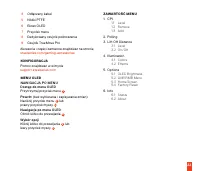
22 4 Odłączany kabel 5 Nóżki PTFE 6 Ekran OLED 7 Przycisk menu 8 Dedykowany czujnik podnoszenia 9 Czujnik TrueMove Pro Akcesoria i części zamienne znajdziesz na stronie steelseries.com/gaming-accessories KONFIGURACJA Pomoc znajdziesz w witrynie support.steelseries.com MENU OLED NAWIGACJA PO MENUDost...
Page 24 - REGULATORY
23 Europe – EU Declaration of Conformity Hereby, SteelSeries ApS. declares that the equipment which is compliance with directive RoHS 2.0 (2015/863/EU), EMC Directive (2014/30/EU), and LVD (2014/35/EU) which are issued by the Commission of the European Community.The full text of the EU declaration o...
Page 25 - Federal Communication Commission Interference Statement
24 收处理相关法律法规,将其交给当地具有国家认可的回收处理资质的厂商进行回收处理。 Federal Communication Commission Interference Statement This device complies with Part 15 of the FCC Rules. Operation is subject to the following two conditions: (1) This device may not cause harmful interference, and (2) this device must accept any interfe...
Page 26 - Remedies for major failure with goods
25 SteelSeries will provide its own remedies equivalent to those remedies in the consumer guarantee provisions of the Australian Consumer Law at any time within 24 months of the date of purchase. For the avoidance of doubt, SteelSeries acknowledges that the Australian Consumer Law may provide for re...
Page 27 - Importer Name and Address:; Telephone technical support:
26 • You would not have purchased the product if you had known about the problem.• The product is significantly different from the description, sample or demonstration model you were shown.• The product is substantially unfit for its normal purpose and cannot easily be made fit within a reasonable t...
Page 32 - learn more at