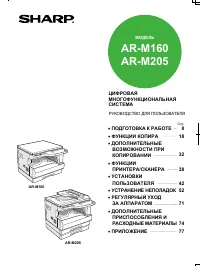
Sharp AR-161 - User Manual

Sharp AR-161 Photocopier – User Manual, read for free online in PDF format. We hope this helps you resolve any issues you may have. If you have further questions, please contact us through the contact form.


Table of Contents:
- Page 2 – CPM; Productive Copying; COPYING
- Page 3 – PPM; A3 Full-Colour Scanning; COLOUR SCANNING; NETWORK PRINTING; LDAP Support
- Page 4 – Operation Panel; Auto Dialling; FAXING; Software Options to Expand the AR-M161's Key Features; System Configuration
Distributed by:
590 mm
(23
1
/
4
")
595 mm
(23
27
/
64
")
823 mm
(32
13
/
32
")
©SHARP CORP. (FEB. 2005) Y1.5E Printed in Japan
JCM161
Practical multifunction
performance with
colour scanning and fax
A R - M 1 6 1
Digital Multifunctional System
Network Colour Scan
OPTION
Colour Scan
Network Print
Copy
OPTION
Sharpdesk
™
OPTION
Fax
A R - M 1 6 1
Digital Multifunctional System
SPECIFICATIONS
Desktop
Max. A3 (11" x 17"), min. A5 (5
1
/
2
" x 8
1
/
2
") [min. A6R via bypass]
Standard: 350 sheets (250 + 100), maximum: 1,100 sheets
45 sec.
7.2 sec.
Page memory: 16MB
Optional memory: 16MB (AR-EB9), 256MB (AR-SM5)
Rated local AC voltage
±
10%, 50/60 Hz
1.2 kW
590 x 595 x 435 mm (23
1
/
4
" x 23
27
/
64
" x 17
1
/
8
")
(excluding document cover)
29.7 kg (65.5 lbs.)
Copy speed (max.)
Original paper size
Continuous copy
Resolution
Gradation
Zoom range
Preset copy ratios
Features
16 cpm (A4, 8
1
/
2
" x 11")
Max. A3 (11" x 17")
Max. 999 copies
Scan: 600 x 600 dpi (Photo mode), 600 x 300 dpi (Auto/Text mode)
Print: 600 x 600 dpi
256 levels
25% to 400% (50% to 200% using SPF) in 1% increments
10 ratios (5 reduction + 5 enlargement)
Standard: Auto paper selection, auto magnification selection,
auto tray switching, Scan Once/Print Many,
XY zoom, dual page copy, offset stack,
pre-heat/auto power shut-off modes, toner save mode,
copy/print/scan auditing mode*
2
(50 accounts total)
With optional AR-EB9: Rotation copy, electronic sorting, card shot,
margin shift, edge/centre erase,
multi-shot (4-in-1, 2-in-1)
*1: When feeding A4 (8
1
/
2
" x 11") sheets from the paper tray. First copy time depends on the operating
environment and the status of use.
*2: AR-NB3 required for print/scan auditing mode.
*3: Resolutions higher than 600 dpi are interpolated.
*4: 300 dpi can be selected only when using the PCL6 or PCL5e printer driver.
*5: AR-PK1N required.
*6: PDF direct printing requires AR-PK1N.
*7: Based on an A4 document with approx. 700 characters at standard resolution in Super G3 mode, 33,600
bps, JBIG compression.
Facsimile
(optional AR-FX11 required)
Compression method
Communication protocol
Transmission time
Modem speed
Transmission resolution
Recording width
Memory
Greyscale levels
Features
MH/MR/MMR/JBIG
Super G3/G3
Less than 3 seconds*
7
33,600 bps to 2,400 bps with automatic fallback
Standard: 8 dots x 3.85 lines/mm
Ultra Fine: 16 dots x 15.4 lines/mm
A3 to A5 (11" x 17" to 5
1
/
2
" x 8
1
/
2
")
2MB flash memory
Optional memory: 8MB (AR-MM9)
Equivalent to 256 levels
Rapid and group dials (50 in total), 300 speed dials, 9 job programmes,
broadcasting (200 destinations), memory transmission/reception,
quick on-line transmission, auto reduction (transmission/reception),
rotation transmission/reception, long original transmission
(max. 800 mm), divided reception, timer transmission, polling,
F-Code compatibility (confidential, relay broadcast, polling),
auditing mode (50 accounts)
Type
Paper size
Paper capacity
Warm-up time
First copy time*
1
Memory
Power requirements
Power consumption (max.)
Dimensions (W x D x H)
Weight (main unit only)
General
Colour Scanner
Network Printing/Scanning
(optional AR-EB9 and AR-NB3 required)
Copier
(optional AR-EB9 required for some features)
Printer
(optional AR-EB9 required for some features)
Resolution
Network interface
Supported OS
Memory
Network protocols
Available fonts
Features
File formats
Scan method
Resolution
Protocols
Interface
Supported OS
Scanner utilities
Push scan (via operation panel) and
pull scan (with TWAIN-supporting application)
600 x 600 dpi (setting range: 50 to 9,600 dpi*
3
)
TWAIN, WIA (Windows XP only), STI
Standard: USB 1.1
Option: USB 2.0 (with AR-EB9)
Windows 98/Me, Windows XP (Home/Professional),
Windows 2000 (Professional)
Button Manager, Sharpdesk™
Print speed (max.)
Resolution
Interface
Supported OS
PDL emulation
Features
Standard: 12 ppm (host-based)
Option: 16 ppm (SPLC) (with AR-EB9)
600 dpi
Standard: IEEE 1284, USB 1.1
Option: USB 2.0 (with AR-EB9)
Windows NT
®
4.0 (Workstation SP5 and later),
Windows
®
2000 (Professional), Windows
®
XP (Home/Professional),
Windows
®
95/98/Me
Standard: Host-based
Option: SPLC (with AR-EB9)
Standard: Fit to page, image orientation, auto paper selection,
rotation print, output tray selection, image adjustment,
pure black and white, watermarks, offset print,
status window, N-up (2/4)
With optional AR-EB9: RIP Once/Print Many
600 dpi, 300 dpi*
4
10Base-T/100Base-TX
Windows 95/98/Me, Windows NT 4.0 (Workstation SP5 and later),
Windows 2000 (Professional)/XP (Home/Professional),
Mac OS 8.6 to 9.2.2, Mac OS X 10.1.5, 10.2 to 10.2.8
(excluding 10.2.2), 10.3 to 10.3.4*
5
64MB, max. 320MB with SO-DIMM 256MB (144-pin)
TCP/IP, IPX/SPX (Netware), NetBEUI, EtherTalk (AppleTalk)
80 fonts for PCL, 136 fonts for PS3 emulation*
5
PCL 6/5e and PS3*
5
emulation, printer administration utility,
printer status monitor, PDF/TIFF direct printing*
6
,
network scan (scan to e-mail/FTP server/desktop), LDAP,
IP/MAC address filtering
JPEG, PDF, TIFF
• Design and specifications are subject to change without prior notice.
• Windows and Windows NT are either registered trademarks or trademarks of Microsoft Corporation in the United States and/or
other countries. All other brand names and product names may be trademarks or registered trademarks of their respective owners.
• The Energy Star logo is a certification mark and may only be used to certify products that have been determined to meet the
Energy Star programme requirements. Energy Star is a US registered mark. The Energy Star guidelines apply to products only in the
US, Europe, Australia, New Zealand, and Japan.
"Loading the manual" means you need to wait until the file loads and becomes available for online reading. Some manuals are very large, and the time they take to appear depends on your internet speed.
Other Manuals for Sharp AR-161
Summary
1 2 Built-in With optional AR-EB9 16 CPM First copy time 1st. 7.2 sec. ..... 1 5 1 5 1 5 1 5 1 5 Scan Once/Print Many andElectronic Sorting Document isscanned... Multi-pageoriginal stored inmemory... Copies electronically sorted... and stacked offsetduring output. 1,100 Rotation Copy Edge Erase 2-in...
3 4 16 PPM SPLC (Sharp Printer Language with Compression) Printing Compress print data, reduce transfer time Host-based print data Data is compressed Transfer Decompressing Transfer time reduced by nearly half (vs. host-based) Fast printing of text and graphics USB 2.0 (with AR-EB9) USB 1.1 IEEE 128...
5 6 Conventional Memory Transmission Quick On-Line Transmission (AR-M161) Scan All Send Saves Time Scan Call Send Call Job Separator Fax/printer output Copier/printer output Operation Panel The AR-M161’s operation panel is created under a universal design concept, making it easy for everyone to use,...