Sharp AR-156 - Manual

Sharp AR-156 Photocopier – Manual, read for free online in PDF format. We hope this helps you resolve any issues you may have. If you have further questions, please contact us through the contact form.


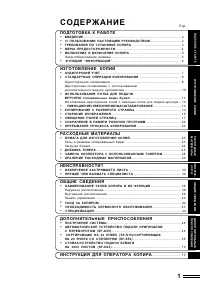
Table of Contents:
- Page 2 – GETTING STARTED; INTRODUCTION; Conventions used in this manual
- Page 3 – CAUTIONS; SAFETY PRECAUTIONS
- Page 4 – MAIN FEATURES
- Page 5 – OPERATION PANEL
- Page 6 – LOADING COPY PAPER
- Page 8 – MAKING COPIES; NORMAL COPYING; A A; LOADING
- Page 12 – Stream feeding mode; EXPOSURE ADJUSTMENT/PHOTO COPYING
- Page 13 – To select a preset copy ratio:
- Page 16 – MISFEED REMOVAL; A Misfeed in the paper feed area
- Page 17 – B Misfeed in the fusing area
- Page 19 – D Misfeed in the RSPF
- Page 21 – DEVELOPER REQUIRED; MAINTENANCE REQUIRED
- Page 22 – AUTOMATIC EXPOSURE ADJUSTMENT
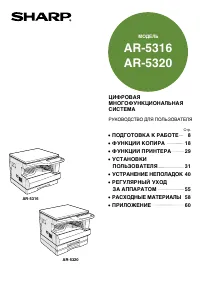
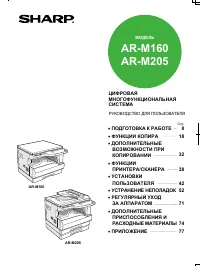
MODEL
AR-156
•
GETTING STARTED
•
MAKING COPIES
•
SPECIAL FUNCTIONS
•
SUPPLIES AND
USER MAINTENANCE
•
COPIER TROUBLE?
•
APPENDIX
•
OPTIONAL EQUIPMENT
3
12
20
23
27
36
40
DIGITAL LASER COPIER
OPERATION MANUAL
Page
"Loading the manual" means you need to wait until the file loads and becomes available for online reading. Some manuals are very large, and the time they take to appear depends on your internet speed.
Summary
3 1 Getting star ted GETTING STARTED This chapter provides basic information for using the copier. INTRODUCTION This copier has been designed to provide intuitive operating ease while requiring a minimumamount of space. To get full use of all copier features, be sure to familiarize yourself with thi...
4 1 Getting star ted CAUTIONS Follow the cautions below when using this copier. ● The fusing area is hot. Exercise care in this area when removing misfed paper. ● Do not look directly at the light source. Doing so may damage your eyes. ● Do not switch the copier rapidly on and off. After turning the...
5 1 Getting star ted MAIN FEATURES High-speed laser copying ● Since warm-up time is zero, copying can be star ted immediately after the power switch isturned on. ● First-copy time is only 9.6 seconds (normal mode). ● Copying speed is 15 copies/min., which adapts to business use, allowing improvement...