Russell Hobbs RHVS1 - User Manual
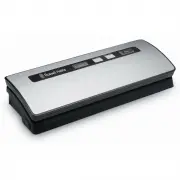
Russell Hobbs RHVS1 Vacuum Sealer Machine – User Manual, read for free online in PDF format. We hope this helps you resolve any issues you may have. If you have further questions, please contact us through the contact form.


Table of Contents:
- Page 2 – Warranty Against Defects
- Page 5 – BEFORE FIRST USE; ABOUT VACUUM SEALING; Consider these uses :; ABOUT YOUR SEAL FRESH VACUUM SEALER
- Page 6 – Lid release buttons :
- Page 7 – Making a bag with a bag roll :
- Page 8 – How to Vacuum Seal in a Canister
- Page 9 – Opening the Canister after vacuum packaging; SEAL FRESH VACUUM SEALER TIPS AND TECHNIQUES
- Page 12 – FOOD PRESERVATION GUIDELINES
- Page 13 – GENERAL RULES FOR FOOD SAFETY
- Page 14 – TROUBLE SHOOTING; Nothing happens when I try to vacuum seal :
- Page 17 – NOTES
1
R
H
V
S
1_
IB
_F
A
_1
80
61
3
SEAL FRESH
VACUUM SEALER
2 YEAR WARRANTY
RHVS1
INSTRUCTIONS & WARRANTY
"Loading the manual" means you need to wait until the file loads and becomes available for online reading. Some manuals are very large, and the time they take to appear depends on your internet speed.
Was this manual helpful?
Helpful for 3 of 3 readers
About this manual
- Brand
- Russell Hobbs
- Model
- RHVS1
- Document type
- User Manual
- Category
- Vacuum Sealer Machine
- Language(s)
- English
- Pages
- 20
- File size
- 2.4 MB
- Format
Summary
2 3 Spectrum Brands Australia Pty Ltd Locked Bag 3004 BraesideVictoria 3195 Australia Customer Service in Australia TollFree: 1800 623 118Email: [email protected]Website: www.spectrumbrands.com.au Spectrum Brands New Zealand Ltd PO Box 9817 NewmarketAuckland 1149 New Zealand Customer Service in New ...
4 5 BEFORE FIRST USE • Remove all packaging material and any stickers from the product.• As some parts may be packed separately, check to ensure all items have been unpacked before disposing of the packaging. • Wipe the outside of appliance with a damp cloth; dry thoroughly.• Select a level, dry cou...
6 7 Food Button : Use this button to select the optimum bag sealing time for the type of item you are packaging. The default setting is Dry . Dry setting: for items without moisture, with a shorter heat sealing time. Moist setting: for items with moisture, with an extended heat sealing time. Pump Bu...
Ask a question
Related manuals
Other Russell Hobbs appliances
 Russell Hobbs 19750-56 User Manual
 Russell Hobbs 20135-56 User Manual
 Russell Hobbs 20136-56 User Manual
 Russell Hobbs 20415-70 User Manual
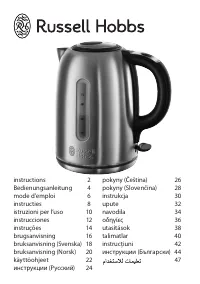 Russell Hobbs 20460-70 User Manual
 Russell Hobbs 20630 User Manual
 Russell Hobbs 20630-56 User Manual
 Russell Hobbs 20680-56 User Manual
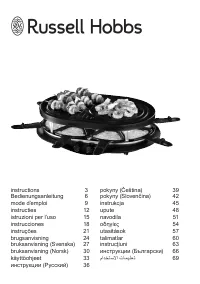 Russell Hobbs 21000-56 User Manual
 Russell Hobbs 21150-70 User Manual
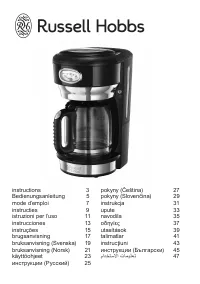 Russell Hobbs 21701-56 User Manual
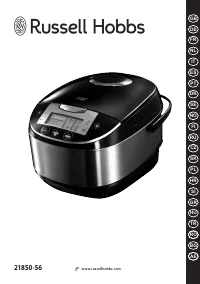 Russell Hobbs 21850-56 User Manual
 Russell Hobbs 22280-56 User Manual
 Russell Hobbs 22560-56 User Manual
 Russell Hobbs 22740-56 User Manual
 Russell Hobbs 22750-56 User Manual
 Russell Hobbs 23330-56 User Manual
 Russell Hobbs 23334-56 User Manual
 Russell Hobbs 23560-56 User Manual
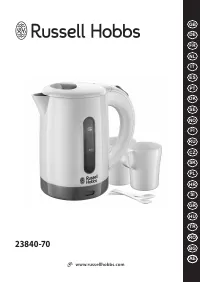 Russell Hobbs 23840-70 User Manual