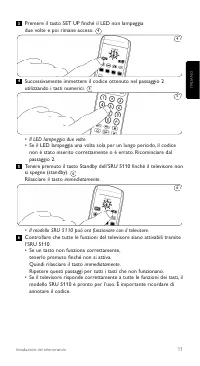
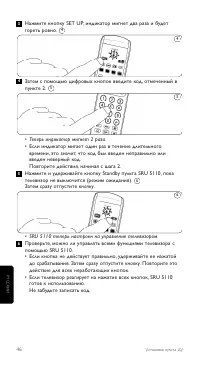
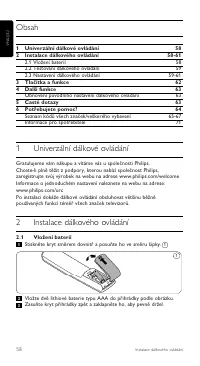
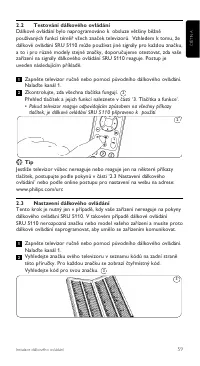
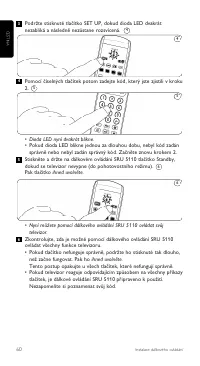
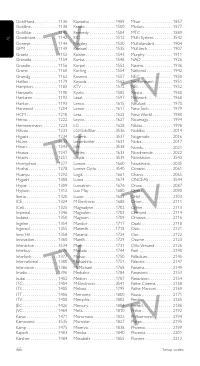
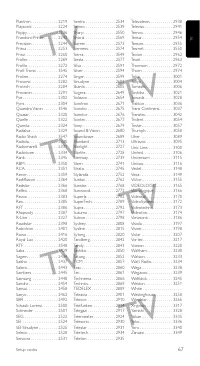
Page 5 - Then enter the code noted in step 2 using the numeric keys.
ENGLISH 5 Installing the remote control Press the SET UP key until the LED flashes twice and then remains lit. Then enter the code noted in step 2 using the numeric keys. • The LED now flashes twice.• If the LED flashes once for an extended period, the code has not been entered properly or the wrong...
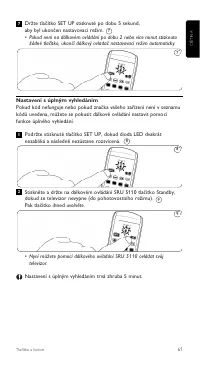
Page 6 - Full search setup; • The SRU 5110 is now set to operate your TV.; Keys and functions
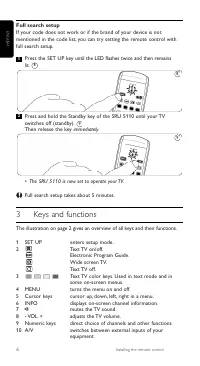
Full search setup If your code does not work or if the brand of your device is notmentioned in the code list, you can try setting the remote control withfull search setup. Press the SET UP key until the LED flashes twice and then remains lit. Press and hold the Standby key of the SRU 5110 until your...
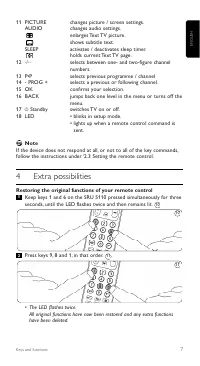
Page 7 - Note; Extra possibilities; Restoring the original functions of your remote control; • The LED flashes twice.
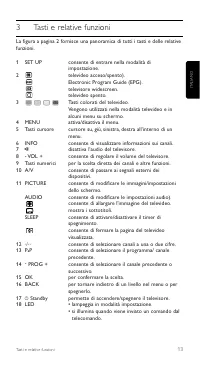
7 ENGLISH Keys and functions 11 PICTURE changes picture / screen settings. AUDIO changes audio settings.enlarges Text TV picture.shows subtitle text. SLEEP activates / deactivates sleep timer.holds current Text TV page. 12 / selects between one- and two-figure channelnumbers. 13 P 1 P selects previo...
Page 8 - Frequently asked questions; Call our helpline for details.
5 Frequently asked questions In this chapter you find answers to the most frequently asked questionsabout your universal remote control. The TV does not respond and the LED key does not flash when Ipress a key.Replace the old batteries with two new AAA batteries. The TV does not respond but the SET ...
Page 9 - Sommario
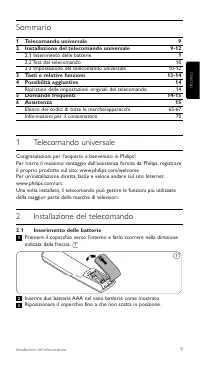
9 IT ALIANO Installazione del telecomando Sommario 1 Telecomando universale 9 2 Installazione del telecomando universale 9-12 2.1 Inserimento delle batterie 9 2.2 Test del telecomando 10 2.3 Impostazione del telecomando universale 10-12 3 Tasti e relative funzioni 13-14 4 Possibilità aggiuntive 14 R...
Page 10 - Test del telecomando; modello SRU 5110 è pronto per l’uso.; Suggerimento
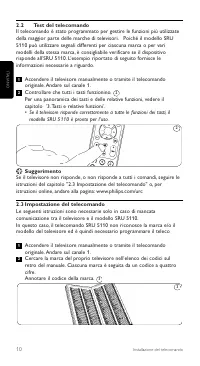
10 Installazione del telecomando 2.2 Test del telecomando Il telecomando è stato programmato per gestire le funzioni più utilizzatedella maggior parte delle marche di televisori. Poiché il modello SRU5110 può utilizzare segnali differenti per ciascuna marca o per varimodelli della stessa marca, è co...
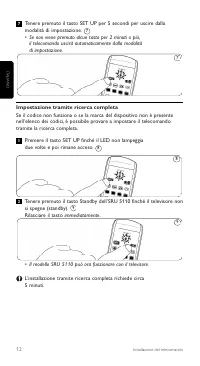
Page 12 - Impostazione tramite ricerca completa; • Il modello SRU 5110 può ora funzionare con il televisore.
Tenere premuto il tasto SET UP per 5 secondi per uscire dallamodalità di impostazione.• Se non viene premuto alcun tasto per 2 minuti o più, il telecomando uscirà automaticamente dalla modalità di impostazione. Impostazione tramite ricerca completa Se il codice non funziona o se la marca del disposi...
Page 14 - Nota; Possibilità aggiuntive; Ripristino delle funzioni originali del telecomando; Premere il tasto 9, poi 8 e 1 in quest’ordine.
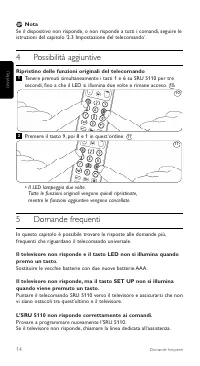
Nota Se il dispositivo non risponde, o non risponde a tutti i comandi, seguire leistruzioni del capitolo ‘2.3 Impostazione del telecomando’. 4 Possibilità aggiuntive Ripristino delle funzioni originali del telecomando Tenere premuti simultaneamente i tasti 1 e 6 su SRU 5110 per tresecondi, fino a ch...
Page 16 - Índice; Colocación de las pilas; Mando a distancia universal
Índice 1 Mando a distancia universal 16 2 Instalación del mando a distancia 16-19 2.1 Colocación de las pilas 16 2.2 Prueba del mando a distancia 17 2.3 Configuración del mando a distancia 17-19 3 Botones y funciones 20 4 Funciones adicionales 21 Restablecimiento de los ajustes originales del mando ...
Page 17 - Prueba del mando a distancia; botones, el SRU 5110 está listo para usar.; Consejo
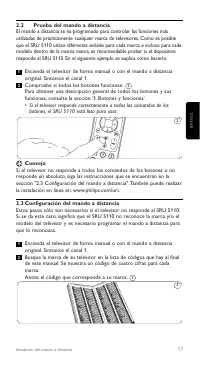
17 2.2 Prueba del mando a distancia El mando a distancia se ha programado para controlar las funciones másutilizadas de prácticamente cualquier marca de televisores. Como es posibleque el SRU 5110 utilice diferentes señales para cada marca e incluso para cadamodelo dentro de la misma marca, es recom...
Page 18 - • Si el televisor responde correctamente a todos los comandos de
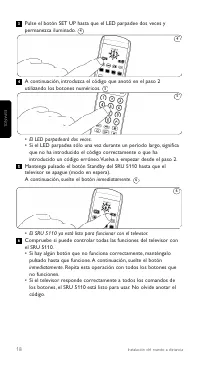
Pulse el botón SET UP hasta que el LED parpadee dos veces ypermanezca iluminado. A continuación, introduzca el código que anotó en el paso 2utilizando los botones numéricos. • El LED parpadeará dos veces.• Si el LED parpadea sólo una vez durante un período largo, significa que no ha introducido el c...
Page 19 - • Si no se pulsa ningún botón durante 2 minutos o más,; Configuración de la búsqueda completa; • El SRU 5110 ya está listo para funcionar con el televisor.
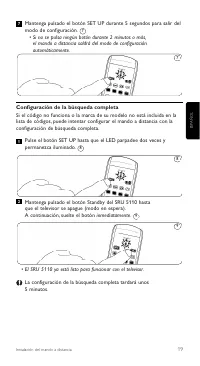
Mantenga pulsado el botón SET UP durante 5 segundos para salir delmodo de configuración. • Si no se pulsa ningún botón durante 2 minutos o más, el mando a distancia saldrá del modo de configuraciónautomáticamente. Configuración de la búsqueda completa Si el código no funciona o la marca de su modelo...
Page 20 - Botones y funciones
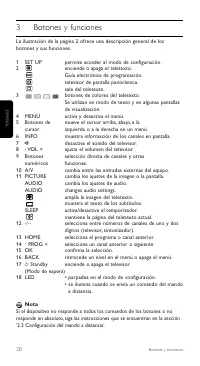
20 Botones y funciones 3 Botones y funciones La ilustración de la página 2 ofrece una descripción general de losbotones y sus funciones. 1 SET UP permite acceder al modo de configuración. 2 enciende o apaga el teletexto.Guía electrónica de programación.televisor de pantalla panorámica.sale del telet...
Page 21 - Funciones adicionales; Restauración de las funciones originales del mando a distancia; • El LED parpadeará dos veces.
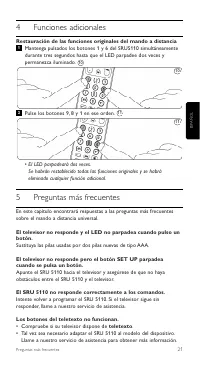
4 Funciones adicionales Restauración de las funciones originales del mando a distancia Mantenga pulsados los botones 1 y 6 del SRU5110 simultáneamentedurante tres segundos hasta que el LED parpadee dos veces ypermanezca iluminado. Pulse los botones 9, 8 y 1 en ese orden. • El LED parpadeará dos vece...
Page 24 - Testar o telecomando; 110 está pronto a utilizar.; Sugestão
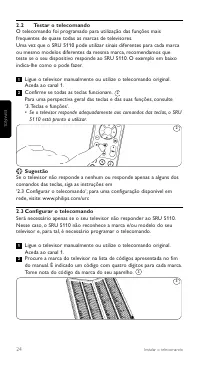
2.2 Testar o telecomando O telecomando foi programado para utilização das funções maisfrequentes de quase todas as marcas de televisores.Uma vez que o SRU 5110 pode utilizar sinais diferentes para cada marcaou mesmo modelos diferentes da mesma marca, recomendamos queteste se o seu dispositivo respon...
Page 25 - • Se o televisor responder adequadamente aos comandos das teclas,
Prima a tecla SET UP até que o LED pisque duas vezes e se mantenhaaceso. De seguida, introduza o código anotado no passo 2 através das teclasnuméricas. • O LED pisca duas vezes.• Se o LED piscar uma vez durante um período prolongado, o código não foi introduzido correctamente ou foi introduzido um c...
Page 26 - telecomando sai automaticamente do modo de configuração.; Configuração com pesquisa completa; • O SRU 5110 está pronto a funcionar com o seu televisor.
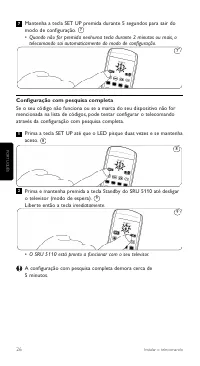
Mantenha a tecla SET UP premida durante 5 segundos para sair domodo de configuração.• Quando não for premida nenhuma tecla durante 2 minutos ou mais, o telecomando sai automaticamente do modo de configuração. Configuração com pesquisa completa Se o seu código não funciona ou se a marca do seu dispos...
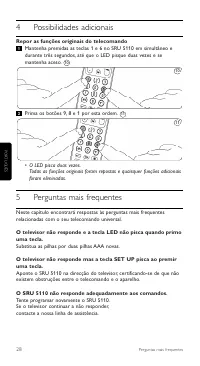
Page 28 - Possibilidades adicionais; Repor as funções originais do telecomando; • O LED pisca duas vezes.
4 Possibilidades adicionais Repor as funções originais do telecomando Mantenha premidas as teclas 1 e 6 no SRU 5110 em simultâneo edurante três segundos, até que o LED pisque duas vezes e semantenha aceso. Prima os botões 9, 8 e 1 por esta ordem. • O LED pisca duas vezes. Todas as funções originais ...
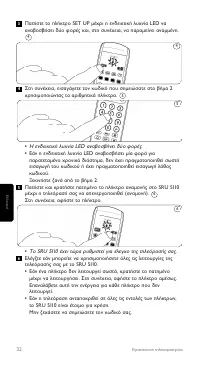
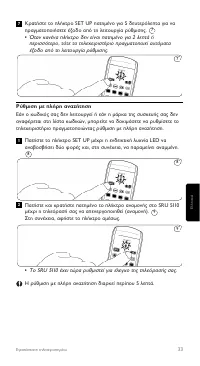
Page 33 - ƒ‡ıÌÈÛË Ì ϋÚË ·Ó· ̇‹ÙËÛË; ∆Ô SRU 5110 ¤ ̄ÂÈ ÙÒÚ· Ú ̆ıÌÈÛÙ› ÁÈ· ¤ÏÂÁ ̄Ô ÙË ̃ ÙËÏÂfiÚ·Û‹ ̃ Û· ̃.
∫Ú·Ù‹ÛÙ ÙÔ Ï‹ÎÙÚÔ SET UP ·ÙË̤ÓÔ ÁÈ· 5 ‰Â˘ÙÂÚfiÏÂÙ· ÁÈ· Ó·Ú·ÁÌ·ÙÔÔÈ‹ÛÂÙ ¤ÍÔ‰Ô ·fi ÙË ÏÂÈÙÔ˘ÚÁ›· Ú‡ıÌÈÛ˘. • ŸÙ·Ó ηӤӷ Ï‹ÎÙÚÔ ‰ÂÓ Â›Ó·È ·ÙË̤ÓÔ ÁÈ· 2 ÏÂÙ¿ ‹ÂÚÈÛÛfiÙÂÚÔ, ÙfiÙ ÙÔ ÙËϯÂÈÚÈÛÙ‹ÚÈÔ Ú·ÁÌ·ÙÔÔÈ› ·˘ÙfiÌ·Ù·¤ÍÔ‰Ô ·fi ÙË ÏÂÈÙÔ˘ÚÁ›· Ú‡ıÌÈÛ˘. ƒ‡ıÌÈÛË Ì ϋÚË ·Ó·˙‹ÙËÛË ∂¿Ó Ô Îˆ‰ÈÎfi˜ ...
Page 34 - SLEEP
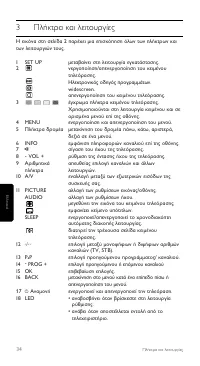
3 ¶Ï‹ÎÙÚ· Î·È ÏÂÈÙÔ˘ÚÁ›Â˜ ∏ ÂÈÎfiÓ· ÛÙË ÛÂÏ›‰· 2 ·Ú¤¯ÂÈ ÌÈ· ÂÈÛÎfiËÛË fiÏˆÓ ÙˆÓ Ï‹ÎÙÚˆÓ Î·ÈÙˆÓ ÏÂÈÙÔ˘ÚÁÈÒÓ ÙÔ˘˜. 1 SET UP ÌÂÙ·‚·›ÓÂÈ ÛÙË ÏÂÈÙÔ˘ÚÁ›· ÂÁηٿÛÙ·Û˘. 2 ÓÂÚÁÔÔ›ËÛË/·ÂÓÂÚÁÔÔ›ËÛË ÙÔ˘ ÎÂÈ̤ÓÔ˘ÙËÏÂfiÚ·Û˘.∏ÏÂÎÙÚÔÓÈÎfi˜ Ô‰ËÁfi˜ ÚÔÁÚ·ÌÌ¿ÙˆÓ.widescreen.·ÂÓÂÚÁÔÔ›ËÛË ÙÔ˘ ÎÂÈ̤ÓÔ˘ ÙËÏÂfiÚ·Û˘. 3...
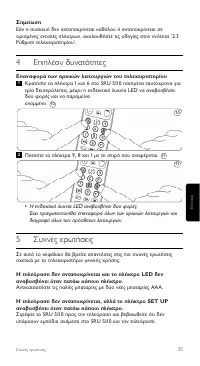
Page 35 - TMËÌ›ˆÛË; ∂ÈϤÔÓ ‰ ̆Ó·ÙfiÙËÙ ̃; ∂·Ó·ÊÔÚ¿ ÙˆÓ ·Ú ̄ÈÎÒÓ ÏÂÈÙÔ ̆ÚÁÈÒÓ ÙÔ ̆ ÙËÏ ̄ÂÈÚÈÛÙËÚ›Ô ̆; ¶·Ù‹ÛÙ ٷ Ï‹ÎÙÚ· 9, 8 Î·È 1 Ì ÙË ÛÂÈÚ¿ Ô ̆ ·Ó·Ê¤ÚÂÙ·È.; ∞ÓÙÈηٷÛÙ‹ÛÙ ÙÈ ̃ ·ÏȤ ̃ ̷ٷڛ ̃ Ì ‰‡Ô Ӥ ̃ ̷ٷڛ ̃ ∞∞∞.
35 ™ËÌ›ˆÛË ∂¿Ó Ë Û˘Û΢‹ ‰ÂÓ ·ÓÙ·ÔÎÚ›ÓÂÙ·È Î·ıfiÏÔ˘ ‹ ·ÓÙ·ÔÎÚ›ÓÂÙ·È ÛÂÔÚÈṲ̂Ó˜ ÂÓÙÔϤ˜ Ï‹ÎÙÚˆÓ, ·ÎÔÏÔ˘ı‹ÛÙ ÙȘ Ô‰ËÁ›Â˜ ÛÙËÓ ÂÓfiÙËÙ· ‘2.3ƒ‡ıÌÈÛË ÙËϯÂÈÚÈÛÙËÚ›Ô˘’. 4 ∂ÈϤÔÓ ‰˘Ó·ÙfiÙËÙ˜ ∂·Ó·ÊÔÚ¿ ÙˆÓ ·Ú¯ÈÎÒÓ ÏÂÈÙÔ˘ÚÁÈÒÓ ÙÔ˘ ÙËϯÂÈÚÈÛÙËÚ›Ô˘ ∫Ú·Ù‹ÛÙ ٷ Ï‹ÎÙÚ· 1 Î·È 6 ÛÙÔ SRU 5110 ·ÙË̤ӷ Ù·˘Ù...
Page 36 - μ‚·Èˆı›Ù fiÙÈ Ë ÙËÏÂfiÚ·Û‹ Û· ̃ ‰È·ı¤ÙÂÈ ÏÂÈÙÔ ̆ÚÁ›·; ÎÂÈ̤ÓÔ ̆
∆Ô SRU 5110 ‰ÂÓ ·ÓÙ·ÔÎÚ›ÓÂÙ·È ÛˆÛÙ¿ ÛÙȘ ÂÓÙÔϤ˜. ¢ÔÎÈÌ¿ÛÙ ӷ ÚÔÁÚ·ÌÌ·Ù›ÛÂÙ ÙÔ SRU 5110 Í·Ó¿. ∂¿Ó Ë Û˘Û΢‹ ÂÍ·ÎÔÏÔ˘ı› Ó· ÌËÓ ·ÓÙ·ÔÎÚ›ÓÂÙ·È, ηϤÛÙ ÙËÓ ÙËÏÂʈÓÈ΋ ÁÚ·ÌÌ‹ ‚Ô‹ıÂÈ·˜. ∆· Ï‹ÎÙÚ· ÎÂÈ̤ÓÔ˘ ÙËÏÂfiÚ·Û˘ ‰ÂÓ ÏÂÈÙÔ˘ÚÁÔ‡Ó. • µÂ‚·Èˆı›Ù fiÙÈ Ë ÙËÏÂfiÚ·Û‹ Û·˜ ‰È·ı¤ÙÂÈ ÏÂÈÙÔ˘ÚÁ›· ÎÂÈ̤ÓÔ˘ ÙË...
Page 38 - Uzaktan kumandanın test edilmesi; Tüm tuşların çalışıp çalışmadığını kontrol edin.; İpucu
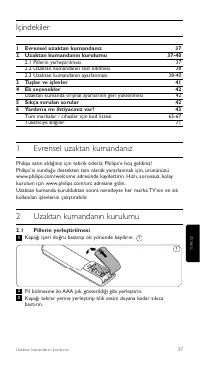
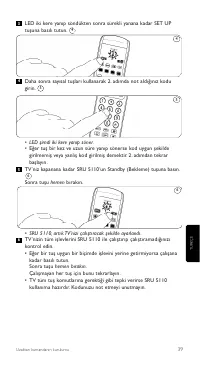
38 Uzaktan kumandanın kurulumu 2.2 Uzaktan kumandanın test edilmesi Uzaktan kumanda, neredeyse her marka TV'nin en sık kullanılan işlevleriniçalıştırmak üzere programlanmıştır. SRU 5110, her marka, hatta aynımarkanın farklı modelleri için farklı sinyaller kullanabileceği için cihazınızınSRU 5110'a t...
Page 40 - Kurulum modundan çıkmak için SET UP tuşuna 5 saniye basılı tutun.; Tam arama kurulumu; TV’niz kapanana kadar SRU 5110’un Standby (Bekleme) tuşuna basın.
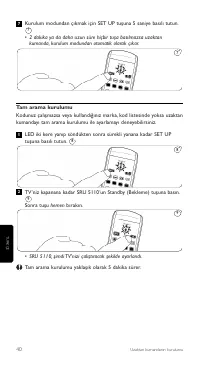
Kurulum modundan çıkmak için SET UP tuşuna 5 saniye basılı tutun. • 2 dakika ya da daha uzun süre hiçbir tuşa basılmazsa uzaktankumanda, kurulum modundan otomatik olarak çıkar. Tam arama kurulumu Kodunuz çalışmazsa veya kullandığınız marka, kod listesinde yoksa uzaktankumandayı tam arama kurulumu il...
Page 41 - Not
3 Tuşlar ve işlevler Sayfa ikideki resimde tüm tuşların genel görünümü gösterilmektedir. 1 SET UP kurulum moduna girer. 2 teletext açık / kapalı.Elektronik Program Rehberi.geniş ekran TV.teletext kapalı. 3 Teletext renk tuşları. Teletext modunda ve bazıekran menülerinde kullanılır. 4 MENU menüyü aça...
Page 42 - Ek seçenekler; Uzaktan kumanda orijinal fonksiyonlarının geri yüklenmesi.; bilgi için yardım hattımızı arayın.
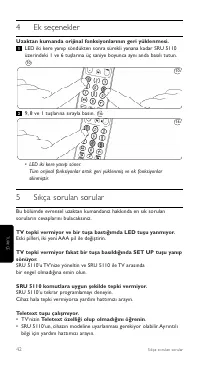
4 Ek seçenekler Uzaktan kumanda orijinal fonksiyonlarının geri yüklenmesi. LED iki kere yanıp söndükten sonra sürekli yanana kadar SRU 5110üzerindeki 1 ve 6 tuşlarına üç saniye boyunca aynı anda basılı tutun. 9, 8 ve 1 tuşlarına sırayla basın. • LED iki kere yanıp söner.Tüm orijinal fonksiyonlar art...
Page 43 - Philips evrensel uzaktan kumandanızın model numarası SRU 5110/
6 Yardıma mı ihtiyacınız var? SRU 5110 ile ilgili herhangi bir sorunuz varsa, her zaman bizimle iletişimegeçebilirsiniz. İletişim bilgilerimizi bu kılavuzun arkasında, kod listesindensonra bulabilirsiniz. Bizi aramadan önce bu kılavuzu dikkatlice okuyun. Sorunlarınızın çoğunukendiniz çözebilirsiniz....
Page 45 - Тестирование пульта ДУ; • Если телевизор реагирует на нажатие всех кнопок, SRU 5110; Совет
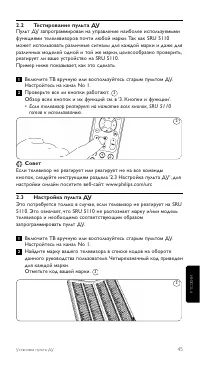
2.2 Тестирование пульта ДУ Пульт ДУ запрограммирован на управление наиболее используемымифункциями телелевизоров почти любой марки. Так как SRU 5110может использовать различные сигналы для каждой марки и даже дляразличных моделей одной и той же марки, целесообразно проверить,реагирует ли ваше устрой...
Page 47 - Установка с помощью полного поиска; кнопку
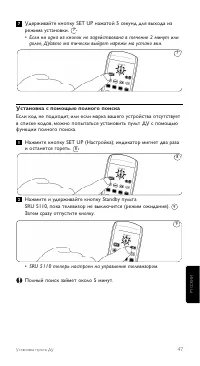
Удерживайте кнопку SET UP нажатой 5 секунд для выхода изрежима установки. • Если ни одна из кнопок не задействована в течение 2 минут или долее, ДУавто ма тически выйдет изрежи ма устано вки. Установка с помощью полного поиска Если код не подходит, или если марка вашего устройства отсутствуетв списк...
Page 48 - Примечание
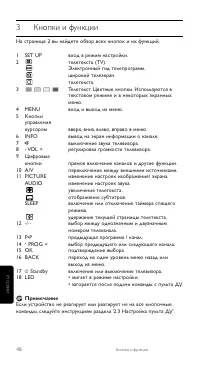
3 Кнопки и функции На странице 2 вы найдете обзор всех кнопок и их функций. 1 SET UP вход в режим настройки. 2 телетекста (TV).Электронный гид телепрограмм.широкий телеэкран.телетекста. 3 Телетекст. Цветные кнопки. Используются втекстовом режиме и в некоторых экранныхменю. 4 MENU вход и выход из мен...
Page 49 - Дополнительные возможности; Восстановление исходной функциональности пульта ДУ
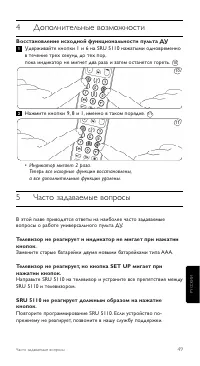
49 4 Дополнительные возможности Восстановление исходной функциональности пульта ДУ Удерживайте кнопки 1 и 6 на SRU 5110 нажатыми одновременнов течение трех секунд до тех пор,пока индикатор не мигнет два раза и затем останется гореть. Нажмите кнопки 9, 8 и 1, именно в таком порядке. • Индикатор мигае...
Page 50 - Номер модели универсального пульта ДУ Philips - SRU 5110/
Кнопка Text TV не работает.• Убедитесь, что ваш телевизор поддерживает телетекст.• Возможно, SRU 5110 необходимо адаптировать к модели устройства. Позвоните в нашу службу поддержки для полученияинформации. 6 Нужна помощь? Если у Вас возникли вопросы по SRU 5110, Вы можете обратится кнам. Контактные ...
Page 54 - minuty, pilot wyjdzie z trybu konfiguracji automatycznie.; Ustawianie pełnego wyszukiwania; • Pilot SRU 5110 jest teraz gotowy do obsługi telewizora.
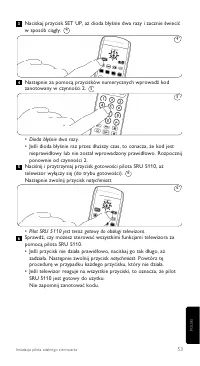
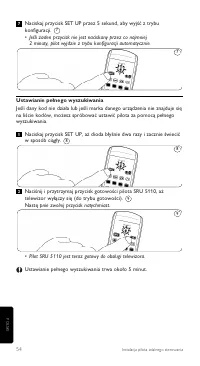
Naciskaj przycisk SET UP przez 5 sekund, aby wyjść z trybukonfiguracji.• Jeśli żaden przycisk nie jest naciskany przez co najmniej 2 minuty, pilot wyjdzie z trybu konfiguracji automatycznie. Ustawianie pełnego wyszukiwania Jeśli dany kod nie działa lub jeśli marka danego urządzenia nie znajduje sięn...
Page 55 - Uwaga
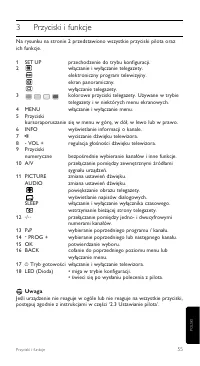
55 3 Przyciski i funkcje Na rysunku na stronie 2 przedstawiono wszystkie przyciski pilota orazich funkcje. 1 SET UP przechodzenie do trybu konfiguracji. 2 włączanie i wyłączanie telegazety.elektroniczny program telewizyjny.ekran panoramiczny.wyłączanie telegazety. 3 kolorowe przyciski telegazety. Uż...
Page 56 - Funkcje dodatkowe; Przywracanie oryginalnych ustawień pilota; • Dioda błyśnie dwa razy.
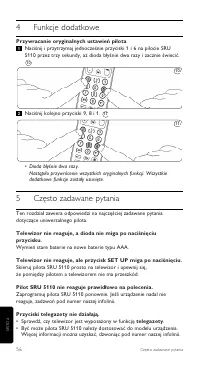
4 Funkcje dodatkowe Przywracanie oryginalnych ustawień pilota Naciśnij i przytrzymaj jednocześnie przyciski 1 i 6 na pilocie SRU5110 przez trzy sekundy, aż dioda błyśnie dwa razy i zacznie świecić. Naciśnij kolejno przyciski 9, 8 i 1. • Dioda błyśnie dwa razy. Nastąpiło przywrócenie wszystkich orygi...
Page 57 - Numer modelu uniwersalnego pilota firmy Philips to SRU 5110/87.
6 Potrzebna pomoc? W przypadku pytań dotyczących pilota SRU 5110 skontaktuj się z nami.Szczegółowe dane kontaktowe można znaleźć za listą kodów na końcuniniejszej instrukcji. Zanim zadzwonisz dokładnie przeczytaj niniejszą instrukcję. Większośćproblemów można rozwiązać samodzielnie.Jeśli nie możesz ...
Page 58 - Obsah
58 Instalace dálkového ovládání Obsah 1 Univerzální dálkové ovládání 58 2 Instalace dálkového ovládání 58-61 2.1 Vložení baterií 58 2.2 Testování dálkového ovládání 59 2.3 Nastavení dálkového ovládání 59-61 3 Tlačítka a funkce 62 4 Další funkce 63 Obnovení původního nastavení dálkového ovládání 63 5...
Page 59 - Testování dálkového ovládání; tlačítek, je dálkové ovládání SRU 5110 připraveno k použití.; Tip
2.2 Testování dálkového ovládání Dálkové ovládání bylo naprogramováno k obsluze většiny běžněpoužívaných funkcí téměř všech značek televizorů. Vzhledem k tomu, žedálkové ovládání SRU 5110 může používat jiné signály pro každou značku,a to i pro různé modely stejné značky, doporučujeme otestovat, zda ...
Page 62 - Poznámka
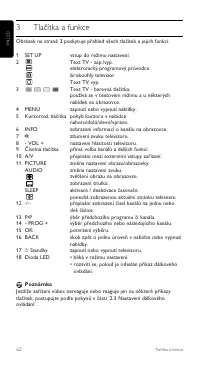
3 Tlačítka a funkce Obrázek na straně 2 poskytuje přehled všech tlačítek a jejich funkcí. 1 SET UP vstup do režimu nastavení. 2 Text TV - zap./vyp.elektronický programový průvodce.širokoúhlý televizor.Text TV vyp. 3 Text TV - barevná tlačítka;používá se v textovém režimu a u některýchnabídek na obra...
Page 63 - Další funkce; Obnovení původního nastavení dálkového ovládání; Stiskněte tlačítka 9, 8 a 1 v uvedeném pořadí.; modelu zařízení. Podrobnosti zjistíte na naší lince podpory.
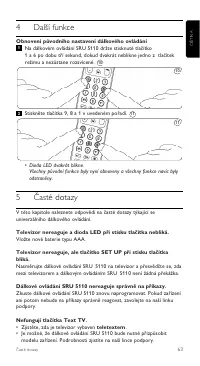
4 Další funkce Obnovení původního nastavení dálkového ovládání Na dálkovém ovládání SRU 5110 držte stisknuté tlačítko1 a 6 po dobu tří sekund, dokud dvakrát neblikne jedno z tlačítekrežimu a nezůstane rozsvícené. Stiskněte tlačítka 9, 8 a 1 v uvedeném pořadí. • Dioda LED dvakrát blikne. Všechny půvo...
Page 68 - Helpline; Country; ŒÏÏËÓa ̃
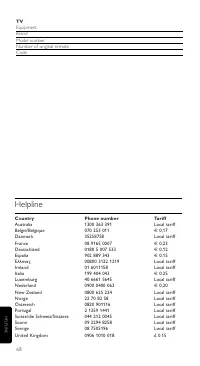
Helpline Country Phone number Tariff Australia 1300 363 391 Local tariff België/Belgique 070 253 011 € 0,17 Danmark 35258758 Local tariff France 08 9165 0007 € 0,23 Deutschland 0180 5 007 533 € 0,12 España 902 889 343 € 0,15 ŒÏÏËÓa˜ 00800 3122 1219 Local tariff Ireland 01 6011158 Local tariff Italia...
Page 70 - Información al consumidor
70 Information to the consumer ES Información al consumidor Desecho del producto antiguoEl producto se ha diseñado y fabricado con materiales y componentes dealta calidad, que se pueden reciclar y volver a utilizar. Cuando este símbolo de contenedor de ruedas tachado se muestra en un producto indica...
Page 71 - Informacje dla użytkownika
71 Information to the consumer PL Informacje dla użytkownika Usuwanie zużytych produktówNiniejszy produkt został zaprojektowany i wykonany w oparciu owysokiej jakości materiały i podzespoły, które poddane recyklingowimogą być ponownie użyte. Jeśli na produkcie znajduje się symbol na śmiecina kółkach...
Page 72 - ∞fiÚÚÈwË aÏÈÔ‡ ÚÔ ̊fiÓÙÔ ̃; Tüketicinin Bilgisine; 02/96/EC sayılı Avrupa Yönergesi kapsamına alınması
GR ¶ÏËÚÔÊÔڛ˜ ÁÈa ÙËÓ ÚÔÛÙaÛ›a ÙÔ˘ÂÚÈ‚¿ÏÏÔÓÙÔ˜ ∞fiÚÚÈwË aÏÈÔ‡ ÚÔ˚fiÓÙÔ˜ ∆Ô ÚÔ˚fiÓ a˘Ùfi ¤¯ÂÈ Û¯ÂdÈaÛÙ› ÎaÈ ÎaÙaÛ΢aÛÙ› Ì ˘wËÏ‹˜ ÔÈfiÙËÙa˜˘ÏÈο ÎaÈ ÂÍaÚÙ‹ÌaÙa Ô˘ ÌÔÚÔ‡Ó Óa aÓa΢ÎψıÔ‡Ó ÎaÈ ÓaÍaÓa¯ÚËÛÈÌÔÔÈËıÔ‡Ó. ŸÙaÓ ¤Óa ÚÔ˚fiÓ Ê¤ÚÂÈ ÙËÓ ¤ÓdÂÈÍË ÂÓfi˜dÈaÁÚaÌ̤ÓÔ˘ οdÔ˘ Ì Úfid˜, ÙfiÙ ÙÔ ÚÔ˚fi...
Page 73 - Printed in Portugal
© 2007 Koninklijke Philips Electronics N.V.All rights reserved. Reproduction in whole or in part is prohibited without theprior written consent of the copyright owner. The information presented in thisdocument does not form part of any quotation or contract,is believed to beaccurate and reliable and...