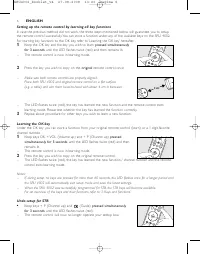
Page 3 - Press the cover inwards and lift it up.; Testing the remote control; ENGLISH
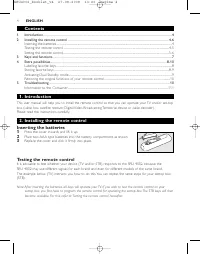
Contents 1. Introduction ................................................................................................................................................................4 2. Installing the remote control ...................................................................................
Page 4 - Setting the remote control
1 Switch your TV on manually or use the original remote control. Tune to channel 1. 2 Check whether all the keys are working. For an over view of the keys and their functions refer to ‘3. Keys and functions’. – If the TV responds as it should to all of the key commands the SRU 4002 isready for use. ...
Page 6 - Keys and functions; only
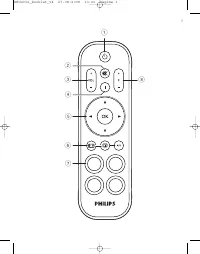
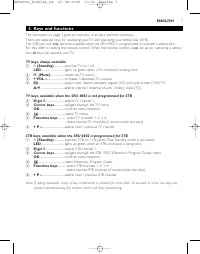
3. Keys and functions The illustration on page 3 gives an over view of all keys and their functions.There are separate keys for operating your TV and operating your settop box (STB).The STB keys will only become available when the SRU 4002 is programmed to operate a settop box. For this, refer to ‘S...
Page 7 - Lift up and remove the ring around the key, using your nail.; Storing favorite keys; Make sure you have the original TV and / or STB remote control at hand.
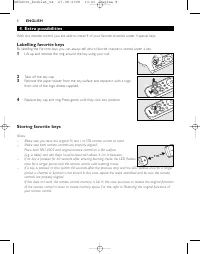
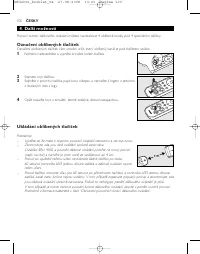
4. Extra possibilities With this remote control you are able to install 4 of your favorite channels under 4 special keys. Labelling favorite keys By labelling the Farorite keys you can always tell which favorite channel is stored under a key. 1 Lift up and remove the ring around the key, using your ...
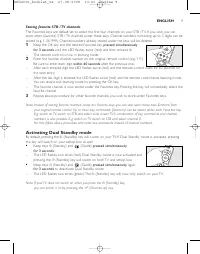
Page 8 - Storing favorite STB / TV channels; Activating Dual Standby mode; Note: If your TV does not switch on when you press the
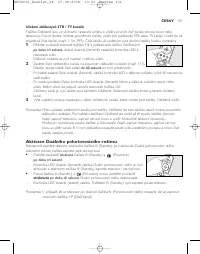
Storing favorite STB / TV channels The Favorites keys are default set to select the first four channels on your STB / TV. If you wish, you canstore other (favorite) STB / TV channels under these keys. Channel numbers containing up to 3 digits can bestored (e.g. 1, 56, 999). Channel numbers already s...
Page 9 - Restoring the original functions of your remote control; Keep keys
Restoring the original functions of your remote control Follow the instructions below to rever t the SRU 4002 back to the factor y default settings: 1 Keep keys E (Aspect ratio) and A/V pressed simultaneously for 3 seconds until the LED flashes twice (red) and then switches off. – The SRU 4002 is no...
Page 10 - Replacez le couvercle jusqu’à ce que vous entendiez un déclic.; Test de la télécommande; FRANÇAIS
Table des matières 1. Introduction ..............................................................................................................................................................11 2. Installation de la télécommande ........................................................................
Page 11 - Configuration de la télécommande
2 Vérifiez que toutes les touches fonctionnent. Pour une présentation des touches et de leurs fonctions, consultez la section ‘3. Touches et fonctions’. – Si le téléviseur répond correctement à toutes les touches, la télécommandeSRU 4002 est opérationnelle. • Si l’appareil (téléviseur et/ou boîtier ...
Page 13 - Touches et fonctions; uniquement
Annulation de la configuration pour le boîtier décodeur (STB) • Appuyez simultanément sur les touches + P (Chaîne +) et (Guide) pendant 3 secondes, jusqu’à ce que le voyant clignote deux fois (rouge). – La télécommande ne contrôlera plus votre boîtier décodeur. 3. Touches et fonctions L’illustration...
Page 14 - Enlevez le cabochon de la touche.; Mémorisation des touches Favoris
Remarque : si, en cours de fonctionnement, vous appuyez sur une touche ou une combinaison de touches pendant plus de 30 secondes ou lorsque vous appuyez sur deux touches simultanément, la télécommandecesse de transmettre des signaux. 4. Possibilités supplémentaires Avec cette télécommande, vous pouv...
Page 15 - Mémorisation des chaînes favorites du décodeur/téléviseur; Activation du mode Double veille
Mémorisation des chaînes favorites du décodeur/téléviseur Les touches Favoris sont configurées par défaut pour sélectionner les quatre premières chaînes de votredécodeur/téléviseur. Si vous le souhaitez, vous pouvez mémoriser sur ces touches d’autres chaînes(favorites) du décodeur/téléviseur. Vous p...
Page 16 - Restauration des fonctions initiales de votre télécommande; Appuyez simultanément
Remarque : si votre téléviseur ne s'allume pas lorsque vous appuyez sur la touche y (Veille), vous pouvez également l'allumer en appuyant sur la touche +P (Chaîne +). Restauration des fonctions initiales de votre télécommande Procédez comme suit pour restaurer les paramètres par défaut de la SRU 400...
Page 17 - Drücken Sie die Abdeckung nach innen, und heben Sie sie an.; Testen der Fernbedienung; DEUTSCH
Inhalt 1. Einführung .................................................................................................................................................................18 2. Installieren der Fernbedienung ....................................................................................
Page 18 - Einrichten der Fernbedienung
2 Überprüfen Sie, ob alle Tasten funktionieren. Eine Übersicht über die Tasten und ihre Funktionen finden Sie unter Punkt 3. ‘Tasten und Funktionen’. – Die Fernbedienung SRU 4002 kann verwendet werden, wenn dasFernsehgerät auf alle Befehle wie erwar tet reagier t. • Falls das Gerät (Fernsehgerät ode...
Page 20 - Tasten und Funktionen; nur
Einrichtung für STB rückgängig machen • Halten Sie die Tasten ‘+ P’ (nächster Kanal) und (Guide) gleichzeitig 3 Sekunden lang gedrückt , bis die LED zweimal blinkt (rot). – Jetzt lässt sich die Set-Top-Box nicht länger mit der Fernbedienung steuern. 3. Tasten und Funktionen Die Abbildung auf Seite 3...
Page 21 - Nehmen Sie die Kappe über der Taste ab.; Favoriten-Tasten speichern
4. Zusätzliche Optionen Mithilfe dieser Fernbedienung können Sie vier Ihrer Lieblingskanäle auf vier Spezialtasten speichern. Beschriftung der Favoriten-Tasten Durch eine Beschriftung der Favoriten-Tasten ist auf den ersten Blick erkennbar, welcher bevorzugte Kanalfür welche Taste gespeicher t ist. ...
Page 22 - Aktivieren des Dual Standby-Modus; Hinweis: Wenn sich Ihr Fernsehgerät durch Drücken der Taste
Speichern bevorzugter STB-/TV-Kanäle Die Favoriten-Tasten sind standardmäßig so eingerichtet, dass sie die ersten vier Kanäle auf Ihrer STB/IhresFernsehgeräts auswählen. Sie können aber auch andere (bevorzugte) STB-/TV-Kanäle für diese Tastenspeichern. Sie können maximal dreistellige Kanalnummern sp...
Page 23 - Wiederherstellen der Ausgangsfunktionen Ihrer Fernbedienung; Halten Sie die Tasten
Wiederherstellen der Ausgangsfunktionen Ihrer Fernbedienung Befolgen Sie die folgenden Anweisungen, um die Werkseinstellungen der Fernbedienung SRU 4002wiederherzustellen: 1 Halten Sie die Tasten E (Bildformat) und A/V gleichzeitig 3 Sekunden lang gedrückt, bis die LED zweimal blinkt (rot) und dann ...
Page 24 - Druk het klepje naar binnen en til het omhoog.; De afstandsbediening testen; NEDERLANDS
Inhoud 1. Inleiding ......................................................................................................................................................................25 2. De afstandsbediening installeren ..............................................................................
Page 25 - De afstandsbediening instellen
• Als het apparaat (TV en/of STB) helemaal niet of niet op alle opdrachten reageert, volgt ude instructies onder ‘De afstandsbediening instellen’ of gaat u voor een online-installatienaar: www.philips.com/welcome De afstandsbediening instellen Voor een TV is dit alleen nodig als uw TV niet reageer t...
Page 27 - Toetsen en functies; alleen
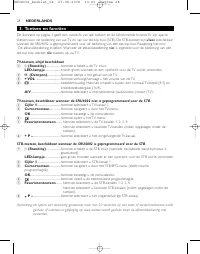
3. Toetsen en functies De illustratie op pagina 3 geeft een overzicht van alle toetsen en de bijbehorende functies. Er zijn apar tetoetsen voor de bediening van uw TV en van uw set-top box (STB). De STB-toetsen zijn alleen beschikbaar wanneer de SRU4002 is geprogrammeerd voor de bediening van een se...
Page 28 - Verwijder het kapje van de toets.; Favorietentoetsen opslaan
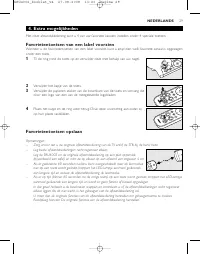
4. Extra mogelijkheden Met deze afstandsbediening kunt u 4 van uw favoriete kanalen instellen onder 4 speciale toetsen. Favorietentoetsen van een label voorzien Wanneer u de favorietentoetsen van een label voorziet, kunt u altijd zien welk favoriete kanaal is opgeslagenonder een toets. 1 Til de ring...
Page 29 - Dubbele stand-bymodus activeren; Opmerking: als uw TV niet wordt ingeschakeld als u op de toets
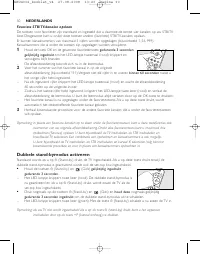
Favoriete STB/TV-kanalen opslaan De toetsen voor favorieten zijn standaard zo ingesteld dat u daarmee de eerste vier kanalen op uw STB/TVkiest. Desgewenst kunt u onder deze toetsen andere (favoriete) STB/TV-kanalen opslaan.Er kunnen kanaalnummers van maximaal 3 cijfers worden opgeslagen (bijvoorbeel...
Page 30 - De originele functies van de afstandsbediening herstellen; Houd de toetsen; Problemen oplossen; Probleem
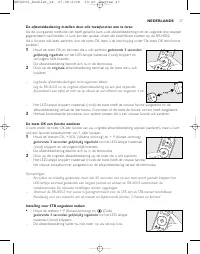
De originele functies van de afstandsbediening herstellen Volg onderstaande instructies om de SRU4002 weer in te stellen op de standaardfabrieksinstellingen: 1 Houd de toetsen E (Beeldverhouding) en A/V gedurende 3 seconden gelijktijdig ingedrukt tot het LED-lampje twee keer (rood) knipper t en ver ...
Page 31 - Sæt dækslet på plads igen, og klik det ordentligt fast.; Afprøvning af fjernbetjeningen; DANSK
Indhold 1. Introduktion ..............................................................................................................................................................32 2. Installation af fjernbetjeningen...................................................................................
Page 32 - Indstilling af fjernbetjeningen
1 Tænd TV’et manuelt, eller brug den originale fjernbetjening. Vælg kanal 1. 2 Kontroller, om alle tasterne fungerer. ‘3. Taster og funktioner’ indeholderen oversigt over taster og funktioner. – Hvis TV’et reagerer som ønsket på alle tastkommandoerne, er SRU 4002 klartil brug. • Hvis enheden (TV og/...
Page 34 - Taster og funktioner; kun
3. Taster og funktioner Illustrationen på side 3 giver et overblik over alle tasterne og deres funktioner. Der er separate taster tilbetjening af TV og settop-boks (STB). STB-tasterne bliver kun tilgængelige, hvis SRU 4002 programmeres til at betjene en settop-boks. Se under ‘Indstilling af fjernbet...
Page 35 - Mærkning af Favorittaster; Tag tastens hætte af.; Lagring af Favorittaster
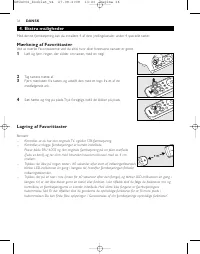
4. Ekstra muligheder Med denne fjernbetjening kan du installere 4 af dine yndlingskanaler under 4 specielle taster. Mærkning af Favorittaster Ved at mærke Favorittasterne ved du altid, hvor dine foretrukne kanaler er gemt. 1 Løft og fjern ringen, der sidder om tasten, med en negl. 2 Tag tastens hætt...
Page 36 - Aktivering af dobbelt standbytilstand; nede samtidig i 3 sekunder
Lagring af foretrukne STB / TV-kanaler Favorittasterne er som standard sat til at vælge de første fire kanaler på STB/TV. Hvis du ønsker det, kan dugemme andre (foretrukne) STB/TV-kanaler under disse taster. Der kan gemmes kanalnumre på op til 3 cifre(f.eks. 1, 56, 999). Kanalnumre, der allerede er ...
Page 37 - Gendannelse af din fjernbetjenings originale funktioner; Hold tasterne
Gendannelse af din fjernbetjenings originale funktioner Følg instruktionerne nedenfor for at gendanne fabriksindstillingerne på SRU 4002: 1 Hold tasterne E (Billedformat) og A/V nede samtidig i 3 sekunder , indtil LED-indikatoren blinker to gange (rød) og derefter slukker. – SRU 4002 er nu vendt til...
Page 38 - Tr yck locket inåt och lyft upp det.; Testa fjärrkontrollen; SVENSKA
Innehåll 1. Inledning.....................................................................................................................................................................39 2. Installera fjärrkontrollen ....................................................................................
Page 39 - Ställa in fjärrkontrollen
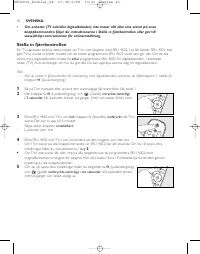
• Om enheten (TV och/eller digitaldekoder) inte svarar alls eller inte svarar på vissaknappkommandon följer du instruktionerna i Ställa in fjärrkontrollen eller går till:www.philips.com/welcome för onlineinställning. Ställa in fjärrkontrollen För TV-apparater behövs detta endast om TV:n inte fungera...
Page 40 - Ångra inställning för digitaldekoder
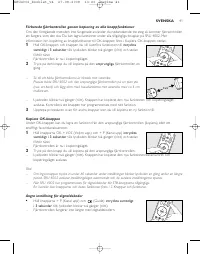
Förbereda fjärrkontrollen genom kopiering av alla knappfunktioner Om den föregående metoden inte fungerade använder du nedanstående tre steg så kommer fjärrkontrollenatt fungera som den ska. Du kan lagra funktioner under alla tillgängliga knappar på SRU 4002. Merinformation om kopiering av knappfunk...
Page 41 - Knappar och funktioner; endast
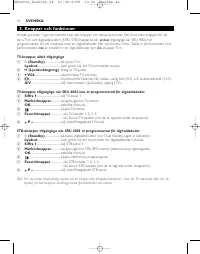
3. Knappar och funktioner I bilden på sidan 3 ges en översikt över alla knappar och deras funktioner. Det finns olika knappar för attstyra TV:n och digitaldekodern (STB). STB-knapparna blir endast tillgängliga när SRU 4002 har programmerats för att användas med en digitaldekoder. Mer information fin...
Page 42 - Namnge favoritknappar; Lyft upp och ta bor t ringen runt knappen med hjälp av nageln.; Spara favoritknappar
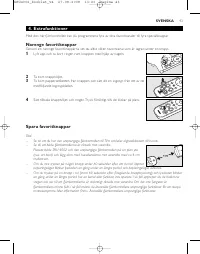
4. Extrafunktioner Med den här fjärrkontrollen kan du programmera fyra av dina favoritkanaler till fyra specialknappar. Namnge favoritknappar Genom att namnge favoritknapparna vet du alltid vilken favoritkanal som är lagrad under en knapp. 1 Lyft upp och ta bor t ringen runt knappen med hjälp av nag...
Page 43 - Aktivera Dual Standby-läge; Obs! Om TV:n inte slås på när du tr ycker på knappen
Lagra kanaler för digitaldekoder (STB)/TV Favoritknapparna är som standard inställda för att välja de första fyra knapparna på din digitaldekoder/TV.Om du vill kan du lagra andra (favorit) STB-/TV-kanaler under dessa knappar. Kanalnummer som innehållerupp till 3 siffror kan lagras (t.ex. 1, 56, 999)...
Page 44 - Återställa fjärrkontrollens ursprungliga funktioner; Håll knapparna
Återställa fjärrkontrollens ursprungliga funktioner Följ instruktionerna nedan om du vill återställa SRU 4002 till fabriksinställningarna: 1 Håll knapparna E (Höjd/breddförhållande) och A/V intryckta samtidigt i 3 sekunder tills lysdioden blinkar två gånger (rött) och sedan slocknar. – SRU 4002 åter...
Page 45 - Tr ykk dekselet innover, og skyv det opp.; Teste fjernkontrollen; NORSK
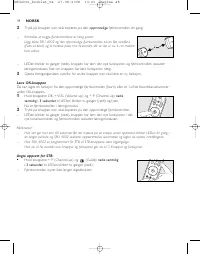
Innhold 1. Innledning ..................................................................................................................................................................46 2. Installere fjernkontrollen ......................................................................................
Page 46 - Oppsett av fjernkontrollen; for å kunne bruke digitalboksen.
• Hvis enheten (TV og/eller STB) ikke svarer i det hele tatt eller ikke svarer på alleknappekommandoene, følger du instruksjonene under ‘Oppsett av fjernkontrollen’.For elektronisk oppsett kan du også gå til www.philips.com/welcome Oppsett av fjernkontrollen Dette er bare nødvendig hvis TVen ikke sv...
Page 48 - Knapper og funksjoner; bare
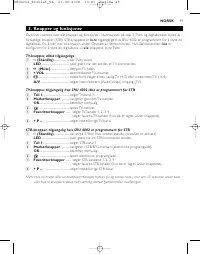
3. Knapper og funksjoner Du finner oversikt over alle knapper og funksjoner i illustrasjonen på side 3. TVen og digitalboksen styres avforskjellige knapper (STB). STB-knappene er bare tilgjengelige hvis SRU 4002 er programmer t for å styre en digitalboks. Du finner mer informasjon under ‘Oppsett av ...
Page 49 - Merke favorittknapper; Løft opp og fjern ringen rundt knappen ved hjelp av en negl.; Lagre favorittknapper
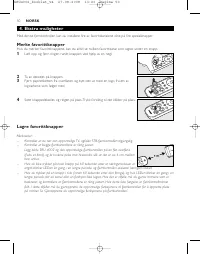
4. Ekstra muligheter Med denne fjernkontrollen kan du installere fire av favorittkanalene dine på fire spesialknapper. Merke favorittknapper Hvis du merker favorittknappene, kan du alltid se hvilken favorittkanal som lagres under en knapp. 1 Løft opp og fjern ringen rundt knappen ved hjelp av en neg...
Page 50 - Aktivere dobbel standby-modusen
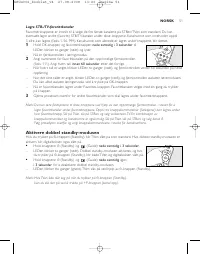
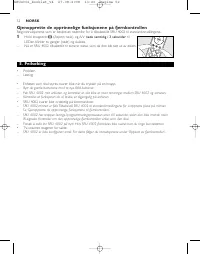
Lagre STB-/TV-favorittkanaler Favoritterknappene er innstilt til å velge de fire første kanalene på STBen/TVen som standard. Du kaneventuelt lagre andre (favoritt) STB/TV-kanaler under disse knappene. Kanalnumre som inneholder opptil 3 sifre, kan lagres (f.eks. 1, 56, 999). Kanalnumre som allerede e...
Page 51 - Gjenopprette de opprinnelige funksjonene på fjernkontrollen; Hold knappene
Gjenopprette de opprinnelige funksjonene på fjernkontrollen Følg instruksjonene som er beskrevet nedenfor, for å tilbakestille SRU 4002 til standardinnstillingene: 1 Hold knappene E (Aspect ratio) og A/V nede samtidig i 3 sekunder til LEDen blinker to ganger (rødt) og slukkes. – Nå er SRU 4002 tilba...
Page 52 - Paina kantta sisäänpäin ja nosta se ylös.; Kaukosäätimen testaaminen; SUOMI
Sisällys 1. Johdanto.....................................................................................................................................................................53 2. Kaukosäätimen asentaminen.......................................................................................
Page 53 - Kaukosäätimen määrittäminen
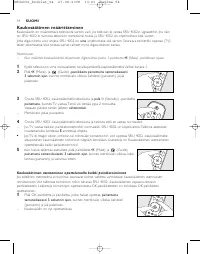
Kaukosäätimen määrittäminen Kaukosäädin on määritettävä televisiota var ten vain, jos televisio ei vastaa SRU 4002:n signaaleihin. Jos näinon, SRU 4002 ei tunnista television merkkiä tai mallia, ja SRU 4002 on ohjelmoitava tätä var ten.Jotta digisovitinta voisi ohjata, SRU 4002 on aina ohjelmoitava ...
Page 55 - Painikkeet ja toiminnot; vain
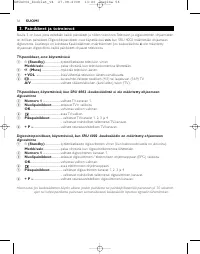
3. Painikkeet ja toiminnot Sivulla 3 on kuva, jossa esitellään kaikki painikkeet ja niiden toiminnot. Television ja digisovittimen ohjaamiseenon erilliset painikkeet. Digisovitinpainikkeet ovat käytettävissä vain , kun SRU 4002 määritetään ohjaamaan digisovitinta. Lisätietoja on kohdassa Kaukosäätim...
Page 56 - Pikapainikkeiden merkitseminen; Irrota painikkeen ympärillä oleva rengas kynnellä.; Pikapainikkeiden tallentaminen
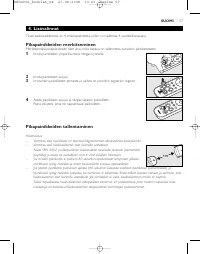
4. Lisävalinnat Tässä kaukosäätimessä on 4 erikoispainiketta, joihin voi tallentaa 4 suosikkikanavaasi. Pikapainikkeiden merkitseminen Merkitsemällä pikapainikkeet näet aina, mikä kanava on tallennettu kuhunkin painikkeeseen. 1 Irrota painikkeen ympärillä oleva rengas kynnellä. 2 Irrota painikkeen s...
Page 57 - Kaksoisvalmiustilan aktivoiminen; painettuina samanaikaisesti
Digisovittimen/television kanavien tallentaminen Pikapainikkeet on oletusar voisesti määritetty valitsemaan digisovittimen/television neljä ensimmäistä kanavaa.Voit halutessasi tallentaa muita digisovittimen/television kanavia näihin painikkeisiin. Kaukosäätimeen voitallentaa enintään kolminumeroisi...
Page 58 - Kaukosäätimen alkuperäisten toimintojen palauttaminen; Pidä painikkeita
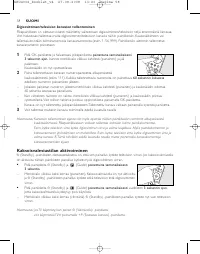
Kaukosäätimen alkuperäisten toimintojen palauttaminen SRU 4002 -kaukosäätimen oletusasetukset voi palauttaa noudattamalla seuraavia ohjeita: 1 Pidä painikkeita E (Aspect ratio) ja A/V painettuina samanaikaisesti 3 sekunnin ajan , kunnes merkkivalo vilkkuu kahdesti (punainen) ja sammuu sitten. – SRU ...
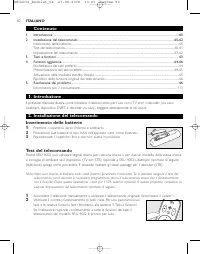
Page 59 - ITALIANO; Contenuto; Premere il coperchio verso l’interno e sollevarlo.; Test del telecomando
60 ITALIANO Contenuto 1. Introduzione .............................................................................................................................................................60 2. Installazione del telecomando ........................................................................
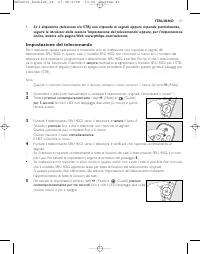
Page 60 - Impostazione del telecomando
• Se il dispositivo (televisore e/o STB) non risponde ai segnali oppure risponde parzialmente,seguire le istruzioni della sezione ‘Impostazione del telecomando’ oppure, per l’impostazioneonline, andare alla pagina Web: www.philips.com/welcome Impostazione del telecomando Per il televisore, questa op...
Page 61 - premuti contemporaneamente per 3 secondi
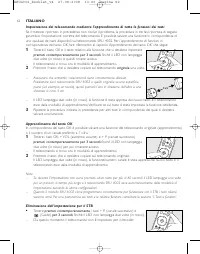
62 ITALIANO Impostazione del telecomando mediante l'apprendimento di tutte le funzioni dei tasti Se il metodo ripor tato in precedenza non risolve il problema, la procedura in tre fasi ripor tata di seguitogarantisce l'impostazione corretta del telecomando. È possibile salvare una funzione in corris...
Page 63 - Alzare e rimuovere l’anello intorno al tasto mediante l’unghia.; Memorizzazione dei tasti preferiti
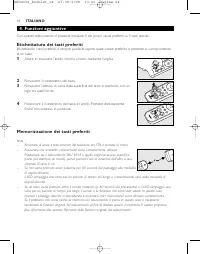
4. Funzioni aggiuntive Con questo telecomando, è possibile installare 4 dei propri canali preferiti su 4 tasti speciali. Etichettatura dei tasti preferiti Etichettando i tasti preferiti, è sempre possibile sapere quale canale preferito è presente in corrispondenzadi un tasto. 1 Alzare e rimuovere l’...
Page 64 - Salvataggio dei canali STB/TV preferiti; Attivazione della modalità standby doppio; Nota: se il TV non si accende in seguito alla pressione del tasto
Salvataggio dei canali STB/TV preferiti I tasti preferiti sono impostati in fabbrica per la selezione dei primi quattro canali del STB/televisore.È possibile archiviare altri canali STB/TV (preferiti) abbinati a questi tasti, se necessario. È possibile salvarenumeri di canali che contengono un massi...
Page 65 - Ripristino delle funzioni originali del telecomando; Tenere i tasti; Risoluzione dei problemi; Problema
Ripristino delle funzioni originali del telecomando Seguire le istruzioni ripor tate di seguito per ripor tare il telecomando SRU 4002 alle impostazioni difabbrica: 1 Tenere i tasti E (formato di visualizzazione) e A/V premuti contemporaneamente per 3 secondi fino a che il LED lampeggia due volte (i...
Page 66 - Presione la tapa hacia dentro y levántela.; Prueba del mando a distancia; ESPAÑOL
Contenido 1. Introducción .............................................................................................................................................................67 2. Instalación del mando a distancia ................................................................................
Page 67 - Configuración del mando a distancia
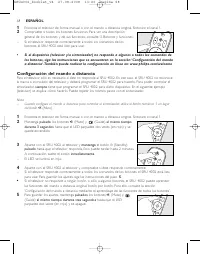
1 Encienda el televisor de forma manual o con el mando a distancia original. Sintonice el canal 1. 2 Compruebe si todos los botones funcionan. Para ver una descripción general de los botones y de sus funciones, consulte ‘3. Botones y funciones’. – Si el televisor responde correctamente a todos los c...
Page 68 - Aprendizaje del botón OK
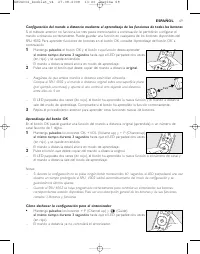
69 ESPAÑOL Configuración del mando a distancia mediante el aprendizaje de las funciones de todos los botones Si el método anterior no funciona, los tres pasos mencionados a continuación le permitirán configurar elmando a distancia correctamente. Puede guardar una función en cualquiera de los botones...
Page 69 - Botones y funciones; sólo
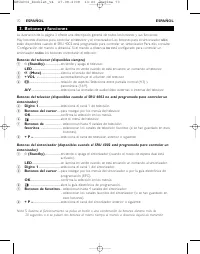
70 ESPAÑOL ESPAÑOL 3. Botones y funciones La ilustración de la página 3 ofrece una descripción general de todos los botones y sus funciones.Hay botones distintos para controlar el televisor y el sintonizador. Los botones para el sintonizador sólo están disponibles cuando el SRU 4002 está programado ...
Page 70 - Funciones adicionales; Levante el anillo que rodea al botón y quítelo con la uña.; Almacenamiento de los botones de favoritos
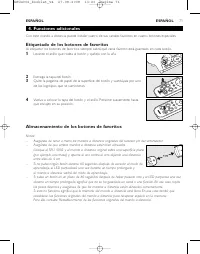
71 ESPAÑOL 4. Funciones adicionales Con este mando a distancia puede instalar cuatro de sus canales favoritos en cuatro botones especiales. Etiquetado de los botones de favoritos Al etiquetar los botones de favoritos, siempre sabrá qué canal favorito está guardado en cada botón. 1 Levante el anillo ...
Page 71 - Activación del modo de espera dual; Nota: Si el televisor no se enciende al pulsar el botón
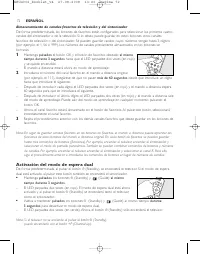
72 ESPAÑOL Almacenamiento de canales favoritos de televisión y del sintonizador De forma predeterminada, los botones de favoritos están configurados para seleccionar los primeros cuatrocanales del sintonizador o de la televisión. Si lo desea, puede guardar en estos botones otros canalesfavoritos de ...
Page 72 - Solución de problemas; Solución
Restablecimiento de las funciones originales del mando a distancia Siga las siguientes instrucciones para restablecer los valores predeterminados de fábrica del SRU 4002: 1 Mantenga pulsados los botones E (Aspect ratio) y A/V al mismo tiempo durante 3 segundos hasta que el LED parpadee dos veces (en...
Page 73 - Volte a deslizar o compar timento até ouvir um estalido.; Testar o telecomando; PORTUGUÊS
Índice 1. Introdução .................................................................................................................................................................74 2. Instalar o telecomando ............................................................................................
Page 74 - Definir o telecomando
• Se o dispositivo (TV e / ou STB) não responder a todos ou a alguns comandos das teclas,siga as instruções em ‘Definir o telecomando’ ou para uma configuração on-line, visite:www.philips.com/welcome Definir o telecomando Para o TV, só é necessário se o seu TV não responder ao SRU 4002. Se for este ...
Page 75 - Aprendizagem do botão OK
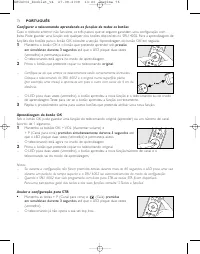
76 PORTUGUÊS Configurar o telecomando aprendendo as funções de todos os botões Caso o método anterior não funcione, os três passos que se seguem garantem uma configuração comêxito. Pode guardar uma função sob qualquer dos botões disponíveis no SRU 4002. Para a aprendizagem defunções dos botões para ...
Page 77 - Levante e retire o aro em torno do botão, utilizando a unha.; Guardar os botões de favoritos; Certifique-se de que tem o telecomando original do TV e / ou STB à mão.
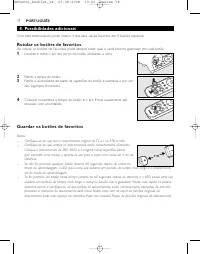
4. Possibilidades adicionais Com este telecomando, pode instalar 4 dos seus canais favoritos em 4 botões especiais. Rotular os botões de favoritos Ao rotular os botões de Favoritos, pode sempre saber qual o canal favorito guardado em cada botão. 1 Levante e retire o aro em torno do botão, utilizando...
Page 78 - Guardar os canais STB / TV favoritos; Activar o modo Dual Standby; Nota: se o seu TV não ligar premindo o botão
Guardar os canais STB / TV favoritos Os botões Favoritos são predefinidos para seleccionar os quatro primeiros canais do seu STB / TV.Se pretender pode guardar outros canais STB / TV (favoritos) sob estes botões.Podem ser guardados números de canais com um máximo de 3 algarismos (por exemplo, 1, 56,...
Page 79 - Repor as funções originais do telecomando; Mantenha os botões; Resolução de problemas
Repor as funções originais do telecomando Siga as instruções em baixo para rever ter o SRU 4002 às definições de fábrica: 1 Mantenha os botões E (Relação de aspecto) e A/V premidos em simultâneo durante 3 segundos até que o LED pisque duas vezes (vermelho) e, em seguida, apague. – O SRU 4002 rever t...
Page 80 - ¶È¤ÛÙ ÙÔ Î¿Ï ̆ÌÌ· ÚÔ ̃ Ù· ̤۷ Î·È ·Ó·ÛËÎÒÛÙ ÙÔ.; ŒÏÂÁ ̄Ô ̃ ÙÔ ̆ ÙËÏ ̄ÂÈÚÈÛÙËÚ›Ô ̆; EKKM
¶ÂÚȯfiÌÂÓ· 1. ∂ÈÛ·ÁˆÁ‹.................................................................................................................................................................... 81 2. ∂ÁηٿÛÙ·ÛË ÙÔ˘ ÙËϯÂÈÚÈÛÙËÚ›Ô˘ ............................................................................
Page 81 - ƒ‡ıÌÈÛË ÙÔ ̆ ÙËÏ ̄ÂÈÚÈÛÙËÚ›Ô ̆
82 EKKM 2 µÂ‚·Èˆı›Ù fiÙÈ fiÏ· Ù· Ï‹ÎÙÚ· ÏÂÈÙÔ˘ÚÁÔ‡Ó. °È· ÌÈ· ÚÔÂÈÛÎfiËÛË ÙˆÓ Ï‹ÎÙÚˆÓ Î·È ÙˆÓ ÏÂÈÙÔ˘ÚÁÈÒÓ ÙÔ˘˜, ·Ó·ÙÚ¤ÍÙ ÛÙÔ ÎÂÊ¿Ï·ÈÔ ‘3. ¶Ï‹ÎÙÚ· ηÈÏÂÈÙÔ˘ÚÁ›Â˜’. – ∂¿Ó Ë ÙËÏÂfiÚ·ÛË ·ÓÙ·ÔÎÚ›ÓÂÙ·È, fiˆ˜ Â›Ó·È ·Ó·ÌÂÓfiÌÂÓÔ, Û fiϘ ÙȘÂÓÙÔϤ˜ ÙˆÓ Ï‹ÎÙÚˆÓ, ÙÔ SRU 4002 Â›Ó·È ¤ÙÔÈÌÔ ÁÈ· ¯Ú‹ÛË. • ∂¿Ó ...
Page 82 - ƒ‡ıÌÈÛË ÙÔ ̆ ÙËÏ ̄ÂÈÚÈÛÙËÚ›Ô ̆ ̤ۈ ÂÎÌ¿ıËÛË ̃ fiÏˆÓ ÙˆÓ ÏÂÈÙÔ ̆ÚÁÈÒÓ Ï‹ÎÙÚˆÓ; ∂ÎÌ¿ıËÛË ÙÔ ̆ Ï‹ÎÙÚÔ ̆ √∫; ∫Ú·Ù‹ÛÙÂ
ƒ‡ıÌÈÛË ÙÔ˘ ÙËϯÂÈÚÈÛÙËÚ›Ô˘ ̤ۈ ÂÎÌ¿ıËÛ˘ fiÏˆÓ ÙˆÓ ÏÂÈÙÔ˘ÚÁÈÒÓ Ï‹ÎÙÚˆÓ ™Â ÂÚ›ÙˆÛË Ô˘ Ë ÚÔËÁÔ‡ÌÂÓË Ì¤ıÔ‰Ô˜ ‰ÂÓ ¤¯ÂÈ ·ÔÙ¤ÏÂÛÌ·, Ù· ÙÚ›· ‚‹Ì·Ù· Ô˘ ·Ó·Ê¤ÚÔÓÙ·È ÛÙËÛ˘Ó¤¯ÂÈ· Û¿˜ ÂÁÁ˘ÒÓÙ·È ÙËÓ ÂÈÙ˘¯‹ Ú‡ıÌÈÛË ÙÔ˘ ÙËϯÂÈÚÈÛÙËÚ›Ô˘. ªÔÚ›Ù ӷ ·ÔıË·ÛÂÙ ÌÈ· ÏÂÈÙÔ˘ÚÁ›·Û ÔÔÈÔ‰‹ÔÙ ‰È·ı¤ÛÈÌÔ Ï‹...
Page 83 - ¶Ï‹ÎÙÚ· Î·È ÏÂÈÙÔ ̆ÚÁ›Â ̃; ÌfiÓÔ
84 EKKM ∞Ó·›ÚÂÛË Ú‡ıÌÈÛ˘ ÁÈ· STB • ∫Ú·Ù‹ÛÙ ٷ˘Ùfi¯ÚÔÓ· ·ÙË̤ӷ ÁÈ· 3 ‰Â˘ÙÂÚfiÏÂÙ· Ù· Ï‹ÎÙÚ· + P (∞ÏÏ·Á‹ ηӷÏÈÔ‡ ÚÔ˜ Ù· ¿Óˆ) Î·È (√‰ËÁfi˜) ̤¯ÚÈ ÙÔ LED Ó· ·Ó·‚ÔÛ‚‹ÛÂÈ ‰‡Ô ÊÔÚ¤˜ (ÎfiÎÎÈÓÔ). – ∆Ô ÙËϯÂÈÚÈÛÙ‹ÚÈÔ ‰ÂÓ ı· ¤¯ÂÈ Ï¤ÔÓ ‰˘Ó·ÙfiÙËÙ· ÂϤÁ¯Ô˘ ÙÔ˘ settop box. 3. ¶Ï‹ÎÙÚ· Î·È ÏÂÈÙÔ˘ÚÁ›Â˜ ∏ ÂÈÎfiÓ...
Page 84 - TMËÌ›ˆÛË: ∂¿Ó, ηٿ ÙË ‰È¿ÚÎÂÈ· ÙË ̃ ÏÂÈÙÔ ̆ÚÁ›· ̃, οÔÈÔ Ï‹ÎÙÚÔ ‹ Û ̆Ó‰ ̆·ÛÌfi ̃ Ï‹ÎÙÚˆÓ ·ÙËı› ÁÈ·; ∂ÈϤÔÓ ‰ ̆Ó·ÙfiÙËÙ ̃; ∞Ê·ÈÚ¤ÛÙ ÙÔ Î¿Ï ̆ÌÌ· Ï‹ÎÙÚÔ ̆.; ∞Ôı‹Î ̆ÛË Ï‹ÎÙÚˆÓ ·Á·Ë̤ӈÓ; μ‚·Èˆı›Ù fiÙÈ ¤ ̄ÂÙ ÙÔ ·Ú ̄ÈÎfi ÙËÏ ̄ÂÈÚÈÛÙ‹ÚÈÔ ÙË ̃ ÙËÏÂfiÚ·ÛË ̃ ‹ / Î·È ÙÔ ̆ STB ‡ηÈÚÔ.
™ËÌ›ˆÛË: ∂¿Ó, ηٿ ÙË ‰È¿ÚÎÂÈ· Ù˘ ÏÂÈÙÔ˘ÚÁ›·˜, οÔÈÔ Ï‹ÎÙÚÔ ‹ Û˘Ó‰˘·ÛÌfi˜ Ï‹ÎÙÚˆÓ ·ÙËı› ÁÈ· ÂÚÈÛÛfiÙÂÚÔ ·fi 30 ‰Â˘ÙÂÚfiÏÂÙ· ‹ fiÙ·Ó ‰‡Ô Ï‹ÎÙÚ· ·ÙËıÔ‡Ó Ù·˘Ùfi¯ÚÔÓ·, ÙÔ ÙËϯÂÈÚÈÛÙ‹ÚÈÔ ı· ÛÙ·Ì·Ù‹ÛÂÈ ÙË ÌÂÙ¿‰ÔÛË. 4. ∂ÈϤÔÓ ‰˘Ó·ÙfiÙËÙ˜ ªÂ ·˘Ùfi ÙÔ ÙËϯÂÈÚÈÛÙ‹ÚÈÔ ÌÔÚ›Ù ӷ ÂÁηٷÛÙ‹ÛÂÙ ¤ˆ˜ 4 ·...
Page 85 - ∞Ôı‹Î ̆ÛË ÙˆÓ ·Á·ËÌ¤ÓˆÓ Î·Ó·ÏÈÒÓ STB / TV; TMËÌ›ˆÛË: ∞ÓÙ› Ó· ·ÔıË·ÛÂÙ ·Á·Ë̤ӷ ηӿÏÈ· ÛÙ· Ï‹ÎÙÚ· ·Á·Ë̤ӈÓ, ÌÔÚ›Ù ›ÛË ̃ Ó·; ∂ÓÂÚÁÔÔ›ËÛË ÙË ̃ ÏÂÈÙÔ ̆ÚÁ›· ̃ ‰ÈÏ‹ ̃ ·Ó·ÌÔÓ‹ ̃
∞Ôı‹Î¢ÛË ÙˆÓ ·Á·ËÌ¤ÓˆÓ Î·Ó·ÏÈÒÓ STB / TV ∆· Ï‹ÎÙÚ· ·Á·ËÌ¤ÓˆÓ ¤¯Ô˘Ó Ú˘ıÌÈÛÙ› ·fi ÚÔÂÈÏÔÁ‹ Ó· ÂÈϤÁÔ˘Ó Ù· Ù¤ÛÛÂÚ· ÚÒÙ· ηӿÏÈ· ÛÙÔ STB/ ÙËÏÂfiÚ·ÛË. ∂¿Ó ı¤ÏÂÙÂ, ÌÔÚ›Ù ӷ ·ÔıË·ÛÂÙ ¿ÏÏ· (·Á·Ë̤ӷ) ηӿÏÈ· STB / ÙËÏÂfiÚ·Û˘ Û ·˘Ù¿ Ù·Ï‹ÎÙÚ·. ∂›Ó·È ‰˘Ó·Ù‹ Ë ·Ôı‹Î¢ÛË Î·Ó·ÏÈÒÓ Ô˘ ÔÈ ·ÚÈıÌ...
Page 86 - TMËÌ›ˆÛË: ∂¿Ó Ë ÙËÏÂfiÚ·Û‹ Û· ̃ ‰ÂÓ ÂÓÂÚÁÔÔÈÂ›Ù·È fiÙ·Ó ·Ù¿Ù ÙÔ Ï‹ÎÙÚÔ; ∂·Ó·ÊÔÚ¿ ÙˆÓ ·Ú ̄ÈÎÒÓ Ú ̆ıÌ›ÛÂˆÓ ÙÔ ̆ ÙËÏ ̄ÂÈÚÈÛÙËÚ›Ô ̆; ∞ÓÙÈÌÂÙÒÈÛË ÚÔ‚ÏËÌ¿ÙˆÓ; §‡ÛË
87 EKKM ™ËÌ›ˆÛË: ∂¿Ó Ë ÙËÏÂfiÚ·Û‹ Û·˜ ‰ÂÓ ÂÓÂÚÁÔÔÈÂ›Ù·È fiÙ·Ó ·Ù¿Ù ÙÔ Ï‹ÎÙÚÔ y (·Ó·ÌÔÓ‹), ÌÔÚ›Ù ӷ ÙËÓ ÂÓÂÚÁÔÔÈ‹ÛÂÙ ·ÙÒÓÙ·˜ ÙÔ Ï‹ÎÙÚÔ +P (·ÏÏ·Á‹ ηӷÏÈÔ‡ ÚÔ˜ Ù· ¿Óˆ). ∂·Ó·ÊÔÚ¿ ÙˆÓ ·Ú¯ÈÎÒÓ Ú˘ıÌ›ÛÂˆÓ ÙÔ˘ ÙËϯÂÈÚÈÛÙËÚ›Ô˘ ∞ÎÔÏÔ˘ı‹ÛÙ ÙȘ Ô‰ËÁ›Â˜ Ô˘ ·ÎÔÏÔ˘ıÔ‡Ó ÁÈ· Ó· ·ӷʤÚÂÙ ÙÔ SRU 400...
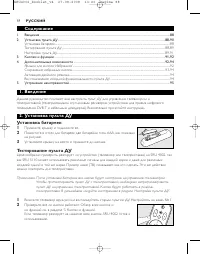
Page 87 - РУССКИЙ; Содержание; Ярлыки для кнопок ‘Избранное’; Установка пульта ДУ; Прижмите крышку и поднимите ее.; Тестирование пульта ДУ
88 РУССКИЙ Содержание 1. Введение ..................................................................................................................................................................88 2. Установка пульта ДУ..................................................................................
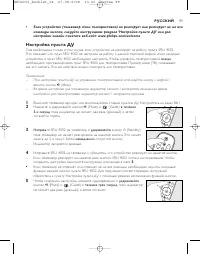
Page 88 - Настройка пульта ДУ
• Если устройство (телевизор и/или телеприставка) не реагирует или реагирует не на всекоманды кнопок, следуйте инструкциям раздела ‘Настройка пульта ДУ’ или длянастройки онлайн посетите веб-сайт: www.philips.com/welcome Настройка пульта ДУ Она необходима только в том случае, если устройство не реаги...
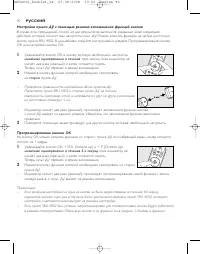
Page 91 - При помощи ногтя поднимите кольцо вокруг кнопки.
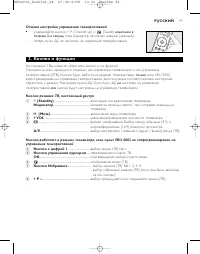
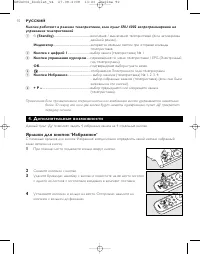
92 РУССКИЙ Кнопки работают в режиме телеприставки, если пульт SRU 4002 запрограммирован науправление телеприставкой 1 y (Standby) ........................................................включение / выключение телеприставки (если активирован двойной режим). Индикатор ....................................
Page 92 - Сохранение избранных кнопок; Сохранение избранных каналов телеприставки / ТВ
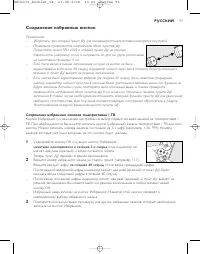
Сохранение избранных кнопок Примечания.– Убедитесь, что старый пульт ДУ для телевизора/телеприставки находится под рукой. – Проверьте правильность направления обоих пультов ДУ.Поместите пульт SRU 4002 и старый пульт ДУ на плоскуюповерхность. (например, стол) и направьте их друг на друга, расположивн...
Page 93 - Активация двойного режима; нажатыми; Восстановление исходной функциональности пульта ДУ; нажатыми одновременно
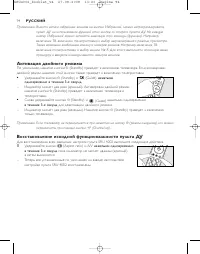
94 РУССКИЙ Примечание. Вместо записи избранных каналов на кнопки ‘Избранное’, можно запрограммировать пульт ДУ на использование функций этих кнопок со старого пульта ДУ. На каждуюкнопку ‘Избранное’ можно записать максимум три команды (функции). Например,включение ТВ, включение телеприставки и выбор ...
Page 94 - Устранение неисправностей; Проблема
5. Устранение неисправностей • Проблема – Решение • Устройство не реагирует на нажатие кнопки. – Замените старые батарейки двумя новыми батарейками типа ААА. – Направьте SRU 4002 на устройство, устраните все препятствия между SRU 4002 иустройством. – Убедитесь, что функция, которой Вы хотите управля...
Page 95 - Obsah; Tla; Instalace dálkového ovládání; Zatlačte na kryt směrem dovnitř a zvedněte jej.; Zkouška dálkového ovládání; ČESKY
Obsah 1. Úvod ...........................................................................................................................................................................96 2. Instalace dálkového ovládání ...................................................................................
Page 96 - Nastavení dálkového ovládání
97 ČESKY 1 Zapněte televizor ručně nebo pomocí původního dálkového ovládání. Nastavte kanál 1. 2 Zkontrolujte, zda všechna tlačítka fungují. Přehled tlačítek a jejich funkcínaleznete v části ‘3. Tlačítka a funkce’. – Pokud televizor správně reaguje na všechny povely tlačítek, je dálkovéovládání SRU ...
Page 97 - Učení tlačítka OK
98 ČESKY Nastavení dálkového ovládání pomocí učení všech funkcí tlačítek V případě, že předchozí metoda nefunguje, následující tři kroky zaručí úspěšné nastavení dálkového ovládání.Funkci lze uložit pod jakýmkoli dostupným tlačítkem ovládání SRU 4002. Chcete-li, aby se funkce naučilotlačítko OK, pod...
Page 99 - Označení oblíbených tlačítek; Nehtem nadzvedněte a vyjměte kroužek kolem tlačítka.; Ukládání oblíbených tlačítek
4. Další možnosti Pomocí tohoto dálkového ovládání můžete nainstalovat 4 oblíbené kanály pod 4 speciálními tlačítky. Označení oblíbených tlačítek Označení oblíbených tlačítek vám umožní určit, který oblíbený kanál je pod tlačítkem uložen. 1 Nehtem nadzvedněte a vyjměte kroužek kolem tlačítka. 2 Sejm...
Page 100 - Uložení oblíbených STB / TV kanálů; Aktivace Duálního pohotovostního režimu; stisknutá
Uložení oblíbených STB / TV kanálů Tlačítka Oblíbené jsou ve výchozím nastavení určena k výběru prvních čtyř kanálů set-top boxu nebotelevizoru. Pokud chcete, můžete pod těmito tlačítky uložit jiné (oblíbené) STB nebo TV kanály. Uložit lze ažtrojciferná čísla kanálů (např. 1, 56, 999). Čísla kanálů ...
Page 101 - Obnovení původních funkcí dálkového ovládání
Obnovení původních funkcí dálkového ovládání Výchozí nastavení výrobce u ovládání SRU 4002 nastavíte podle níže uvedeného postupu: 1 Podržte současně stisknutá tlačítka E (Aspect ratio) a A/V po dobu t ř í sekund, až kontrolka LED dvakrát (červeně) blikne a poté zhasne. – Ovládání SRU 4002 je nyní z...
Page 102 - Zawartość opakowania; Rozwi; Instalacja pilota zdalnego sterowania; Wciśnij pokrywę komory baterii i podnieś ją.; Testowanie pilota; POLSKI
Zawartość opakowania 1. Wprowadzenie ......................................................................................................................................................103 2. Instalacja pilota zdalnego sterowania .......................................................................
Page 103 - Konfiguracja pilota zdalnego sterowania
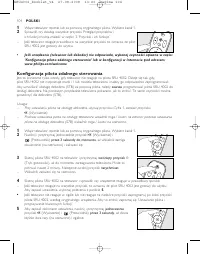
104 POLSKI 1 Włącz telewizor ręcznie lub za pomocą oryginalnego pilota. Wybierz kanał 1. 2 Sprawdź, czy działają wszystkie przyciski. Przegląd przycisków iich funkcji można znaleźć w części ‘3. Przyciski i ich funkcje’. – Jeśli telewizor reaguje prawidłowo na wszystkie przyciski, to oznacza, że pilo...
Page 105 - Przyciski i funkcje; tylko
106 POLSKI 3. Przyciski i funkcje Na rysunku na stronie 3 przedstawiono wszystkie przyciski pilota oraz ich funkcje.Do obsługi telewizora i dekodera (STB) służą osobne przyciski.Przyciski STB działać będą tylko wtedy, gdy pilot SRU 4002 zostanie zaprogramowany do obsługi dekodera. Aby to zrobić, zap...
Page 106 - Oznaczanie przycisków ulubionych; Zdejmij nakrycie przycisku.; Przypisywanie ulubionych klawiszy
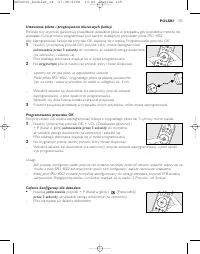
4. Funkcje dodatkowe Pilot ten umożliwia przypisanie 4 ulubionych kanałów do 4 specjalnych klawiszy. Oznaczanie przycisków ulubionych Oznaczenie przycisków ulubionych pozwoli Ci rozróżnić, który ulubiony kanał kryje się pod danymprzyciskiem. 1 Podnieś i zdejmij pierścień znajdujący się wokół przycis...
Page 107 - Programowanie ulubionych dekoderów / kanałów telewizyjnych; Aktywacja podwójnego trybu gotowości
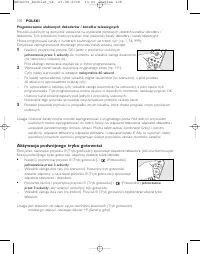
Programowanie ulubionych dekoderów / kanałów telewizyjnych Przyciski ulubionych są domyślnie ustawione na wybieranie pierwszych czterech kanałów dekodera /telewizora. Tym przyciskom można przypisać inne (ulubione) kanały dekodera / kanały telewizyjne.Można programować kanały o numerach zawierających...
Page 108 - Przywracanie oryginalnych funkcji pilota zdalnego sterowania; jednocze; Rozwiązywanie problemów
Przywracanie oryginalnych funkcji pilota zdalnego sterowania Aby przywrócić ustawienia fabryczne pilota SRU 4002, wykonaj poniższe czynności: 1 Naciśnij i przytrzymaj przyciski E (Proporcje obrazu) i A/V jednocze ś nie przez 3 sekundy do momentu, aż wskaźnik zamiga dwukrotnie (na czerwono) i wyłączy...
Page 109 - ŒÏÏËÓa ̃; Helpline
110 Country Phone number Tariff Australia 1300 363 391 Local tariff België/Belgique 070 253 011 € 0,17 Danmark 35258758 Local tariff France 08 9165 0007 € 0,23 Deutschland 0180 5 007 533 € 0,12 España 902 889 343 € 0,15 ŒÏÏËÓa˜ 00800 3122 1219 Local tariff Ireland 01 6011158 Local tariff Italia 199 ...
Page 113 - ¶ÏËÚÔÊÔڛ ̃ ÁÈa ÙËÓ ÚÔÛÙaÛ›a ÙÔ ̆ ÂÚÈ‚¿ÏÏÔÓÙÔ ̃; ∞fiÚÚÈwË aÏÈÔ‡ ÚÔ ̊fiÓÙÔ ̃
114 Información al consumidor Desecho del producto antiguo El producto se ha diseñado y fabricado con materiales y componentes de alta calidad,que se pueden reciclar y volver a utilizar.Cuando este símbolo de contenedor de ruedas tachado se muestra en un producto indica que éste cumple la directiva ...
Page 115 - Printed in China
© 2008 Koninklijke Philips Electronics N.V.All rights reserved. Reproduction in whole or in part is prohibited without the prior writtenconsent of the copyright owner. The information presented in this document does not formpart of any quotation or contract,is believed to be accurate and reliable an...