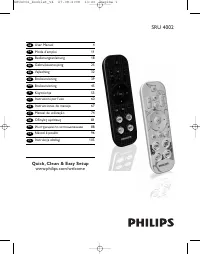
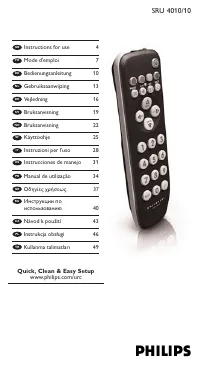
Page 2 - Your Remote Control; Congratulations on your purchase and welcome to Philips!
Your Remote Control Congratulations on your purchase and welcome to Philips! To fully benefit from the support that Philips offers, register your product at www.philips.com/welcome SRM5100_Def 31-05-2007 16:43 Pagina 2
Page 4 - Contents; Introduction; Installing the remote control; English
Contents 1. Introduction . . . . . . . . . . . . . . . . . . . . . . . . . . . . . . . . . . . . . . . . . . . . . . . . 4 2. Installing the remote control . . . . . . . . . . . . . . . . . . . . . . . . . . . . . 4-7 Connecting the receiver (for PC only) . . . . . . . . . . . . . . . . . . . . . . ...
Page 5 - Instructions for use; Testing the remote control; PC; Setting the remote control; TV
Instructions for use English 5 Testing the remote control The remote control has been programmed to operate all Windows Vista ™ based PCs and most Philips devices (TV, STB and AMP).Because the SRM 5100 may use different signals for each brand and even fordifferent models of the same brand, it is adv...
Page 8 - Keys and functions; Remote control
3. Keys and functions The illustrations on page 3 gives an over view of all keys and their functions. Remote control 1 y Standby .......................switches PC, TV, STB and AMP on or off. 2 MODE ...............................selects PC, TV, STB or AMP mode. 3 Indicator LEDs ..........indicate s...
Page 9 - Receiver; Green LED; Extra possibilities; MODE
) ...........................................- turns the menu on and off (TV, STB, AMP). - opens DVD menu (PC, Media Center). ¡ ...........................................shows live TV on the currently selected channel. ™ - + .......................................- selects a previous or next channe...
Page 10 - Adding a function to the remote control
3 Keep keys 1 and 6 pressed simultaneously for three seconds until the TV LED flashes twice and then remains lit. 4 Press keys 9 , 9 and 8 in that order. – The TV LED blinks twice and then remains lit. 5 Press the target key on the SRM 5100. 6 Press and hold the key you want to copy on the original ...
Page 12 - Problem
5. Troubleshooting 12 Instructions for use English Problem The PC does not respond to remotecontrol commands. After ever y key press, all indicatorLEDs (PC, TV, STB and AMP) light upand then go out one after another. The indicator LED blinks once for alonger period and the remotecontrol goes to stan...
Page 14 - Sommaire; Installation de la télécommande; rançais
Sommaire 1. Introduction . . . . . . . . . . . . . . . . . . . . . . . . . . . . . . . . . . . . . . . . . . . . . . . 14 2. Installation de la télécommande . . . . . . . . . . . . . . . . . . . . . . . . 14-17 Connexion du récepteur (seulement pour les PC) . . . . . . . . . . . . . . . . . 14Inser ...
Page 15 - Essai de la télécommande; Vista et la plupar t des appareils Philips (TV, STB et; Configuration de la télécommande
Essai de la télécommande La télécommande a été programmée pour fonctionner avec tous les PCéquipés de Windows ® Vista et la plupar t des appareils Philips (TV, STB et AMP). La SRM 5100 pouvant utiliser différents signaux pour chaque marqueet même pour différents modèles de la même marque, il est con...
Page 18 - Touches et fonctions; Télécommande; bleue
3. Touches et fonctions L’illustration de la page 3 donne une présentation de toutes les touches et deleurs fonctions. Télécommande 1 y Veille ..............................met sous / hors tension les PC, TV, STB et AMP. 2 MODE ...............................sélectionne les modes PC, TV, STB ou AMP....
Page 19 - Récepteur; Voyant vert; Autres possibilités
( ...........................................- saisie de texte (PC, Media Center). - alterne entre les entrées externes (audio / vidéo) de votre équipement (TV, STB). - sélection de source (AMP). ) ..........................................affiche la TV en direct sur la chaîne sélectionnée à ce mome...
Page 20 - Ajout d‘une function à la télécommande
2 Appuyez sur la touche MODE pour sélectionner TV. Tenez la touche enfoncéejusqu’à ce le voyant TV s’allume. – Les voyants s'allument 10 secondes puiss'éteignent. 3 Tenez les touches 1 et 6 enfoncées simultanément pendant trois secondes , jusqu’à ce que le voyant TV clignote deux foisavant de rester...
Page 22 - Problème
2 Appuyez sur les touches 9 , 8 et 1 , dans l’ordre. – Le voyant clignote deux fois. Toutes lesfonctions d’origine sont alors restaurées ettoutes les fonctions supplémentaires sontsupprimées. 22 Mode d'emploi F rançais Problème Le PC ne réagit pas auxcommandes de la télécommande. Après avoir appuyé ...
Page 24 - Inhaltsangabe; Einleitung; Inbetriebnahme der Fernbedienung; Deutsch
Inhaltsangabe 1. Einleitung . . . . . . . . . . . . . . . . . . . . . . . . . . . . . . . . . . . . . . . . . . . . . . . . . 24 2. Inbetriebnahme der Fernbedienung . . . . . . . . . . . . . . . . . . . . 24-27 Anschließen des Empfängers (nur beim PC) . . . . . . . . . . . . . . . . . . . . . . 24Ei...
Page 25 - Prüfen der Fernbedienung; Die Fernbedienung wurde für die Bedienung aller Windows Vista; Einstellen der Fernbedienung
Prüfen der Fernbedienung Die Fernbedienung wurde für die Bedienung aller Windows Vista ™ -basier ten PCs und der meisten Philips-Geräte (TV, STB und AMP) programmier t.Da die Signale der SRM 5100 bei jeder Marke und sogar bei den einzelnenModellnummern unterschiedlich sein können, sollten Sie prüfen...
Page 26 - Bedienungsanleitung
Das nachstehende Beispiel ( TV – Fernsehgerät, LCD-Fernsehgerät, Plasma- Fernsehgerät, Projektor, HDTV) gibt an, wie dies gemacht wird. Sie könnendieselben Schritte für andere Geräte (STB und AMP) wiederholen, die Sie mitder SRM 5100 bedienen möchten. Hinweis: Der dritte Modus (STB) kann für die Bed...
Page 28 - Tasten und Funktionen; Fernbedienung
3. Tasten und Funktionen Die Abbildung auf Seite 3 gibt einen Überblick über alle Tasten und ihreFunktionen. Fernbedienung 1 y Standby .......................Ein- oder Ausschalten von PC, TV, STB und AMP. 2 MODE ...............................Wahl des Modus PC, TV, STB oder AMP. 3 Anzeige LEDs ........
Page 29 - Empfänger; Grüne LED; Lernen einer Tastenfunktion
( ...........................................- Texteingabe (PC, Media Center). - Umschalten zwischen externen (Audio/Video-) Eingängen der Ausrüstung (TV, STB). - Quellenwahl (AMP). ) ..........................................Anzeige von Live-TV auf dem derzeit gewählten Kanal. ¡ ......................
Page 30 - Hinzufügung einer Funktion zur Fernbedienung
1 Legen Sie beide Fernbedienungen einander gegenüber so auf eine ebene Fläche (zumBeispiel auf eine Tischplatte), dass sie aufeinander zeigen und der Abstand zwischenden beiden Fernbedienungen ca. 5 - 10 cmbeträgt 2 Drücken Sie die Taste MODE , um TV zu wählen. Drücken Sie die Taste, bis die TV LED ...
Page 32 - Liste zur Fehlerbehebung
Wiederherstellung der ursprünglichen FunktionenIhrer Fernbedienung1 Halten Sie die Tasten 1 und 6 auf der Fernbedienung SRM 5100 gleichzeitig drei Sekunden lang gedrückt , bis eine der LEDs (PC, TV, STB, AMP) leuchtet. 2 Betätigen Sie die Tasten 9, 8 und 1 (in dieser Reihenfolge). – Die LED blinkt z...
Page 34 - Inhoudsopgave; Inleiding; Installeren van de afstandsbediening; Nederlands
Inhoudsopgave 1. Inleiding . . . . . . . . . . . . . . . . . . . . . . . . . . . . . . . . . . . . . . . . . . . . . . . . . . . 34 2. Installeren van de afstandsbediening . . . . . . . . . . . . . . . . . . . . 34-37 Aansluiten van de ontvanger (enkel voor pc) . . . . . . . . . . . . . . . . . . . ...
Page 35 - Testen van de afstandsbediening; Instellen van de afstandsbediening; Gebruiksaanwijzing
Testen van de afstandsbediening De afstandsbediening is voorgeprogrammeerd voor het bedienen van allepc’s met Windows Vista ™ en de meeste Philips-apparaten (TV, STB en AMP). Aangezien de signalen van de SRM 5100 per merk en zelfs per model vanhetzelfde merk kunnen verschillen, is het verstandig om ...
Page 38 - Toetsen en functies; Afstandsbediening
3. Toetsen en functies Op de afbeelding op pagina 3 ziet u een overzicht van alle toetsen en debijbehorende functies. Afstandsbediening 1 y Standby .......................in- en uitschakelen van PC, TV, STB en AMP. 2 MODE ...............................kiezen van de mode PC, TV, STB of AMP. 3 Indica...
Page 39 - ENTER; Ontvanger; Groene led; Extra mogelijkheden
* ENTER ...........................bevestigen van uw menukeuze. ( ...........................................- tekst invoeren (PC, Media Center). - kiezen tussen de externe (audio- / video-) ingangen van uw apparaat (TV, STB). - bronkeuze (AMP). ) ..........................................live-telev...
Page 40 - Toevoegen van een functie aan de afstandsbediening
2 Druk op de toets MODE om TV te kiezen. Druk op de toets tot de TV-led oplicht. – De led brandt gedurende 10 seconden engaat dan weer uit. 3 Houd de toetsen 1 en 6 tegelijkertijd gedurende drie seconden ingedrukt tot de TV-led tweemaal knipper t en ver volgens blijftbranden. 4 Druk in de juiste vol...
Page 42 - Probleem; Verhelpen van storingen
2 Druk in de juiste volgorde op de toetsen 9 , 8 en 1 . – De led knipper t tweemaal.Alle oorspronkelijke functies zijn nu herstelden alle toegevoegde functies zijn gewist. Gebruiksaanwijzing 42 Nederlands Probleem De pc reageer t niet op de toetsenvan de afstandsbediening. Telkens als een toets inge...
Page 44 - Innehåll; Inledning; Installera fjärrkontrollen; Tr yck locket inåt och skjut det i pilens riktning.; Bruksanvisning
Innehåll 1. Inledning . . . . . . . . . . . . . . . . . . . . . . . . . . . . . . . . . . . . . . . . . . . . . . . . . . 44 2. Installera fjärrkontrollen . . . . . . . . . . . . . . . . . . . . . . . . . . . . . . . . 44-47 Ansluta mottagaren (endast för dator) . . . . . . . . . . . . . . . . . . ....
Page 45 - Testa fjärrkontrollen; Dator; Ställa in fjärrkontrollen; enska
Testa fjärrkontrollen Fjärrkontrollen har programmerats för att styra alla Windows Vista ™ -baserade datorer och de flesta Philips-enheter (TV, STB och AMP).SRM 5100 använder olika signaler för olika märken och till och med för olikamodeller av samma märke, och det är därför säkrast att testa om mär...
Page 48 - Knappar och funktioner; Fjärrkontroll
3. Knappar och funktioner I illustrationen på sid. 3 ges en översikt över alla knapparna och derasfunktioner. Fjärrkontroll 1 y Standby .......................kopplar på eller av lägena PC, TV, STB och AMP. 2 MODE ...............................väljer lägena PC, TV, STB eller AMP. 3 Indikatorlampor ...
Page 49 - Mottagare; Grön lampa; Lära in en knapp
) ...........................................- kopplar på och av menyn (TV, STB, AMP). - öppnar DVD-menyn (PC, Media Center). ¡ ...........................................visar live tv på den kanal som är vald för när varande. ™ - + .......................................- väljer föregående eller nä...
Page 50 - Lägga till en funktion till fjärrkontrollen
3 Håll ner knapparna 1 och 6 samtidigt i tre sekunder tills TV-lampan blinkar två gånger och sedan lyser hela tiden. 4 Tr yck på knapparna 9 , 9 och 8 i ordningen. – TV-lampan blinkar två gånger och lyser sedanmed fast sken. 5 Tr yck på önskad knapp på SRM 5100. 6 Håll ner den knapp du vill kopiera ...
Page 54 - Innhold; Innledning; Installere fjernkontrollen; Norsk
Innhold 1. Innledning . . . . . . . . . . . . . . . . . . . . . . . . . . . . . . . . . . . . . . . . . . . . . . . . . 54 2. Installere fjernkontrollen . . . . . . . . . . . . . . . . . . . . . . . . . . . . . . . 54-57 Kople til mottakeren (kun for PC) . . . . . . . . . . . . . . . . . . . . . . ....
Page 55 - Teste fjernkontrollen; Stille inn fjernkontrollen; -baser te PC . Hvis du vil bruke den sammen med annet utstyr, trenger
Teste fjernkontrollen Fjernkontrollen har blitt programmer t til å betjene alle Windows Vista ® - baser te PCer og de fleste Philips-enheter (TV, STB og AMP).Siden SRM 5100 kan bruke forskjellige signaler for hver t merke, og til og medfor ulike modeller av samme merke, råder vi deg til å teste om a...
Page 58 - Knapper og funksjoner; Fjernkontroll
3. Knapper og funksjoner Illustrasjonen på side 3 gir en oversikt over alle knapper og deres funksjoner. Fjernkontroll 1 y Standby .....................(ventemodus) slår PC, TV, STB og AMP av og på. 2 MODE ...............................velger PC, TV, STB eller AMP modus. 3 Indikatorlamper ......(ly...
Page 59 - Mottaker; Grønn lysdiode; Lære en knapp
) ...........................................- slår menyen av og på (TV, STB, AMP). - åpner DVD-menyen (PC, Media Center). ¡ ...........................................viser live TV på kanalen som er valgt akkurat nå. ™ - + .......................................- velger en tidligere eller påfølgend...
Page 60 - Legge til en fjernkontrollfunksjon
3 Trykk og hold deretter knappene 1 og 6 samtidig i tre sekunder til lysdioden for TV blinker to ganger og så for tsetter å lyse . 4 Tr ykk knappene 9 , 9 og 8 i denne rekkefølgen. – Lysdioden for TV blinker to ganger ogfor tsetter så å lyse. 5 Tr ykk målknappen på SRM 5100-kontrollen. 6 Tr ykk og h...
Page 64 - Sisällys; Johdanto; Vastaanottimen kytkeminen; Suomi
Sisällys 1. Johdanto . . . . . . . . . . . . . . . . . . . . . . . . . . . . . . . . . . . . . . . . . . . . . . . . . . 64 2. Kauko-ohjaimen ottaminen käyttöön . . . . . . . . . . . . . . . . . . . 64-67 Vastaanottimen kytkeminen (koskee vain PC:tä) . . . . . . . . . . . . . . . . . . . 64Paristoje...
Page 65 - Kauko-ohjaimen testaaminen; Kauko-ohjain on ohjelmoitu toimimaan kaikissa Windows Vista; Kauko-ohjaimen asetusten määrittäminen; Käyttöohjeet
Kauko-ohjaimen testaaminen Kauko-ohjain on ohjelmoitu toimimaan kaikissa Windows Vista ™ -pohjaisissa PC-tietokoneissa ja useimmissa Philipsin laitteissa (TV, STB ja AMP).Koska SRM 5100-kauko-ohjain voi käyttää erilaisia signaaleja kutakin brändiävar ten ja jopa saman brändin eri malleja var ten, on...
Page 68 - Painikkeet ja toiminnot; Media Centerin
3. Painikkeet ja toiminnot Kuvaus sivulla 3 antaa yleiskuvan kaikista näppäimistä ja niiden toiminnoista. Kauko-ohjain 1 y Valmiustila ...................kytkee ja katkaisee seuraavat tilat: PC, TV, STB ja AMP. 2 MODE ...................................valitsee seuraavat tilat: PC, TV, STB tai AMP. ...
Page 69 - - valitsee edellisen tai seuraavan ennalta asetetun; Vihreä merkkivalo; Merkkivalo sammuu heti kun ajuri on löytynyt.; Lisämahdollisuuksia; toiminto pyyhitään yli.
* ENTER ................................vahvistaa valikon valinnan. ( ................................................- testin syöttö (PC, Media Center). - kytkee laitteen (TV, STB) ulkoiset (audio / video) syötöt. - lähteen valinta (AMP). ) ...............................................- kytkee ja...
Page 70 - Toiminnon lisääminen kauko-ohjaimeen
2 Paina MODE -näppäintä valitsemaan TV. Paina näppäintä, kunnes TV:n merkkivalo syttyy. – Merkkivalo syttyy 10 sekunnin ajaksi jasammuu sen jälkeen. 3 Pidä näppäimiä 1 ja 6 painettuna samanaikaisesti kolmen sekunnin ajan , kunnes TV:n merkkivalo vilkkuu kahdesti ja pysyy senjälkeen valaistuna. 4 Pai...
Page 72 - Ongelma
5. Vianmääritys Käyttöohjeet 72 Suomi Ongelma PC ei reagoi kauko-ohjaimenkomentoihin. Jokaisen näppäimen painalluksenjälkeen kaikki merkkivalot (PC, TV,STB ja AMP) syttyvät ja sammuvatsen jälkeen yksi toisensa jälkeen. Merkkivalo vilkkuu kerran pitemmänaikaa ja kauko-ohjain siir tyyvalmiustilaan. Ka...
Page 74 - Indice; Introduzione; Installazione del telecomando; Italiano
Indice 1. Introduzione . . . . . . . . . . . . . . . . . . . . . . . . . . . . . . . . . . . . . . . . . . . . . . 74 2. Installazione del telecomando . . . . . . . . . . . . . . . . . . . . . . . . . . 74-77 Collegamento del ricevitore (solo per PC) . . . . . . . . . . . . . . . . . . . . . . . . 7...
Page 75 - Collaudo del telecomando; Impostazione del telecomando; . Per l’utilizzo con altri dispositivi, l’impostazione si rende; Instruzioni per l'uso
Collaudo del telecomando Il telecomando è stato programmato per l'utilizzo con tutti i PC con sistemaoperativo Windows Vista e la maggior par te dei dispositivi Philips (TV, STB eAMP). Poiché l’SRM 5100 potrebbe utilizzare segnali differenti per ciascunamarca ed perfino modelli differenti della stes...
Page 79 - Spia verde; sistema operativo Vista; Spia rossa; - si accende quando il ricevitore riceve un segnale; Funzioni aggiuntive
( ............................................- immissione di testo (PC, Media Center). - alterna gli ingressi esterni (audio/video) dell’apparecchio (TV, STB). - selezione fonte (AMP). ) ...........................................- attiva e disattiva il menu (TV, STB, AMP). - apre il menu del DVD (...
Page 80 - Aggiungere una funzione al telecomando
2 Premere il tasto MODE per selezionare TV. Premere il tasto finché non si accende la spiaTV. – La spia si accende per 10 secondi, quindi sispegne. 3 Tenere i tasti 1 e 6 premuti contemporaneamente per tre secondi finché la spia TV non lampeggia due volte e rimaneaccesa. 4 Premere i tasti 9 , 9 e 8 ...
Page 82 - Premere i tasti; Ricerca dei Guasti; Problema
2 Premere i tasti 9 , 8 e 1 in questo ordine. – Il LED lampeggia due volte. Tutte le funzioniquindi sono state ripristinate ed eventualifunzioni addizionali sono state cancellate. 5. Ricerca dei Guasti 82 Instruzioni per l'uso Italiano Problema Il PC non risponde ai comandi deltelecomando. Dopo aver...
Page 84 - Índice; Introducción; Instalación del mando a distancia; Español
Índice 1. Introducción . . . . . . . . . . . . . . . . . . . . . . . . . . . . . . . . . . . . . . . . . . . . . . . 84 2. Instalación del mando a distancia . . . . . . . . . . . . . . . . . . . . . . . 84-87 Conexión del receptor (para PC solamente) . . . . . . . . . . . . . . . . . . . . . . 84Col...
Page 85 - Prueba del mando a distancia; Configuración del mando a distancia; . Para controlar otros dispositivos la configuración sólo es; Instrucciones de utilización
Prueba del mando a distancia El mando a distancia ha sido programado para controlar la mayoría dedispositivos Philips (TV, STB y AMP) y todos los PCs basados en WindowsVista ™ . Debido a que el SRM 5100 puede utilizar diferentes señales para cada marca e incluso para diferentes modelos de la misma m...
Page 88 - Teclas y funciones; Mando a distancia
3. Teclas y funciones La ilustración de la página 3 ofrece una perspectiva de todas las teclas y susfunciones. Mando a distancia 1 y Espera ..........................activa o desactiva PC, TV, STB y AMP. 2 MODE ...............................selecciona el modo PC, TV, STB o AMP. 3 LEDs indicadores ....
Page 89 - Receptor; LED verde; Posibilidades extra
& .........................................activa / desactiva el teletexto. * ENTER ............................confirma la selección en el menú. ( ............................................- introducción de texto (PC, Media Center). - conmuta entre entradas externas (audio / video) de su equi...
Page 90 - Incorporación de una función al mando a distancia; (Función ‘punch through’ de control de volumen)
2 Pulse la tecla MODE para seleccionar TV.. Pulse la tecla hasta que el LED TV. seencienda. – El LED se enciende durante 10 segundos ydespués se apaga. 3 Mantenga las teclas 1 y 6 apretadas simultáneamente durante tres segundos hasta que el LED TV destelle dos veces y despuéspermanezca encendido. 4 ...
Page 92 - Resolución de problemas
Instrucciones de utilización 92 Español Problema El PC no responde a los comandosdel mando a distancia. Después de cada pulsación de tecla,todos los LEDs indicadores (PC, TV,STB y AMP) se encienden y despuésse apagan uno tras otro. El LED indicador parpadea una vezpor un período más largo y elmando ...
Page 94 - Introdução; Instalar o telecomando; tuguês
Índice 1. Introdução . . . . . . . . . . . . . . . . . . . . . . . . . . . . . . . . . . . . . . . . . . . . . . . . 94 2. Instalar o telecomando . . . . . . . . . . . . . . . . . . . . . . . . . . . . . . . . . 94-97 Ligação do receptor (apenas para PC) . . . . . . . . . . . . . . . . . . . . . . ....
Page 95 - Testar o telecomando; Programar o telecomando
Testar o telecomando O telecomando foi programado para funcionar com todos os PCs baseadosem Windows Vista ™ , e com a maioria dos equipamentos Philips (TV, STB e AMP).Dado que o SRM 5100 pode usar sinais diferentes para cada marca e atépara modelos diferentes da mesma marca, é aconselhável experime...
Page 96 - Manual de utilização
O exemplo a seguir ( TV - TV, LCD TV, TV de plasma, projector, HDTV) explica-lhe como efectuar esta operação. Pode repetir os mesmos passospara outros equipamentos (STB e AMP) que deseje comandar usando oSRM 5100. Nota: O terceiro modo (STB) pode ser usado para comandar a sua caixa descodificadora, ...
Page 99 - Possibilidades extra
& .........................................liga e desliga o teletexto. * ENTER ............................confirma a selecção de menu. ( ............................................- introdução de texto (PC, Media Center). - alterna entre entradas externas (áudio / vídeo) do seu equipamento (TV...
Page 100 - Adicionar uma função ao telecomando
2 Prima a tecla MODE para seleccionar TV. Prima a tecla até que acenda o LED TV. – O LED acende durante 10 segundos, e depoisapaga-se. 3 Mantenha as teclas 1 e 6 premidas ao mesmo tempo durante três segundos , até que o LED TV pisque duas vezes, e permaneça aceso. 4 Prima as teclas 9 , 9 e 8 , por e...
Page 102 - Pressione as teclas; Resolução de problemas
2 Pressione as teclas 9 , 8 e 1 por esta ordem. – O LED pisca duas vezes. Foram agorarepostas todas as funções originais e forameliminadas todas as funções extra. 5. Resolução de problemas Manual de utilização 102 P o r tuguês Problema O PC não responde aos comandosdo telecomando. Após usar qualquer...
Page 103 - O número de modelo do seu telecomando universal Philips é SRM 5100.
6. Precisa de ajuda? Caso tenha quaisquer dúvidas relativamente ao SRM 5100, pode semprecontactar-nos. Encontrará a informação para contacto a seguir à lista decódigos, na par te de trás deste manual. Leia atentamente este manual antes de telefonar. Pode resolver você mesmoa maior par te das dificul...
Page 104 - Содержание; Введение; Подготовка пульта дистанционного
Содержание 1. Введение . . . . . . . . . . . . . . . . . . . . . . . . . . . . . . . . . . . . . . . . . . . . . . . . 104 2. Подготовка пульта дистанционного управления к работе . . . . . . . . . . . . . . . . . . . . . . . . . . . . . . . . . 104-107 Подключение приемника (только для ПК) . . . . ....
Page 105 - Руководство пользователя; Pу; Проверка пульта дистанционного управления; ПК
Руководство пользователя Pу сскйи 105 Примечание: Если после нажатия любой кнопки все индикаторы (PC, TV, STB и AMP) загораются и затем гаснут один за другим, пульт дистанционного управления указывает, что батарейки разряжены. Замените батарейки. Проверка пульта дистанционного управления Пульт диста...
Page 106 - Настройка пульта дистанционного управления
Настройка пульта дистанционного управления Для управления ПК с ОС Windows Vista ™ настройка пульта дистанционного управления не требуется. Для управления другимиустройствами настройка необходима, только если устройство (TV, STB и AMP) не реагирует на команды SRM 5100. Это означает, чтоSRM 5100 не уз...
Page 109 - Приемник; Кабель USB; Если устройство не реагирует на команды, посылаемые с; Дополнительные возможности
- синяя: выбор режимов DSP (цифровогопроцессора сигналов) (AMP). & .........................................включение/выключение телетекста. * ENTER ............................подтверждение выбора меню. ( ............................................- ввод текста (PC, Media Center). - переключен...
Page 110 - Добавление функции к пульту дистанционного
1 Положите оба пульта дистанционного управления на ровную поверхность(например, журнальный столик) и направьтеих друг на друга, при этом расстояниемежду ними должно быть равнымпримерно 5 - 10 см. 2 Нажимайте кнопку MODE , чтобы выбрать TV. Нажимайте кнопку, пока незагорится индикатор TV. – Индикатор...
Page 112 - Удерживайте кнопки; Проблема; Поиск и устранение неисправностей
Восстановление исходных функций вашего пульта дистанционного управления 1 Удерживайте кнопки 1 и 6 на SRM 5100 нажатыми одновременно в течение трех секунд до тех пор, пока не загорится один из индикаторов (PC, TV, STB, AMP). 2 Нажмите кнопки 9 , 8 и 1 в таком порядке. – Индикатор вспыхивает два раза...
Page 114 - İçindekiler; Giriş; Uzaktan kumandanın monte edilmesi; Türkçe
İçindekiler 1. Giriş . . . . . . . . . . . . . . . . . . . . . . . . . . . . . . . . . . . . . . . . . . . . . . . . . . . . . . 114 2. Uzaktan kumandanın monte edilmesi . . . . . . . . . . . . . . . . . 114-117 Alıcının bağlanması (sadece PC için) . . . . . . . . . . . . . . . . . . . . . . . . . ....
Page 115 - Kullanım kılavuzu; Uzaktan kumandanın test edilmesi; Uzaktan kumanda, Windows Vista; Uzaktan kumandanın ayarlanması
Kullanım kılavuzu Türkçe 115 Uzaktan kumandanın test edilmesi Uzaktan kumanda, Windows Vista ™ tabanlı tüm PC’leri ve birçok Philips aygıtını (TV, STB ve AMP) çalıştırmak için programlanmıştır.SRM 5100, her bir marka ve hatta aynı markanın farklı modelleri için farklısinyaller kullanabildiği için, a...
Page 118 - Tuşlar ve fonksiyonlar; Uzaktan kumanda
3. Tuşlar ve fonksiyonlar 3. sayfadaki şekil tüm tuşların genel bir görünümünü ve fonksiyonlarınıvermektedir. Uzaktan kumanda 1 y Bekleme .....................PC, TV, STB ve AMP’yi açar veya kapatır. 2 MODE ...............................PC, TV, STB veya AMP modunu seçer. 3 Gösterge LED’leri ..seçil...
Page 119 - Alıcı; Yeşil LED; Bir tuş öğrenin
( ............................................- metin girişi (PC, Media Center). - ekipmanınızın (TV, STB) harici (audio / video) girişleri arasında geçiş yapar). - kaynak seçimi (AMP). ) ...........................................- menüyü açar / kapatır (TV, STB, AMP). - DVD menüsünü açar (PC, Medi...
Page 120 - üç saniye süreyle sürekli basılı; Uzaktan kumandaya bir fonksiyonun eklenmesi
3 TV LED’i iki kere yanıp sönünceye ve sonra yanık olarak kalıncaya kadar 1 ve 6 tuşlarına üç saniye süreyle sürekli basılı tutun. 4 Sırasıyla 9 , 9 ve 8 tuşlarına basın. – TV LED’i iki kere yanıp söner ve sonra yanıkolarak kalır. 5 SRM 5100 üzerindeki hedef tuşa basın. 6 Orijinal uzaktan kumandaya ...
Page 124 - Setup Codes For Television
TV TV TV TV TV TV Codes TV Setup Codes For Television A-Mark . . . . . . . . . . . . . . 0036, 0074, 0081A.R. Systems . . . . . . . . . . . . . . 0583, 0064, . . . . . . . . . . . . . . . . . . . . . 0482, 0379, 0401 Accent . . . . . . . . . . . . . . . . . . . . . . . . . 0064Accuscan . . . . . . ....
Page 131 - Codes
TV AMP TV AMP TV AMP Codes TV / AMP Vidtech . . . . . . . . . . . . . . . . . . . . . . . . 0205Viewsonic . . . . . . . . . . . . . . . . . 0912, 1782Viking. . . . . . . . . . . . . . . . . . . . . . . . . . 0087Vision . . . . . . . . . . . . . . . . . . . . . . . . . 0064Vizio . . . . . . . . . . ....
Page 132 - AMP
AMP STB AMP STB AMP STB Codes AMP / STB Integra . . . . . . . . . . . . . . . . . . . . 0162, 1347JVC. . . . . . . . . . . . . . . . . . 1085, 0101, 1401Kawasaki . . . . . . . . . . . . . . . . . . . . . . . 1417Kenwood . . . . . . . . . . . . . . . . . . 1340, 0213KLH . . . . . . . . . . . . . . . ...
Page 133 - CODELIST
STB STB STB STB STB STB Codes STB AssCom . . . . . . . . . . . . . . . . . . . . . . . 0880Aston. . . . . . . . . . . . . . . . . . . . . . . . . . 1288Astra . . . . . . . . . . . . . . . . . . . . . 0634, 0740Astratec . . . . . . . . . . . . . . . . . . . . . . . 1770Astro. . . . . . . . . . . . . ...
Page 134 - STB
STB STB STB STB STB STB Codes STB Hanseatic . . . . . . . . . . . . . . . . . . 1126, 1127Hauppauge. . . . . . . . . . . . . . . . . 1321, 1699HB . . . . . . . . . . . . . . . . . . . . . . . . . . . . 1241HDT . . . . . . . . . . . . . . . . . . . . . . . . . . 1186Heliocom . . . . . . . . . . . . ....
Page 137 - Television
CODELIST 137 Note your codes! Television EquipmentBrandModel numberNumber of original remoteCode Video - Accessory EquipmentBrandModel numberNumber of original remoteCode Audio - Amplifier EquipmentBrandModel numberNumber of original remoteCode Audio - Receiver EquipmentBrandModel numberNumber of or...
Page 138 - Helpline; HELPDESK
138 België/Belgique 078250851 Danmark 35258758 France 0821 611658 Deutschland 0900 1101212 España 902 889 343 00800 3122 1219 Ireland 01 6011158 Italia 840320041 Nederland 0900 0400 063 Norge 22 70 82 58 Östereich 08 10000206 Portugal 0800 831 351 Suomi 09 22948258 Sverige 08 7505196 Suisse/die Schw...
Page 144 - год
N’MW/RR/RVD/0722 3128 145 2174.2 Guarantee certificate Certificat de garantie Garantiebewijs Záruční list Garantieschein Certificado de garantía Certificato di garanzia Karta gwarancyjna Certificado de garantia Garantibevis Takuutodistus Гаpантия year année jaar Jahr año rok warranty garantie garant...