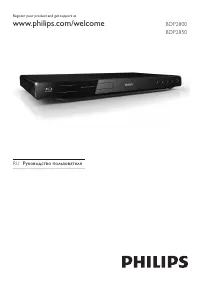
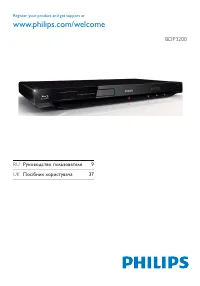
Philips DVP1033/51 - Manual

Philips DVP1033/51 Player – Manual, read for free online in PDF format. We hope this helps you resolve any issues you may have. If you have further questions, please contact us through the contact form.


Table of Contents:
- Page 2 – Contents; SHFLÀFDWLRQV
- Page 3 – Copyright notice; Trademark notice; ABOUT DIV X VIDEO: DivX; Safety and important notice; Warning; About Progressive Scan; &RQVXPHUVVKRXOGQRWHWKDWQRWDOOKLJKGHÀQLWLRQ
- Page 4 – Remote control; Your DVD player; KLOLSV7RIXOO\EHQHÀWIURPWKHVXSSRU WWKDW3KLOLSV; Playable media; ÀOHV; Region codes; DVD region code; Product overview; Main unit; b c
- Page 5 – Connect; Connect audio/video cables; SWLRQ&RQQHFWWRWKHFRPSRQHQW; HSHDWSOD\IRUDVSHFLÀFVHFWLRQ
- Page 6 – Connect an analogue stereo system; Connect power; Caution; Note; jack; T V OUT; Optional audio connections; &RQQHFWWRGLJLWDODPSOLÀHUUHFHLYHU
- Page 7 – Turn on progressive scan; Prepare the remote control; )LQGWKH79LQSXWFKDQQHO
- Page 8 – VFDOHGWRÀWWRWKH7 9VFUHHQ; Access DVD menu; Play; Play a disc; Play video; Control video play
- Page 9 – Play music
- Page 10 – Control photo play; Quick skip play; NLSSOD\WRDVSHFLÀFWLPH; Play photo; Play photo as slideshow
- Page 11 – Audio setup; Adjust settings
- Page 12 – Video setup; HOHFWDGLJLWDOVHW WLQJEDVHGRQWKHGLJLWDODPSOLÀHU
- Page 13 – HOHFWDSUHGHÀQHGVHWRISLFWXUHFRORUVHW WLQJVRU
- Page 14 – ÀUVWWUDFN
- Page 15 – Additional information; Update software; :ULWHGRZQWKHÀOHQDPHDQGWKHQSUHVV; Care; :LSHWKHGLVFZLWKDPLFURÀEUHFOHDQLQJFORWKIURP
- Page 16 – DXGLRGHYLFHVWHUHRV\VWHPDPSOLÀHUUHFHLYHU; VHWKHFRUUHFWGLVFIRUPDWRUÀOHIRUPDW; Troubleshooting
- Page 18 – Language Code
EN
User manual
3
RU
ǝȀǷǻǯǻDZǾǿǯǻǼǻǸȉǴǻǯǭǿDzǸȌ
UK
ǜǻǾȒǮǺǵǷǷǻǽǵǾǿȀǯǭȄǭ
Register your product and get support at
www.philips.com/welcome
DVP1033
"Loading the manual" means you need to wait until the file loads and becomes available for online reading. Some manuals are very large, and the time they take to appear depends on your internet speed.
Summary
3 English EN Contents ,PSRUWDQW 4 Safety and impor tant notice 4 Trademark notice 4 2 Your DVD player 5 Playable media 5 Product over view 5 3 Connect 6 Connect audio/video cables 6 Optional audio connections 7 Connect power 7 *HWVWDUWHG 8 Prepare the remote control 8 Find the TV input channel 8 Sel...
4 Cor rec t disposal of your old produc t helps to prevent potential negative consequences for the environment and human health.Your produc t contains bat teries covered by the European Direc tive 20 06/66/EC , which cannot be disposed with nor mal household waste.Please infor m your self about the ...
5 a Disc compar tment b Open/close the disc compar tment. c Star t, pause or resume disc play. d Tur n on this produc t or switch to standby mode. e ONindicator The indicator lights on when this produc t is switched on from standby. f PL AYindicator The indicator lights on when disc play i...