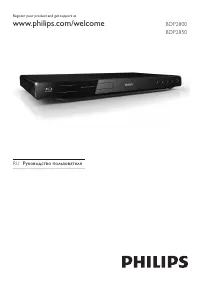
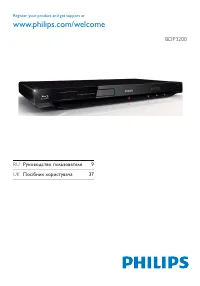
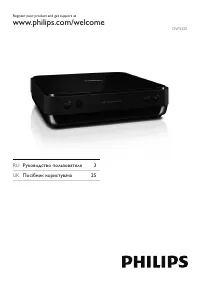
Philips BDP1200 - User Manual
Philips BDP1200 Player – User Manual, read for free online in PDF format. We hope this helps you resolve any issues you may have. If you have further questions, please contact us through the contact form.


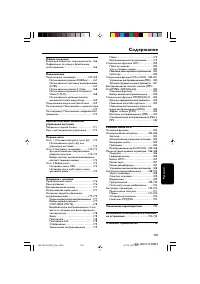
Table of Contents:
- Page 3 – HDMI
- Page 4 – COAXIAL
- Page 7 – Contents; Change settings; Picture; Update software
- Page 8 – Basic play control
- Page 9 – Video and audio options
- Page 10 – Video options; Note
- Page 11 – Audio options; Use Philips EasyLink; Press
- Page 12 – This section helps you change the settings of this player.
- Page 13 – Sound
- Page 14 – Update software via USB
- Page 15 – Caution; Specifications
- Page 16 – Audio; Troubleshooting
- Page 17 – Main unit; The buttons on this player do not work.; No picture on HDMI connection.; No audio output from the TV.
- Page 18 – Play; Make sure that the disc is correctly loaded.
- Page 21 – Language Code
BDP1200
For product support, visit
Para obtener asistencia técnica, visite
Pour en savoir plus sur l’assistance sur les produits, visitez le site
www. philips.com/support
Manuel d’utilisation
35
User manual
7
Manual del usuario
21
EN: For further assistance, call the customer support service in your country.
• To obtain assistance in the U.S. A ., Canada, Puer to Rico, or the U.S. Virgin Islands, contact
Philips Customer Care Center at 1-866-310-0744
• To obtain assistance in Mexico, contact Philips Customer Care Center at 01 800 839 1989;
Mexico city: 5887-9736
ES: Para obtener mas informacion, llame al servicio de soporte al cliente de su pais.
• Para obtener asistencia en los Estados Unidos, en Canada, Puer to Rico o en las Islas
Virgenes de los Estados Unidos, comuniquese con Centro de atencion al cliente de Philips
al 1-866-310-0744
• Solo para Mexico CENTRO DE ATENCION A CLIENTES L ADA , 01 800 839 1989 Solo
Para Mexico; Mexico city: 5887-9736
FR: Pour obtenir de l’aide supplementaire, communiquez avec le centre de service a la
clientele de votre pays.
• Pour obtenir de l’aide aux Etats-Unis, au Canada, a Puer to Rico ou aux lles Vierges
americaines, communiquez avec le centre de service a la clientele Philips au : 1-866-310-0744
• Pour obtenir l’aide au Mexique, entrez en contact avec le centre de soin de client de Philips a 01
800 839 1989; Mexico city: 5887-9736
BDP1200_F7_UM_V1.0.indb 1
1/26/2014 5:41:51 PM
"Loading the manual" means you need to wait until the file loads and becomes available for online reading. Some manuals are very large, and the time they take to appear depends on your internet speed.
Summary
3 Register your product and get suppor t at www.philips.com/welcome BDP2900 DISC MENU USB FOR SOFTWARE UPGRADE ONLY HDMI COAXIAL COAXIAL AA 1 BDP1200_F7_UM_V1.0.indb 3 1/26/2014 5:41:52 PM
4 2 HDMI COAXIAL COAXIAAL AA COAXIAL HDMI BDP1200_F7_UM_V1.0.indb 4 1/26/2014 5:41:54 PM
7 EN Contents 1 Use your Blu-ray disc/ DVD player 8 Basic play control 8 Video and audio options 9 BonusView on Blu-ray 11 Use Philips EasyLink 11 2 Change settings 12 Picture 12 Sound 13 Preference (languages, parental control...) 13 Advanced options (clear memor y...) 14 3 Update software 14 Updat...