Page 3 - Contents
1 EN E ngl ish Contents 1 Important 2 Safety 2 2 Your combi air purifier and humidifier 5 Overview 5 3 Getting started 6 Install filters 6 Prepare for humidification 6 4 Using the appliance 7 Understand the air quality light 7 Switch on and off the appliance 7 Change the working mode 7 Change the fa...
Page 4 - Important; Safety; Danger
2 EN 1 Important Safety Read this user manual carefully before you use the appliance, and save it for future reference. Danger • Do not let water or any other liquid or flammable detergent enter the appliance to avoid electric shock and/or a fire hazard. • Do not clean the appliance with water, any ...
Page 5 - Caution
3 EN E ngl ish shall not play with the appliance. Cleaning and user maintenance shall not be made by children without supervision. • Do not block the air inlet and outlet, e.g. by placing items on the air outlet or in front of the air inlet. Caution • This appliance is not a substitute for proper ve...
Page 7 - Your combi air; Overview
5 EN E ngl ish • If you do not use the humidification function for a long time, clean the water tank and humidification filter tray. Dry the humidification filter. • If you need to move the appliance, disconnect the appliance from the power supply first. Then empty the water tank. Carry the applianc...
Page 8 - Getting started; Install filters
6 EN 3 Getting started Install filters The appliance comes with all filters fitted inside. Remove the packaging of the filters before you can use the appliance. Remove all filters, unpack them, and place them back into the appliance described as follows: Tip • When you remove or insert filters, plac...
Page 9 - Using the
7 EN E ngl ish 4 Using the appliance Understand the air quality light Color of the air quality light Air quality level Blue Good Purple Fair Red Bad The air quality light automatically goes on when the appliance is switched on, and shows all colors repeatedly. In a short while the air quality light ...
Page 10 - Set the sensitivity of the air; Change the fan speed; AUTO
8 EN Note • In air purification only mode, the humidity button does not respond. • The appliance cannot work under humidification only mode. Set the sensitivity of the air quality sensor This appliance allows you to adjust the sensitivity of the air quality sensor. There are three sensitivity levels...
Page 11 - Manual; Sleep mode; Set the timer; Set the humidity level
9 EN E ngl ish Manual You can mannually select the desired fan speed. • Press the fan speed button once or more times to select the desired fan speed ( or ) (fig u ). Note • In Manual mode, when the air quality reaches the target (air purification only mode), or when the air quality and humidity rea...
Page 12 - Cleaning; Cleaning schedule; Water level
10 EN 5 Cleaning Note • Always unplug the appliance before you clean it. • Never immerse the appliance in water or any other liquid. • Never use abrasive, aggressive, or flammable cleaning agents such as bleach or alcohol to clean any part of the appliance. • Only the pre-filter and humidification f...
Page 15 - Replacing the; Replace filter 2
13 EN E ngl ish 6 Replacing the filters Understand the healthy air protect lock This appliance is equipped with the healthy air protect lock to make sure that the filters are in optimal condition when the appliance is operating. When the filter is almost full and has to be replaced, the specific fil...
Page 16 - Resetting the
14 EN 7 Resetting the filter lifetime counter When you replace the filters, it is important that you also reset the filter lifetime counter afterwards. This allows the appliance to be in sync with the filter lifetime. 1 Press and hold the reset button for 3 seconds, the filter light goes out, and th...
Page 17 - Troubleshooting
15 EN E ngl ish 8 Troubleshooting This chapter summarizes the most common problems you could encounter with the appliance. If you are unable to solve the problem with the information below, contact the Consumer Care Center in your country. Problem Possible solution The appliance does not work even t...
Page 19 - Guarantee and; Compliance with EMF
17 EN E ngl ish 9 Guarantee and service If you need information or if you have a problem, please visit the Philips website at www.philips.com or contact the Philips Consumer Care Center in your country (you find its phone number in the worldwide guarantee leaflet). If there is no Consumer Care Centr...
Page 20 - Recycling
18 EN Recycling This symbol means that this product shall not be disposed of with normal household waste (2012/19/EU).Follow your country’s rules for the separate collection of electrical and electronic products. Correct disposal helps prevent negative consequences for the environment and human heal...
Page 21 - Inhalt
19 DE D eutsch Inhalt 1 Wichtige Hinweise 20 Sicherheit 20 2 Ihr Kombigerät für die Luftreinigung und -befeuchtung 24 Überblick 24 3 Erste Schritte 25 Einsetzen der Filter 25 Vorbereitungen zur Luftbefeuchtung 25 4 Verwenden des Geräts 26 Informationen zur Luftqualitätsanzeige 26 Ein- und Ausschalte...
Page 22 - Sicherheit; Achtung
20 DE 1 Wichtige Hinweise Sicherheit Lesen Sie diese Bedienungsanleitung vor dem Gebrauch des Geräts aufmerksam durch, und bewahren Sie sie für eine spätere Verwendung auf. Achtung! • Achten Sie darauf, dass kein Wasser, andere Flüssigkeiten oder entzündbare Reinigungsmittel in das Gerät gelangen, u...
Page 23 - Vorsicht
21 DE D eutsch Netzkabel oder das Gerät selbst defekt oder beschädigt sind. • Dieses Gerät kann von Kindern ab 8 Jahren und Personen mit verringerten physischen, sensorischen oder psychischen Fähigkeiten oder Mangel an Erfahrung und Kenntnis verwendet werden, wenn sie bei der Verwendung beaufsichtig...
Page 26 - Ihr Kombigerät; Überblick
24 DE 2 Ihr Kombigerät für die Luftreinigung und -befeuchtung Herzlichen Glückwunsch zu Ihrem Kauf und willkommen bei Philips!Um den Support, den Philips bietet, vollständig zu nutzen, registrieren Sie Ihr Produkt unter www.philips.com/welcome.Die Philips VitaShield IPS- und NanoCloud-Technologie so...
Page 27 - Erste Schritte; Einsetzen der Filter
25 DE D eutsch 3 Erste Schritte Einsetzen der Filter Bei Lieferung sind alle Filter bereits im Gerät eingesetzt. Entfernen Sie die Verpackung der Filter, bevor Sie das Gerät verwenden. Nehmen Sie alle Filter heraus, entfernen Sie die Verpackung, und setzen Sie sie wie unten beschrieben wieder in das...
Page 29 - Einstellen der
27 DE D eutsch » Alle Anzeigen leuchten einmal auf und schalten sich dann wieder aus. 2 Drücken Sie , um das Gerät einzuschalten (Abb. p ). » Die Anzeigen PURIFY und HUMIDIFY leuchten. » Nach einer kurzen Messung der Luftqualität wählt der Luftqualitätssensor automatisch die entsprechende Farbe für ...
Page 30 - Manuell
28 DE Ändern der Lüftergeschwindigkeit AUTO Im AUTO -Modus wählt das Gerät die entsprechende Lüftergeschwindigkeit gemäß der Qualität der Umgebungsluft. • Drücken Sie die Taste , um den AUTO -Modus auszuwählen (Abb. v ). • Die Anzeige AUTO und eine Lüftergeschwindigkeitsanzeige ( oder ) leuchten auf...
Page 31 - Ruhemodus; Einstellen des Timers
29 DE D eutsch Hinweis • Im manuellen Modus, wenn die Luftqualität den Zielwert erreicht (nur im Luftreinigungsmodus), oder wenn die Luftqualität und die Luftfeuchtigkeit gleichzeitig den Zielwert erreichen (Kombimodus), wird das Gerät weiterhin mit der ausgewählten Lüftergeschwindigkeit betrieben. ...
Page 32 - Wasserstand; Reinigen; Reinigungszeitplan
30 DE » Wenn das Gerät die Zielluftfeuchtigkeit erreicht, leuchtet die Luftfeuchtigkeitsanzeige dauerhaft. Hinweis • Wenn Sie die Luftfeuchtigkeit kurzzeitig erhöhen möchten, können Sie eine höhere Lüftergeschwindigkeit auswählen. Wasserstand Der Wasserstand im Wasserbehälter ist durch das Sichtfens...
Page 33 - Reinigen des Gehäuses
31 DE D eutsch Reinigen des Gehäuses Reinigen Sie das Gerät regelmäßig innen und außen, damit sich kein Staub ansammelt. 1 Wischen Sie Staub mit einem trockenen weichen Tuch vom Gerätegehäuse ab. 2 Reinigen Sie den Lufteinlass und -auslass mit einem trockenen weichen Tuch. Reinigen des Luftqualitäts...
Page 35 - Auswechseln; Filter 2 ersetzen
33 DE D eutsch 1 Entfernen Sie die Filter jeweils über das Etikett auf dem Filter. Nehmen Sie die Filter an beiden Seiten, und entsorgen Sie sie vorsichtig im Hausmüll (Abb. d ). Hinweis • Berühren Sie nicht die plissierte Filteroberfläche, und riechen Sie nicht am Filter, da dieser Schadstoffe aus ...
Page 36 - Zurücksetzen
34 DE 7 Zurücksetzen des Zählers für die Filterstandzeit Beim Auswechseln des Filters ist es wichtig, dass Sie auch den Zähler für die Filterstandzeit zurücksetzen. So kann das Gerät synchron mit der Filterstandzeit laufen. 1 Halten Sie die Rückstelltaste 3 Sekunden lang gedrückt. Die Filteranzeige ...
Page 37 - Fehlerbehebung
35 DE D eutsch 8 Fehlerbehebung In diesem Kapitel sind die häufigsten Probleme aufgeführt, die beim Gebrauch Ihres Geräts auftreten können. Sollten Sie ein Problem mithilfe der nachstehenden Informationen nicht beheben können, wenden Sie sich bitte an das Service-Center in Ihrem Land. Problem Möglic...
Page 39 - Garantie und
37 DE D eutsch 10 Hinweise Elektromagnetische Felder Dieses Philips Gerät erfüllt sämtliche Normen und Regelungen bezüglich der Exposition in elektromagnetischen Feldern. Elektromagnetische Verträglichkeit Koninklijke Philips N.V. produziert und vertreibt viele Endkundenprodukte, die, wie jedes elek...
Page 41 - Contenido
39 ES Contenido 1 Importante 40 Seguridad 40 2 Combinación de humidificador y purificador de aire 43 Descripción 44 3 Introducción 44 Instalación de los filtros 44 Preparación para la humidificación 45 4 Uso del aparato 45 Explicación del piloto de calidad del aire 45 Encendido y apagado del aparato...
Page 42 - Importante; Seguridad; Peligro
40 ES 1 Importante Seguridad Antes de usar el aparato, lea detenidamente este manual de usuario y consérvelo por si necesitara consultarlo en el futuro. Peligro • No deje que entre agua ni cualquier otro líquido o detergente inflamable en el aparato para evitar el riesgo de incendio o de descargas e...
Page 43 - Precaución
41 ES recibido instrucciones sobre cómo utilizar el aparato de forma segura y conozcan los riesgos que conlleva su uso. No permita que los niños jueguen con el aparato. Los niños no deben llevar a cabo la limpieza ni el mantenimiento a menos que lo hagan bajo supervisión. • No bloquee la entrada y s...
Page 45 - Combinación de
43 ES y productos químicos peligrosos. • Limpie el depósito de agua cada semana para que se mantenga limpio. • Llene el depósito únicamente con agua del grifo fría. No utilice aguas subterráneas ni agua caliente. • No vierta otras sustancias en el depósito; ponga solo agua. No ponga fragancias en el...
Page 46 - Descripción; Introducción; Instalación de los filtros
44 ES Descripción A Sensor de calidad del aire B Filtro 1: prefiltro C Filtro 2: filtro HEPA y de carbono activo dos en uno AC4158 D Depósito de agua E Filtro 3: filtro de humidificación AC4155 3 Introducción Instalación de los filtros El aparato se suministra con todos los filtros instalados. Retir...
Page 47 - Uso del aparato
45 ES Nota • Asegúrese de que el lateral con dos clips apunte hacia usted y de que todos los ganchos del prefiltro estén correctamente fijados al purificador. 7 Para volver a fijar el panel frontal, monte el panel en la parte superior del aparato (1). A continuación, coloque el panel contra el cuerp...
Page 48 - Configuración de la
46 ES » Todos los pilotos se encienden una vez y, a continuación, se vuelven a apagar. 2 Pulse para encender el aparato (imagen p ). » Los pilotos PURIFY y HUMIDIFY se encienden. » Después de medir la calidad del aire durante un corto espacio de tiempo, el sensor de calidad del aire selecciona autom...
Page 50 - Ajuste del temporizador; Modo silencioso
48 ES Ajuste del temporizador Con la función de temporizador, puede dejar que el aparato funcione durante un número de horas establecido. Una vez transcurrido dicho tiempo, el aparato se apagará automáticamente. 1 Pulse el botón para activar el temporizador (imagen x ). » El piloto del temporizador ...
Page 51 - Nivel de agua; Limpieza; Planificación de limpieza
49 ES Nota • Si desea aumentar el nivel de humedad en menos tiempo, puede seleccionar una velocidad del ventilador superior. Nivel de agua El nivel de agua del depósito de agua se puede ver a través de la ventana de nivel de agua del lateral del aparato (imagen z ). Cuando no hay suficiente agua en ...
Page 55 - Restablecimiento
53 ES 7 Restablecimiento del contador de vida útil del filtro Cuando sustituya los filtros, es importante que, a continuación, también restablezca el contador de vida útil de los mismos. Esto sincroniza el aparato con la vida útil de los filtros. 1 Mantenga pulsado el botón de reinicio durante tres ...
Page 56 - Solución de problemas
54 ES 8 Solución de problemas Este capítulo resume los problemas más comunes que podría encontrarse con el aparato. Si no puede resolver el problema con la información que aparece a continuación, póngase en contacto con el servicio de atención al cliente de su país. Problema Solución posible El apar...
Page 58 - Conformidad con EMF; Reciclaje
56 ES 9 Garantía y servicio Si necesita información o tiene un problema, visite el sitio web de Philips en www.philips.com o póngase en contacto con el servicio de atención al cliente de Philips de su país (puede encontrar el número de teléfono en el folleto de garantía mundial). Si no hay servicio ...
Page 59 - Contenu
57 FR F ranç a is Contenu 1 Important 58 Sécurité 58 2 Votre purificateur et humidificateur d'air 62 Aperçu 62 3 Guide de démarrage 63 Installation des filtres 63 Préparation de l'humidification 63 4 Utilisation de l'appareil 64 Signification du voyant de qualité de l'air 64 Mise sous tension et hor...
Page 60 - Sécurité
58 FR 1 Important Sécurité Lisez attentivement ce mode d'emploi avant d'utiliser l'appareil et conservez-le pour un usage ultérieur. Danger • Veillez à ne pas faire pénétrer d'eau, de détergent inflammable ou tout autre liquide dans l'appareil afin d'éviter toute électrocution et/ou tout risque d'in...
Page 61 - Attention
59 FR F ranç a is et de connaissances, à condition que ces enfants ou personnes soient sous surveillance ou qu'ils aient reçu des instructions quant à l'utilisation sécurisée de l'appareil et qu'ils aient pris connaissance des dangers encourus. Les enfants ne doivent pas jouer avec l'appareil. Le ne...
Page 64 - Votre; Aperçu
62 FR 2 Votre purificateur et humidificateur d'air Félicitations pour votre achat et bienvenue dans le monde de Philips !Pour profiter pleinement de l'assistance offerte par Philips, enregistrez votre produit à l'adresse suivante : www.Philips.com/welcome.Les technologies Philips VitaShield IPS et N...
Page 65 - Guide de; Installation des filtres
63 FR F ranç a is 3 Guide de démarrage Installation des filtres L'appareil est fourni avec tous les filtres préinstallés. Retirez les filtres de leur emballage avant d'utiliser l'appareil. Retirez tous les filtres, déballez-les, puis replacez-les dans l'appareil comme décrit ci-dessous : Conseil • L...
Page 66 - Utilisation de
64 FR 4 Utilisation de l'appareil Signification du voyant de qualité de l'air Couleur du voyant de qualité de l'air Niveau de qualité de l'air Bleu Bien Violet Fair Rouge Très mauvais Le voyant de qualité de l'air s'allume automatiquement à la mise sous tension de l'appareil, en faisant défiler tout...
Page 67 - Réglage de la sensibilité
65 FR F ranç a is en mode purification de l'air uniquement (fig. s ). 3 Appuyez à nouveau sur pour activer la fonction d'humidification. Remarque • En mode purification de l'air uniquement, le bouton d'humidité ne répond pas. • L'appareil ne peut pas fonctionner en mode humidification uniquement. Ré...
Page 68 - Mode Nuit; Manuel
66 FR Conseil • Si le voyant de qualité de l'air est bleu, cela signifie que la qualité de l'air est bonne ; vous pouvez donc sélectionner une vitesse de ventilateur plus faible. En revanche, si le voyant de qualité de l'air devient rouge ou violet, cela signifie que la qualité de l'air est mauvaise...
Page 70 - Nettoyage; Calendrier de nettoyage
68 FR 5 Nettoyage Remarque • Débranchez toujours l'appareil avant de le nettoyer. • N'immergez en aucun cas l'appareil ni dans l'eau ni dans tout autre liquide. • N'utilisez jamais de détergents abrasifs, agressifs ou inflammables (eau de javel, alcool, etc.,) pour nettoyer les différentes parties d...
Page 72 - Remplacement; Remplacer le filtre 2
70 FR Remarque • Le vinaigre blanc contient 5 % d'acide acétique. • S'il y a des dépôts blancs (calcaire) sur le filtre, assurez-vous que le côté avec les dépôts blancs est immergé dans l'eau. 4 Laissez le filtre d'humidification tremper dans la solution pendant une heure (fig. … ). 5 Jetez le mélan...
Page 73 - Réinitialisation
71 FR F ranç a is 7 Réinitialisation du compteur de durée de vie des filtres Lorsque vous remplacez les filtres, il est important que vous réinitialisiez également leur durée de vie. Cela permet à l'appareil d'être synchronisé avec leur durée de vie. 1 Maintenez enfoncé le bouton de réinitialisation...
Page 74 - Dépannage
72 FR 8 Dépannage Cette rubrique présente les problèmes les plus courants que vous pouvez rencontrer avec votre appareil. Si vous ne parvenez pas à résoudre le problème à l'aide des informations ci-dessous, contactez le Service Consommateurs de votre pays. Problème Solution possible L'appareil ne fo...
Page 76 - Recyclage
74 FR 9 Garantie et service Si vous souhaitez obtenir des informations supplémentaires ou si vous rencontrez un problème, visitez le site Web de Philips à l'adresse www.philips.com ou contactez le Service Consommateurs Philips de votre pays (vous trouverez le numéro de téléphone correspondant sur le...
Page 77 - Contenuto
Ita liano 75 IT Contenuto 1 Importante 76 Sicurezza 76 2 Purificatore e umidificatore d'aria 80 Panoramica 80 3 Guida introduttiva 81 Installazione dei filtri 81 Preparazione per l'umidificazione 81 4 Utilizzo dell'apparecchio 82 Spie della qualità dell'aria 82 Accensione e spegnimento dell'apparecc...
Page 78 - Sicurezza; Pericolo
76 IT 1 Importante Sicurezza Prima di utilizzare l'apparecchio, leggere attentamente il presente manuale utente e conservarlo per eventuali riferimenti futuri. Pericolo • Evitare infiltrazioni di acqua, altre sostanze liquide o detergenti infiammabili nell'apparecchio per evitare scosse elettriche e...
Page 79 - Attenzione
Ita liano 77 IT persone abbiano ricevuto assistenza o formazione per utilizzare l'apparecchio in maniera sicura e comprendano i potenziali pericoli associati a tale uso. Evitare che i bambini giochino con l'apparecchio. Le operazioni di pulizia e manutenzione non devono essere eseguite da bambini se...
Page 82 - Purificatore e; Panoramica
80 IT 2 Purificatore e umidificatore d'aria Congratulazioni per l'acquisto e benvenuti in Philips!Per usufruire di tutti i vantaggi offerti dal supporto Philips, effettuare la registrazione del prodotto presso il sito Web www.philips.com/welcome.La tecnologia VitaShield IPS di Philips e la tecnologi...
Page 83 - Guida; Installazione dei filtri
Ita liano 81 IT 3 Guida introduttiva Installazione dei filtri L'apparecchio viene fornito con i filtri già installati. Rimuovere l'imballaggio dei filtri prima di utilizzare l'apparecchio. Rimuovere tutti i filtri, disimballarli e posizionarli nuovamente nell'apparecchio come segue: Suggerimento • D...
Page 84 - Utilizzo
82 IT 4 Utilizzo dell'apparecchio Spie della qualità dell'aria Colore della spia della qualità dell'aria Livello della qualità dell'aria Blu Buono Viola Fair Rosso Non buono La spia della qualità dell'aria si illumina automaticamente quando l'apparecchio viene acceso e vengono mostrati ripetutamente...
Page 85 - Impostazione del sensore
Ita liano 83 IT » La funzione di umidificazione viene disattivata. L'apparecchio funziona solo in modalità purificazione dell'aria (fig. s ). 3 Premere di nuovo per attivare la funzione di umidificazione. Nota • In modalità purificazione dell'aria, il pulsante di umidità non risponde. • L'apparecchi...
Page 86 - Modalità standby; manuale
84 IT Nota • In modalità Manuale , quando la qualità dell'aria raggiunge il livello impostato (modalità solo purificazione dell'aria) oppure quando la qualità dell'aria e l'umidità raggiungono simultaneamente il livello impostato (modalità combinata), l'apparecchio continua a funzionare con la veloc...
Page 88 - Pulizia
86 IT 5 Pulizia Nota • togliete sempre la spina dalla presa di corrente prima di pulire l'apparecchio. • Non immergete mai l'apparecchio in acqua o in altri liquidi. • Non utilizzare mai detergenti abrasivi, aggressivi o infiammabili quali candeggina o alcol per pulire le parti dell'apparecchio. • S...
Page 90 - Sostituzione dei; Sostituzione del filtro 2
88 IT Nota • L'aceto bianco ha il 5% di acido acetico. • Se il filtro presenta depositi bianchi (calcare), assicurarsi che il lato con i depositi bianchi sia immerso nell'acqua. 4 Lasciare immerso per un'ora il filtro di umidificazione nella soluzione (fig. … ). 5 Gettare la soluzione di acqua e ace...
Page 91 - Reimpostazione
Ita liano 89 IT 7 Reimpostazione del contatore della durata del filtro Quando si sostituiscono i filtri, è importante reimpostare anche il contatore della durata del filtro. In questo modo, l'apparecchio è sincronizzato con la durata del filtro. 1 Tenere premuto il pulsante reset per 3 secondi; la s...
Page 92 - Risoluzione dei problemi
90 IT 8 Risoluzione dei problemi In questo capitolo vengono riportati i problemi più comuni legati all'uso dell'apparecchio. Se non è possibile risolvere il problema con le informazioni fornite di seguito, contattare il centro assistenza clienti del proprio paese. Problema Possibile soluzione L'appa...
Page 94 - Garanzia e
92 IT 9 Garanzia e assistenza Per ricevere ulteriori informazioni o per risolvere eventuali problemi, visitare il sito Web Philips all'indirizzo www.philips.com oppure contattare il centro assistenza clienti Philips di zona (il numero di telefono è riportato nell'opuscolo della garanzia). Se nel pro...
Page 95 - Riciclaggio; Conformità ai requisiti EMF
Ita liano 93 IT Riciclaggio - Questo simbolo indica che il prodotto non può essere smaltito con i normali rifiuti domestici (2012/19/UE). - Ci sono due situazioni in cui potete restituire gratuitamente il prodotto vecchio a un rivenditore: 1 Quando acquistate un prodotto nuovo, potete restituire un ...
Page 97 - Inhoud
95 NL Nederlands Inhoud 1 Belangrijk 96 Veiligheid 96 2 Uw luchtzuiverings- en luchtbevochtigingscombi-natie 100 Overzicht 100 3 Aan de slag 101 Filters plaatsen 101 Bevochtiging voorbereiden 101 4 Het apparaat gebruiken 102 De luchtkwaliteitsindicator 102Het apparaat in- en uitschakelen 102 De bedr...
Page 98 - Belangrijk; Veiligheid; Gevaar
96 NL 1 Belangrijk Veiligheid Lees deze gebruiksaanwijzing zorgvuldig door voordat u het apparaat gaat gebruiken. Bewaar de gebruiksaanwijzing om deze zo nodig later te kunnen raadplegen. Gevaar • Zorg ervoor dat er geen ontvlambare schoonmaakmiddelen, water of andere vloeistoffen in het apparaat ko...
Page 99 - Let op
97 NL Nederlands kinderen vanaf 8 jaar en door personen met verminderde lichamelijke, zintuiglijke of geestelijke capaciteiten of weinig ervaring en kennis, mits zij toezicht of instructie hebben ontvangen aangaande veilig gebruik van het apparaat, en zij de gevaren van het gebruik begrijpen. Kinder...
Page 102 - Overzicht
100 NL 2 Uw luchtzuive- rings- en lucht-bevochtigings-combinatie Gefeliciteerd met uw aankoop en welkom bij Philips!Als u volledig wilt profiteren van de ondersteuning die Philips biedt, kunt u uw product registreren op www.philips.com/welcome.De VitaShield IPS-technologie en de NanoCloud-technologi...
Page 103 - Aan de slag; Filters plaatsen
101 NL Nederlands 3 Aan de slag Filters plaatsen Het apparaat wordt met alle filters gemonteerd geleverd. Verwijder de verpakking van de filters voordat u het apparaat kunt gebruiken. Verwijder alle filters, verwijder de verpakking van de filters en plaats de filters terug in het apparaat zoals hier...
Page 105 - De gevoeligheid van de
103 NL Nederlands De bedrijfsmodus wijzigen Naast de modus waarin het apparaat luchtzuivering combineert met bevochtiging, kunt u het apparaat ook gebruiken in een modus met alleen luchtzuivering. 1 Leeg het waterreservoir. 2 Nadat het apparaat is ingeschakeld, drukt u eenmaal op . » Het lampje voor...
Page 106 - Handmatig; Slaapmodus
104 NL Handmatig De gewenste ventilatorsnelheid kan handmatig worden ingesteld. • Druk één of meerdere keren op de knop voor ventilatorsnelheid om de gewenste snelheid te kiezen ( of ) (afb. u ). Opmerking • Wanneer in de modus Handmatig de luchtkwaliteit het gewenste niveau bereikt (in de modus all...
Page 107 - De timer instellen; Waterniveau
105 NL Nederlands Opmerking • Wanneer het apparaat overschakelt naar de slaapmodus, gaan de indicatoren na 1 minuut uit en blijft het apparaat werken. De timer instellen Met de timerfunctie kunt u het apparaat zo instellen dat deze gedurende een bepaald aantal uren in werking is. Wanneer de ingestel...
Page 108 - Schoonmaken; Schoonmaakschema
106 NL 5 Schoonmaken Opmerking • Haal altijd de stekker uit het stopcontact voordat u het apparaat schoonmaakt. • Dompel het apparaat nooit in water of een andere vloeistof. • Maak het apparaat nooit schoon met schurende, agressieve of brandbare schoonmaakmiddelen zoals bleek of alcohol. • Alleen he...
Page 110 - Filter 2 vervangen
108 NL 4 Laat het bevochtigingsfilter een uur in de oplossing weken (afb. … ). 5 Gooi de water-azijnoplossing weg. 6 Spoel het bevochtigingsfilter onder de kraan schoon om azijnresten weg te spoelen. Draai het bevochtigingsfilter tijdens het spoelen zodat de voor- en achterkant worden schoongespoeld...
Page 112 - Problemen oplossen
110 NL 8 Problemen oplossen Dit hoofdstuk behandelt in het kort de problemen die u kunt tegenkomen tijdens het gebruik van uw apparaat. Als u er niet in slaagt het probleem op te lossen met behulp van de onderstaande informatie, neem dan contact op met het Consumer Care Centre in uw land. Probleem M...
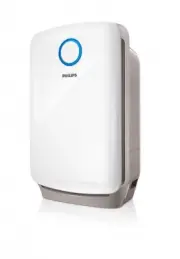


 Philips AC4002 Manual
 Philips AC4052 Manual
 Philips AC4072 Manual
 Philips AC4072/11 User Manual
 Philips AC4074 Manual
 Philips AC4076 Manual
 Philips AC4220/12 User Manual
 Philips AC4221/11 User Manual
 Philips AC4236/10 User Manual
 Philips AC4550/10 User Manual
 Philips AC4558/50 User Manual
 Philips AC5659/10 User Manual