Olympus DS-3400 - Manual

Olympus DS-3400 Voice Recorder – Manual, read for free online in PDF format. We hope this helps you resolve any issues you may have. If you have further questions, please contact us through the contact form.


Table of Contents:
- Page 2 – Professional Dictation; Access to files on the memory
- Page 3 – Prevent files against accidental deletion: dictation device; erase lock; Prevent files against accidental deletion: dictation software
- Page 4 – Backup of dictations via dictation management software
Professional Dictation
page 1 of 4
INFORMATION ABOUT SECURITY OF
PROFESSIONAL OLYMPUS DICTATION SOLUTIONS
General
Olympus offers - as the global market leader of dictation - to encrypt the whole workflow
of a dictation from creation to transcription and thereby prevent unauthorised access.
The backup includes the dictation device (the hardware) as well as the Olympus
dictation management software. The backup can cover up to five areas:
1. access to the dictation device
2. access control of files on the memory
3. dictation encryption of dictations when transferring
4. prevent files against accidental deletion: dictation device
5. prevent files against accidental deletion: dictation software
6. backup of dictations via dictation management software
7. security through ease of use
8. security by IT environment: Thin-Clients
1. Access to Dictation Device
The Olympus dictation devices
DS-5000
and
DS-3400
offers the possibility to access
using optionally a 4-digit PIN code to encrypt.
Thus, there is no opportunity for unauthorised persons, with the dictation device to
record dictations, play or edit.
The activation of this function is recommended if the risk exists that unauthorised access
to the dictation of the relevant dictators could happen (for example, if it could happen
that people leave their dictation devices on desk at offices).
The Olympus dictation device
DS-5000iD
also offers the possibility to control the access
to the dictation device via biometric information (fingerprint recognition). On the one
hand the use for the authorised user is even easier. On the other hand, this solution has
the advantage that the authorised user does not have to remember the PIN code and an
unauthorised user has no access to the device even he knows the PIN code.
Up to 10 different authors for each device can be managed.
"Loading the manual" means you need to wait until the file loads and becomes available for online reading. Some manuals are very large, and the time they take to appear depends on your internet speed.
Was this manual helpful?
About this manual
- Brand
- Olympus
- Model
- DS-3400
- Document type
- Manual
- Category
- Voice Recorder
- Language(s)
- English
- Pages
- 4
- File size
- 35.5 KB
- Format
Summary
Professional Dictation page 2 of 4 2. Access to files on the memory Olympus uses in his professional dictation devices DS-5000iD, DS-5000 and DS-3400 the international dictation standard “ DSS Pro ” with all functionalities. One of the advantages includes strong compression, editing and dictation ca...
Professional Dictation page 3 of 4 is particularly advantageous when - as often in practice - a typist is active for several dictators. Olympus is using for this encryption / decryption the 128-bit Advanced Encryption Standard (AES) - Technology. The Advanced Encryption Standard (AES) is a symmetric...
Professional Dictation page 4 of 4 6. Backup of dictations via dictation management software There is a backup function which can be activated in the Olympus dictation management software, which is doing a security backup of each dictation. To limit the memory requirement, an optional automatic eras...
Ask a question
Related manuals
Popular Olympus Voice Recorders


More Olympus Voice Recorders models
 Olympus DR-2100 User Manual
 Olympus DS-30 Manual
 Olympus DS-40 Manual
 Olympus DS-50 Manual
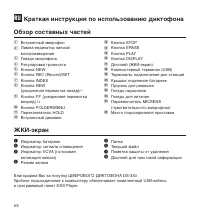 Olympus DS-330 Manual
 Olympus DS-3500 Manual
 Olympus DS-7000 Manual
 Olympus LS-10 Manual
 Olympus LS-11 Manual
 Olympus LS-20M Manual
 Olympus LS-100 Manual
 Olympus VN-750 User Manual
 Olympus VN-4100(PC) User Manual
 Olympus VN-5500 User Manual
 Olympus W-10 Manual