Page 2 - Trademarks; WOW XT technology is incorporated under license from SRS Labs, Inc.; Introduction
2 Trademarks IBM and PC/AT are the trademarks or registered trademarks of International BusinessMachines Corporation. Microsoft, Windows and Windows Media are registered trademarks of Microsoft Corporation. WOW XT, SRS and symbol are trademarks of SRS Labs, Inc. WOW XT technology is incorporated und...
Page 3 - INDEX; Table of Contents
3 1 2 6 3 5 7 4 INDEX Table of Contents P.4 Safe and Proper Usage P.6 Getting Started P.8 When Using the Recorder as a Voice Recorder P.19 Using the Recorder on Your PC P.44 Using the Recorder as a Music Player P.48 P.72 Other Practical Use Methods P.94 Other Information P.95 Feature Common to the V...
Page 4 - Using the Variable Control; Using the Recorder on Your PC; Importing Content for Listening on the
4 Introduction .............................................. 2 INDEX ...................................................... 3 Table of Contents .................................... 4 Safe and Proper Usage ........................... 6 General Precautions ................................ 6 1 Getting...
Page 5 - Changing the Playback Speed; Other Practical Use Methods; Using as External Memory; Other Information
5 Transferring Music File to the Recorder ...... 52 Music Playback ...................................... 55 Select Play Mode (Play Mode) .............. 59 Random Playback (Random) ................ 61 Increasing the WOW Effect (WOW) ...... 63 Selecting Equalizer (EQ) ....................... 66 Movin...
Page 6 - General Precautions; Avoid strong vibrations or shocks.
6 Safe and ProperUsage Before using your new recorder, read thismanual carefully to ensure that you knowhow to operate it safely and correctly.Keep this manual in an easily accessiblelocation for future reference. • The warning symbols indicate important safety related information. To protect yourse...
Page 7 - Batteries; Warning; • Batteries should never be exposed to
7 General Precautions ● D o n o t o p e r a t e t h e u n i t w h i l eo p e r a t i n g a v e h i cl e ( s u c h a s abicycle, motorcycle, or go-cart). ● Keep the unit out of the reach ofchildren. <Warning regarding data loss> Recorded content in memory may bed e s t ro y e d o r e r a s e d ...
Page 8 - Getting Started; Main Features; A Noise Cancel function (
8 1 Main Features Getting Started Main Features This product can be used to record meetings or notes, for use in conferences and otherbusiness settings, and for language studies. It can also be used as a digital music player.This recorder features a two-part design. The battery compartment separates...
Page 9 - Main Features of the Digital Music Player; You can play back music files in WMA and MP3 format. (
9 1 Main Features ● It has a backlight full-dot display (LCDdisplay screen). ( ☞ P. 11) ● It features various repeat functions.( ☞ P. 59, P. 78) ● Index mark and temp mark featuresallow you to quickly find desiredlocations. ( ☞ P. 76) ● The playback speed can be controlledas preferred. ( ☞ P. 84) ● ...
Page 10 - Identification of Parts
10 1 1 EAR (Earphone) jack 2 MIC (Microphone) jack 3 Built-in stereo microphone (R) 4 REC (Record) button 5 STOP button 6 PLAY button 7 Built-in speaker 8 USB terminal 9 VOL (+) button 0 9 button ! VOL (–) button @ FOLDER/INDEX button # ERASE button $ OK/MENU button % 0 button ^ Display (LCD panel) ...
Page 11 - Music; HQ
11 1 Identification of Parts Display (LCD Panel) VOICE mode display MUSIC mode display 1 Folder indicator 2 VCVA (Variable Control VoiceActuator) indicator 3 Record mode indicator 4 Character information display 5 Microphone sensitivity indicator 6 Erase lock indicator 7 Low Cut Filter indicator 8 P...
Page 12 - Inserting Battery; , then sliding to the direction; When; Ni-MH Rechargeable Battery
12 1 A B 1 2 3 Inserting Battery 1 Lightly press down on the arrow and slide thebattery cover open. 2 Insert size-AAA alkaline battery, observing thecorrect polarity. 3 Close the battery cover completely by pressing tothe direction A , then sliding to the direction B . If the “hour” indicator flashe...
Page 13 - Turning On the Power; Turning Off the Power; Slide the; Power Supply; Standby Mode and Display Shut Off
13 1 Turning On the Power Slide the HOLD switch in the direction opposite that indicated by the arrow. The display will turn on and the power will be turned on.The resume function will bring the recorder back to the stopposition in memory before power was turned off. Turning Off the Power Slide the ...
Page 14 - VOICE Mode and MUSIC Mode; VOICE Mode; Slide the mode switch to the; The recorder provides five folders, named; List display
14 1 VOICE Mode and MUSIC Mode This device can be used as a voice recorder or as a music player. For recording and playingback voice recordings, set the mode switch to VOICE. For listening to music, set the modeswitch to MUSIC. WS3 3 0 0 0 1 . WMA VOICE Mode Slide the mode switch to the VOICE positi...
Page 15 - MUSIC Mode; Root; Folder; Notes
15 1 VOICE Mode and MUSIC Mode MUSIC Mode Slide the mode switch to the MUSIC position. This recorder can save the music files (WMA, MP3 files)transferred from the PC in the 2 music folders, the original “Root”folder and its subsidiary “Music” folder.Also, this recorder can create the folders in up t...
Page 16 - Meaning of Icons in this Manual; Set the mode switch to VOICE before operating the recorder.; How to Select a File
16 1 Music SONG A.wmaSONG B.wmaSONG C.wma Root Music SONG A.wma SONG B.wmaSONG C.wma Root Best SONG K.wmaSONG L.wmaSONG M.wma Ar t is t B SONG N.wma SONG O.wmaSONG P.wmaSONG Q.wma Best Artist A Artist B Artist CSONG D.wma Music Album1 Album2SONG E.wmaSONG F.wma Ar t is t A SONG G.wma SONG H.wmaSONG ...
Page 18 - MENU; The “Menu” screen opens (; e n u; OK; Note; Changing the Time/Date
18 1 1 While the recorder is stopped, press the MENU button for 1 second or longer. The “Menu” screen opens ( ☞ P. 42). 2 Press the + or – button to choose “Sub Menu”. 3 Press the OK or 9 button. 4 Press the + or – button to choose “Time & Date”. 5 Press the OK or 9 button. The hour indicator fl...
Page 19 - F O L D E R; R E C; STOP; Recording; Before starting recording, select a folder between Folder; When Using the Recorder as a Voice Recorder
19 2 1 P r e s s t h e F O L D E R b u t t o n t o choose a folder in which to makea recording. Every time the FOLDER button is pressed,folders will switch. a Current folder 2 P r e s s t h e R E C bu t t o n t o s t a r t recording. The record/play indicator light glows red.Turn the built-in stereo...
Page 20 - Pause; REC; Resume Recording; Press the; REC
20 2 Notes • To ensure recording from the beginning, start speaking after you see the red record/play indicator light on.• A beep will sound when remaining recording time reaches 60 seconds, 30 seconds, and 10 seconds while recording. • When remaining recording time is less than 60 seconds, the reco...
Page 21 - Listening While Audio is Recorded; Connect the earphone to the EAR jack on the recorder.; After recording has started, you can hear the sound being
21 2 Listening While Audio is Recorded If you start recording after inserting the earphone into the EAR jackon the recorder, you can hear the sound being recorded. The soundvolume on the recording monitor can be adjusted by pressing theVOL (+) or VOL (–) button. Connect the earphone to the EAR jack ...
Page 22 - M E N U; The “Rec Menu” screen opens.; The VCVA setup process begins.; On; If the; e c
22 2 1 W h i l e t h e r e c o rd e r i s s t o p p e d ,p r e s s t h e M E N U b u t t o n fo r 1 second or longer. The “Menu” screen opens ( ☞ P. 42). 2 Press the OK or 9 button. The “Rec Menu” screen opens. 3 Press the + or – button to choose “VCVA”. 4 Press the OK or 9 button. The VCVA setup pr...
Page 23 - If it is set to “On”,; Using the Variable Control Voice Actuator (VCVA)
23 2 7 Press the STOP button to close the menu. If it is set to “On”, will appear on the display. a VCVA (Variable Control Voice Actuator)indicator 8 P r e s s t h e R E C b u t t o n t o s t a r t recording. When the sound volume is lower than thepreset threshold sound level, recordingautomatically...
Page 24 - S T
24 2 1 W h i l e t h e r e c o rd e r i s s t o p p e d ,p r e s s t h e M E N U b u t t o n fo r 1 second or longer. The “Menu” screen opens ( ☞ P. 42). 2 Press the OK or 9 button. The “Rec Menu” screen opens. 3 Press the OK or 9 button. T h e r e c o r d i n g m o d e s e t u p p r o c e s sbegins...
Page 25 - Conf; D i c
25 2 1 W h i l e t h e r e c o rd e r i s s t o p p e d ,p r e s s t h e M E N U b u t t o n fo r 1 second or longer. The “Menu” screen opens ( ☞ P. 42). 2 Press the OK or 9 button. The “Rec Menu” screen opens. 3 Press the + or – button to choose “Mic Sense”. 4 Press the OK or 9 button. The micropho...
Page 26 - O n
26 2 1 W h i l e t h e r e c o rd e r i s s t o p p e d ,p r e s s t h e M E N U b u t t o n fo r 1 second or longer. The “Menu” screen opens ( ☞ P. 42). 2 Press the OK or 9 button. The “Rec Menu” screen opens. 3 Press the + or – button to choose “Low Cut Filter”. 4 Press the OK or 9 button. The Low...
Page 27 - Recommended Settings by Recording Condition; Recording condition
27 2 ST XQ ST XQ, ST HQ, ST SP ST XQ, ST HQ, HQ ST XQ Recommended Settings by Recording Condition Recording condition Conferences with large crowds andlectures in large rooms. Meetings and business negotiations witha small number of people. Dictation with a lot of background noise. Music playing, wi...
Page 28 - Recording with External Microphone; Applicable External Microphones (optional)
28 2 Recording with External Microphone Connect the external microphone to the microphonejack of the recorder. When the external microphone is connected to the microphonejack of the recorder, the built-in microphone will not operate. Applicable External Microphones (optional) ● Stereo microphone: ME...
Page 29 - Recording from External Microphone or Other Devices
29 2 VOLUME EAR ME EAR Recording the Sound of OtherDevices with this Recorder The sound can be recorded when connecting tothe audio output terminal (earphone jack) of theother device, and the microphone jack of therecorder with the connecting cord (optionalKA333) ( ☞ P. 97) for dubbing. Recording th...
Page 30 - button in the list display to; PLAY; Playing
30 2 1 P r e s s t h e F O L D E R b u t t o n t o choose a folder. Every time the FOLDER button is pressed,folders will switch. 2 Press the + or – button to choose the file that you want to play. In the list display, use the + and – buttonsto place the cursor on the desired file.Press the 9 button ...
Page 31 - Forwarding; G B
31 2 Forwarding Press and hold the 9 button while the recorder is stopped in the file display. ➥ If you release the button, it will stop. Pressthe PLAY or OK button to start playingback from where it was stopped. a File length Press and hold the 9 button while playing a file. ➥ When you release the ...
Page 32 - Rewinding; Locating the Beginning of the File
32 2 Rewinding Press and hold the 0 button while the recorder is stopped in the file display. ➥ If you release the button, it will stop. Pressthe PLAY or OK button to start playingback from where it was stopped. a File length Press and hold the 0 button while playing a file. ➥ When you release the 0...
Page 34 - The “Play Menu” screen opens.; The noise cancel setup process begins.; Play Menu
34 2 1 While the recorder is stopped or during playback, press the MENU button for 1 second or longer. The “Menu” screen opens ( ☞ P. 42). If the recorder is stopped, proceed to Step2. If the recorder is playing, proceed toStep 4. 2 Press the + or – button to choose “Play Menu”. 3 Press the OK or 9 ...
Page 35 - button to
35 2 7 Press the OK button to complete the setup screen. If the 0 button is pressed, the setting will be canceled and it will return to the“Play Menu” screen. 8 Press the STOP button to close the menu. If the recorder goes to the menu screenduring playback, press the 0 button to close the menu scree...
Page 36 - The voice filter setup process begins.
36 2 1 While the recorder is stopped or during playback, press the MENU button for 1 second or longer. The “Menu” screen opens ( ☞ P. 42). If the recorder is stopped, proceed to Step2. If the recorder is playing, proceed toStep 4. 2 Press the + or – button to choose “Play Menu”. 3 Press the OK or 9 ...
Page 38 - : R e t u r n s t o p l a y b a c k w i t h s t o p
38 2 1 While the recorder is stopped or during playback, press the MENU button for 1 second or longer. The “Menu” screen opens ( ☞ P. 42). If the recorder is stopped, proceed to Step2. If the recorder is playing, proceed toStep 4. 2 Press the + or – button to choose “Play Menu”. 3 Press the OK or 9 ...
Page 39 - button to close the menu screen.
39 2 8 7 Continuous Playback (All Play) 7 Press the OK button to complete the setup screen. If the 0 button is pressed, the setting will be canceled and it will return to the “Play Menu” screen. 8 Press the STOP button to close the menu. If the recorder goes to the menu screen during playback, press...
Page 41 - : Locks the file and prevents it from; Off; : Unlocks the file and allows it to be
41 2 6 Press the + or – button to choose between “On” and “Off”. On : Locks the file and prevents it from being erased. Off : Unlocks the file and allows it to be erased. 7 Press the OK button to complete the setup screen. If the 0 button is pressed, the setting will be canceled and it will return t...
Page 42 - Back Space; Menu; are common to both “VOICE” and “MUSIC” modes, and can
42 2 ST XQ, ST HQ, ST SP, HQ, SP, LP Rec Menu Play Menu High, Low, Off Conf, Dict On, Off On, Off Off, 1Sec, 2Sec, 3Sec, 4Sec, 5Sec, 10Sec On, Off S. Play : x0.5, x0.625, x0.75, x0.875 PlayF. Play : x1.125, x1.25, x1.375, x1.5 Play On, Off Back Space Play Speed Rec Mode Mic Sense VCVA Low Cut Filter...
Page 43 - Beep
43 2 Beep &Display Sub Menu On, Off On, Off On, Off On, Off Start, Cancel Capacity, Model Name, Version 01-12 Beep Backlight Contrast Time & Date Format System Info. LED Lock Menu List (VOICE Mode) .................................................................................................
Page 44 - Using the Recorder on Your PC; Saving Files in Your PC; transfer the files from your PC to the recorder.; Precautions on Using the Recorder Connected to a PC; successfully transferred.
44 3 Using the Recorder on Your PC Saving Files in Your PC By being connected to a PC, the recorder enables you to do the following: • You can save (back-up) the files stored in the recorder on your PC. Also, you can transfer the files from your PC to the recorder. • Using the Windows Media Player, ...
Page 45 - IBM PC/AT compatible PC
45 3 Saving Files in Your PC ● Data can be written or uploaded to therecorder even though the attribute ofthe recorder drive is shown as readonly by the operating system of the PC. ● As the noise may cause adverse effectson electronics devices nearby therecorder, unplug the externalmicrophone and ea...
Page 46 - The display will turn off.; Detach the battery compartment pressing the; ”, and the recorded voice files are saved in; Connecting to Your PC
46 3 1 With the recorder stopped, slide the HOLD switch to the HOLD position, and turn therecorder off. The display will turn off. 2 Detach the battery compartment pressing the RELEASE button of the rear side. 3 Connect the recorder’s USBterminal to a PC USB port orUSB hub. “Remote” is displayed on ...
Page 47 - Leave the HOLD switch in its disabled position (; Disconnecting from Your PC
47 3 1 Click the on the task bar located at the lower-right corner of thescreen. Click [Safely RemoveHardware]. The drive letter will differ depending on thePC being used. 2 When the safe to remove hardware window appears, click [OK]. 3 Make sure that the display is turned off, disconnect the USB. 4...
Page 48 - Using the Recorder as a Music Player; Copyright and Copyright Protection Feature (DRM)
48 4 Using the Recorder as a Music Player The recorder supports music files in WMA and MP3 formats, which can be transferred fromthe PC to the corresponding music folder of the recorder. Using Windows Media Player By using Windows Media Player, music filesfrom music CDs can be converted (ripped) ( ☞...
Page 49 - Import Files Using Windows Media Player; Copy music files and language content from CDs to a computer.; Transfer files from the PC to the recorder; Please see “Transferring Music File to the Recorder” (; Directly Record Files to the Recorder
49 4 Importing Content for Listening on theRecorder You can transfer language content and music files imported from language CDs and theInternet using Windows Media Player for playing on the recorder.The recorder is compatible with WMA and MP3 language content. Import Files Using Windows Media Playe...
Page 50 - Window Names
50 4 Windows Media Player 11 Windows Media Player 10 Window Names 1 Features taskbar 2 Seek slider 3 Shuffle button 4 Repeat button 5 Stop button 6 Previous button 7 Play button 8 Next button 9 Mute button 0 Volume slider 1 Windo w Names 1 Features taskbar 2 Quick Access Panel button 3 Seek slider 4...
Page 51 - Copying Music from CD; Windows Media Player 10; Windows Media Player 11
51 4 1 Insert CD into the CD-ROM driveand start Windows Media Player. 2 From the Features taskbar, clickthe [Rip] menu. After clicking the [Rip] menu, click the[View Album Info] for Windows MediaPlayer 10 as necessary.If Internet connectivity is available, CDinformation is searched. 3 Put a check ma...
Page 52 - Transferring Music File to the Recorder
52 4 Transferring Music File to the Recorder You can transfer the music files saved in your PC to this recorder. For how to copy themusic files from the CD to your PC, see “Copying Music from CD” ( ☞ P. 51). Windows Media Player 11 1 Connect the recorder to a PC andstart Windows Media Player. 2 From...
Page 53 - The file is transferred to the recorder.
53 4 Transferring Music File to the Recorder T ransf erring Music File to the Recor der 1 Connect the recorder to a PC andstart Windows Media Player. 2 From the Features taskbar, click the[Sync]. 3 From the pull down menu on the leftside window, select the play list tobe transferred to the recorder ...
Page 54 - Click
54 4 .................................................................................................................................................. Notes • Copying the music files with DRM purchased online music distribution service to a portable device such as this recorder may be restricted. •...
Page 55 - In the file display, press the; Music Playback
55 4 1 Set the mode switch to MUSIC ( ☞ P. 15) . 2 Insert the stereo earphone into the EAR (earphone) jack of the recorder. 3 Select the music file that you wantto play ( ☞ P. 16) . In the file display, press the 9 or 0 button to select a file. a Current folder (The first 6 characters will be displa...
Page 58 - Skip a Music File While Playing It; the files in this recorder can be played continuously.
58 4 Skip a Music File While Playing It Press the 9 button during playback, slow playback, or fast playback. ➥ The next file is cued and playback starts at the previously setspeed. • It cues within the playback range selected in “Play Mode”. If “Random” is“On”, it cues the next file randomly. Press ...
Page 59 - Play Mode
59 4 1 While the recorder is stopped or during playback, press the MENU button for 1 second or longer. The “Menu” screen opens ( ☞ P. 70). If the recorder is stopped, proceed to Step2. If the recorder is playing, proceed toStep 4. 2 Press the OK or 9 button. The “Play Menu” screen opens. 3 Press the...
Page 63 - “SRS 3D” will be displayed on the screen.
63 4 1 While the recorder is stopped or during playback, press the MENU button for 1 second or longer. The “Menu” screen opens ( ☞ P. 70). If the recorder is stopped, proceed to Step2. If the recorder is playing, proceed toStep 3. 2 Press the OK or 9 button. The “Play Menu” screen opens. 3 Press the...
Page 64 - button is pressed, the setting; M i d d l e
64 4 6 Press the + or – button to select the surround level. If the recorder goes to the menu screenduring playback, move the cursor tochange playback sound accordingly. 7 Press the OK button to save your setting. Returns to the “SRS 3D” or “TruBass”selection display.If the 0 button is pressed, the ...
Page 65 - button; H i g h
65 4 11 Press the OK button to save your setting. Returns to the “SRS 3D” or “TruBass”selection display.If the 0 button is pressed, the setting will be canceled. 12 Press the STOP button to close the menu. If the recorder goes to the menu screenduring playback, press the 0 button to close the menu s...
Page 66 - The equalizer setup process begins.
66 4 1 While the recorder is stopped or during playback, press the MENU button for 1 second or longer. The “Menu” screen opens ( ☞ P. 70). If the recorder is stopped, proceed to Step2. If the recorder is playing, proceed toStep 3. 2 Press the OK or 9 button. The “Play Menu” screen opens. 3 Press the...
Page 67 - U S E R
67 4 7 Press the 9 or 0 button to select the frequency band. You can set frequency band for the 60Hz, 250 Hz, 1 kHz, 4 kHz, and 12 kHzbands. 8 Press the + or – button to select the equalizer level. You can select the equalizer level from–10dB to 10dB in 1dB increments. Thehigher the decibel value, t...
Page 70 - Play
70 4 Play Mode Random EQ WOW Play Menu On, Off Flat, Rock, Pop, Jazz, User S. Play : x0.5, x0.625, x0.75, x0.875 PlayF. Play : x1.125, x1.25, x1.375, x1.5 Play SRS 3D: High, Middle, Low, OffTruBass: High, Middle, Low, Off File, File Repeat, Folder, Folder Repeat, All, All Repeat Off, 1Sec, 2Sec, 3Se...
Page 72 - The “Cancel” indicator flashes.; P r e s s t h e; E r; C a n; Features Common to the Voice Recorder and Music Player; Erasing; A selected file can be erased from a folder.
72 5 1 Select the file you want to delete. In the stop status, display the file or placethe cursor on the file in the list display. 2 Press the ERASE button. The “Cancel” indicator flashes. 3 P r e s s t h e + bu t t o n t o ch o o s e “Erase”. 4 Press the OK button. The display changes to “File Era...
Page 73 - Erase All Files from a Folder
73 5 1 Press the FOLDER button to select the folder in which you want toerase all files. 2 Press the ERASE button twice. The “Cancel” indicator flashes. 3 Press the + button to choose “All Erase”. 4 Press the OK button. The display changes to “All Erase!” anderasing will start. “Erase Done” is displ...
Page 75 - Set the Recorder to HOLD Mode; Exit HOLD Mode
75 5 Set the Recorder to HOLD Mode Slide the HOLD switch in the direction indicated by thearrow while the recorder is notin operation. After “Hold” appears on the display,the recorder is set to HOLD mode. Exit HOLD Mode Slide the HOLD switch in the direction opposite that indicated by the arrow. H o...
Page 76 - n d; Index Marks and Temp Marks; Setting an Index Mark or a Temp Mark; Follow the procedures below to erase index or temp marks.; n d e
76 5 1 Locate the index or temp mark youwant to clear. 2 Press the 9 or 0 button to select an index or temp mark toerase. 1 Press the INDEX button during recording or playing. A number appears on the display and anindex mark or temp mark will be placed.E v e n a f t e r a n i n d e x o r t e m p m a...
Page 77 - The index or temp mark is erased.
77 5 120 120 0 8 n d e I x l e a C r HQ Index Marks and Temp Marks .................................................................................................................................................. Notes • Up to 16 index and temp marks can be set in a file. If you try to place more t...
Page 78 - l a y; How to Begin Segment Repeat Playback
78 5 1 C h o o s e a f i l e t h a t c o n t a i n s asegment you want to play backrepeatedly, and press the PLAY or OK button. File playback begins. 2 Press the REC button at the point you want to start segment repeatplayback. “ End?” will flash on the display. Even while “ End?” is flashing, chang...
Page 79 - Cancel the Segment Repeat Playback Function
79 5 How to Begin Segment Repeat Playback Cancel the Segment Repeat Playback Function Press the REC button. ➥ T h e s e g m e n t r e p e a t p l a y b a c k i s r e l e a s e d a n d p l a y b a c kcontinues without repeating. Press the STOP button. ➥ The segment repeat playback is released and sto...
Page 80 - Moves to the setting of the selected item.; Menu Setting Method; Each item of the menu list (; O f f
80 5 1 While the recorder is stopped or during playback, press the MENU button for 1 second or longer. The “Menu” screen opens.If the recorder is stopped, proceed to Step2. If the recorder is playing, proceed toStep 4.For information on the menu items whichcan be set during playback, see the menulis...
Page 81 - button rather than the; button will
81 5 6 Press the + or – button to change the setting. If the recorder goes to the menu screend u r i n g p l a y b a c k , m o v e t h e c u r s o r t ochange playback sound accordingly. 7 Press the OK button to complete the setup screen. The new setting will be displayed on thescreen.Pressing the 0...
Page 84 - Regular Play; will turn on (default; Change Playback Speed; Change Playback Speed Setting; You can change the playback speed setting for S. Play and F. Play.
84 5 1 P r e s s t h e P L AY bu t t o n d u r i n g playback. Every time the PLAY button is pressed,the playback speed will switch. Regular Play : Playback at normal speed. S. Play (slow playback) : Playback speed slows down, and S will turn on (default at 0.75 times as fast). F. Play (fast playbac...
Page 87 - The system sound setup process begins.
87 5 1 W h i l e t h e r e c o r d e r i s s t o p p e d ,p r e s s t h e M E N U b u t t o n f o r 1 second or longer. The “Menu” screen opens ( ☞ P. 42, P. 70). 2 Press the + or – button to choose “Beep & Display”. 3 Press the OK or 9 button. The “Beep & Display” screen opens. 4 Press the ...
Page 88 - The backlight setup process begins.
88 5 1 W h i l e t h e r e c o r d e r i s s t o p p e d ,p r e s s t h e M E N U b u t t o n f o r 1 second or longer. The “Menu” screen opens ( ☞ P. 42, P.70). 2 Press the + or – button to choose “Beep & Display”. 3 Press the OK or 9 button. The “Beep & Display” screen opens. 4 Press the +...
Page 89 - The contrast setup process begins.; o n t; Display contrast can be adjusted in 12 levels.
89 5 1 W h i l e t h e r e c o r d e r i s s t o p p e d ,p r e s s t h e M E N U b u t t o n f o r 1 second or longer. The “Menu” screen opens ( ☞ P. 42, P. 70). 2 Press the + or – button to choose “Beep & Display”. 3 Press the OK or 9 button. The “Beep & Display” screen opens. 4 Press the ...
Page 90 - The LED setup process begins.; L E D
90 5 1 W h i l e t h e r e c o r d e r i s s t o p p e d ,p r e s s t h e M E N U b u t t o n f o r 1 second or longer. The “Menu” screen opens ( ☞ P. 42, P. 70). 2 Press the + or – button to choose “Beep & Display”. 3 Press the OK or 9 button. The “Beep & Display” screen opens. 4 Press the ...
Page 91 - The “Sub Menu” screen opens.
91 5 1 W h i l e t h e r e c o r d e r i s s t o p p e d ,p r e s s t h e M E N U b u t t o n f o r 1 second or longer. The “Menu” screen opens ( ☞ P. 42, P. 70). 2 Press the + or – button to choose “Sub Menu”. 3 Press the OK or 9 button. The “Sub Menu” screen opens. 4 Press the + or – button to cho...
Page 93 - u b; You can check the recorder's information on the menu screen.
93 5 1 W h i l e t h e r e c o r d e r i s s t o p p e d ,p r e s s t h e M E N U b u t t o n f o r 1 second or longer. The “Menu” screen opens ( ☞ P. 42, P. 70). 2 Press the + or – button to choose “Sub Menu”. 3 Press the OK or 9 button. The “Sub Menu” screen opens. 4 Press the + or – button to cho...
Page 94 - Other Practical Use Methods; Using as External Memory of the Computer; Example: Copying Data from PC to Recorder using Explorer; Connecting the recorder to your PC.; For the connection procedure, refer to “Connecting to Your PC” (; Open the Explorer window.; The product’s name is displayed.; Unplug the recorder from a computer.
94 6 Other Practical Use Methods Using as External Memory of the Computer With the recorder connected to your PC, you can download data from the memory to your PC andupload data stored on your PC to the memory. Example: Copying Data from PC to Recorder using Explorer 1 Start Windows. 2 Connecting th...
Page 95 - Other Information; Alarm Message List; Meaning
95 7 Other Information Alarm Message List Meaning Low batterypower Erase-locked Index full Tempmark full Folder full Error in theinternalmemory Illegally copiedfile Zero remainingmemory No file Formattingerror Themanagementfile cannot becreated. Action Replace with new batteries ( ☞ P. 12). Unlock t...
Page 96 - Troubleshooting; Probable cause; Action
7 96 Troubleshooting Probable cause The battery is not loaded properly. The battery is dead. The recorder is in HOLD mode. The recorder is in HOLD mode. The battery is dead. Low remaining internal flash memory. The maximum number of files has beenreached. MUSIC mode is active. The earphone is connec...
Page 98 - For the Digital Voice Recorder; Overall frequency response:; All Mode
7 98 Specifications For the Digital Voice Recorder Recording format: WMA (Windows Media Audio) Input level: –70 dBv Sampling frequency: ST XQ mode: 44.1 kHzST HQ mode: 44.1 kHzST SP mode: 44.1 kHzHQ mode: 44.1 kHzSP mode: 22 kHzLP mode: 8 kHz Overall frequency response: ST XQ mode: 50 Hz to 19 kHzST...
Page 99 - Common Specifications; Built-in ø18 mm round dynamic speaker; Input power requirement:; For the Digital Music Player; Compatible data format:
7 99 Specifications Common Specifications Recording medium: Built-in NAND FLASH memory (WS-331M:2GB/ WS-321M: 1GB/ WS-311M: 512MB) Speaker: Built-in ø18 mm round dynamic speaker MIC jack: ø3.5 mm, impedance 2k Ω EAR jack: ø3.5 mm, impedance 8 Ω or more Maximum working output (3 V DC): 70 mW or more ...
Page 100 - Technical Assistance and Support
7 100 Technical Assistance and Support The following are contact information for technical support for Olympus recorders and software only. ◆ Technical Hotline Number in the U.S. and Canada1-888-553-4448 ◆ User Support E-mail address in the U.S. and [email protected] ◆ Technical Hotline Numbe...
Page 101 - Canadian RFI; For customers in Europe
Declaration of Conformity Model Number: WS-331M/WS-321M/WS-311M Trade Name: DIGITAL VOICE RECORDER Responsible Party: OLYMPUS IMAGING AMERICA INC. Address: 3500 Corporate Parkway, P.O. Box 610, Center Valley, PA 18034-0610, U.S.A. Telephone Number: 1-888-553-4448 This device Complies with Part 15 of...


 Olympus VN-5500 User Manual
 Olympus W-10 Manual
 Olympus WS-100 Manual
 Olympus WS-300M Manual
 Olympus DM-20 Manual
 Olympus DM-550 Manual
 Olympus DM-901 Manual
 Olympus DR-2100 User Manual
 Olympus DS-30 Manual
 Olympus DS-40 Manual
 Olympus DS-50 Manual
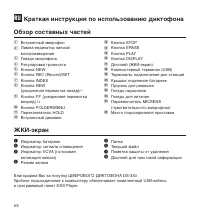 Olympus DS-330 Manual
 Olympus DS-3500 Manual
 Olympus DS-7000 Manual
 Olympus LS-10 Manual