Page 2 - WARNING; CONDITIONS OF USE; Farm houses
2 electrolux.com.au CONTENTS Before using your appliance ____________________ 3Important safety instructions __________________ 3General cautions _____________________________ 4Identifying the appliance _______________________ 5EVE614______________________________________ 6 Before using the applianc...
Page 3 - BEFORE USING YOUR APPLIANCE; IMPORTANT; INFORMATION ON DISPOSAL; ENVIRONMENT; IMPORTANT SAFETY INSTRUCTIONS; Do not leave the grill on unattended.; Child safety
3 BEFORE USING YOUR APPLIANCE Before you use the appliance, we recommend that you read through the relevant sections of this manual, which provides the description of your appliance and its functions.To avoid the risks that are always present when you use an appliance, it is important that the appli...
Page 4 - GENERAL CAUTIONS; This appliance must not be used as a space heater.; Do not open the oven door more than necessary.
4 electrolux.com.au IMPORTANT SAFETY INSTRUCTIONS GENERAL CAUTIONS Read the following carefully to avoid damage or injury.It is important to use the appliance safely. Check these safety points before using the appliance.• This appliance must not be used as a space heater. • Do not place thick portio...
Page 5 - IDENTIFYING THE APPLIANCE; Control panel used on:
5 IDENTIFYING THE APPLIANCE Confirm the model number. The model number is shown on the data plate which is visible when the oven or grill door is open. MODE PIZZA TIME TEMP Select Control panel used on: Control panel used on: Control panel used on: Control panel used on: EVE607 EVE614 EVEP604/EVEP61...
Page 6 - COMPONENTS
6 electrolux.com.au MODE 1 Oven ‘ON’ light 2 Timer display 3 ‘Heating’ light 4 Function selector knob 5 Touch pad 6 Temperature selector knob 1 4 5 3 6 2 EVE614 7 Control panel 8 Warm air exhaust 9 Triple glazed door 8 9 7 EVE614 COMPONENTS
Page 7 - BEFORE USING THE APPLIANCE; Preparing the oven; INSTALLING THE OVEN; Side racks
7 BEFORE USING THE APPLIANCE Preparing the oven 1. Please remove all stickers and protective film from doors, and remove all leaflets and boxes from the floor of the oven before operation. 2. Please wipe out the oven interior prior to operation with warm soapy water and polish dry with a soft clean ...
Page 9 - COOKING FUNCTIONS; Functions listed may not apply to all models.; Symbol Function description
9 COOKING FUNCTIONS Functions listed may not apply to all models. Symbol Function description Rapid heat Heat comes from the element surrounding the fan as well as the smaller element above the food. This allows you to preheat your oven 30% quicker than on standard ‘Bake/Pizza’. ‘Rapid Heat’ is idea...
Page 10 - OPERATING SEQUENCE; Select the cooking function; With ‘Rapid Heat’ function
10 electrolux.com.au OPERATING SEQUENCE Select the cooking function Turn the function selector in any direction to the desired cooking function. The oven cavity light will come on. Select the temperature To set the temperature, turn the temperature selector in a clockwise direction to the desired se...
Page 11 - USING THE APPLIANCE
11 USING THE APPLIANCE IMPORTANT Cooling / Vent fanThe built-in appliance is fitted with a cooling fan. This prevents the kitchen cabinet from overheating and reduces the condensation inside the oven. It will operate whenever the oven is in use and blow warm air across the top of the oven door. Cond...
Page 12 - Setting the cooking end time
12 electrolux.com.au On completion of cooking The heat source will turn off, the timer will beep and the end time and/or cook time icons will flash.Even though the heating element turns off the oven will still retain substantial heat. This will continue to cook the food until it is removed or the ov...
Page 13 - GETTING TO KNOW THE OVEN; ‘Simple Test Cake’; and ensure oven shelf is in the centre position of oven.
13 GETTING TO KNOW THE OVEN Get to know your new oven with this ‘Simple Test Cake’ Although we strive for a perfect performing oven, it’s possible that there will be some variation in colour when baking. Therefore, we suggest to make this simple, easy and delicious Simple Test Cake to help you under...
Page 15 - Preparing your oven
15 BEFORE USING THE APPLIANCE Preparing your oven 1. Please remove all stickers and protective film from doors, and remove all leaflets and boxes from the floor of the oven before operation. 2. Please wipe out the oven interior prior to operation with warm soapy water and polish dry with a soft clea...
Page 16 - NOTE: The top ‘Ledge’ is not a shelf location.
16 electrolux.com.au To fit a shelf or tray to telescopic slides (EVEP614 only):1. With the slides fully pushed in, push the shelf or tray along the top of the slide until it hits the back post. 2. Drop the front of the shelf or tray onto the slide ensuring it sits behind the front post of the slide...
Page 17 - Grill with the oven door closed.
17 COOKING FUNCTIONS Functions listed may not apply to all models. Symbol Function description Rapid heat Heat comes from the element surrounding the fan as well as the smaller element above the food. This allows you to preheat your oven 30% quicker than on standard ‘Bake’. ‘Rapid Heat’ is ideal for...
Page 18 - Select the oven function
18 electrolux.com.au OPERATING SEQUENCE Select the oven function Turn the oven function selector clockwise to select the desired oven function. NOTE: each oven function has a default temperature which can then be adjusted as outlined below. Selecting the oven temperature Toggle the temperature selec...
Page 19 - Cooking with the timer
19 USING THE APPLIANCE Cooking with the timer 1 2 3 425 6 7 8 9 10 11 12 13 1 On when the timer is set 2 On when oven warming up 3 3 bars displayed when oven reaches set temperature 4 On when oven cooling down 5 Oven door locked 6 Press to display current oven temperature 7 Press to increase hours/m...
Page 20 - Safety Cut-out feature
20 electrolux.com.au Light operation During operation of the oven the light can be switched off by pressing and holding the button until the light turns off. Also the light can be turned on from the standby state by pressing and holding the button until the light comes on. Activating the child-proof...
Page 21 - DEMO Mode
21 DEMO Mode The oven can be set to operate in a demo mode (e.g. in a retail store). In this mode the display works and functions can be set but the oven does not actually heat. When in this mode the text ‘DEMO’ will be lit. The following instructions show how to enter and exit ‘Demo’ mode.1. Ensure...
Page 22 - CLEANING THE OVEN; After Pyrolytic cleaning
22 electrolux.com.au CLEANING THE OVEN Pyrolytic cleaning of the oven cavity The oven has the Pyrolytic self-cleaning function. It cleans by burning off the spatters and accumulated dirt and grease from the oven liner, at high temperature. This process produces ash which can then be wiped out of the...
Page 25 - Preparing the appliance; Shelves and trays
25 EVE616, EVE626, EVE636 BEFORE USING THE APPLIANCE Preparing the appliance 1. Please remove all stickers and protective film from doors, and remove all leaflets and boxes from the floor of the oven before operation. 2. Please wipe out the oven interior prior to operation with warm soapy water and ...
Page 28 - Turning the oven on; Selecting the Upper or Lower oven; equipped with two ovens. Use the; Select a cooking function; symbols to reach the desired setting.
28 electrolux.com.au OPERATING SEQUENCE Turning the oven on • Switch on the oven by touching the ON/OFF symbol. The control panel will come on and inform you that you need to select a cooking function. • If you do not select a function within 20 seconds the oven will turn off. Selecting the Upper or...
Page 32 - Method
32 electrolux.com.au Other settings. The ‘Settings’ function gives the opportunity to change oven functionality. Scroll through the list by using function up or function down .1. Switch on the oven by touching the ‘ON/OFF’ symbol. 2. Select ‘SETTINGS’ from the function list and touch OK. 3. Select ‘...
Page 36 - To fit a shelf or tray to telescopic slides:
36 electrolux.com.au INSTALLING YOUR OVEN ACCESSORIES Side racks 1. Insert the twin pegged end into the rear access holes provided, ensuring pegs are fully inserted. 2 Then locate the front peg into the front access hole and push in firmly. NOTE: EVE607 & EVEP618 only have one telescopic slide i...
Page 40 - symbols to reach the desired setting.; Turning the oven off; To turn off both ovens at once, touch and hold the
40 electrolux.com.au OPERATING SEQUENCE Turning the oven on • Switch on the oven by touching the ON/OFF symbol. The LCD control panel will come on and inform you that you need to select a cooking function. • If you do not select a function within 20 seconds the oven will turn off. Selecting the uppe...
Page 41 - Setting the cook time
41 USING THE APPLIANCE IMPORTANT Pre-heating Pre-heating the oven is recommended in several cooking and grilling functions. Pre-heating the oven allows it to reach the required temperature quickly and efficiently as well as cook food at the correct temperature for the entire cook time.These models a...
Page 43 - Adjusting the clock; Switch on the oven by touching ‘ON/OFF’ symbol.; Steam assisted cooking
43 Adjusting the clock 1. Switch on the oven by touching ‘ON/OFF’ symbol. 2. Select ‘SETTINGS’ from the function list and touch OK. 3. Select ‘SET CLOCK’ from the list and touch OK.4. ‘Set Clock’ will illuminate under the clock display.5. Use the timer and to set the hour portion of the current time...
Page 45 - ADDITIONAL FUNCTIONALITY
45 the water outlet valve. Ensure the other end is in a container that can take up to 1 litre. 3. Remove the drain pipe only when the water stops flowing. 4. Soak up any leakages with a sponge or cloth. WARNING Water in the tank can still be hot. Wait until the appliance is cool before the water tan...
Page 46 - USING THE FOOD PROBE
46 electrolux.com.au EVE607, EVEP606, EVEP616, EVEP618, EVEP626 (CONTINUED) 15. Touch ‘OK’ to go into each selection to change its settings by using function up and function down . Safety Cut-out feature The oven automatically switches itself off if the temperature is not adjusted or the appliance i...
Page 47 - Put the plug of the Food Probe into the socket on the; CAUTION; Fan cooking
47 Fish For best results, place the whole fish onto the wire rack and prop it up in the swimming position (i.e. using half a potato or onion). Alternatively the fish can be laid flat. Insert the Food Probe behind the head with at least 75% of the probe inserted into the fish towards the bones in the...
Page 48 - NOTE: The estimated end time will be displayed
48 electrolux.com.au USING THE FOOD PROBE (CONTINUED) Core temperatures of different foods The temperatures in the table are given as a guide and may vary depending on the composition of the food. Food Core Temperature in °C Poultry Chicken 80-85 Chicken breast 75-80 Duck 80-85 Duck breast, rare to ...
Page 50 - After cool-down wipe the ash out of the oven with a soft
50 electrolux.com.au Turning the oven on Switch on the oven by touching the ON/OFF symbol. The control panel will come on and inform you that you need to select a cooking function. Selecting the upper or lower oven (EVEP626)This model is equipped with two ovens. Use the oven selector symbol to toggl...
Page 51 - Cleaning Reminder; Get to know the oven with this ‘Simple Test Cake’
51 Cleaning Reminder After a recommended period of time the oven will remind you to clean the oven. Once this period of time has elapsed, when turning the oven off you will get a message “TIME TO CLEAN YOUR OVEN”. Press the on/off button to clear the message and run the pyrolytic cycle. After the py...
Page 52 - COOKING GUIDE
52 electrolux.com.au Cooking guide • Select the correct shelf location for food being cooked. • Make sure dishes will fit into the oven before it is switched on. • Keep edges of non Electrolux baking dishes at least 40mm from the side of the oven. This allows free circulation of heat and ensures eve...
Page 54 - TRADITIONAL BAKING; time in minutes; food; time in minutes
54 electrolux.com.au TRADITIONAL BAKING food temperature °c oven shelf position* time in minutes scones – plain or fruit 220 1 10 biscuits – rolled 170 2 10-15 – spooned 190 2 12-15 – shortbread biscuits 160 1 or 2 30-35 meringues – hard – individual 110 2 90 – soft – individual 180 2 15-20 – pavlov...
Page 55 - STEAM COOKING; *Counting from the bottom position up; BREAD BAKING
55 STEAM COOKING (EVE607 and EVEP618 models only) food temperature °C oven shelf position* time in minutes cakes and pastries – apple cakes in a 20cm cake tin 140 2 60-80 – biscuits on a baking tray 150 3 (2 and 4) 20-40 – sweet buns on a baking tray 180-200 2 10-20 flan – vegetable in a dish 170-18...
Page 56 - GRILLING; Grilling hints; Seal the surface of the food and retain natural juices.
56 electrolux.com.au COOKING GUIDE (CONTINUED) GRILLING Grilling hints As a method of cooking, grilling can be used to:• Enhance the flavours of vegetables, fish, poultry and meat. • Seal the surface of the food and retain natural juices. • Grill with the door closed. This table shows how to grill d...
Page 57 - DEALING WITH COOKING PROBLEMS; problem
57 DEALING WITH COOKING PROBLEMS problem possible causes remedies Uneven cooking Incorrect shelf position • Select shelf suitable for cooking function. See cooking function tables in cooking guide Oven tray too large • Experiment with other trays or dishes Trays not centralised • Centre trays Air fl...
Page 58 - CLEANING THE APPLIANCE
58 electrolux.com.au WARNING • Do not use steam cleaners. • Do not line the bottom of the oven with foil or cookware. Stainless steel All grades of stainless steel can stain, discolour or become greasy. You must clean these areas regularly by following the procedures below, if you want your applianc...
Page 59 - CLEANING THE ACCESSORIES; Removing the side racks
59 CLEANING THE ACCESSORIES Removing the trays and shelves from the appliance 1. Slide the tray and shelves towards you until they reach the front stop. 2. Tilt them up at the front to clear the side supports, taking care not to spill the contents. 3. Lift them clear.4. Wash the tray and shelves in ...
Page 60 - CLEANING THE TRIPLE GLAZED; Slowly close the oven door until it is stops against the
60 electrolux.com.au CLEANING THE TRIPLE GLAZED DOOR (NON PYROLYTIC MODELS) WARNING Do not lift the door by the handle. Rough handling will cause glass to break. Removing the oven door The oven is equipped with a door that can be disassembled in order to clean all the panes of glass.Remove the door ...
Page 61 - Push the trim down with its top edge over glass panel; Fitting the oven door
61 Replacing the door glass panels 1. Insert the smaller clear glass panel first from above and at an angle to the profile of the door. 2. Repeat for the black bordered glass panel ensuring the painted surface is facing to the downside. Replacing the top door trim 1. Take hold of the top door trim a...
Page 62 - CLEANING THE QUAD GLAZED
62 electrolux.com.au CLEANING THE QUAD GLAZED DOOR (PYROLYTIC MODELS) WARNING Do not lift the door by the handle. Rough handling will cause glass to break. Removing the oven door The oven is equipped with a door that can be disassembled in order to clean all the panes of glass.Remove the door before...
Page 63 - Replacing door glass panels; Replacing the top door trim
63 Replacing door glass panels 1. Assemble the silicone spacers to the upper corners of one of the clear glass panels. Position the panel into the lower position of the door, ensuring the chamfered corner of the panel is placed in the correct location as shown in the image below. Silicone spacers 2....
Page 64 - TIPS AND TROUBLESHOOTING; Always cook with the oven door closed.
64 electrolux.com.au TIPS AND TROUBLESHOOTING IMPORTANT Cooling/vent fan This appliance is fitted with a cooling fan. This prevents your kitchen cabinet from overheating and reduces the condensation inside the oven. It will operate whenever you are using the oven and blow warm air across the top of ...
Page 65 - TROUBLESHOOTING; Data plate
65 TROUBLESHOOTING Data plate When you need information, service or spare parts please be prepared to tell us the:Model number: ____________________________________Serial number: _____________________________________These are shown on the data plate. The data plate is visible when the oven or grill ...
Page 66 - INSTALLATION OF THE APPLIANCE; Figure B – Proud Fit
66 electrolux.com.au WARNING The appliance must not be installed behind a decorative door in order to avoid overheating. To avoid any potential hazard, you must follow our instructions when you install your appliance. Failure to install the appliance correctly could invalidate any warranty or liabil...
Page 67 - Underbench oven; Double oven Cut-out dimensions; type of fit; Pyrolytic underbench Cut-out dimensions; type of fit; Duo oven Cut-out dimensions; type of fit
67 Underbench oven Your underbench oven looks best when the control panel is directly under the benchtop. An upper infill panel may be added if the cooktop placed above the benchtop is too deep. Refer to cooktop installation instructions for required clearance between cooktop and oven. IMPORTANT! No...
Page 68 - TECHNICAL SPECIFICATIONS; model; Fit wires through hole in cover plate and make
68 electrolux.com.au A C B 561mm mounting holes 583mm 596mm wide (all products) min. 650mm 561mm mounting holes A B C mounting holes 596mm 456mm min. 650mm A 561mm mounting holes mounting holes 596mm 456mm B C Plastic clipsPlastic clip securing points TECHNICAL SPECIFICATIONS model product dimension...
Page 69 - NOTES
Page 71 - Warranty; Important Notice
71 This document sets out the terms and conditions of the product warranties for Electrolux Appliances. It is an important document. Please keep it with your proof of purchase documents in a safe place for future reference should you require service for your Appliance. 1. In this warranty: (a) ‘acce...
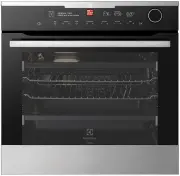





 Electrolux EVE614SC User Manual
 Electrolux EVE614SD User Manual
 Electrolux EVE615DSE User Manual
 Electrolux EVE626SC User Manual
 Electrolux EVE676BA User Manual
 Electrolux EVEP616SC User Manual
 Electrolux EVM8E08X User Manual
 Electrolux EVM8E08Z User Manual
 Electrolux KODDP77X User Manual
 Electrolux KODEH70X User Manual
 Electrolux KVLBE08T User Manual
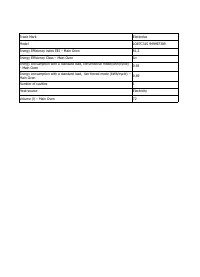 Electrolux LOE7C31S User Manual
 Electrolux EOA5220AOR User Manual
 Electrolux EOB 53102 X User Manual
 Electrolux EOB 93450 AX User Manual