Page 2 - Visit our website for:; CUSTOMER CARE AND SERVICE
CONTENTS 1. SAFETY INFORMATION . . . . . . . . . . . . . . . . . . . . . . . . . . . . . . . . . . . . . . . . . . . . . . . . . . . 3 2. SAFETY INSTRUCTIONS . . . . . . . . . . . . . . . . . . . . . . . . . . . . . . . . . . . . . . . . . . . . . . . . . . 4 3. PRODUCT DESCRIPTION . . . . . . . . ....
Page 4 - SAFETY INSTRUCTIONS; Installation
• Do not use harsh abrasive cleaners or sharp metal scrapers to clean the glass door since they can scratchthe surface, which may result in shattering of the glass. • To remove the shelf supports first pull the front of the shelf support and then the rear end away from the sidewalls. Install the she...
Page 6 - PRODUCT DESCRIPTION; Accessories; Wire shelf; BEFORE FIRST USE; Initial Cleaning; OK
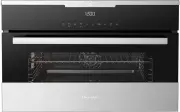
• Disconnect the appliance from the mains supply. • Cut off the mains cable and discard it. • Remove the door catch to prevent chil- dren and pets to get closed in the ap-pliance. 3. PRODUCT DESCRIPTION 7 1 2 345 6 2 3 1 1 Control panel 2 Electronic programmer 3 Grill and heating element 4 Lamp 5 Fa...
Page 7 - CONTROL PANEL; Electronic programmer
5. CONTROL PANEL Electronic programmer 11 10 9 8 7 6 5 4 3 2 1 Use the sensor fields to operate the appliance Num- ber Sen- sor field Function Comment 1 - Display It shows the settings of the appliance. 2 ON / OFF To activate and deactivate the appliance. 3 Heating Func-tions or AssistedCooking To s...
Page 8 - Display
Num- ber Sen- sor field Function Comment 10 Time and addi-tional functions To set different functions. When a heatingfunction operates, touch the sensor field toset the timer, Function Lock , FavouriteProgramme memory, Heat + Hold or Set +Go . 11 Minute Minder To set the Minute Minder . 5.1 Display ...
Page 9 - DAILY USE; Navigating the menus; Operation of the menus:; The menus in overview
6. DAILY USE WARNING! Refer to the Safety chapters. 6.1 Navigating the menus Operation of the menus: 1. Activate the appliance. 2. Press or to select the menu option. 3. Press OK to move to submenu or ac- cept setting. At every point you can get back to themain menu with . 6.2 The menus in overview ...
Page 10 - Heating functions
Symbol Submenu Description Key Tones Activates and deactivates the tone of thetouch fields. It is not possible to deacti-vate the tone of the ON / OFF touchfield. Alarm/Error Tones Activates and deactivates the alarmtones. Service Shows the software version and configu-ration. Factory Settings Reset...
Page 11 - Activating a heating function; Fast Heat Up Indicator; Cooking with the lamp off; CLOCK FUNCTIONS; Clock functions; Minute Minder
Heating function Application Defrost To defrost frozen food. 6.4 Activating a heating function 1. Activate the appliance. 2. Select the Heating Functions menu.Press OK to confirm. 3. Set the heating function. Press OK to confirm. 4. Set the temperature. Press OK to confirm. Press once or twice to go...
Page 12 - Duration; Extra Time; AUTOMATIC PROGRAMMES
Symbol Function Description Duration To set the length of an operation (maximum: 23hours, 59 minutes). End Time To set the switch-off time for a heating function(maximum: 23 hours, 59 minutes). If you set the time for a clock function, thetime starts to count down after 5 sec-onds. If you use the cl...
Page 13 - USING THE ACCESSORIES; Inserting the accessories
8.1 Assisted Cooking with Recipe Automatic This appliance has a set of recipes youcan use. Recipes are fixed and you can-not change them. Activating the function: 1. Activate the appliance. 2. Select the Assisted Cooking menu.Press OK to confirm. 3. Select the category and dish. Press OK to confirm....
Page 14 - ADDITIONAL FUNCTIONS; Favourite Programme
Wire shelf: Push the shelf between the guide bars ofthe shelf support and make sure that thefeet point down. Wire shelf and baking tray together: Push the baking tray between the guidebars of the shelf support and the wireshelf on the guide bars above. • All accessories have small indentations at th...
Page 15 - Oven temperature; Cooling fan
3. Select your favourite programmename. Press OK to confirm. Press to go to Favourite Programme directly. You can also use it when the ap-pliance is deactivated (for selected mod-els only). To save your favourite programmeyou can also touch and hold until the display shows SAVE . 10.2 Child Lock The...
Page 16 - HELPFUL HINTS AND TIPS; Inner side of door; General instructions; Tips on baking; The shelf position is in-
11. HELPFUL HINTS AND TIPS 11.1 Inner side of door In some models on the inner side ofthe door you can find: • the numbers of the shelf positions (se- lected models) • information about the heating functions, recommended shelf positions and tem-peratures for typical dishes (selectedmodels). The temp...
Page 17 - Baking on one oven level
Baking results Possible cause Remedy The cake sinks and be-comes soggy, lumpy orstreaky. The baking time is too short. Set a longer baking time. You cannot decrease baking times by setting higher temperatures. The cake sinks and be-comes soggy, lumpy orstreaky. There is too much liquid in the mixtur...
Page 20 - Roasting; Roasting dishes; Roasting tables
Food Heating Function Shelf posi- tion Temperature (°C) Time (min) Fruit cake True Fan Cooking 3 as per manufactur- er's instructions as per manu- facturer's in- structions 1) Turn chips 2 or 3 times during cooking 11.7 Roasting Roasting dishes • Use heat-resistant ovenware to roast (refer to the in...
Page 22 - Slow Cook; Cooking with Slow Cook function:
Food Weight (g) Shelf position Temperature (°C) Time(min) Leg of venison 1500 - 2000 1 200 - 210 90 - 135 11.9 Slow Cook • Slow Cook function is correct for pieces of tender, lean meat and fish to makethem succulent. • Do not use Slow Cook function for pot roasts or fatty pork roasts. • Always cook ...
Page 23 - Grilling; Turbo Grilling
11.10 Grilling Grilling with maximum temperature setting Grill with the oven door closed. • Use both the wire shelf and the tray when you grill. • The grilling time is for guidance only. Grilling table Food Shelf position Cooking times (min) 1st side 2nd side Rissoles 3 8 - 10 6 - 8 Pork fillet 2 10...
Page 24 - Drying; Making preserves
Defrosting table Food Time(min) Further defrosting time (min) Note Chicken, 1000 g 100 - 140 20 - 30 Put the chicken on an upturned saucer in a big plate. Turn halfway through Meat, 1000 g 100 - 140 20 - 30 Turn halfway through Meat, 500 g 90 - 120 20 - 30 Turn halfway through Trout, 150 g 25 - 35 1...
Page 25 - CARE AND CLEANING
• Put no more than six one - litre pre- serve jars on the baking tray. • Fill the jars up to the same level and close with a clamp. • The jars cannot touch each other.• Put approximately 1 / 2 litre of water in- to the baking tray to give sufficientmoisture in the appliance. • When the liquid in the...
Page 26 - Removing the door
12.1 Shelf supports You can remove the shelf supports toclean the side walls. Removing the shelf supports 1. Pull the front of the shelf supportaway from the side wall. 2 1 2. Pull the rear end of the shelf supportaway from the side wall and removeit. Installing the shelf supports Install the shelf ...
Page 27 - Inserting the door; Lamp; Before you change the lamp:; Replacing the side lamp:; WHAT TO DO IF...; Problem; Activate the appliance.
3 4 4 60º 5 Inserting the door 1. Hold the door on both sides at an an-gle of approximately 60° (from theside of the door with the handle). 2. Push the door hinges at the sametime into the two recesses at the bot-tom of the appliance on the left andthe right as far as they go. 3. Shut the door only ...
Page 28 - INSTALLATION
Problem Possible cause Remedy The appliance doesnot heat up. The clock is not set. Set the clock. The appliance doesnot heat up. The necessary settings arenot set. Make sure that the settingsare correct. The appliance doesnot heat up. The Child Lock is activated. Refer to "Activating and de-acti...
Page 33 - WARRANTY
13 20 2x3,5x25 15. WARRANTY FOR SALES IN AUSTRALIA AND NEWZEALANDAPPLIANCE: BUILT-IN OVEN, COOKTOPAND FREESTANDING COOKER This document sets out the terms andconditions of the product warrantiesfor Electrolux Appliances. It is an im-portant document. Please keep it withyour proof of purchase documen...
Page 35 - Important Notice; FOR SERVICE; ENVIRONMENT CONCERNS
10. For Appliances and services providedby Electrolux in Australia, the Applian-ces come with a guarantee by Elec-trolux that cannot be excluded underthe Australian Consumer Law. Youare entitled to a replacement or re-fund for a major failure and for com-pensation for any other reasonablyforeseeable...