Edifier W820NB Plus - User Manual
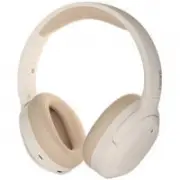
Edifier W820NB Plus Headphones – User Manual, read for free online in PDF format. We hope this helps you resolve any issues you may have. If you have further questions, please contact us through the contact form.








Table of Contents:
- Page 2 – ier; Connexion au PC comme casque f ilaire; Indicateur; Première association; il
- Page 4 – Conectar a un PC como auriculares cableados; Indicador; Emparejar con nuevo dispositivo
- Page 5 – Für weitere Informationen besuchen Sie bitte unsere Website:; Verbindung mit dem PC als kabelgebundener; Anzeige; Koppeln eines neuen Geräts
- Page 6 – Associazione iniziale; Indicatore; Collegamento al PC come cuff ie cablate; Associazione di un nuovo dispositivo
- Page 7 – Conexão em PC como fone de ouvido com f; Primeiro emparelhamento; io
- Page 8 – 有線ヘッドホンとしてPCに接続
EN 1. Power ON/OFF
2. Pairing
3. Reset
4. Charging
5. Connecting to PC as wired headphones
6. Controls
For more information, please visit our website:
www.edifier.com
@Edifier_Global
@Edifier_Global
@Edifierglobal
Model: EDF200118
Edif er International Limited
P.O. Box 6264
General Post Off ce
Hong Kong
www.edif er.com
2022 Edif er International Limited. All rights reserved.
Printed in China
NOTICE:
For the need of technical improvement and system upgrade,information
contained herein may be subject to change from time to time without prior
notice.
Products of EDIFIER will be customized for different applications.
Pictures and illustrations shown on this manual may be slightly different
from actual product.
If any difference is found, the actual product prevails.
Wireless Noise Cancellation Over-Ear Headphones
W 8 2 0 N B P l u s
Manual
3s
Indicator
Indicator
Indicator
Note:
Under wireless mode: 1. If there is no Bluetooth connection for 5 minutes after
power on, the headphones will turn off automatically. 2. If there is no Bluetooth
connection when the noise cancellation is on, the headphones will turn off
automatically after 4 hours.
1. Power ON: press and hold the " " key for
about 3s when powered OFF until the LED
blinks blue.
2. Power OFF: press and hold the " " key for
about 3s when powered ON until the LED
blinks red.
Pairing for new device
1. Press and hold the " " key for about 6s when powered off to skip the latest
connected device and pair the new Bluetooth device. Blue and green LED
will blink alternately and rapidly.
2. Select "EDIFIER W820NB Plus" in your device setting to connect. Blue LED
will blink twice after connected.
Pairing for the f rst time
1. Press and hold the " " key for about 3s
when powered off. Blue and green LED
will blink alternately and rapidly.
2. Select "EDIFIER W820NB Plus" in your device
setting to connect. Blue LED will blink twice
after connected.
Note:
For subsequent use, the headphones will automatically connect to the device
used last time.
Simultaneously press and hold the " " " "
keys for about 5s when powered on to clear
pairing records. Blue LED will blink 6 times
rapidly when successful.
5s
1. Connect the small end of the included USB cable to
the USB-C port of the headphones and connect the
other end to a USB-A power supply or wall charger
(not included).
2. Orange LED is steady lit when charging and off when
fully charged.
Note:
Please do not charge the headphones when there is sweat or other liquids
inside the charging port, which may damage the headphones.
Input: 5V 1A
1. Connect the small end of the included USB cable to the USB-C port of the
headphones and connect the other end to the USB-A port of the PC. You
can listen to music, talk and charge the headphones after the connection
is successful.
2. Orange LED is steady lit when charging and green LED is steady lit when
fully charged.
Note:
It is recommended to use the included USB cable, and other cables may have
compatibility issues that prevent them from working properly.
x2
3s
x1
x2
x1
x1
6s
x1
x2
x1
x1
x1
ANC
Note:
1. : Press and hold.
2. Default sound control: noise cancellation & ambient sound.
3. Images are for illustrative purposes only and may differ from the actual
product.
4. Download Edif er Connect App for more customizable control settings.
i
i
i
i
i
i
"Loading the manual" means you need to wait until the file loads and becomes available for online reading. Some manuals are very large, and the time they take to appear depends on your internet speed.
Was this manual helpful?
About this manual
- Brand
- Edifier
- Model
- W820NB Plus
- Document type
- User Manual
- Category
- Headphones
- Language(s)
- German, English, Spanish, French, Italian
- Pages
- 8
- File size
- 296.3 KB
- Format
Summary
FR 1. Allumer/Éteindre Pour plus d'informations, consultez notre site web: www.edifier.com @Edifier_Global @Edifier_Global @Edifierglobal Modèle: EDF200118Edifier International LimitedP.O. Box 6264General Post OfficeHong Kong www.edif 2022 Edif International Limited. Tous droits réservés.Imprimé en ...
ES 1. Encendido/Apagado Para más información, visite nuestro sitio web: www.edifier.com @Edifier_Global @Edifier_Global @Edifierglobal Modelo: EDF200118Edif er International LimitedP.O. Box 6264General Post Off ceHong Kong www.edif 2022 Edif International Limited. Todos los derechos reservados.Impre...
DE 1. Einschalten/Ausschalten Für weitere Informationen besuchen Sie bitte unsere Website: www.edifier.com @Edifier_Global @Edifier_Global @Edifierglobal Modell: EDF200118Edif er International LimitedP.O. Box 6264General Post Off ceHong Kong www.edif 2022 Edif International Limited. Alle Rechte vorb...
Ask a question
Related manuals
More Edifier Headphones models
 Edifier G2II User Manual
 Edifier G4 TE User Manual
 Edifier G33 User Manual
 Edifier GM5 User Manual
 Edifier GT4 S User Manual
 Edifier K800 User Manual
 Edifier P180 User Manual
 Edifier P180 Plus User Manual
 Edifier P205 User Manual
 Edifier Stax Spirit S3 User Manual
 Edifier TWS6 User Manual
 Edifier TWS NB2 User Manual
 Edifier W600BT User Manual
 Edifier W820NB User Manual
 Edifier X3 User Manual
 Edifier X3s User Manual
 Edifier X5 User Manual
 Edifier X6 User Manual