Edifier G33 - User Manual

This user manual covers the Edifier Hecate G33 7.1-channel USB gaming headset, highlighting its physical controls–such as RGB lighting adjustment, microphone mute, and volume control–and detailing how to install proprietary sound-effect software (HECATE) for Windows systems. The document emphasizes setup requirements (Windows 7–10 compatibility), maintenance precautions (avoiding moisture, extreme temperatures, or physical damage), and general care instructions to prevent internal component failure or cosmetic issues.

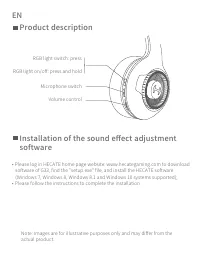


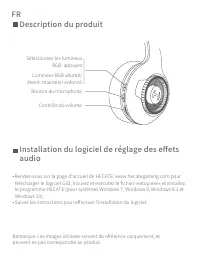

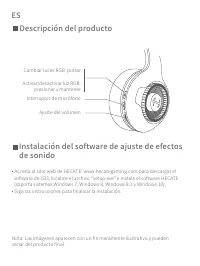



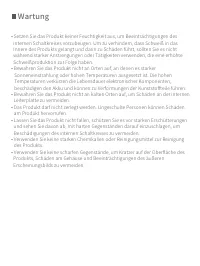

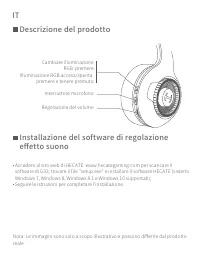
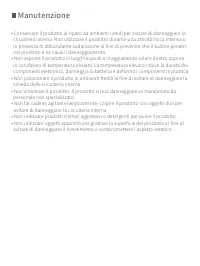

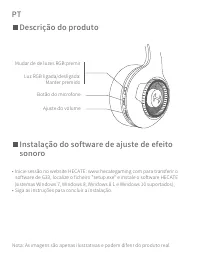


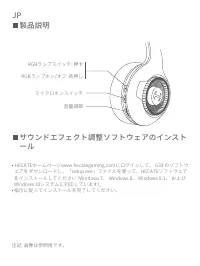
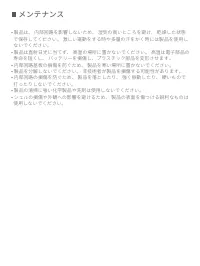

Table of Contents:
- Page 2 – Physical Controls and Software Installation
- Page 3 – General Product Maintenance Precautions
- Page 4 – Copyright and Disclaimer Information
- Page 5 – Product Features and Software Setup Overview
- Page 6 – Damage Prevention During Maintenance
- Page 7 – Product Model Disclaimer
- Page 8 – Headset Features and Software Installation Guide
- Page 9 – Detailed Maintenance and Usage Warnings
- Page 10 – Copyright and Disclaimer Notice
- Page 11 – Headset Features and Software Installation Guide
- Page 12 – Cleaning and Environmental Precautions
- Page 13 – Product Model Disclaimer
- Page 14 – Headset Features and Software Installation Guide
- Page 15 – Comprehensive Damage Avoidance Instructions
- Page 16 – Copyright and Disclaimer Notice
- Page 17 – Headset Features and Software Installation Guide
- Page 18 – General Electronic Device Maintenance
- Page 19 – Product Model Disclaimer
- Page 20 – Controls and Software Installation Guide
- Page 21 – Storage and Circuit Protection Instructions
- Page 22 – Copyright and Disclaimer Notice
7.1 SURROUND SOUND USB GAMING HEADSET
"Loading the manual" means you need to wait until the file loads and becomes available for online reading. Some manuals are very large, and the time they take to appear depends on your internet speed.
Was this manual helpful?
About this manual
- Brand
- Edifier
- Model
- G33
- Document type
- User Manual
- Category
- Headphones
- Language(s)
- German, English, Spanish, French, Italian
- Pages
- 22
- File size
- 1.5 MB
- Format
Summary
Instructions for installing sound effect adjustment software, physical control layout including RGB lighting, microphone mute, and volume adjustment, and software compatibility with Windows 7 through Windows 10.
Guidelines to prevent damage by avoiding humidity, extreme temperatures (hot or cold), physical impact, exposure to harsh chemicals, and use during intense exercise.
Copyright notice, company details, website addresses, and a disclaimer regarding the potential changes in product information and illustrations based on technical updates.
Ask a question
Related manuals
More Edifier Headphones models
 Edifier G2II User Manual
 Edifier G4 TE User Manual
 Edifier GM5 User Manual
 Edifier GT4 S User Manual
 Edifier K800 User Manual
 Edifier P180 User Manual
 Edifier P180 Plus User Manual
 Edifier P205 User Manual
 Edifier Stax Spirit S3 User Manual
 Edifier TWS6 User Manual
 Edifier TWS NB2 User Manual
 Edifier W600BT User Manual
 Edifier W820NB User Manual
 Edifier W820NB Plus User Manual
 Edifier X3 User Manual
 Edifier X3s User Manual
 Edifier X5 User Manual
 Edifier X6 User Manual