Edifier G4 TE - User Manual

This user manual covers the Edifier Hecate G4 7.1 multi-channel gaming headphones, emphasizing their immersive audio capabilities like vibrating effects and virtual surround sound. The guide highlights key operational areas such as setup, physical controls (vibration, volume, power), and software installation for customizable sound effects. Safety is also addressed extensively, including hearing protection warnings, proper storage, temperature limits, and precautions against misuse near heat or moisture.

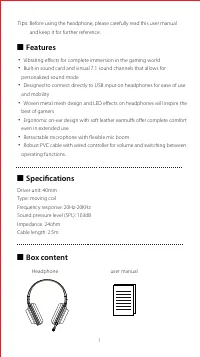
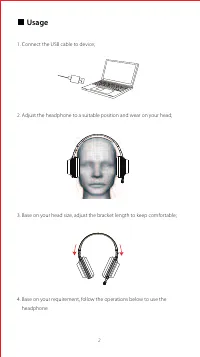
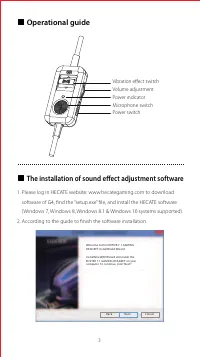
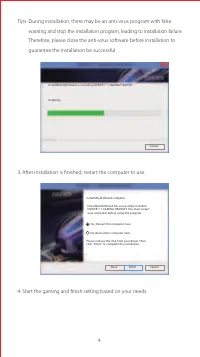
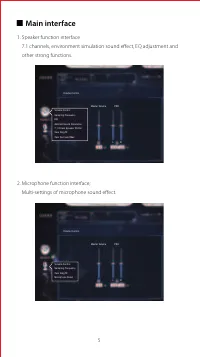




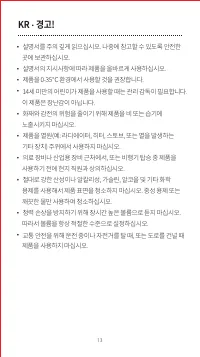

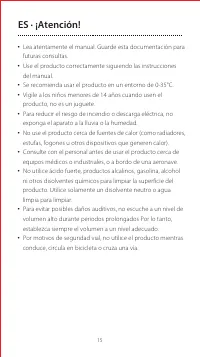


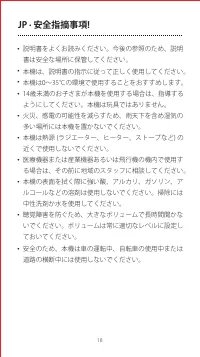




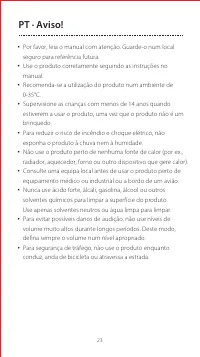


Table of Contents:
- Page 2 – Headphone Features, Specifications, and Contents
- Page 3 – Headphone Setup Instructions
- Page 4 – Operational Controls and Software Installation
- Page 5 – Software Installation Procedure
- Page 6 – Interface Functions Overview
- Page 7 – Safety and Disposal Guidelines
- Page 8 – General Usage Safety Warnings
- Page 9 – Specific Safety Precautions
- Page 10 – Safety Instructions on Storage and Use
- Page 11 – Storage and Environmental Safety
- Page 12 – Comprehensive Safety and Storage Precautions
- Page 13 – Safety Instructions on Usage and Cleaning
- Page 14 – Operational Safety in Wet/Flammable Conditions
- Page 15 – Safety Precautions Regarding Noise and Environment
- Page 16 – Handling, Storage, and Operation Safety
- Page 17 – Safety Instructions on Environment and Cleaning
- Page 18 – Technical Specifications and Installation Requirements
- Page 19 – Safety Instructions on Environment and Cleaning
- Page 20 – Electrical and Chemical Safety Warnings
- Page 21 – Safety Instructions on Electrical and Heat Avoidance
- Page 22 – Ventilation and Flammable Material Safety
- Page 23 – Safety Precautions in Confined Spaces and Traffic
- Page 24 – Environmental Safety and Volume Limits
- Page 25 – Appliance Operation Guidelines
- Page 26 – Safety Instructions for Vehicle Use
- Page 27 – Contact and Copyright Information
v
7.1 Multi-channel Gaming Headphones
"Loading the manual" means you need to wait until the file loads and becomes available for online reading. Some manuals are very large, and the time they take to appear depends on your internet speed.
Was this manual helpful?
About this manual
- Brand
- Edifier
- Model
- G4 TE
- Document type
- User Manual
- Category
- Headphones
- Language(s)
- English
- Pages
- 27
- File size
- 674 KB
- Format
Summary
Details on features, specifications (driver size, frequency response, cable length), and contents included in the box.
Instructions for connecting the headphone via USB, positioning the device on the head, and setting bracket length for comfort.
Guide to physical controls (vibration, volume, power) and instructions for installing the HECATE sound effect adjustment software.
Ask a question
Related manuals
More Edifier Headphones models
 Edifier G2II User Manual
 Edifier G33 User Manual
 Edifier GM5 User Manual
 Edifier GT4 S User Manual
 Edifier K800 User Manual
 Edifier P180 User Manual
 Edifier P180 Plus User Manual
 Edifier P205 User Manual
 Edifier Stax Spirit S3 User Manual
 Edifier TWS6 User Manual
 Edifier TWS NB2 User Manual
 Edifier W600BT User Manual
 Edifier W820NB User Manual
 Edifier W820NB Plus User Manual
 Edifier X3 User Manual
 Edifier X3s User Manual
 Edifier X5 User Manual
 Edifier X6 User Manual