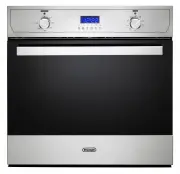
Page 2 - PRODUCT LABEL; codes and specifications:
2 Dear Customer, Thank you for having purchased and given your preference to our product. The safety precautions and recommendations reported below are for your own safety and that of others. They will also provide a means by which to make full use of the features offered by your appliance. Please k...
Page 3 - IMPORTANT SAFETY PRECAUTIONS AND RECOMMENDATIONS; professionally qualified technician.; This film must be removed before using the; ■ IMPORTANT: The use of suitable protective clothing/gloves is
3 IMPORTANT SAFETY PRECAUTIONS AND RECOMMENDATIONS IMPORTANT: This appliance is designed and manufactured solely for the cooking of domestic (household) food and is not suitable for any non domestic application and therefore should not be used in a commercial environment. The appliance guarantee wil...
Page 4 - ■ WARNING: Ensure that the appliance is switched off before
4 ■ Do not attempt to modify the technical characteristics of the appliance as this may become dangerous to use. The manufacturer declines all responsibility for any inconvenience resulting from the inobservance of this condition. ■ Do not operate your appliance by means of an external timer or sepa...
Page 7 - INSTALLATION; FITTING REQUIREMENTS; The oven can be fitted in standard units, 60 cm width and depth.
7 INSTALLATION CAUTION: ■ This appliance must be installed in accordance with these installation instructions. ■ This appliance shall only be serviced by authorised personnel. ■ This appliance is to be installed only by an authorised person in compliance with the current electrical regulations and i...
Page 9 - FIXING THE OVEN; fixing is only complementary.; Do not lift this oven by the door handle.; the furniture door and the oven fra me.; Figure 3
9 FIXING THE OVEN Introduce the oven into the furniture opening and fix it with 2 screws (not supplied) as figure 3. Before fixing the 2 screws, fit the 2 plastic bushes (supplied with the appliance in a separate kit) into the fixing holes. Take care to fit the bushes in the correct way, they must l...
Page 10 - ELECTRICAL REQUIREMENTS; the load specified on the plate.; electrical regulations.
10 ELECTRICAL REQUIREMENTS ■ The appliance must be connected to the mains checking that the voltage corresponds to the value given in the rating plate and that the electrical cable sections can withstand the load specified on the plate. ■ A suitable isolating switch providing full disconnection from...
Page 11 - REPLACING THE POWER SUPPLY CABLE; To connect the supply cable:; VOLTAGE AND POWER CONSUMPTION; Figure 5; PE
11 REPLACING THE POWER SUPPLY CABLE Important! This appliance must be connected to the electricity supply only by an authorised person. To connect the supply cable: ■ Unhook the terminal board cover by inserting a screwdriver into the two hooks “ A ” (fig. 4). ■ Unscrew the screw “ D ” and open comp...
Page 12 - ELECTRIC DIAGRAM FOR SIMPLIFIED MULTIFUNCTION MODELS; Figure 7
12 ELECTRIC DIAGRAM FOR SIMPLIFIED MULTIFUNCTION MODELS WITH 60’ OR 120’ ALARM 1 6 4 9 3 8 2 7 5 10 1a 2a 3a 4a 5a 6a 7a 8a 9a 10a T N L M C G S V CF LF SL ST LF Tl3 Tl2 F1 E1 Figure 7
Page 13 - ELECTRIC DIAGRAM KEY; ST
13 ELECTRIC DIAGRAM KEY F1 Oven switch E1 Oven thermostat ST Thermostat pilot lamp SL Line pilot lamp LF Oven lamps C Top element G Grill element V Fan S Bottom element TL2 Thermal overload CF Cooling fan TL3 Thermal overload M Terminal block T Earth connection
Page 14 - ELECTRIC DIAGRAM FOR MULTIFUNCTION MODELS; Figure 8
14 ELECTRIC DIAGRAM FOR MULTIFUNCTION MODELS WITH ELECTRONIC CLOCK/PROGRAMMER (START-END COOKING) 1 6 4 9 3 8 2 7 5 10 1a 6a 7a 8a 2a 3a 4a 5a 9a 10a T N L M C G S CIR V CF LF SL ST N/7 1 L/8 1 •• LF Tl3 Tl2 F1 PR E1 Figure 8
Page 16 - USE AND CARE; OVEN FITTING OUT; Fit the catalytic panel to the side rack (some; fits over the light and the hole for the fixing; Fit the side racks; Fit the side rack front tab over the fixing hole; Oven tray; the shaped wire shelf (not the flat one) or on; Figure 9a; or
16 USE AND CARE OVEN FITTING OUT Fit the catalytic panel to the side rack (some models only) ■ Ensure the panels are placed the correct way around (with the arrow up): the cutout fits over the light and the hole for the fixing screw goes to the front of the oven. ■ Fit the rear prongs of the side ra...
Page 17 - GREASE FILTER; Clean the filter after any cooking!; ADVICE FOR USE AND MAINTENANCE OF CATALYTIC PANELS (SUPPLIED; DO NOT CLEAN OR WASH THEM WITH ABRASIVE PRODUCTS OR WITH PRODUCTS
17 Figure 10 GREASE FILTER (SOME MODELS ONLY) ■ A special screen is provided at the back of the oven to catch grease particles, mainly when meat is being roasted (fig. 10). ■ Clean the filter after any cooking! The grease filter can be removed for cleaning and should be washed regularly in hot soapy...
Page 18 - TELESCOPIC SLIDING SHELF; When fitting the sliding shelf
18 TELESCOPIC SLIDING SHELF SUPPORTS (SOME MODELS ONLY) The telescopic sliding shelf supports make it safer and easier to insert and remove the oven shelf and tray. They stop when they are pulled out to the maximum position. Important! When fitting the sliding shelf supports, make sure that you fit:...
Page 19 - CONTROL PANELS
19 CONTROL PANELS 1 2 3 5 - 6 - 7 5 - 6 - 7 1 2 1 2 8 A U T O 1 2 9 - 10 A U T O 1 2 11 A U T O 1 2 12 A U T O 1 2 12 3 3 4 3 4 3 4 3 4 3 4 4 4 Figure 14 Figure 15 Figure 16 Figure 17
Page 20 - CONTROLS DESCRIPTION
20 Figure 18 Figure 19 Figure 20 1 2 3 5 - 6 - 7 5 - 6 - 7 1 2 1 2 8 A U T O 1 2 9 - 10 A U T O 1 2 11 A U T O 1 2 12 A U T O 1 2 12 3 3 4 3 4 3 4 3 4 3 4 4 4 CONTROLS DESCRIPTION 1. Function selector control knob2. Oven temperature control knob3. Power on indicator light4. Oven temperature indicato...
Page 21 - Never press down the knob when it is not in the “
21 USING THE PRESS-AND-TURN CONTROL KNOBS (SOME MODELS ONLY) The control knobs are flush-mounted in the control panel.Use them as follows: a. Press lightly on the knob (figure 21); b. The knob will extend outwards as illustrated in figure 22. c. Turn the knob to the required position (figure 23). d....
Page 22 - OVEN VERSIONS; NATURAL CONVECTION MODELS; by 3 heating elements:; OPERATING PRINCIPLES; by normal convection
22 OVEN VERSIONS NATURAL CONVECTION MODELS GENERAL FEATURES This oven features no.4 (figs. 27, 28) different thermostatic control functions to satisfy all cooking requirements, provided by 3 heating elements: • upper element; • lower element; • grill element. NOTE: Upon first use, it is advisable to...
Page 23 - Upon first use, it is advisable to operate; obtained in the following ways:; by forced convection
23 FAN WITH GRILL MODELS GENERAL FEATURES The heating and cooking in electrical hot air ovens take place by forced convection.The two elements which make this process take place are: • circular element; • grill element. NOTE: Upon first use, it is advisable to operate the oven at the maximum tempera...
Page 24 - SIMPLIFIED MULTIFUNCTION MODELS; oven are obtained in the following ways:
24 Figure 31 Figure 32 Function selector knob NOTES: The knob and symbols may vary. The symbols may be printed on the knob itself. Function selector knob NOTES: The knob and symbols may vary. The symbols may be printed on the knob itself. TYPE 1 (WITHOUT ROTISSERIE) TYPE 2 (WITH ROTISSERIE) SIMPLIFI...
Page 25 - GENERAL FEATURES
25 Function selector knob NOTES: The knob and symbols may vary. The symbols may be printed on the knob itself. Function selector knob NOTES: The knob and symbols may vary. The symbols may be printed on the knob itself. TYPE 3 (WITHOUT ROTISSERIE) TYPE 4 (WITH ROTISSERIE) GENERAL FEATURES As its name...
Page 29 - THERMOSTAT CONTROL KNOB; to one of the following functions:; MAX; HOW TO USE THE OVEN
29 ATTENTION: The oven door becomes very hot during operation. Keep children away. WARNING: The door is hot, use the handle. WARNING: During use the appliance becomes hot. Care should be taken to avoid touching heating elements inside the oven. THERMOSTAT CONTROL KNOB (figs. 41 - 42) To turn on the ...
Page 30 - without using the rotisserie.
30 Oven functions Natural convection models Type 1 (without rotisserie) Natural convection models Type 2 (with rotisserie) Fan with grill models Type 1 (without rotisserie) Fan with grill models Type 2 (with rotisserie) Plurifunction models Type 1 (without rotisserie) Plurifunction models Type 2 (wi...
Page 32 - external degree of cooking for ex: rolled; VERY IMPORTANT NOTE: This special
32 CONVECTION COOKING WITH VENTILATION The upper and lower heating elements and the fan motor are switched on. The heat coming from the top and bottom is diffused by forced convection. The temperature must be regulated between 40/50°C and the maximum position with the thermostat knob. Recommended fo...
Page 33 - COOKING ADVICE; together without the smells and flavours
33 COOKING ADVICE NOTE: DEPENDING ON YOUR MODEL, YOUR OVEN MAY ONLY HAVE SOME OF THESE FUNCTIONS (SEE CHAPTER AND TABLE AT PAGE NO. 28). STERILIZATION Sterilization of foods to be conserved, in full and hermetically sealed jars, is done in the following way: a. Set the switch to position or . b. Set...
Page 34 - This device is made up of:; MODELS WITH ROTISSERIE
34 USE OF THE ROTISSERIE (MODELS WITH ROTISSERIE ONLY) The oven is equipped with a rotisserie for cooking on the spit using the grill. This device is made up of: • an electrical motor mounted on the rear part of the oven; • a stainless steel rod, equipped with a detachable athermic grip and 2 record...
Page 35 - MODELS WITH 60 MINUTES ALARM; MODELS WITH 120 MINUTES; IMPORTANT WARNING: This is only a
35 60’ or 120’ ALARM ̶ 120’ CUT-OFF TIMER MODELS WITH 60 MINUTES ALARM (fig. 44) The minute counter is a timed acoustic warning device which can be set for a maximum of 60 minutes. The knob must be rotated clockwise as far as the 60 minute position and then set to the required time by rotating it an...
Page 37 - Important : It is not possible to use the
37 ELECTRIC CLOCK/PROGRAMMER (START-END COOKING) MODELS WITH ELECTRIC CLOCK/PROGRAMMER (START- END COOKING) (fig. 47) The electric clock/programmer is a device which groups the following functions: • 12-hour analog clock; • minute minder (max 3 hours); • automatic cooking (* see note below); • acous...
Page 38 - AUTOMATIC COOKING; the “clock indicator light” is flashing
38 During the minute minder program it is possible, at any time, to display the set time by pressing the “setting knob” briefly (one or more times) until the “minute minder indicator light” is flashing. To cancel the program before completion, keep the “setting knob” pressed for about 3 seconds unti...
Page 39 - An energy black-out makes the clock go; Having finished the setting, the; ELECTRONIC CLOCK WITH ALARM
39 MODELS WITH ELECTRONIC CLOCK WITH ALARM (fig. 48) The electronic clock is a device which groups the following functions: • 24 hours clock with illuminated display; • 99 minutes alarm. Upon immediate connection of the oven or after a blackout, three zeros will flash on the display. To set the hour...
Page 40 - ELECTRONIC CLOCK/END COOKING TIMER; device which groups the following functions:; symbol
40 ELECTRONIC CLOCK/END COOKING TIMER MODELS WITH ELECTRONIC CLOCK/ END COOKING TIMER (fig. 49) The electronic clock/end cooking timer is a device which groups the following functions: • 24 hours clock with illuminated display; • timing of oven cooking with automatic switch-off (max 99 minutes). ELE...
Page 41 - MODELS WITH ELECTRONIC; Description of the illuminated symbols:; AUTO; AUTO; flashing; A B C D E F; Description of the buttons:
41 MODELS WITH ELECTRONIC CLOCK/PROGRAMMER (START- END COOKING) (figs. 50, ..., 8.8) The electronic clock/programmer is a device which groups together the following functions: • 24 hours clock with illuminated display; • timer (up to 23 hours and 59 minutes); • program for automatic oven cooking; • ...
Page 42 - after a power cut, three zeros will flash on; symbol is flashing push the “
42 A B C D E F A B C D E F A B C D E F A B C D E F ELECTRONIC CLOCK (fig. 51) The programmer is equipped with an electronic clock with illuminated numbers which indicates hours and minutes. Upon immediate connection of the oven or after a power cut, three zeros will flash on the programmer display. ...
Page 43 - AUTOMATIC OVEN COOKING; flashes on the display and a; The cooking program may be cancelled; will flash and a buzzer will
43 A B C D E F A B C D E F A B C D E F A B C D E F AUTOMATIC OVEN COOKING To cook food automatically in the oven, it is necessary to: 1. Set the length of the cooking period.2. Set the end of the cooking time.3. Set the temperature and the oven cooking program. These operations are done in the follo...
Page 44 - SEMI-AUTOMATIC COOKING; There are two ways to set your oven:
44 A B C D E F A B C D E F A B C D E F A B C D E F SEMI-AUTOMATIC COOKING This is used to automatically switch off the oven after the desired cooking time has elapsed. There are two ways to set your oven: 1. Set the length of the cooking time by pushing the “ B ” button and the “ F ” button to advan...
Page 45 - MODE; after; CLOCK and TIMER with “TOUCH CONTROL” KEYS
45 Illuminated symbols: AUTO flashing Automatic cooking completed, oven in automatic position but not set AUTO steady illumination Oven set for automatic cooking, cooking still not taking place flashing Timer being set steady illumination Timer in operation steady illumination Oven set for manual co...
Page 46 - beep; SETTING THE CLOCK; When first connected, or after a power failure, the digits and “; USING THE TIMER; The timer does not turn the oven off.; ”) will sound confirming the regulation
46 “TOUCH-CONTROL” KEYS The “touch-control” keys shall be operated by the fingers (just by touching the key). When using touch controls it is best to use the ball of your finger rather than the tip.The keys are automatically deactivated: • 8 seconds after the last selection; the deactivation is indi...
Page 47 - SETTING THE TIMER VOLUME; Timer volume activated: the last displayed.
47 SETTING THE TIMER VOLUME You can select from three volume levels.• Touch the “ A ” and “ C ” keys simultaneously for more than 2 seconds. • Touch the “ B ” key; you can read on the display the current timer volume (“ ton1 ”, “ ton2 ” or “ ton3 ”). • Touch the “ A ” key to listen or change the tim...
Page 48 - CLEANING AND MAINTENANCE; GENERAL ADVICE; and disconnected from the electrical power supply.; Avoid using cleaning products with a chlorine or acidic base.; handling or cleaning of this appliance.; ENAMELLED PARTS; Dry preferably with a microfibre or soft cloth.; PRINTED SURFACES; Clean using an appropriate product.; irreparably damage the surface.; GLASS CONTROL PANEL; Clean using an appropriate product. Always dry thoroughly.
48 CLEANING AND MAINTENANCE GENERAL ADVICE ■ Before you begin cleaning, you must ensure that the appliance is switched off and disconnected from the electrical power supply. ■ It is advisable to clean when the appliance is cold and especially when cleaning the enamelled parts. ■ Avoid leaving alkali...
Page 49 - INSIDE OF OVEN; Let the oven; GRILL HEATING ELEMENT; the possibility of electric shock.; following specifications:
49 Figure 59 INSIDE OF OVEN ■ The oven should always be cleaned after use when it has cooled down. Let the oven cool down and pay special attention no to touch the hot heating elements inside the oven cavity. ■ The cavity should be cleaned using a mild detergent solution and warm water. ■ Suitable p...
Page 51 - REMOVING AND REPLACING THE INNER DOOR GLASS PANES FOR CLEANING; precautions and instructions very carefully.
51 REMOVING AND REPLACING THE INNER DOOR GLASS PANES FOR CLEANING If you wish to clean the inner panes of glass of the door, make sure you follow the precautions and instructions very carefully. Replacing the glass panes and the door incorrectly may result in damage to the appliance and may void you...
Page 52 - REMOVING THE OVEN DOOR; Open the door to the full extent (fig.
52 REMOVING THE OVEN DOOR The oven door can easily be removed as follows: ■ Open the door to the full extent (fig. 62). ■ Locate the two small metal locking levers on both door hinges either side (fig. 62). ■ Push each locking lever down fully to release the door from the hinge (fig. 63). Allow the ...
Page 54 - Replace the middle pane
54 After cleaning replace the door glass panes When replacing the glass panes make sure that ■ you replace the inner pane correctly as shown. The pane must be in the position described below in order to fit into the door and to ensure that the oven operates safely and correctly ■ you take extra care...
Page 55 - SERVICE AND MAINTENANCE; SERVICING THE APPLIANCE; Authorised Delonghi Service Agent:; Servicing shall be carried out only by authorized personnel.; TROUBLESHOOTING; nearest Authorised Delonghi Service Agent.
55 SERVICE AND MAINTENANCE SERVICING THE APPLIANCE Service may be obtained by contacting our Customer Service Centre to locate the nearest Authorised Delonghi Service Agent: Servicing shall be carried out only by authorized personnel. The appliance shall not be modified. TROUBLESHOOTING If you exper...