Page 5 - BEFORE THE FIRST USE; Unpack the appliance; Read the Instructions and carefully follow the operation method.; Clean the appliance; FOR THE APPLIANCE AND ALL FUNCTIONS
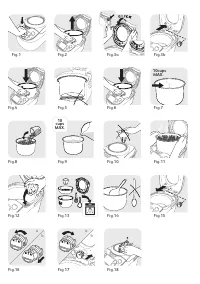
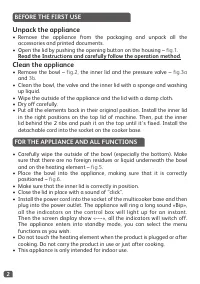
2 BEFORE THE FIRST USE Unpack the appliance • Remove the appliance from the packaging and unpack all the accessories and printed documents. • Open the lid by pushing the opening button on the housing – fig.1 . Read the Instructions and carefully follow the operation method. Clean the appliance • Rem...
Page 6 - COOKING PROGRAME TABLE; warm won’t be activated when the cooking will be done.
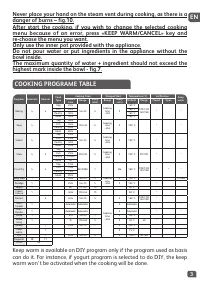
3 EN Never place your hand on the steam vent during cooking, as there is a danger of burns – fig.10. After start the cooking, if you wish to change the selected cooking menu because of an error, press «KEEP WARM/CANCEL» key and re-choose the menu you want. Only use the inner pot provided with the ap...
Page 7 - MENU KEY; If you want to add bip , you have to press a second time on menu button.; BAKING FUNCTION
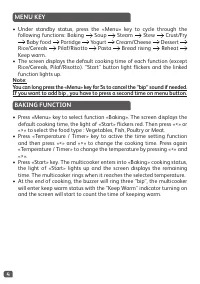
4 MENU KEY • Under standby status, press the «Menu» key to cycle through the following functions: Baking Soup Steam Stew Crust/Fry Baby food Porridge Yogurt Cream/Cheese Dessert Rice/Cereals Pilaf/Risotto Pasta Bread rising Reheat Keep warm. • The screen displays the default cooking time of each fun...
Page 8 - Recommendations for steam cooking
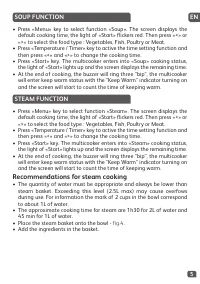
5 EN SOUP FUNCTION • Press «Menu» key to select function «Soup». The screen displays the default cooking time, the light of «Start» flickers red. Then press «<» or «>» to select the food type : Vegetables, Fish, Poultry or Meat. • Press «Temperature / Timer» key to active the time setting func...
Page 9 - Note: Always use this function with oil and food. With oil only, it may
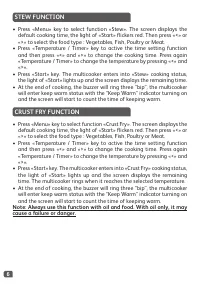
6 STEW FUNCTION • Press «Menu» key to select function «Stew». The screen displays the default cooking time, the light of «Start» flickers red. Then press «<» or «>» to select the food type : Vegetables, Fish, Poultry or Meat. • Press «Temperature / Timer» key to active the time setting functio...
Page 11 - YOGURT FUNCTION; These is no keep warm at the end of the cooking.
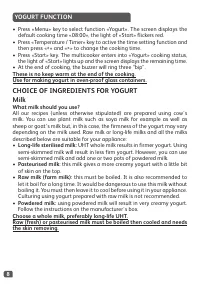
8 CHOICE OF INGREDIENTS FOR YOGURTMilk What milk should you use? All our recipes (unless otherwise stipulated) are prepared using cow’s milk. You can use plant milk such as soya milk for example as well as sheep or goat’s milk but, in this case, the firmness of the yogurt may vary depending on the m...
Page 14 - PILAF/RISOTTO FUNCTION; RECOMMENDATIONS FOR BEST RICE COOKING (Rice/; COOKING GUIDE FOR WHITE RICE – 10 cups
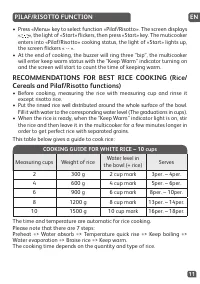
11 EN PILAF/RISOTTO FUNCTION • Press «Menu» key to select function «Pilaf/Risotto». The screen displays « », the light of «Start» flickers, then press «Start» key. The muticooker enters into «Pilaf/Risotto» cooking status, the light of «Start» lights up, the screen flickers « -- ». • At the end of c...
Page 15 - During the pasta cooking, the lid must be open.
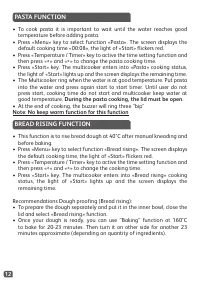
12 PASTA FUNCTION BREAD RISING FUNCTION • To cook pasta it is important to wait until the water reaches good temperature before adding pasta. • Press «Menu» key to select function «Pasta». The screen displays the default cooking time «00:08», the light of «Start» flickers red. • Press «Temperature /...
Page 16 - CAUTION
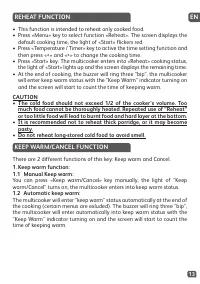
13 EN REHEAT FUNCTION KEEP WARM/CANCEL FUNCTION • This function is intended to reheat only cooked food. • Press «Menu» key to select function «Reheat». The screen displays the default cooking time, the light of «Start» flickers red. • Press «Temperature / Timer» key to active the time setting functi...
Page 17 - DIY FUNCTION
14 DIY FUNCTION • “Do It Yourself” function is to memorize your favorite cooking choices. • Press «DIY» key to select DIY function under standby status, the multicooker will first enter “DIY” setting status with the screen displaying the default cooking time, and the light of “Start” flickering. • 2...
Page 21 - TECHNICAL TROUBLESHOOTING GUIDE
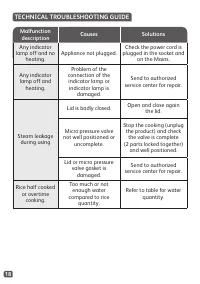
18 Malfunction description Causes Solutions Any indicator lamp off and no heating. Appliance not plugged. Check the power cord is plugged in the socket and on the Mains. Any indicator lamp off and heating. Problem of the connection of the indicator lamp or indicator lamp is damaged. Send to authoriz...
Page 22 - ENVIRONMENTAL PROTECTION; Help protect the environment!
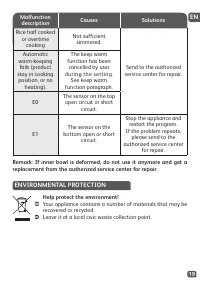
19 EN ENVIRONMENTAL PROTECTION Help protect the environment! Your appliance contains a number of materials that may be recovered or recycled. Leave it at a local civic waste collection point. Malfunction description Causes Solutions Rice half cooked or overtime cooking Not sufficient simmered. Send ...
Page 24 - ПЕРЕД ПЕРВЫМ ИСПОЛЬЗОВАНИЕМ; Распакуйте прибор; Внимательно прочтите инструкции и следуйте методике; Очистка прибора
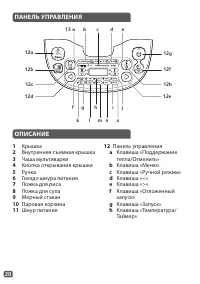
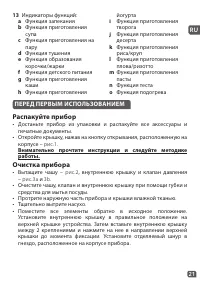
21 RU ПЕРЕД ПЕРВЫМ ИСПОЛЬЗОВАНИЕМ Распакуйте прибор • Достаньте прибор из упаковки и распакуйте все аксессуары и печатные документы. • Откройте крышку, нажав на кнопку открывания, расположенную на корпусе – рис.1 . Внимательно прочтите инструкции и следуйте методике работы. Очистка прибора • Вытащит...
Page 25 - УКАЗАНИЯ ПО УСТРОЙСТВУ И ВСЕМ ФУНКЦИЯМ
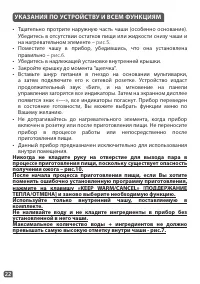
22 УКАЗАНИЯ ПО УСТРОЙСТВУ И ВСЕМ ФУНКЦИЯМ • Тщательно протрите наружную часть чаши (особенно основание). Убедитесь в отсутствии остатков пищи или жидкости снизу чаши и на нагревательном элементе – рис.5 . • Поместите чашу в прибор, убедившись, что она установлена правильно – рис.6 . • Убедитесь в на...
Page 26 - ТАБЛИЦА ПРОГРАММ ПРИГОТОВЛЕНИЯ ПИЩИ
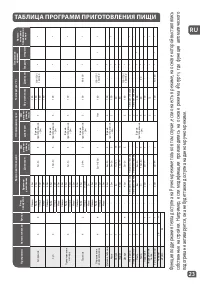
23 RU Прог раммы Ав то ма ти ческ ая Ру чна я Вид про дук тов Время приг от ов ления О тло ж енный з апу ск Темпер ат ур а (°C ) Поло ж ение крышки Ав то ма - ти ческ ое по дд ер ж ание теп ла Время по ум ол чанию Диапа зон Шаг рег ули - ровки, мин. Диапа зон Шаг рег ули - ровки, мин. По у м ол чани...
Page 27 - КЛАВИША МЕНЮ; Если Вы хотите добавить звук, повторно нажмите на кнопку; ФУНКЦИЯ ЗАПЕКАНИЯ
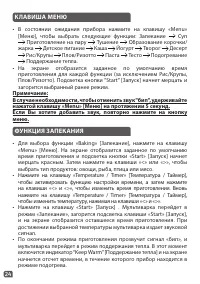
24 КЛАВИША МЕНЮ • В состоянии ожидания прибора нажмите на клавишу «Menu» [Меню], чтобы выбрать следующие функции: Запекание Суп Приготовление на пару Тушение Образование корочки/ жарка Детское питание Каша Йогурт Творог Десерт Рис/Крупы Плов/Ризотто Паста Тесто Подогревание Поддержание тепла. • На э...
Page 29 - Рекомендации для приготовления на пару; ФУНКЦИЯ ТУШЕНИЯ
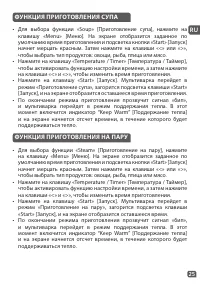
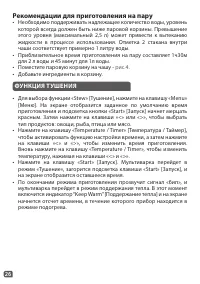
26 Рекомендации для приготовления на пару • Необходимо поддерживать надлежащее количество воды, уровень которой всегда должен быть ниже паровой корзины. Превышение этого уровня (максимальный 2,5 л) может привести к вытеканию жидкости в процессе использования. Отметка 2 стакана внутри чаши соответств...
Page 30 - ФУНКЦИЯ КОРОЧКИ/ЖАРКИ; Примечание: Всегда используйте эту функцию только с маслом и; ФУНКЦИЯ ПРИГОТОВЛЕНИЯ ДЕТСКОГО ПИТАНИЯ
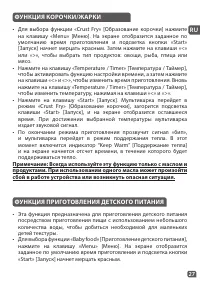
27 RU ФУНКЦИЯ КОРОЧКИ/ЖАРКИ • Для выбора функции «Crust Fry» [Образование корочки] нажмите на клавишу «Menu» [Меню]. На экране отобразится заданное по умолчанию время приготовления и подсветка кнопки «Start» [Запуск] начнет мерцать красным. Затем нажмите на клавиши «<» или «>», чтобы выбрать т...
Page 31 - ФУНКЦИЯ ПРИГОТОВЛЕНИЯ КАШИ; Примечание: После приготовления детского питания следует
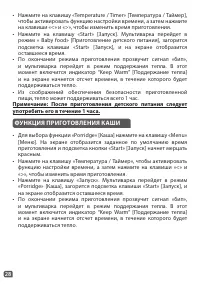
28 ФУНКЦИЯ ПРИГОТОВЛЕНИЯ КАШИ • Для выбора функции «Porridge» [Каша] нажмите на клавишу «Menu» [Меню]. На экране отобразится заданное по умолчанию время приготовления и подсветка кнопки «Start» [Запуск] начнет мерцать красным. • Нажмите на клавишу «Температура / Таймер», чтобы активировать функцию н...
Page 32 - ФУНКЦИЯ ПРИГОТОВЛЕНИЯ ЙОГУРТА; По окончании процесса приготовления функция поддержания
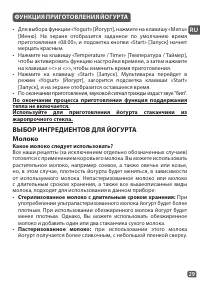
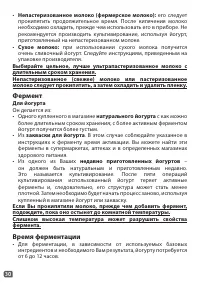
29 RU ВЫБОР ИНГРЕДИЕНТОВ ДЛЯ ЙОГУРТАМолоко Какое молоко следует использовать? Все наши рецепты (за исключением отдельно обозначенных случаев) готовятся с применением коровьего молока. Вы можете использовать растительное молоко, например соевое, а также овечье или козье, но, в этом случае, плотность ...
Page 34 - ФУНКЦИЯ ПРИГОТОВЛЕНИЯ ТВОРОГА
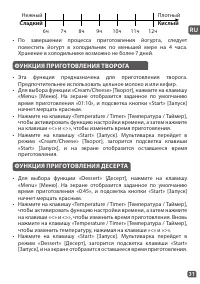
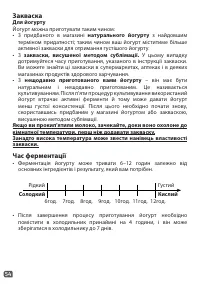
31 RU Нежный 6ч 7ч 8ч 9ч 10ч 11ч 12ч Плотный Сладкий Кислый • Эта функция предназначена для приготовления творога. Предпочтительнее использовать цельное молоко и или кефир. • Для выбора функции «Cream/Cheese» [Творог], нажмите на клавишу «Menu» [Меню]. На экране отобразится заданное по умолчанию вре...
Page 35 - ФУНКЦИЯ ПРИГОТОВЛЕНИЯ РИСА/КРУП; Примечание: Всегда сначала добавляйте рис, иначе будет; ФУНКЦИЯ ПРИГОТОВЛЕНИЯ ПЛОВА/РИЗОТТО
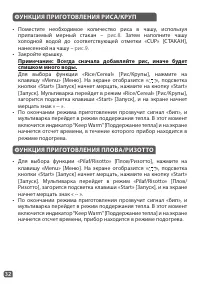
32 ФУНКЦИЯ ПРИГОТОВЛЕНИЯ РИСА/КРУП • Поместите необходимое количество риса в чашу, используя прилагаемый мерный стакан – рис.8 . Затем наполните чашу холодной водой до соответствующей отметки «CUP» [СТАКАН], нанесенной на чашу – рис.9 . • Закройте крышку. Примечание: Всегда сначала добавляйте рис, и...
Page 36 - РЕКОМЕНДАЦИИ ДЛЯ НАИЛУЧШЕГО СПОСОБА; ИНСТРУКЦИИ ПО ПРИГОТОВЛЕНИЮ БЕЛОГО РИСА - 10 стаканов
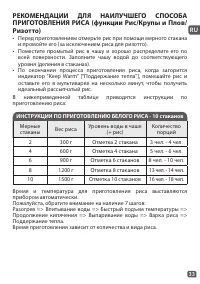
33 RU РЕКОМЕНДАЦИИ ДЛЯ НАИЛУЧШЕГО СПОСОБА ПРИГОТОВЛЕНИЯ РИСА (функции Рис/Крупы и Плов/ Ризотто) • Перед приготовлением отмерьте рис при помощи мерного стакана и промойте его (за исключением риса для ризотто). • Поместите промытый рис в чашу и хорошо распределите его по всей поверхности. Заполните ч...
Page 37 - В процессе
34 ФУНКЦИЯ ПРИГОТОВЛЕНИЯ ПАСТЫ ФУНКЦИЯ РАССТОЙКИ ТЕСТА • Для приготовления пасты, важно дождаться, когда вода достигнет нужной температуры, прежде чем добавлять пасту. • Для выбора функции «Pasta» [Паста], нажмите на клавишу «Menu» [Меню]. На экране отобразится заданное по умолчанию время приготовле...
Page 38 - ФУНКЦИЯ ПОДОГРЕВА
35 RU ФУНКЦИЯ ПОДОГРЕВА • Этот режим предназначен для подогрева уже приготовленной пищи. • Для выбора функции «Reheat» [Подогрев], нажмите на клавишу «Menu» [Меню]. На экране отобразится заданное по умолчанию время приготовления и подсветка кнопки «Start» [Запуск] начнет мерцать красным. • Нажмите н...
Page 39 - ФУНКЦИЯ ПОДДЕРЖАНИЕ ТЕПЛА/ОТМЕНА
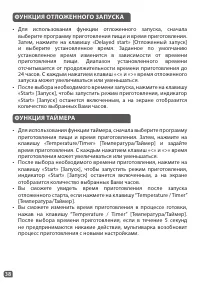
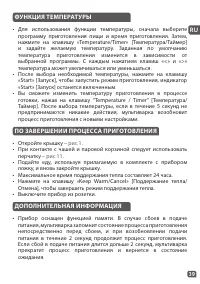
36 ФУНКЦИЯ ПОДДЕРЖАНИЕ ТЕПЛА/ОТМЕНА У этой клавиши - 2 разных функции: Поддержание тепла и Отмена. 1. Функция поддержания тепла: 1.1 Ручная функция поддержания тепла: Вы можете нажать на клавишу «Keep warm/Cancel» [Поддержание тепла/Отмена] вручную, включится индикатор функции «Keep warm/ Cancel» [П...
Page 43 - ОЧИСТКА И УХОД; Чаша, паровая корзина
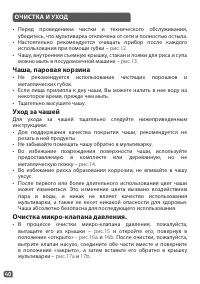
40 ОЧИСТКА И УХОД • Перед проведением чистки и технического обслуживания, убедитесь, что мультиварка отключена от сети и полностью остыла. • Настоятельно рекомендуется очищать прибор после каждого использования при помощи губки – рис.12 . • Чашу, внутренняя съемную крышку, стакан и ложки для риса и ...
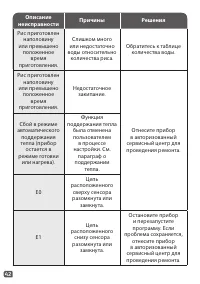
Page 44 - Очистка и уход за другими деталями прибора; Описание; РУКОВОДСТВО ПО УСТРАНЕНИЮ НЕИСПРАВНОСТЕЙ
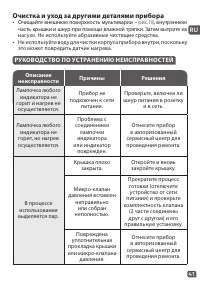
41 RU Очистка и уход за другими деталями прибора • Очищайте внешнюю поверхность мультиварки – рис.18 , внутреннюю часть крышки и шнур при помощи влажной тряпки. Затем вытрите их насухо. Не используйте абразивные чистящие средства. • Не используйте воду для чистки корпуса прибора внутри, поскольку эт...
Page 46 - ЗАЩИТА ОКРУЖАЮЩЕЙ СРЕДЫ; Помогите защитить окружающую среду!; Ваш прибор содержит материалы, пригодные для; Примечание: Если внутренняя чаша деформирована, не
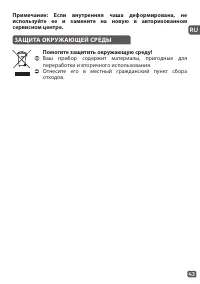
43 RU ЗАЩИТА ОКРУЖАЮЩЕЙ СРЕДЫ Помогите защитить окружающую среду! Ваш прибор содержит материалы, пригодные для переработки и вторичного использования. Отнесите его в местный гражданский пункт сбора отходов. Примечание: Если внутренняя чаша деформирована, не используйте ее и замените на новую в автор...
Page 48 - ПЕРЕД ПЕРШИМ КОРИСТУВАННЯМ; Розпакування приладу; Уважно прочитайте інструкції та дотримуйтеся; Чищення приладу
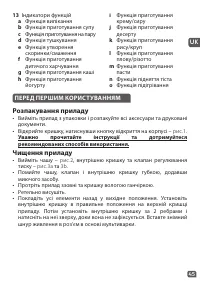
45 UK ПЕРЕД ПЕРШИМ КОРИСТУВАННЯМ Розпакування приладу • Вийміть прилад з упаковки і розпакуйте всі аксесуари та друковані документи. • Відкрийте кришку, натиснувши кнопку відкриття на корпусі – рис.1 . Уважно прочитайте інструкції та дотримуйтеся рекомендованих способів використання. Чищення приладу...
Page 50 - ТАБЛИЦЯ ПРОГРАМ ПРИГОТУВАННЯ
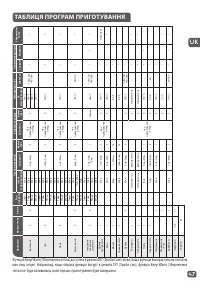
47 UK Прог рами Ав то ма ти чна Ру чна Тип про дук ту Час приг от ув ання За тримк а з апу ск у Темпер ат ур а (°C ) Поло ж ення кришки Збереж ення теп ла Час з а зам ов чув анням Діапа зон Ко жні (хв.) Діапа зон Ко жні (хв.) За зам ов чув анням Діапа зон Закри та Відкри та Випік анн я 4 4 Ово чі 25...
Page 51 - ФУНКЦІЯ ВИПІКАННЯ
48 КНОПКА MENU (МЕНЮ) • У режимі очікування натисніть кнопку Menu (Меню) для циклічного переключення між такими функціями: Baking (Випікання) Soup (Суп) Steam (Пара) Stew (Тушкування) Crust/Fry (Скоринка/ Смаження) Baby food (Дитяче харчування) Porridge (Каша) Yogurt (Йогурт) Cream/Cheese (Крем/сир)...
Page 53 - Рекомендації щодо приготування на пару; ФУНКЦІЯ ТУШКУВАННЯ
50 Рекомендації щодо приготування на пару • Необхідно завжди наливати відповідну кількість води, і її рівень завжди має бути нижче кошика для приготування на пару. Перевищення цього рівня (макс. 2,5 л) може спричинити переливання через край під час використання. Для довідки: позначки 2 стаканів у ча...
Page 54 - ФУНКЦІЯ УТВОРЕННЯ СКОРИНКИ/СМАЖЕННЯ; Примітка. Завжди використовуйте цю функцію з олією та їжею.; ФУНКЦІЯ ПРИГОТУВАННЯ ДИТЯЧОГО ХАРЧУВАННЯ
51 UK ФУНКЦІЯ УТВОРЕННЯ СКОРИНКИ/СМАЖЕННЯ • Натисніть кнопку Menu (Меню), щоб вибрати функцію Crust Fry (Скоринка/Смаження). На дисплеї відобразиться час приготування за замовчуванням, індикатор Start (Запуск) блимає червоним кольором. Після цього натисніть кнопку «<» або «>», щоб вибрати тип ...
Page 55 - ФУНКЦІЯ ПРИГОТУВАННЯ КАШІ; Примітка. Після приготування дитячого харчування його; ФУНКЦІЯ ПРИГОТУВАННЯ ЙОГУРТУ
52 ФУНКЦІЯ ПРИГОТУВАННЯ КАШІ • Натисніть кнопку Menu (Меню), щоб вибрати функцію Porridge (Каша). На дисплеї відобразиться час приготування за замовчуванням, індикатор Start (Запуск) блимає червоним кольором. • Натисніть кнопку Temperature/Timer (Температура/Таймер), щоб перейти до налаштування часу...
Page 59 - Примітка. Завжди додавайте рис спочатку, інакше у вас буде
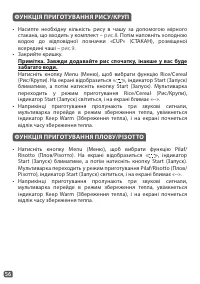
56 ФУНКЦІЯ ПРИГОТУВАННЯ РИСУ/КРУП ФУНКЦІЯ ПРИГОТУВАННЯ ПЛОВУ/РІЗОТТО • Натисніть кнопку Menu (Меню), щоб вибрати функцію Pilaf/ Risotto (Плов/Різотто). На екрані відобразиться « », індикатор Start (Запуск) блиматиме, а потім натисніть кнопку Start (Запуск). Мультиварка переходить у режим приготуванн...
Page 60 - РЕКОМЕНДАЦІЇ ЩОДО НАЙКРАЩОГО ПРИГОТУВАННЯ; ПОСІБНИК ІЗ ПРИГОТУВАННЯ БІЛОГО РИСУ – 10 стаканів
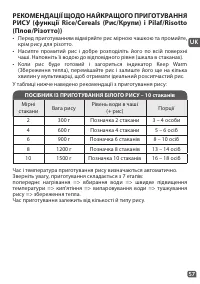
57 UK РЕКОМЕНДАЦІЇ ЩОДО НАЙКРАЩОГО ПРИГОТУВАННЯ РИСУ (функції Rice/Cereals (Рис/Крупи) і Pilaf/Risotto (Плов/Різотто)) • Перед приготуванням відміряйте рис мірною чашкою та промийте, крім рису для різотто. • Насипте промитий рис і добре розподіліть його по всій поверхні чаші. Наповніть її водою до в...
Page 61 - Під час приготування
58 ФУНКЦІЯ ПРИГОТУВАННЯ ПАСТИ ФУНКЦІЯ ПІДНЯТТЯ ТІСТА • Для приготування пасти важливо зачекати, доки вода не досягне потрібної температури, перш ніж додавати пасту. • Натисніть кнопку Menu (Меню), щоб вибрати функцію Pasta (Паста). На дисплеї відобразиться час приготування за замовчуванням «00:08», ...
Page 62 - ФУНКЦІЯ ПІДІГРІВАННЯ
59 UK ФУНКЦІЯ ПІДІГРІВАННЯ • Ця функція призначена для підігріву тільки приготованої їжі. • Натисніть кнопку Menu (Меню), щоб вибрати функцію Reheat (Підігрівання). На дисплеї відобразиться час приготування за замовчуванням, індикатор Start (Запуск) блимає червоним кольором. • Натисніть кнопку Tempe...
Page 63 - ФУНКЦІЯ ЗБЕРЕЖЕННЯ ТЕПЛА/СКАСУВАННЯ
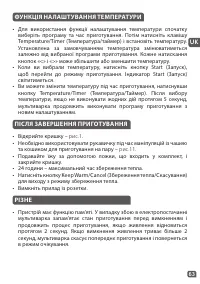
60 ФУНКЦІЯ ЗБЕРЕЖЕННЯ ТЕПЛА/СКАСУВАННЯ Ця клавіша виконує 2 різні функції: збереження тепла та скасування. 1. Функція збереження тепла: 1.1 Збереження тепла вручну: Ви можете натиснути кнопку Keep warm/Cancel (Збереження тепла/ Скасування) вручну, індикатор Keep warm/Cancel (Збереження тепла/Скасува...
Page 64 - ФУНКЦІЯ «ЗРОБИ САМ»; Деякі програми приготування визначено як повністю
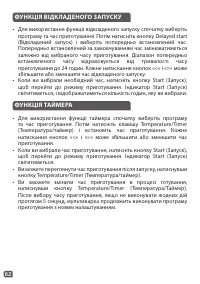
61 UK ФУНКЦІЯ «ЗРОБИ САМ» • Функція «Зроби сам» – це функція запам'ятовування ваших улюблених настройок приготування. • Натисніть кнопку DIY (Зроби сам), щоб вибрати режим «Зроби сам», мультиварка спочатку перейде в режим DIY (Зроби сам), і на екрані відображатиметься час приготування за замовчуванн...
Page 67 - ЧИЩЕННЯ Й ДОГЛЯД; Чаша, кошик для приготування на пару
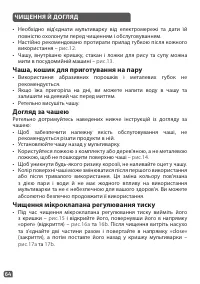
64 ЧИЩЕННЯ Й ДОГЛЯД • Необхідно від'єднати мультиварку від електромережі та дати їй повністю охолонути перед чищенням і обслуговуванням. • Настійно рекомендовано протирати прилад губкою після кожного використання – рис.12 . • Чашу, внутрішню кришку, стакан і ложки для рису та супу можна мити в посуд...
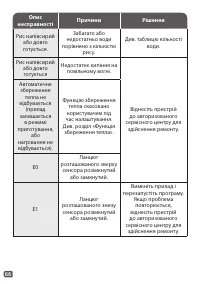
Page 68 - Чищення інших частин приладу та догляд за ними; Опис; УСУНЕННЯ ТЕХНІЧНИХ НЕСПРАВНОСТЕЙ
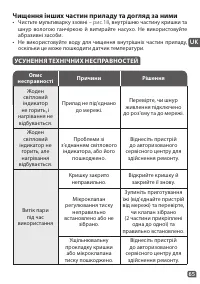
65 UK Чищення інших частин приладу та догляд за ними • Чистьте мультиварку ззовні – рис.18 , внутрішню частину кришки та шнур вологою ганчіркою й витирайте насухо. Не використовуйте абразивні засоби. • Не використовуйте воду для чищення внутрішніх частин приладу, оскільки це може пошкодити датчик те...
Page 70 - ЗАХИСТ ДОВКІЛЛЯ; Допоможіть зберегти довкілля!; Ваш прилад містить матеріали, які можуть бути відновлені; Зауваження. Якщо внутрішню чашу деформовано, більше
67 UK ЗАХИСТ ДОВКІЛЛЯ Допоможіть зберегти довкілля! Ваш прилад містить матеріали, які можуть бути відновлені або використані повторно. Віднесіть його до місцевого пункту збору відходів. Зауваження. Якщо внутрішню чашу деформовано, більше не використовуйте її та замініть на нову в авторизованому серв...
Page 72 - АЛҒАШ ҚОЛДАНАР АЛДЫНДА; Құрылғыны қаптамасынан шығару; Нұсқаулықты оқып, онда берілген нұсқауларды мұқият; Құрылғыны тазалау
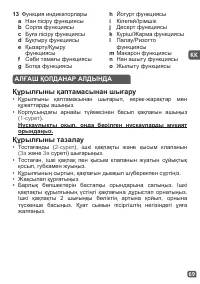
69 KK АЛҒАШ ҚОЛДАНАР АЛДЫНДА Құрылғыны қаптамасынан шығару • Құрылғыны қаптамасынан шығарып, керек-жарақтар мен құжаттарды ашыңыз. • Корпусындағы арнайы түймесінен басып қақпағын ашыңыз ( 1-сурет ). Нұсқаулықты оқып, онда берілген нұсқауларды мұқият орындаңыз. Құрылғыны тазалау • Тостағанды ( 2-суре...
Page 73 - ҚҰРЫЛҒЫ МЕН БАРЛЫҚ ФУНКЦИЯЛАРҒА ҚАТЫСТЫ
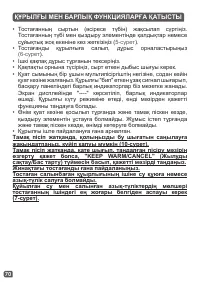
70 ҚҰРЫЛҒЫ МЕН БАРЛЫҚ ФУНКЦИЯЛАРҒА ҚАТЫСТЫ • Тостағанның сыртын (әсіресе түбін) жақсылап сүртіңіз. Тостағанның түбі мен қыздыру элементінде қалдықтар немесе сұйықтық жоқ екеніне көз жеткізіңіз ( 5-сурет ). • Тостағанды құрылғыға салып, дұрыс орналастырыңыз ( 6-сурет ). • Ішкі қақпақ дұрыс тұрғанын т...
Page 74 - ПІСІРУ БАҒДАРЛАМАЛАРЫНЫҢ КЕСТЕСІ; режимде бар болса ғана жұмыс істейді.
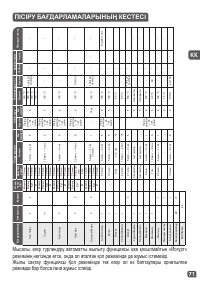
71 KK Бағдар лам алар А втома тт ы Қо лдан Азық- түлік түрі Пісір у у ақыты Кейін қо су Те мперат ура (°C) Қақпақ орны Жыл уды с ақтау Әде ттегі уақыт Ауқым Әр (мину т) Ауқым Әр (мину т) Әдепкі Ауқым Ж абық Ашық Нан пісір у 4 4 Көкөніс 25 мин. 5 мин. — 4 сағ. 5 Пісір у уақыты — 24 сағ. дейін 5 140 °...
Page 76 - Буға пісіру бойынша берілетін кеңестер
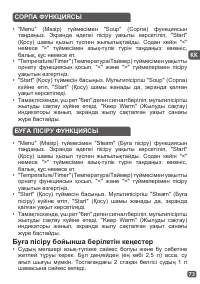
73 KK СОРПА ФУНКЦИЯСЫ • "Menu" (Мәзір) түймесімен "Soup" (Сорпа) функциясын таңдаңыз. Экранда әдепкі пісіру уақыты көрсетіліп, "Start" (Қосу) шамы қызыл түспен жыпылықтайды. Содан кейін "<" немесе ">" түймесімен азық-түлік түрін таңдаңыз: көкөніс, балық,...
Page 78 - СӘБИ ТАМАҒЫ ФУНКЦИЯСЫ; Ескертпе: Сәби тамағын піскеннен кейін 1 сағат ішінде жеу
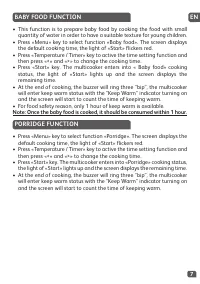
75 KK СӘБИ ТАМАҒЫ ФУНКЦИЯСЫ • Бұл функция тамақты сәбилерге қажетті қоюлықпен әзірлеу үшін аз су қосып пісіруге арналған. • "Menu" (Мәзір) түймесімен "Baby food" (Сәби тамағы) функциясын таңдаңыз. Экранда әдепкі пісіру уақыты көрсетіліп, "Start" (Қосу) шамы қызыл түспен жыпыл...
Page 79 - БОТҚА ФУНКЦИЯСЫ; ЙОГУРТ ФУНКЦИЯСЫ; қалған уақыт көрсетіледі.; Бұл режимде тамақ дайындалып болғанда, жылуды сақтау
76 БОТҚА ФУНКЦИЯСЫ • "Menu" (Мәзір) түймесімен "Porridge" (Ботқа) функциясын таңдаңыз. Экранда әдепкі пісіру уақыты көрсетіліп, "Start" (Қосу) шамы қызыл түспен жыпылықтайды. • "Temperature/Timer" (Температура/Таймер) түймесімен уақытты орнату функциясын қосып, "&...
Page 81 - Ашыту уақыты; КІЛЕГЕЙ/ІРІМШІК ФУНКЦИЯСЫ
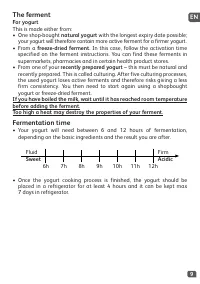
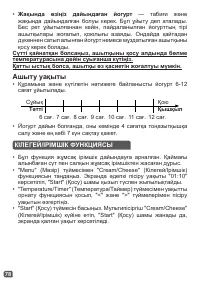
78 • Жақында өзіңіз дайындаған йогурт — табиғи және жақында дайындалған болуы керек. Бұл ұйыту деп аталады. Бес рет ұйытылғаннан кейін, пайдаланылған йогурттың тірі ашытқылары жоғалып, қоюлығы азаяды. Ондайда қайтадан дүкеннен сатып алынған йогурт немесе мұздатылған ашытқыны қосу керек болады. Сүтті...
Page 82 - Ескертпе: Күрішті бірінші салу керек, әйтпесе су көп болып
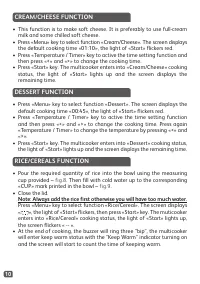
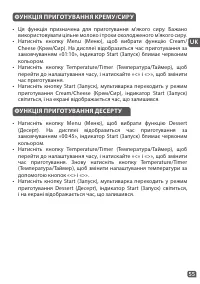
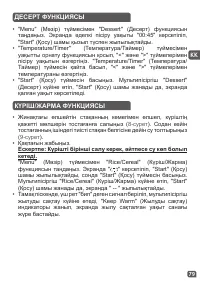
79 KK ДЕСЕРТ ФУНКЦИЯСЫ • "Menu" (Мәзір) түймесімен "Dessert" (Десерт) функциясын таңдаңыз. Экранда әдепкі пісіру уақыты "00:45" көрсетіліп, "Start" (Қосу) шамы қызыл түспен жыпылықтайды. • "Temperature/Timer" (Температура/Таймер) түймесімен уақытты орнату функ...
Page 83 - ПАЛАУ/РИЗОТТО ФУНКЦИЯСЫ; КҮРІШ ПІСІРУГЕ ҚАТЫСТЫ БЕРІЛГЕН КЕҢЕСТЕР; АҚ КҮРІШ ПІСІРУ НҰСҚАУЛЫҒЫ — 10 стақан
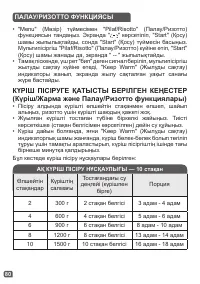
80 ПАЛАУ/РИЗОТТО ФУНКЦИЯСЫ • "Menu" (Мәзір) түймесімен "Pilaf/Risotto" (Палау/Ризотто) функциясын таңдаңыз. Экранда " " көрсетіліп, "Start" (Қосу) шамы жыпылықтайды, сонда "Start" (Қосу) түймесін басыңыз. Мультипісіргіш "Pilaf/Risotto" (Палау/Ризотто) ...
Page 84 - Макарон пісіренде, қақпақ ашық тұруы керек.
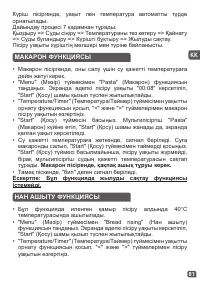
81 KK МАКАРОН ФУНКЦИЯСЫ НАН АШЫТУ ФУНКЦИЯСЫ • Макарон пісіргенде, оны салу үшін су қажетті температураға дейін жетуі керек. • "Menu" (Мәзір) түймесімен "Pasta" (Макарон) функциясын таңдаңыз. Экранда әдепкі пісіру уақыты "00:08" көрсетіліп, "Start" (Қосу) шамы қызыл тү...
Page 85 - ЖЫЛЫТУ ФУНКЦИЯСЫ; Суық тамақ мультипісіргіш көлемінің 1/2 бөлігінен аспауы
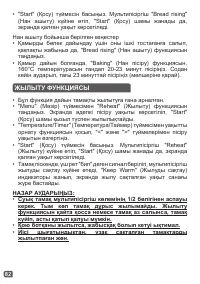
82 Нан ашыту бойынша берілген кеңестер • Қамырды бөлек дайындау үшін оны ішкі тостағанға салып, қақпақты жабыңыз да, "Bread rising" (Нан ашыту) функциясын таңдаңыз. • Қамыр дайын болғанда, "Baking" (Нан пісіру) функциясын, 160°C температурасын таңдап 20-23 минут пісіріңіз. Содан кейі...
Page 87 - КЕЙІН ҚОСУ ФУНКЦИЯСЫ
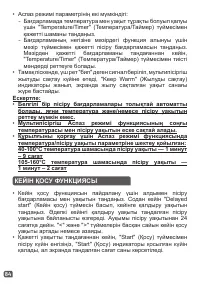
84 • Аспаз режимі параметрінің екі мүмкіндігі: − Бағдарламада температура мен уақыт тұрақты болуып қалуы үшін "Temperature/Timer" (Температура/Таймер) түймесімен қажетті шаманы таңдаңыз. − Бағдарламаның негізіне мәзірдегі функция алынуы үшін мәзір түймесімен қажетті пісіру бағдарламасын таңд...
Page 89 - Тостаған, бумен пісіру себеті; ПІСКЕНДЕ
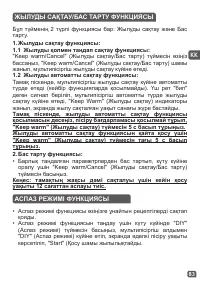
86 БАСҚА АҚПАРАТ • Бұл құрылғының есте сақтау функциясы бар. Қуат үзілген жағдайда, мультипісіргіш оның алдындағы пісіру күйін есіне сақтап, қуат 2 секундтың ішінде қайта берілсе, процесті жалғастыра береді. Қуат 2 секундтан ұзақ берілмесе, мультипісіргіш пісіру режимін өшіріп, күту күйіне оралады. ...
Page 91 - ТЕХНИКАЛЫҚ АҚАУЛАРДЫ ЖОЮ НҰСҚАУЛЫҒЫ
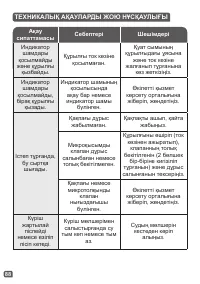
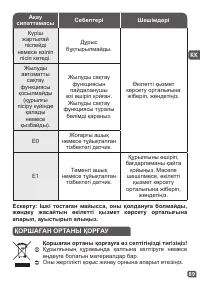
88 Ақау сипаттамасы Себептері Шешімдері Индикатор шамдары қосылмайды және құрылғы қызбайды. Құрылғы ток көзіне қосылмаған. Қуат сымының құрылғыдағы ұясына және ток көзіне жалғанып тұрғанына көз жеткізіңіз. Индикатор шамдары қосылмайды, бірақ құрылғы қызады. Индикатор шамының қосылысында ақау бар нем...
Page 92 - ҚОРШАҒАН ОРТАНЫ ҚОРҒАУ; Қоршаған ортаны қорғауға өз септігіңізді тигізіңіз!
89 KK ҚОРШАҒАН ОРТАНЫ ҚОРҒАУ Қоршаған ортаны қорғауға өз септігіңізді тигізіңіз! Құрылғының құрамында қалпына келтіруге немесе өңдеуге болатын материалдар бар. Оны жергілікті қоқыс жинау орнына апарып өткізіңіз. Ақау сипаттамасы Себептері Шешімдері Күріш жартылай піспейді немесе езіліп пісіп кетеді....
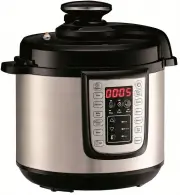 Tefal CY505
User Manual
Tefal CY505
User Manual
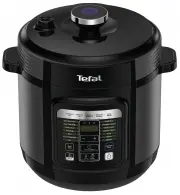 Tefal CY601
User Manual
Tefal CY601
User Manual
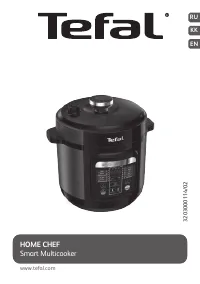 Tefal CY601832 Home Chef Smart Multicooker
User Manual
Tefal CY601832 Home Chef Smart Multicooker
User Manual
 Tefal CY621
User Manual
Tefal CY621
User Manual
 Tefal CY621D34
User Manual
Tefal CY621D34
User Manual
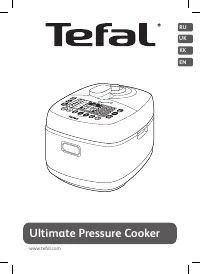 Tefal CY625D32
User Manual
Tefal CY625D32
User Manual
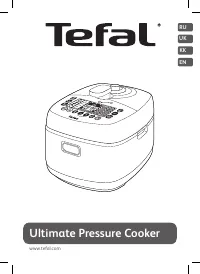 Tefal CY625F32
User Manual
Tefal CY625F32
User Manual
 Tefal CY7011
User Manual
Tefal CY7011
User Manual
 Tefal CY7015
User Manual
Tefal CY7015
User Manual
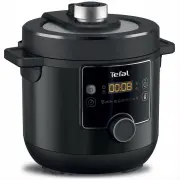 Tefal CY7778
User Manual
Tefal CY7778
User Manual
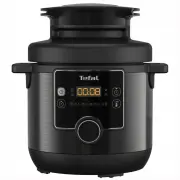 Tefal CY7788
User Manual
Tefal CY7788
User Manual
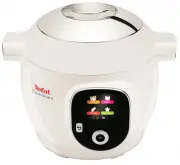 Tefal CY8511
User Manual
Tefal CY8511
User Manual
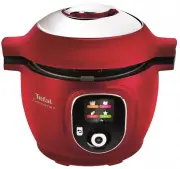 Tefal CY8515
User Manual
Tefal CY8515
User Manual
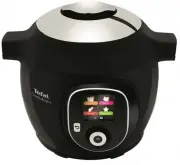 Tefal CY8518
User Manual
Tefal CY8518
User Manual
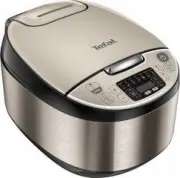 Tefal Essential RK321A32
User Manual
Tefal Essential RK321A32
User Manual
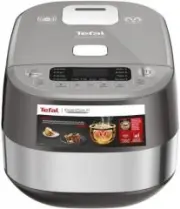 Tefal ExpertCook RK802B32
User Manual
Tefal ExpertCook RK802B32
User Manual
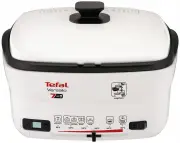 Tefal FR4900
User Manual
Tefal FR4900
User Manual
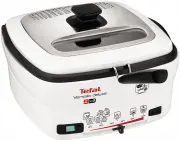 Tefal FR4950
User Manual
Tefal FR4950
User Manual
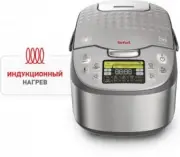 Tefal Fuzzy Logic RK807D32
User Manual
Tefal Fuzzy Logic RK807D32
User Manual