Page 2 - Instructions; General safety instructions
Instructions 52 1 Instructions 1.1 General safety instructions Risk of personal injury • During use the appliance and its accessible parts become very hot. Never touch the heating elements during use. • Protect your hands by wearing oven gloves when moving food inside the oven. • Never try to put ou...
Page 4 - Risk of damaging the appliance
Instructions 54 Risk of damaging the appliance • Do not use abrasive or corrosive detergents (e.g. scouring powders, stain removers and metallic sponges) on glass parts. • Use wooden or plastic utensils.• Racks and trays should be inserted as far as they will go into the side guides. The mechanical ...
Page 5 - Installation
Instructions 55 EN • If any liquid does boil over or spill, remove the excess from the hob. • Take care not to spill acid substances such as lemon juice or vinegar on the hob. • Do not put empty pans or frying pans on switched on cooking zones. • Do not use steam jets to clean the appliance. • Do no...
Page 6 - For this appliance
Instructions 56 • Use cables withstanding a temperature of at least 90°C. • The tightening torque of the screws of the terminal supply wires must be 1.5 - 2 Nm. For this appliance • After use, switch off the plates. Never rely solely on the cookware detector. • Supervise children carefully as they c...
Page 7 - Appliance purpose; Identification plate; it along with the plug.
Instructions 57 EN 1.2 Appliance purpose • This appliance is intended for cooking food in the home environment. Every other use is considered improper. • The appliance is not designed to operate with external timers or with remote-control systems. 1.3 Manufacturer liability The manufacturer declines...
Page 8 - How to read the user manual; Danger of suffocation
Instructions 58 • Deliver the appliance to the appropriate recycling centre for electrical and electronic equipment waste, or return it to the retailer when purchasing an equivalent product, on a one for one basis. Our appliances are packaged in non-polluting and recyclable materials.• Deliver the p...
Page 9 - Description; General Description
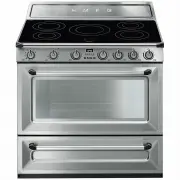
Description 59 EN 2 Description 2.1 General Description 1 Upstand 2 Cooking hob 3 Control panel 4 Oven light 5 Seal 6 Door 7 Fan 8 Storage compartment Rack/tray support frames
Page 10 - Advantages of induction cooking; Zone
Description 60 2.2 Cooking hob * Power levels are approximate and can vary according to the pan used or the settings made. Advantages of induction cooking • Energy saving thanks to the direct transmission of energy to the pan (suitable magnetisable cookware is required) compared to traditional elect...
Page 11 - Function knob
Description 61 EN 2.3 Control panel 1 Function knob The oven’s various functions are suitable for different cooking modes. After selecting the required function, set the cooking temperature using the temperature knob. 2 Temperature knob This knob allows you to select the cooking temperature.Turn the...
Page 12 - Shelves; Available accessories; Rack
Description 62 2.4 Other parts Shelves The appliance features shelves to position trays and racks at different heights. The insertion heights are indicated from the bottom upwards (see 2.1 General Description ). Cooling fan The fan cools the oven and comes into operation during cooking.The fan cause...
Page 13 - Deep tray
Description 63 EN Deep tray Useful for collecting fat from foods placed on the rack above and for cooking pies, pizzas and baked desserts. Rotisserie Useful for cooking chicken and all foods which require uniform cooking over their entire surface. Scraper Useful for cleaning the hob. Some models are...
Page 14 - Use; Danger of burns
Use 64 3 Use 3.1 Instructions High temperature inside the oven during use Danger of burns • Keep the oven door closed during cooking. • Protect your hands by wearing oven gloves when moving food inside the oven. • Do not touch the heating elements inside the oven. • Do not pour water directly onto v...
Page 15 - Cleaning and; Using the accessories; Tray rack
Use 65 EN 3.2 First use 1. Remove any protective film from the outside or inside of the appliance, including accessories. 2. Remove any labels (apart from the technical data plate) from the accessories and from the oven cavity. 3. Remove and wash all the appliance's accessories (see 4 Cleaning and m...
Page 16 - Racks and trays
Use 66 Racks and trays Racks and trays have to be inserted into the side guides until they come to a complete stop.The mechanical safety locks that prevent the rack from being taken out accidentally must face downwards and towards the back of the oven. Rotisserie 1. Insert the 4 supplied bushings in...
Page 18 - Using the storage compartment
Use 68 8. When cooking is complete, remove the tray with the rotisserie. 9. Screw on the handle provided so that you can handle the rotisserie rod more easily. 3.4 Using the storage compartment There is a storage compartment located at the bottom of the cooker; this can be used to store pans or meta...
Page 19 - appears on the display, it
Use 69 EN To see whether the pan is suitable, bring a magnet close to the bottom: if it is attracted, the pan is suitable for induction cooking. If you do not have a magnet, you can put a small amount of water in the pan, place it on a cooking zone and start the hot plate. If the symbol appears on t...
Page 20 - Limiting the cooking duration
Use 70 Limiting the cooking duration The hob has an automatic device which limits the duration of use. If the cooking zone settings are not changed, the maximum duration of operation for each zone depends on the power level selected.When the device for limiting the duration of use is activated, the ...
Page 21 - Power levels; * see booster function; Residual heat
Use 71 EN Power levels The power in the cooking zone can be adjusted to various levels. The table shows the levels suitable for various types of cooking. * see booster function Residual heat If the cooking zone is still hot after being switched off, the symbol will be displayed on the display. The s...
Page 22 - Heating accelerator
Use 72 Heating accelerator This function allows the selected power to be achieved in the shortest amount of time.1. Turn the knob anti-clockwise to position A and then release it. The display shows the symbol . 2. Select the required heating power ( 1 - 8 ) within 3 seconds. The selected power and s...
Page 23 - Power control
Use 73 EN Power control The hob is fitted with a power control module that optimises/limits consumption. If the overall set power level exceeds the maximum limit permitted, the electronic circuit board will automatically manage the power supplied by the hot plates.The module tries to maintain the ma...
Page 24 - Switching on the oven
Use 74 3.6 Using the oven Switching on the oven To switch on the oven:1. Select the cooking function using the function knob. 2. Select the temperature using the temperature knob. Functions list Ensure that the programmer clock shows the cooking duration symbol , otherwise it will not be possible to...
Page 25 - Fan assisted; and
Use 75 EN Fan assisted The operation of the fan, combined with traditional cooking, ensures consistent cooking even with complex recipes. Perfect for biscuits and cakes, even when simultaneously cooked on several levels. (For multiple-level cooking, we recommend using the 2 nd and 4 th shelf). Fan w...
Page 26 - General advice
Use 76 3.7 Cooking advice General advice • Use a fan assisted function to achieve consistent cooking at several levels. • It is not possible to shorten cooking times by increasing the temperature (the food could be overcooked on the outside and undercooked on the inside). • For the same total weight...
Page 27 - To save energy
Use 77 EN • To defrost meat, use the rack placed on the second level and a tray on the first level. In this way, the liquid from the defrosting food drains away from the food. • Bread and fruit, if divided into pieces, will take the same amount of time to defrost, regardless of the total weight and ...
Page 28 - Setting the time
Use 78 Setting the time On the first use, or after a power failure, the digits will be flashing on the appliance’s display. 1. Press the keys and at the same time. The dot between the hours and the minutes flashes. 2. The time can be set using the key or . Keep the key pressed in to increase or decr...
Page 29 - Programmed cooking
Use 79 EN 6. Press the keys and at the same time to reset the programmer clock. Programmed cooking 1. Set the cooking time as described in the previous section “Timed cooking” . 2. Press the key . The sum of the current time plus the pre-set cooking duration will appear on the display. 3. Use the ke...
Page 30 - Minute minder timer
Use 80 Minute minder timer The minute minder timer can be activated at any time. 1. Press the key . The display shows the digits and the indicator light flashing between the hours and the minutes. 2. Use the key or to set the required minutes. 3. Wait approx. 5 seconds without pressing any key to fi...
Page 31 - Cooking information table
Use 81 EN Cooking information table Food Weight (Kg) Function Shelf Temp. (°C) Time (minutes) Lasagne 3 - 4 Static 1 220 - 230 45 - 50 Pasta bake 3 - 4 Static 1 220 - 230 45 - 50 Roasted veal 2 Circulaire/Fan assisted 2 180 - 190 90 - 100 Pork loin 2 Circulaire/Fan assisted 2 180 - 190 70 - 80 Sausa...
Page 32 - Cleaning and maintenance; Cleaning the appliance; Recommendations for cleaning the hob
Cleaning and maintenance 82 4 Cleaning and maintenance 4.1 Instructions 4.2 Cleaning the appliance Recommendations for cleaning the hob To keep the surfaces in good condition, they should be cleaned regularly after use. Let them cool first. Ordinary daily cleaning Always and only use specific produc...
Page 33 - Dirt
Cleaning and maintenance 83 EN Dirt which may have fallen on the hob while cleaning lettuce or potatoes can scratch the hob when moving pans.Consequently, remove any dirt from the cooking surface immediately. Changes in colour do not affect the operation and stability of the glass. These are not alt...
Page 34 - Removing rack/tray support frames
Cleaning and maintenance 84 Removing rack/tray support frames Removing the rack/tray support frames enables the sides to be cleaned more easily.To remove the rack/tray support frames:• Pull the frame towards the inside of the oven to unhook it from its groove A , then slide it out of the seats B at ...
Page 35 - Preliminary operations
Cleaning and maintenance 85 EN 4.3 Vapor Clean Preliminary operations Before starting the Vapor Clean cycle:• Completely remove all accessories from inside the oven. • Pour approximately 40 cc of water into the tray. Make sure it does not overflow out of the cavity. • Spray a water and washing up li...
Page 36 - Vapor Clean cycle setting; Removing the door
Cleaning and maintenance 86 Vapor Clean cycle setting 1. Set a cooking time of 18 minutes using the programmer clock. 2. Turn the function knob to the symbol and the temperature knob to the symbol . The Vapor Clean cycle starts a few seconds after the last press on the programmer clock keys.3. At th...
Page 37 - Grasp the door on both sides with both; Cleaning the door glazing; Removing the internal glass panes
Cleaning and maintenance 87 EN 2. Grasp the door on both sides with both hands, lift it forming an angle of around 30° and remove it. 3. To reassemble the door, put the hinges in the relevant slots in the oven, making sure that grooved sections A are resting completely in the slots. Lower the door a...
Page 38 - Remove the intermediate glass pane by; Extraordinary maintenance; Installing and removing the seal
Cleaning and maintenance 88 5. Remove the intermediate glass pane by lifting it upwards. 6. Clean the external glass pane and the panes removed previously. Use absorbent kitchen roll. In case of stubborn dirt, wash with a damp sponge and neutral detergent. 7. When you have finished cleaning, reinser...
Page 39 - Replacing the internal light bulb
Cleaning and maintenance 89 EN Replacing the internal light bulb 1. Completely remove all accessories from inside the oven. 2. Remove the rack/tray support frames. 3. Remove the bulb cover using a tool (e.g. a screwdriver). 4. Slide out and remove the light bulb. 5. Fit the new light bulb. 6. Refit ...
Page 40 - The appliance is not working properly:
Cleaning and maintenance 90 What to do if... The appliance is not working properly: • The switch is defective: check the fuse box to see whether the switch is in working order. • Loss of power: check that the appliance indicator lights are operational. The gas burner does not light: • Loss of power ...
Page 41 - Installation; Dimensions
Installation 91 EN 5 Installation 5.1 Positioning Dimensions 1 Minimum distance from side walls or other flammable material. 2 Minimum cabinet width ( =A ). Heavy appliance Crushing hazard • Position the appliance into the cabinet cut-out with the help of a second person. Pressure on the door Risk o...
Page 42 - Appliance dimensions
Installation 92 Appliance dimensions Position of gas and electrical connections. General information This appliance may be installed next to walls, one of which must be higher than the worktop, at a minimum distance of 50 mm from the side of the appliance, as shown in figures A and C relative to the...
Page 43 - B - Class 2 subclass 1; Positioning and levelling
Installation 93 EN B - Class 2 subclass 1 (Built-in appliance) C - Class 2 subclass 1 (Built-in appliance) Positioning and levelling The appliance must sit level on the floor to ensure stability.• After making the gas and electrical connections, level and stabilise the appliance on the floor by scre...
Page 44 - Assembling the upstand
Installation 94 Assembling the upstand The upstand must always be positioned and secured correctly on the appliance.1. Loosen the 6 screws on the back of the hob ( A ) and unscrew the 2 screws ( B ) on the side part of the upstand. 2. Place the upstand on the hob. Align the 6 bottom slots of the ups...
Page 45 - Fastening to the wall
Installation 95 EN Fastening to the wall 1. Screw the wall fastening plate to the rear of the appliance. 2. Adjust the height of the 4 feet. 3. Assemble the fastening bracket. 4. Align the base of the hook on the fastening bracket with the base of the slot on the wall fastening plate. The anti-tip d...
Page 47 - Electrical connection; General information
Installation 97 EN 5.2 Electrical connection General information Check the grid characteristics against the data indicated on the plate.The identification plate bearing the technical data, serial number and brand name is visibly positioned on the appliance.Do not remove this plate for any reason.Per...
Page 48 - Fixed connection; Instructions for the installer; • The plug must be accessible after
Installation 98 Fixed connection Fit the power line with an omnipolar circuit breaker in compliance with installation regulations.The circuit breaker should be located near the appliance and in an easily reachable position. Connection with plug and socket Make sure that the plug and socket are of th...


 Smeg A11X-7
User Manual
Smeg A11X-7
User Manual
 Smeg A11XPY-9
User Manual
Smeg A11XPY-9
User Manual
 Smeg A1PYID-7
User Manual
Smeg A1PYID-7
User Manual
 Smeg A1PYID-9
User Manual
Smeg A1PYID-9
User Manual
 Smeg A3AU-81
User Manual
Smeg A3AU-81
User Manual
 Smeg A5AU-81
User Manual
Smeg A5AU-81
User Manual
 Smeg ALFA1035EH
User Manual
Smeg ALFA1035EH
User Manual
 Smeg ALFA1035EHDS
User Manual
Smeg ALFA1035EHDS
User Manual
 Smeg ALFA1035EHT
User Manual
Smeg ALFA1035EHT
User Manual
 Smeg ALFA1035H
User Manual
Smeg ALFA1035H
User Manual
 Smeg ALFA1035H-2
User Manual
Smeg ALFA1035H-2
User Manual
 Smeg ALFA420EH
User Manual
Smeg ALFA420EH
User Manual
 Smeg ALFA420EHDS
User Manual
Smeg ALFA420EHDS
User Manual
 Smeg ALFA420EHT
User Manual
Smeg ALFA420EHT
User Manual
 Smeg ALFA625EH
User Manual
Smeg ALFA625EH
User Manual
 Smeg ALFA625EHDS
User Manual
Smeg ALFA625EHDS
User Manual
 Smeg ALFA625EHT
User Manual
Smeg ALFA625EHT
User Manual
 Smeg ALFA625H
User Manual
Smeg ALFA625H
User Manual
 Smeg ALFA625H-2
User Manual
Smeg ALFA625H-2
User Manual
 Smeg ALFA625HR-2
User Manual
Smeg ALFA625HR-2
User Manual