Page 2 - Risk of damaging the appliance
4 - PRECAUTIONS 91477A548/B • Children must not play with the appliance. • Keep children under the age of 8 at a safe distance unless they are constantly supervised. • Keep children under the age of 8 away from the appliance when it is in use. • Cleaning and maintenance must not be carried out by un...
Page 3 - MUST NOT
PRECAUTIONS - 5 91477A548/B e removed must face downwards and towards the back of the oven cavity. • Do not use steam jets to clean the appliance. • Do not spray any spray product near the appliance. • Do not obstruct ventilation openings and heat dispersal slots. • Fire hazard: never leave objects ...
Page 5 - • Do not install/use the; Appliance purpose; This user manual; • This user manual is an integral part of the; Manufacturer’s liability; • failure to comply with the instructions in the
PRECAUTIONS - 7 91477A548/B e stuck in the doors. • Do not install/use the appliance outdoors. • (on some models only) Only use the temperature probe provided or recommended by the manufacturer. Temperature probe (if present) • Do not touch the rod or the tip of the temperature probe after use. • We...
Page 6 - Fan forced mode; Energy efficiency technical data; Power voltage
8 - PRECAUTIONS 91477A548/B user manual; • tampering with any part of the appliance;• use of non-original spare parts. Identification plate The identification plate bears the technical data, serial number and brand name of the appliance. Do not remove the identification plate for any reason. Disposa...
Page 7 - How to read the user manual; DESCRIPTION; General description
DESCRIPTION - 9 91477A548/B e light sources. • The light sources contained in the appliance are declared suitable for operation at ambient temperature ≥300°C and intended for use in high temperature applications such as ovens. • This appliance contains light sources of efficiency class "G". ...
Page 8 - Control panel; Other parts; functions; Accessories; • Not all accessories are available on some
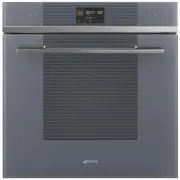
10 - DESCRIPTION 91477A548/B Control panel 1 Function touch buttons By means of these touch buttons you can:• turn the appliance on and off;• select a function. 2 Digital programmer Displays the current time, the selected cooking temperature, power and function and any time set. 3 Temperature touch ...
Page 10 - USE; Preliminary operations; First heating; Using the accessories; Racks and trays
12 - USE 91477A548/B AIRFRY (oil-free frying grill) Recommended accessory for air-frying previously breaded, precooked and/or frozen food (chips, potato or meat croquettes, small mozzarella bites...). USE Preliminary operations • Remove any protective film from the outside or inside of the appliance...
Page 11 - Digital programmer; Touch buttons; First use; Time setting
USE - 13 91477A548/B e Digital programmer The parameters and values for the currently selected function will be indicated on the display. To use it, simply press the touch buttons on the control panel or press the buttons on the lower part of the display, depending on the operations to be performed ...
Page 12 - Using the oven; Traditional cooking
14 - USE 91477A548/B Modifying the time 1. In the main menu, hold down the button for a few seconds. 2. Modify the time as described in point 2 in the previous chapter. Low brightness After 2 minutes of inactivity, the display shows the button and the current time in low brightness.In this mode, the...
Page 17 - Cooking advice; General advice
USE - 19 91477A548/B e 9. Press the button to start the function. With cooking started:1. Select a cooking function (for example "FAN-ASSISTED "). 2. Press the and touch buttons to set the cooking temperature (e.g. "190°C"). 3. Press the button to start the function. The appliance wi...
Page 19 - Special functions; DEFROSTING
USE - 21 91477A548/B e Mini guide to accessories Discover the recipes To consult the recipes developed for various categories of food and to get more information on cooking suggestions, we recommend visiting the dedicated page on the www.smeg.com website, which can be reached using the QR code on th...
Page 21 - STONE
USE - 23 91477A548/B e opening the door (where present) or manual activation will not activate the light. • The internal fan remains turned off.• Touch buttons and audible prompts are disabled. 1. After entering the special functions menu, press the and touch buttons on the control panel until the f...
Page 22 - AIRFRY
24 - USE 91477A548/B 1. Open the door.2. Insert the BBQ accessory into the oven cavity. 3. Close the door.4. After entering the special functions menu, press the and touch buttons on the control panel until the function is selected. 5. Press the button to confirm. 6. Press the and touch buttons on t...
Page 23 - Secondary functions; MINUTE MINDER TIMER; Settings
USE - 25 91477A548/B e Secondary functions The buttons at the bottom of the display have some secondary functions: MINUTE MINDER TIMER 1. Press the button on the main menu. The display shows and the indicator light flashing. 2. Press the and touch buttons on the control panel to set the duration of ...
Page 26 - CLEANING AND MAINTENANCE; Cleaning the appliance; Cleaning the surfaces; Cleaning the door; Door disassembly
28 - CLEANING AND MAINTENANCE 91477A548/B associated with the touch of the symbols on the display. 3. Press the button to confirm. CLEANING AND MAINTENANCE Cleaning the appliance Cleaning the surfaces To keep the surfaces in good condition, they should be cleaned regularly after use. Let them cool f...
Page 28 - Cleaning the oven cavity; Drying; Special cleaning functions
30 - CLEANING AND MAINTENANCE 91477A548/B 9. Reinsert the intermediate glass unit and reposition the inner glass. 10. Be sure to fit the 4 pins of the inner glass well into their seats on the door. Cleaning the oven cavity In order to keep your oven in the best possible condition, clean it regularly...
Page 31 - Extraordinary maintenance; Seal maintenance tips
CLEANING AND MAINTENANCE - 33 91477A548/B e 4. Two minutes after the Pyrolytic cycle starts, the indicator light comes on to indicate that the door is locked by a device that prevents the door from being opened. End of Pyrolytic function At the end, is displayed and flashes and a beep is activated. ...
Page 32 - INSTALLATION; Electrical connection; General information
34 - INSTALLATION 91477A548/B 4. Slide out and remove the light bulb. 5. Replace the light bulb with one of the same type (40 W). 6. Refit the cover. Ensure the moulded part of the glass (A) is facing the door. 7. Press the cover completely down so that it attaches perfectly to the bulb support. INS...
Page 33 - Cable replacement; Positioning; Position of the power cable
INSTALLATION - 35 91477A548/B e Cable replacement 1. Unscrew the rear casing screws and remove the casing to access the terminal board. 2. Replace the cable.3. Make sure that the cables (for the oven or any hob) follow the best route in order to avoid any contact with the appliance. Positioning Posi...
Page 34 - Make sure that the cabinet top/rear
36 - INSTALLATION 91477A548/B Mounting into a column (mm) * Make sure that the cabinet top/rear section has an opening approx. 35-40 mm deep.
Page 36 - Make sure that the piece of furniture
38 - INSTALLATION 91477A548/B Mounting under worktops (mm) If the appliance is to be built-in under a worktop, a wooden bar has to be installed order to use the seal that is glued to the back of the front panel to prevent water or other liquids leaking in. * Make sure that the piece of furniture top...