Page 2 - Risk of damaging the appliance
4 - PRECAUTIONS 91477A650/B • Children must not play with the appliance. • Keep children under the age of 8 at a safe distance unless they are constantly supervised. • Keep children under the age of 8 away from the appliance when it is in use. • Cleaning and maintenance must not be carried out by un...
Page 3 - MUST NOT
PRECAUTIONS - 5 91477A650/B e removed must face downwards and towards the back of the oven cavity. • Do not use steam jets to clean the appliance. • Do not spray any spray product near the appliance. • Do not obstruct ventilation openings and heat dispersal slots. • Fire hazard: never leave objects ...
Page 5 - • Do not install/use the; Appliance purpose; This user manual; Fan forced mode
PRECAUTIONS - 7 91477A650/B e stuck in the doors. • Do not install/use the appliance outdoors. • (on some models only) Only use the temperature probe provided or recommended by the manufacturer. Appliance purpose This appliance is intended for cooking food in the home environment. Every other use is...
Page 7 - DESCRIPTION; General description; Control; Control panel; Function touch buttons
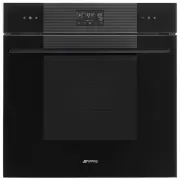
DESCRIPTION - 9 91477A650/B e DESCRIPTION General description 1 Control panel 2 Seal3 Temperature probe socket (on some models only) 4 Light bulb 5 Door6 Fan Frame shelf Control panel 1 Function touch buttons By means of these touch buttons you can:• turn the appliance on and off;• select a function...
Page 8 - Other parts; Accessories
10 - DESCRIPTION 91477A650/B Other parts Shelves The appliance features shelves to position trays and racks at different heights. The insertion heights are indicated from the bottom upwards. Cooling fan The fan cools the appliance and comes into operation during cooking.The fan causes a steady outfl...
Page 9 - USE; Preliminary operations; First heating; Using the accessories; Racks and trays
USE - 11 91477A650/B e Optional accessories (can be purchased separately) PPR2 or STONE(refractory stone) Ideal accessory for baking bread (pizza, bread, focaccia...), but you can also use it for more delicate preparations such as biscuits. BBQ (teflon-coated barbecue grill pan) Double-use accessory...
Page 10 - Tray rack; Digital programmer; Touch buttons; First use; Time setting
12 - USE 91477A650/B Tray rack The tray rack has to be inserted into the tray. In this way fat can be collected separately from the food which is being cooked. Digital programmer The parameters and values for the currently selected function will be indicated on the display. To use it, simply press t...
Page 11 - Using the oven; Traditional cooking
USE - 13 91477A650/B e 5. Press the button to set the current time and go to the selection of minutes. 6. Press the and touch buttons to adjust the minutes of the current time. 7. Press the button to confirm. Modifying the time 1. In the main menu, hold down the button for a few seconds. 2. Modify t...
Page 14 - List of traditional cooking functions
16 - USE 91477A650/B Minute minder timing during a cooking process 1. Press the button. The and indicator lights on the display flashes. 2. Press the button. The display shows and the indicator light flashing. 3. Press the and touch buttons on the control panel to set the duration of the minute mind...
Page 15 - Cooking advice; General advice
USE - 17 91477A650/B e Cooking advice General advice • Use a fan assisted function to achieve consistent cooking at several levels. • It is not possible to shorten cooking times by increasing the temperature (the food could be overcooked on the outside and undercooked on the inside). Advice for cook...
Page 16 - Special functions; DEFROSTING
18 - USE 91477A650/B Mini guide to accessories Discover the recipes To consult the recipes developed for various categories of food and to get more information on cooking suggestions, we recommend visiting the dedicated page on the www.smeg.com website, which can be reached using the QR code on the ...
Page 18 - STONE
20 - USE 91477A650/B activation will not activate the light. • The internal fan remains turned off.• Touch buttons and audible prompts are disabled. 1. After entering the special functions menu, press the and touch buttons on the control panel until the function is selected. 2. Press the button to c...
Page 19 - AIRFRY; Secondary functions
USE - 21 91477A650/B e 1. Open the door.2. Insert the BBQ accessory into the oven cavity. 3. Close the door4. After entering the special functions menu, press the and touch buttons on the control panel until the function is selected. 5. Press the button to confirm. 6. Press the and touch buttons on ...
Page 20 - Settings
22 - USE 91477A650/B MINUTE MINDER TIMER 1. Press the button on the main menu. The display shows and the indicator light flashing. 2. Press the and touch buttons on the control panel to set the duration of the minute minder (from 1 minute to 13 hours). 3. Press the button to confirm. 4. At the end o...
Page 23 - Other settings; Eco light; CLEANING AND MAINTENANCE; Cleaning the appliance; Cleaning the surfaces; Cleaning the door; Door disassembly
CLEANING AND MAINTENANCE - 25 91477A650/B e associated with the touch of the symbols on the display. 3. Press the button to confirm. Other settings Eco light • To deactivate the Eco light function, press the key for a few moments. • To reactivate the Eco light function, press the key for a few momen...
Page 25 - Cleaning the oven cavity; Drying
CLEANING AND MAINTENANCE - 27 91477A650/B e 7. Clean the external glass pane and the panes removed previously. 8. Use absorbent kitchen roll. In case of stubborn dirt, wash with a damp sponge and neutral detergent. 9. Reinsert the intermediate glass unit and reposition the inner glass. 10. Be sure t...
Page 26 - Special cleaning functions
28 - CLEANING AND MAINTENANCE 91477A650/B • When cleaning is complete, repeat the above procedures to put the rack/tray support frames back in. Special cleaning functions • From position 0, turn the function knob to the left by one position. The button flashes. Vapor Clean (on some models only) Prel...
Page 29 - Extraordinary maintenance; Seal maintenance tips; INSTALLATION; Electrical connection; General information
INSTALLATION - 31 91477A650/B e 1. After selecting the Pyrolytic function, press button. The and indicator lights on the display flashes. 2. Press the and touch buttons on the control panel to set the function end time. 3. Press the button to confirm. The appliance waits until the set start time to ...
Page 30 - Positioning; Power voltage
32 - INSTALLATION 91477A650/B • 220-240 V ~ 3 x 1.5 mm² three-core cable. Fixed connection Fit the power line with an all-pole circuit breaker with a contact separation distance sufficient to provide complete disconnection in category III overvoltage conditions, pursuant to installation regulations....
Page 32 - Make sure that the cabinet top/rear
34 - INSTALLATION 91477A650/B Mounting into a column (mm) * Make sure that the cabinet top/rear section has an opening approx. 35-40 mm deep.
Page 33 - Make sure that the piece of furniture
INSTALLATION - 35 91477A650/B e Mounting under worktops (mm) A min. 603 mm B 560 - 568 mm C 583 - 585 mm D 9 - 11 mm E min. 5 mm F 121 - 1105 mm G min. 560 mm H min. 594 mm co Cutout for power cord (min. 6 cm 2 ) jb Electrical connection box If the appliance is to be built-in under a worktop, a wood...