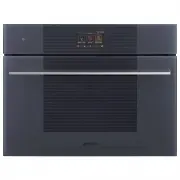
Page 2 - For microwave appliances
PRECAUTIONS - 73 91477A327/B e children aged at least 8 and by people of reduced physical, sensory or mental capacity, or lacking in experience in the use of electrical appliances, provided that they are supervised or instructed by adults who are responsible for their safety. • Children must not pla...
Page 5 - Risk of damaging the appliance; Improper use
76 - PRECAUTIONS 91477A327/B • If the appliance is installed in a cabinet, it must be operated with any cabinet door open. Risk of damaging the appliance • Do not use abrasive or corrosive detergents (e.g. scouring powders, stain removers and metallic sponges), rough or abrasive materials or sharp m...
Page 6 - Installation and maintenance; MUST NOT
PRECAUTIONS - 77 91477A327/B e paper, place it so that it will not interfere with the hot air circulation inside the oven cavity. • Do not use the open door to rest pans or trays on the internal glass pane. • Never use the oven door to lever the appliance into place when fitting. • Avoid exerting to...
Page 7 - Appliance purpose; This user manual; • This user manual is an integral part of the
78 - PRECAUTIONS 91477A327/B to a maximum altitude of 4,000 metres above sea level. For this appliance • Do not rest any weight or sit on the open door of the appliance. • Take care that no objects are stuck in the doors. • Do not install/use the appliance outdoors. • (on some models only) Only use ...
Page 9 - DESCRIPTION; General Description
80 - DESCRIPTION 91477A327/B conventions: DESCRIPTION General Description 1 Control panel 2 Seal3 Temperature probe socket (on some models only) 4 Light bulb 5 Door6 Fan7 Loading nozzle Frame shelf Warning/Caution Information/Advice
Page 10 - Control panel; Function Knob; Other parts; Shelves
DESCRIPTION - 81 91477A327/B e Control panel 1 Function Knob In Quick Mode, this knob allows you to select the cooking function. 2 Display The touchscreen display allows you to interact with the appliance. Touch the icons to access the various functions. All the operating parameters will be shown on...
Page 11 - Accessories
82 - DESCRIPTION 91477A327/B Cooling fan The fan cools the appliance and comes into operation during cooking.The fan causes a steady outflow of air from above the door which may continue for a short period of time even after the appliance has been turned off. Oven cavity lighting The appliance’s int...
Page 13 - Microwaves; Cooking containers; USE; Preliminary operations
84 - USE 91477A327/B AIRFRY (oil-free frying grill) Recommended accessory for air-frying previously breaded, precooked and/or frozen food (chips, potato or meat croquettes, small mozzarella bites...). Microwaves The appliance is equipped with a microwave generator called a magnetron. The microwaves ...
Page 14 - Using the accessories; Racks and trays
USE - 85 91477A327/B e First heating 1. Set a cooking time of at least one hour (see paragraph "Using the oven"). 2. Heat the empty oven compartment at the maximum temperature to burn off any residues left by the manufacturing process. When heating the appliance• air the room;• don't stay. M...
Page 16 - Display; Information area
USE - 87 91477A327/B e Display The parameters and values for the currently selected function will be indicated on the display. To use it, simply touch the "virtual" keys and/or scroll through the values indicated (the image shows the main menu screen). Information area Information regarding ...
Page 17 - First use; Deactivating the display; To deactivate the display manually:
88 - USE 91477A327/B RAPID PRE-HEATING PROBE (on some models only) Connectivity (on some models only) Connectivity requirements:• Smartphone or PC tablet with IOS or Android operating system. The minimum versions of the operating systems are available at the following link: www.smeg.com/smegconnect/...
Page 18 - Reactivating the display; To reactivate the display when it is off:; Using the oven; Traditional cooking
USE - 89 91477A327/B e sound. Reactivating the display To reactivate the display when it is off: • Press and hold the ON-OFF button for a few seconds until you hear a series of sounds. The display turns on after a few seconds. The display shows the main menu when it is switched on again. Using the o...
Page 24 - PIZZA
USE - 95 91477A327/B e 3. Insert the tray on which the food has been placed into the appropriate guides. 4. Insert the plug of the temperature probe into the socket at the side, using the probe to open the protective cover. 5. Close the door. 6. Touch the START button to start cooking using the temp...
Page 29 - Reservoir filling
100 - USE 91477A327/B 10. Touch the START button (at the lower right ) to start the reservoir filling procedure. Reservoir filling 1. Fill a jug or a container with sufficient water for the cooking duration. 2. Open the appliance door.3. Place the jug (or container) on the open door. 4. Remove the l...
Page 34 - Peeling peppers and tomatoes:; Cooking advice; General advice
USE - 105 91477A327/B e • Reheating: the steam cooking function will not dry foods out and gives a moister result. A previously prepared home-cooked meal, covered with aluminium foil, will take around 10-12 minutes to reheat. Ready meals will require approximately double the time indicated on the pa...
Page 39 - Smart Cooking; Sametime
110 - USE 91477A327/B MULTITECH TWINTECH Smart Cooking This mode allows you to select a previously stored program for cooking food. The appliance automatically calculates the optimum cooking parameters based on the weight selected. 1. Touch the SMART COOKING button on the "main menu" (in the...
Page 40 - Deleting the history
USE - 111 91477A327/B e Multistep cooking 1. Touch the MULTISTEP button on the "main menu" (at the left in the lower area). 2. Touch the ADD STEP button. 3. Select the wished function for the first step (traditional, microwave, steam...). 4. As described in the previous chapters, touch the b...
Page 41 - Adding a recipe
112 - USE 91477A327/B Mini guide to accessories Discover the recipes To consult the recipes developed for various categories of food and to get more information on cooking suggestions, we recommend visiting the dedicated page on the www.smeg.com website, which can be reached using the QR code on the...
Page 42 - Other functions
USE - 113 91477A327/B e 7. Scroll through the values and select the required duration. 8. Touch the CONFIRM button to confirm the selected cooking duration. Saving a recipe 9. Touch the SAVE button. 10. Scroll through the values to set the RACK.11. Scroll through the values to set the weight of the ...
Page 44 - PLATE WARMING
USE - 115 91477A327/B e 4. Select DEFROST BY TIME . 5. Touch the COOKING DURATION button or the relevant value. 6. Scroll through the values and select the required duration. 7. Touch the CONFIRM button to confirm the settings. 8. Touch the START button to start the Defrost by time function. When fi...
Page 46 - STONE
USE - 117 91477A327/B e for a piece of butter of about 250 grams or a frozen cake of about 700 grams). 7. Scroll through the values and select the required cooking duration. 8. Touch the START button to start the Soft function. When finished, a buzzer sounds briefly, which can be deactivated by touc...
Page 49 - Manual reservoir draining; In the event of a blackout; Blackout during a programmed function; Settings
120 - USE 91477A327/B 14. Touch the CONFIRM button to confirm that you have finished filling the reservoir. Manual reservoir draining 1. Touch the OTHER FUNCTIONS button on the "main menu" (in the main area ). 2. Touch the sub-menu button (located in the lower area ). 3. Touch the RESERVOIR ...
Page 50 - Touch the CONFIRM; Time display
USE - 121 91477A327/B e Connection setting (SmegConnect models only) • In the "settings menu " touch the CONNECTION SETTINGS button. Clock settings • In the "settings menu " touch the CLOCK SETTINGS button. Digital clock 1. Select Digital clock. 2. Select On. Touch the CONFIRM button...
Page 52 - Touch the
USE - 123 91477A327/B e Display settings • In the "settings menu " touch the DISPLAY SETTINGS button. Language 1. Select Language. 2. Scroll through the available languages to select the required language. 3. Touch the CONFIRM button to confirm the language. Controls lock 1. Select Controls ...
Page 53 - CLEANING AND MAINTENANCE; Cleaning the appliance
124 - CLEANING AND MAINTENANCE 91477A327/B 3. Touch the CONFIRM button to activate the desired weight unit. System info • In the “settings menu ” touch the SYSTEM INFO button (at the right in the lower area ). Showrooms • Touch the SHOWROOMS button on the “settings menu ” (at the centre of the lower...
Page 54 - Cleaning the oven cavity; Drying
CLEANING AND MAINTENANCE - 125 91477A327/B e wooden or plastic tool, if necessary. Rinse thoroughly and dry with a soft cloth or a microfibre cloth.Do not allow residues of sugary foods (such as jam) to set inside the oven. If left to set for too long, they might damage the enamel lining of the oven...
Page 56 - Descaling
CLEANING AND MAINTENANCE - 127 91477A327/B e 5. In case of grease residues use specific oven cleaning products. 6. Remove any remaining water from the oven cavity. 7. Where fitted, reposition the self-cleaning panels and the rack/tray support frames. For greater hygiene and to avoid foods taking on ...
Page 59 - Sanitization; Reservoir calibration
130 - CLEANING AND MAINTENANCE 91477A327/B 13. Press the START button to start draining the water into the jug (or container). 14. Wait for the end of the drain flow.When complete, the display will indicate that the residual water removal process is complete. 15. Touch the CONFIRM button. 16. Shake ...
Page 60 - Full reservoir calibration
CLEANING AND MAINTENANCE - 131 91477A327/B e 3. Touch the WAND button on the display (positioned in the lower area ). 4. Pull out the wand and dip the end into the bottom of the empty jug. 5. Press the START button to start draining the water left in the jug. 6. Wait for the end of the drain flow.7....
Page 61 - Extraordinary maintenance; INSTALLATION; Electrical connection; Power voltage
132 - INSTALLATION 91477A327/B 12. Touch the CONFIRM button to end the reservoir calibration procedure. The display suggests to drain the water from the reservoir. You can either use the water for steam cooking or proceed as described in the chapter for Reservoir draining. Extraordinary maintenance ...
Page 62 - Positioning; Position of the power cable
INSTALLATION - 133 91477A327/B e Positioning Position of the power cable Front panel seal Glue the supplied seal to the rear part of the front panel to avoid water or other liquids from leaking in. Fastening bushings 1. Remove the bushing covers on the front of the appliance. 2. Mount the appliance ...
Page 63 - Make sure that the cabinet top/rear
134 - INSTALLATION 91477A327/B Mounting into a column (mm) * Make sure that the cabinet top/rear section has an opening approx. 35-40 mm deep.
Page 65 - Make sure that the piece of furniture
136 - INSTALLATION 91477A327/B Mounting under worktops (mm) If the appliance is to be built-in under a worktop, a wooden bar has to be installed order to use the seal that is glued to the back of the front panel to prevent water or other liquids leaking in. * Make sure that the piece of furniture to...