Page 2 - Instructions; General safety instructions
Instructions 4 1 Instructions 1.1 General safety instructions Risk of personal injury • During use the appliance and its accessible parts become very hot. Never touch the heating elements during use. • Protect your hands by wearing oven gloves when handling food inside the oven cavity. • Never try t...
Page 3 - Risk of damaging the appliance
Instructions 5 EN • DO NOT USE OR STORE FLAMMABLE MATERIALS NEAR THE APPLIANCE. • NEVER USE AEROSOL CANS NEAR THE APPLIANCE WHILE IT IS IN OPERATION. • DO NOT MODIFY THIS APPLIANCE. • Have authorised persons carry out installation and assistance interventions according to the standards in force. • D...
Page 4 - Installation and maintenance
Instructions 6 • Remove all trays and racks which are not required during cooking. • Do not cover the bottom of the oven cavity with aluminium or tin foil sheets. • Do not place pans or trays directly on the bottom of the oven cavity. • If you wish to use greaseproof paper, place it so that it will ...
Page 5 - For this appliance; Identification plate
Instructions 7 EN • Before carrying out any work on the appliance (installation, maintenance, positioning or moving), wear personal protective equipment. • Before carrying out any work on the appliance, disconnect the mains power supply. For this appliance • Ensure that the appliance is switched off...
Page 6 - How to read the user manual; Danger of electrocution
Instructions 8 To dispose of the appliance:• Cut the power supply cable and remove it along with the plug. • Deliver the appliance to the appropriate recycling facility for electrical and electronic equipment waste, or deliver it back to the retailer when purchasing an equivalent product, on a one f...
Page 7 - Description; General Description; Control panel
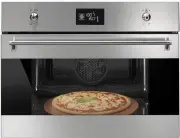
Description 9 EN 2 Description 2.1 General Description 1 Control panel 2 Oven light 3 Seal 4 Door 5 Fan 6 Pizza stone (on some models only) Frame shelf
Page 8 - from the
Description 10 2.2 Control panel 1 Temperature knob This knob allows you to select the cooking duration and temperature, set programmed cooking and the current time as well as turn the light in the oven cavity on and off. 2 Display Displays the current time, the selected cooking temperature and func...
Page 9 - Available accessories; Rack
Description 11 EN 2.4 Available accessories Rack Useful for supporting containers with food during cooking. Tray rack To be placed over the top of the oven tray; for cooking foods which may drip. Deep tray Useful for collecting fat from foods placed on the rack above and for cooking pies, pizzas and...
Page 10 - Pizza spatula
Description 12 Pizza spatula For easily placing the pizza on the pizza stone. Pizza stone cover To be placed in the housing on the base of the oven in place of the pizza stone when this is not being used. The oven accessories intended to come into contact with food are made of materials that comply ...
Page 11 - Use; Improper use
Use 13 EN 3 Use 3.1 Instructions 3.2 First use 1. Remove any protective film from the outside or inside of the appliance, including accessories. 2. Remove any labels (apart from the technical data plate) from the accessories and from the oven cavity. 3. Remove and wash all the appliance accessories ...
Page 12 - Using the accessories; Racks and trays
Use 14 3.3 Using the accessories Racks and trays Racks and trays have to be inserted into the side guides until they come to a complete stop.• The mechanical safety locks that prevent the rack from being removed accidentally must face downwards and towards the back of the oven cavity. Tray rack The ...
Page 13 - Display
Use 15 EN Cover and pizza stone (on some models only) With the oven cold, remove the cover from the bottom and insert the pizza stone. Make sure that the stone is inserted correctly in the recess provided. For cooking, use the special + function. 3.4 Using the oven Display Eco-logic indicator light ...
Page 14 - Operating modes
Use 16 Operating modes Standby: When no function is selected, the display shows the current time . ON : When any function is activated, the display shows the set parameters such as the temperature, duration and temperature reached. Each time the temperature knob is pressed during a function, the par...
Page 15 - Setting the time
Use 17 EN Setting the time On the first use, or after a power failure, will flash on the appliance’s display. To be able to start any cooking function, the current time must be set.1. Turn the temperature knob to set the time displayed (keep the knob turned to increase or decrease it more quickly). ...
Page 16 - Functions list
Use 18 Functions list v ECO This function is particularly suitable for cooking on a single shelf with low energy consumption.It is recommended for all types of food except those that may produce a large amount of moisture (e.g. vegetables).To obtain maximum energy savings and reduce cooking times, i...
Page 18 - Timer
Use 20 Timer 1. Press the temperature knob once (twice if cooking is already in progress). The display shows and the indicator light flashes. 2. Turn the knob to set the duration (from 1 minute to 4 hours). After a few seconds, the indicator light stops flashing and the countdown starts. 3. Select t...
Page 20 - Programmed cooking
Use 22 Programmed cooking 1. After selecting a cooking function and temperature, press the temperature knob three times. The display shows and the indicator light flashes. 2. Turn the knob right or left to set the cooking duration from 00:01 to 12:59. Keep the knob turned to increase or decrease it ...
Page 21 - General advice
Use 23 EN 5. At the end of cooking appears on the display and a buzzer sounds. 6. To turn off the buzzer, press or turn one of the two knobs or open the door. Modifying the data set during programmed cooking During operation, it is possible to modify programmed cooking duration: 1. When the and indi...
Page 22 - Advice for cooking meat
Use 24 Advice for cooking meat • Cooking times vary according to the thickness and quality of the food and to consumer taste. • Use a meat thermometer when roasting meat, or simply press on the roast with a spoon. If it is hard, it is ready; If not, it needs another few minutes cooking. Advice for c...
Page 23 - Special functions; Defrost by time
Use 25 EN 3.6 Special functions Defrost by time 1. Place the food to be heated inside the oven. 2. Press and turn the function knob to select the defrost by time function . 3. Turn the temperature knob to set the duration (from 1 to 99 minutes). 4. Press the temperature knob to confirm the set durat...
Page 24 - Sabbath mode
Use 26 Sabbath mode 1. Press and turn the function knob to select Sabbath mode . 2. Turn the temperature knob to modify the temperature of the function. 3. Press the temperature knob to confirm the set temperature. flashes. 4. Press the function knob to start Sabbath mode. 5. Keep the function knob ...
Page 25 - Automatic programs; Type
Use 27 EN 2. Press and turn the function knob to select the defrost by weight function indicated by and the illuminated food symbols . 3. Press the function knob to confirm the defrost by weight function. 4. Turn the function knob to select the type of food to defrost. 5. Turn the temperature knob t...
Page 27 - Automatic programs table
Use 29 EN Automatic programs table MEAT (01 - 05) FISH (06 - 07) VEGETABLES (08 - 10) (1) When you grill food, it is recommended to cook it on both sides referring to the times indicated in the table. The longer length of time indicated always refers to the first side to be cooked starting from the ...
Page 28 - 5 Pan baked pizza
Use 30 DESSERTS/PASTRIES (11 - 13) BREAD - PIZZA - PASTA (14 -20) (2) (Models without Pizza stone) The stone must be placed on the bottom of the oven cavity. Frozen pizzas of different weights cooked on the stone do not require different cooking times. Pr Subcategory Weight (g) Level Function Temper...
Page 29 - ON
Use 31 EN 3.8 Secondary menu The appliance also has a drop-down secondary menu allowing the user to:• Activate or deactivate the Child Lock.• Activate or deactivate Showroom mode (which disables all the heating elements so that only the control panel works). • Activate or deactivate the Low Power mo...
Page 30 - OFF
Use 32 Showroom mode (for exhibitors only) This mode allows the appliance to deactivate all heating elements, while keeping the control panel active. In order to use the appliance normally, set this mode to OFF . Eco-logic mode This mode allows the appliance to limit the power used. Suitable for sim...
Page 32 - Cleaning and maintenance; Cleaning the surfaces; Ordinary daily cleaning
Cleaning and maintenance 34 4 Cleaning and maintenance 4.1 Instructions 4.2 Cleaning the surfaces To keep the surfaces in good condition, they should be cleaned regularly after use. Let them cool first. Ordinary daily cleaning Always use only specific products that do not contain abrasives or chlori...
Page 33 - Cleaning the door; Removing the door
Cleaning and maintenance 35 EN 4.3 Cleaning the door Removing the door For easier cleaning, it is recommended to remove the door and to place it on a tea towel.To remove the door proceed as follows:1. Open the door completely and insert two pins into the holes on the hinges indicated in the figure. ...
Page 34 - Removing the internal glass panels; Some models are fitted with an
Cleaning and maintenance 36 4.4 Removing the internal glass panels For easier cleaning, the internal glass panels of the door can be removed.1. Remove the internal glass panel by pulling the rear part gently upwards, following the movement indicated by the arrows ( 1 ). 2. Then, pull the front part ...
Page 35 - Cleaning the oven; Removing rack/tray support frames
Cleaning and maintenance 37 EN 4.5 Cleaning the oven In order to keep your oven in the best possible condition, clean it regularly after letting it cool down.Do not allow food residues to dry inside the oven cavity because doing so could damage the enamel.Before cleaning, remove all the parts that c...
Page 36 - Lift the end of the lower heating element (
Cleaning and maintenance 38 Cleaning the bottom of the oven (on some models only) Remove in sequence the pizza stone cover ( 1 ) and the base ( 2 ) on which it is placed. The base has to be lifted a few millimetres, then pulled outwards. Lift the end of the lower heating element ( 3 ) a few centimet...
Page 37 - Preliminary operations
Cleaning and maintenance 39 EN 4.6 Pyrolytic cycle Preliminary operations Before starting the pyrolytic cycle:• Clean the internal glass panel following the usual cleaning instructions. • For very stubborn encrustations spray an oven cleaning product onto the glass (read the warnings on the product)...
Page 38 - At the end of the pyrolytic cycle, the door
Cleaning and maintenance 40 3. At the end of the pyrolytic cycle, the door remains locked until the temperature inside the oven cavity returns to a safe level. Wait for the oven cavity to cool down and collect the residues deposited inside using a damp microfibre cloth. Setting of programmed pyrolyt...
Page 39 - Extraordinary maintenance; Replacing the internal light bulb
Cleaning and maintenance 41 EN 4.7 Extraordinary maintenance Replacing the internal light bulb 1. Completely remove all accessories from inside the oven. 2. Remove the rack/tray support frames.3. Remove the bulb cover using a tool (e.g. a screwdriver). 4. Slide out and remove the light bulb. 5. Repl...
Page 41 - Installation; Electrical connection; Power voltage
Installation 43 EN 5 Installation 5.1 Electrical connection General information Check the grid characteristics against the data indicated on the plate.The identification plate bearing the technical data, serial number and brand name is visibly positioned on the appliance.Do not remove this plate for...
Page 42 - Position of the power cable
Installation 44 5.2 Positioning Position of the power cable (rear view) Front panel seal Glue the supplied seal to the rear part of the front panel to avoid water or other liquids from leaking in. Heavy appliance Crushing hazard • Position the appliance into the cabinet cutout with the help of a sec...
Page 43 - Fastening bushings
Installation 45 EN Fastening bushings Remove the bushing covers from the front of the oven. Mount the appliance into the recess.Secure the appliance to the piece of furniture using screws. Cover the bushings with the previously removed covers. Appliance overall dimensions (mm) (front view) (top view...