Page 2 - IMPORTANT SAFETY INSTRUCTIONS; Instructions; General safety instructions
Instructions 4 IMPORTANT SAFETY INSTRUCTIONS PLEASE READ CAREFULLY AND RETAIN FOR FUTURE USE. 1 Instructions 1.1 General safety instructions Risk of personal injury • WARNING: If the door or the door seal is damaged, the oven must not be used until it has been repaired by a competent person. • WARNI...
Page 3 - Risk of damaging the appliance; Improper use
Instructions 5 EN Risk of damaging the appliance • Do not use abrasive or corrosive detergents on glass parts (e.g. powder products, stain removers and metallic sponges). • Use wooden or plastic utensils.• Do not use steam jets to clean the appliance. • Do not obstruct ventilation openings and heat ...
Page 5 - Manufacturer liability; Appliance purpose; Power voltage
Instructions 7 EN 1.3 Manufacturer liability The manufacturer declines all liability for damage to persons or property caused by:• Use of the appliance other than the one envisaged; • Non-observance of the user manual provisions; • Tampering with any part of the appliance; • Use of non-original spar...
Page 6 - How to read the user manual
Instructions 8 1.7 This user manual This user manual is an integral part of the appliance and must therefore be kept in its entirety and within the user’s reach for the whole working life of the appliance.• Read this user manual carefully before using the appliance. 1.8 How to read the user manual T...
Page 7 - Description; General Description; Control panel
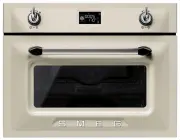
Description 9 EN 2 Description 2.1 General Description 1 Control panel 2 LH Light bulb 3 RH Light bulb (on some models only) 4 Seal 5 Door 6 Oven fan 7 Rack/tray support frames Frame shelf
Page 9 - Shelves
Description 11 EN 2.3 Other parts Shelves The appliance features shelves to position trays and racks at different heights. The insertion heights are indicated from the bottom upwards (see 2.1 General Description). Cooling fan The fan cools the oven and comes into operation during cooking.The fan cau...
Page 10 - Available accessories; Rack
Description 12 2.5 Available accessories Rack Useful for supporting containers with food during cooking. Glass dish Useful for any type of cooking and collecting fat from foods resting on the rack above. Tray rack To be placed over the top of the oven tray; for cooking foods which may drip. Boiling ...
Page 11 - Use; Danger of burns
Use 13 EN 3 Use 3.1 Instructions High temperature inside the oven during use Danger of burns • Keep the oven door closed during cooking. • Protect your hands wearing heat resistant gloves when moving food inside the oven. • Do not touch the heating elements inside the oven. • Do not pour water direc...
Page 12 - Place the cookware to be tested into the; Glass jars; Unsuitable cookware
Use 14 Materials suitable for microwaves In general, in order for the food to be reached, the materials used for microwave cooking must be transparent to microwave energy.Below is a table of materials to use and those not to use: Testing dishes To check whether or not cookware is suitable for use wi...
Page 13 - Remove any protective film from the; Using the accessories; Racks and trays
Use 15 EN 3.2 First use 1. Remove any protective film from the outside or inside of the appliance, including accessories. 2. Remove any labels (apart from the technical data plate) from the accessories and from the oven cavity. 3. Remove and wash all the appliance accessories (see 4 Cleaning and mai...
Page 14 - Boiling rod
Use 16 Boiling rod When using the microwave to heat or reheat liquids, the boiling process may be delayed. To avoid this dangerous phenomenon, it is necessary to insert the supplied boiling rod (or a heat-resistant plastic spoon) in the container while heating. 3.4 Using the oven Display Clock indic...
Page 15 - Operating modes
Use 17 EN Operating modes Stand-by: When no function is selected, the display shows the current time and the symbol . ON : When any function starts the display shows the current settings such as temperature, duration, microwave power level and the temperature level reached. Each time the temperature...
Page 16 - Setting the time; Cooking functions; ON
Use 18 Setting the time On the first use, or after a power failure, will be flashing on the appliance's display. To be able to start any cooking function, the current time must be set.1. Turn the temperature knob to set the hour displayed (to increase or decrease more quickly keep the knob turned to...
Page 17 - Microwaves
Use 19 EN Microwave: 1. Select the microwave function using the function knob. 2. Press the temperature knob. 3. Turn the temperature knob to change the cooking time (max 30 minutes). 4. Press the temperature knob. 5. Turn the temperature knob to change the power level from 100W to 1000W (see Microw...
Page 18 - Microwave power levels
Use 20 Microwave power levels Below is a list of the power levels that can be selected: QUICK START microwave function 1. From stand-by mode press the function knob twice. 2. The appliance will start the microwave oven with the default settings. Combination 1. Select a combination function using the...
Page 19 - Combination functions list
Use 21 EN Combination functions list Traditional cooking functions 1. Select a traditional cooking function using the function knob (see Display). 2. If you want to change the default temperature then press the temperature knob. 3. Turn the knob to set the temperature. 4. Press the function knob to ...
Page 20 - Grill; and; Fan grill
Use 22 Grill The heat coming from the grill element gives perfect grilling results above all for thin and medium thickness meat and allows you to give the food an even browning at the end of the cooking. Perfect for sausages, spare ribs and bacon. This function enables large quantities of food, part...
Page 25 - Traditional cooking tips
Use 27 EN Traditional cooking tips General advice • Use a fan assisted function to achieve consistent cooking at several levels. • It is not possible to shorten cooking times by increasing the temperature (the food could be overcooked on the outside and undercooked on the inside). Advice for cooking...
Page 26 - Special functions and automatic; Defrost by time
Use 28 3.6 Special functions and automatic programs Defrost by time 1. Place the dish into the oven compartment (see “Turn” procedure). 2. Use the function knob to select the defrost by time function as indicated by the and symbols. 3. Press the temperature knob to change the defrosting time. 4. Tur...
Page 27 - “Turn” procedure
Use 29 EN Pre-set parameters: “Turn” procedure For best defrosting results it is recommended, when necessary, to turn the dish inside the oven compartment.1. Put the dish in the oven placing it parallel to the door. 2. When the word “Turn” is displayed it is necessary to turn the dish. 3. Open the d...
Page 28 - Proving
Use 30 Proving 1. Place the dough to rise on the second level. 2. Press the function knob to select and start proving. Reheat 1. Press the function knob to select the re- heat function. 2. Press the temperature knob. 3. Turn the temperature knob to change the re-heating time. 4. Press the function k...
Page 29 - Automatic programs
Use 31 EN 1. Press the function knob to select the Sabbath mode. 2. Press the temperature knob. 3. Turn the temperature knob to change the re-heating time. 4. Press the function knob to confirm the settings and start the Sabbath mode. 5. Once completed press and hold the function knob down for at le...
Page 30 - Automatic programs table
Use 32 Automatic programs table MEAT (01 - 05) FISH (06 - 07) VEGETABLES (08 - 10) DESSERTS (11 - 12) BREAD - PIZZA - PASTA (13 -20) Subcategory Weight (g) Level Function Temp. (°C) Microwave (W) Time (min- utes) 01 Roast beef 1000 1 Supercook 200 300 70 02 Pork loin 1000 1 Supercook 190 300 60 03 L...
Page 32 - OFF
Use 34 Showroom mode (for exhibitors only): This mode allows the appliance to deactivate all heating elements, while keeping the control panel active. To use the appliance normally, set this mode to OFF . Eco-logic mode: This mode allows the appliance to limit the power used. Suitable for simultaneo...
Page 33 - Cleaning and maintenance; Cleaning the surfaces
Cleaning and maintenance 35 EN 4 Cleaning and maintenance 4.1 Instructions 4.2 Cleaning the surfaces To keep the surfaces in good condition, they should be cleaned regularly after use. Let them cool first. 4.3 Ordinary daily cleaning Always use only specific products that do not contain abrasives or...
Page 34 - Food stains or residues; Dry the cooking compartment with a soft; Cleaning the door glazing
Cleaning and maintenance 36 4.4 Food stains or residues Do not use metallic sponges or sharp scrapers as they will damage the surfaces.Use ordinary non-abrasive products with the aid of wooden or plastic utensils if necessary. Rinse thoroughly and dry with a soft cloth or a microfibre cloth.Do not a...
Page 35 - Removing racks/trays support frames
Cleaning and maintenance 37 EN Removing racks/trays support frames Removing the guide frames enables the sides to be cleaned more easily. This operation should be performed each time the automatic cleaning cycle is used (on some models only).To remove the guide frames: 1. Unscrew the two fastening p...
Page 36 - Preliminary operations
Cleaning and maintenance 38 4.8 Vapour Clean: Assisted oven cleaning (on some models only) Preliminary operations Before starting the Vapour Clean function:• Completely remove all accessories from inside the oven. The upper guard can be left inside the oven. • Pour approx. 40 cl of water onto the fl...
Page 37 - End of the Vapour Clean cycle
Cleaning and maintenance 39 EN 1. Select the symbol using the function knob. 2. The duration and temperature of the cleaning cycle will appear on the display. 3. Press the temperature knob to start the cycle. 4. A buzzer will indicate the end of the Vapour Clean cycle. End of the Vapour Clean cycle ...
Page 38 - Installation; Electrical connection; General information; Cable replacement
Installation 40 5 Installation 5.1 Electrical connection General information Check the grid characteristics against the data indicated on the plate.The identification plate bearing the technical data, serial number and brand name is visibly positioned on the appliance.Do not remove this plate for an...
Page 39 - Fastening bushings
Installation 41 EN 5.3 Positioning Fastening bushings Remove the bushing covers inserted on the oven front. Mount the appliance into the recess. Secure the appliance to the piece of furniture using screws. Cover the bushings with the covers removed previously. Appliance overall dimensions (mm) Heavy...