Page 2 - Instructions; How to read the user manual; • Read this user manual carefully before
Instructions 4 1 Instructions 1.1 How to read the user manual This user manual uses the following reading conventions: 1. Use instruction sequence.• Single use instruction. 1.2 This user manual This user manual is an integral part of the appliance and must therefore be kept in its entirety and in an...
Page 3 - For this appliance; Manufacturer liability; Power voltage
Instructions 5 EN For this appliance • Do not obstruct ventilation openings and heat dispersal slots. • Do not insert pointed metal objects (cutlery or utensils) into the slots in the appliance. • Do not rest any weight or sit on the open door of the appliance. • Take care that no objects are stuck ...
Page 4 - Description; General Description; Control panel
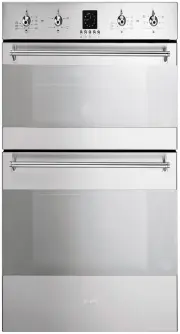
Description 6 2 Description 2.1 General Description 1 Control panel 2 Oven light 3 Seal 4 Self-cleaning panels 5 Fan 6 Rack/tray support frames Frame shelf
Page 5 - Shelves
Description 7 EN 2.2 Control panel Auxiliary oven temperature knob (1) This knob allows you to select the cooking temperature.Turn the knob clockwise to the required value, between the minimum and maximum settings. Auxiliary oven thermostat indicator light (2) The thermostat indicator light remains ...
Page 6 - Cooling fan; Available accessories; Rack
Description 8 Cooling fan The fan cools the oven and comes into operation during cooking.The fan causes a steady outflow of air from above the door which may continue for a brief period of time even after the appliance has been turned off. Interior lighting The oven light comes on when the door is o...
Page 7 - Oven tray
Description 9 EN Oven tray Useful for collecting fat from foods placed on the rack above. Deep tray Useful for collecting fat from foods placed on the rack above and for cooking pies, pizzas and baked desserts. The oven accessories intended to come into contact with food are made of materials that c...
Page 8 - Danger of burns
Description 10 3 Use 3.1 Instructions 3.2 First use 1. Remove any protective film from the outside or inside of the appliance, including accessories. 2. Remove any labels (apart from the technical data plate) from the accessories and from the cooking compartment. 3. Remove and wash all the appliance...
Page 9 - Using the accessories; Racks and trays
Description 11 EN 3.3 Using the accessories Racks and trays Racks and trays have to be inserted into the side guides until they come to a complete stop.• The mechanical safety locks that prevent the rack from being taken out accidentally have to face downwards and towards the oven back. Tray rack Th...
Page 10 - Use; Switching the oven on; Grill
Use 12 3.4 Using the oven Switching the oven on To switch the oven on:1. Select the cooking function using the function knob. 2. Select the temperature using the temperature knob. Functions list Eco Using the grill and the lower heating element in combination is particularly suitable for cooking on ...
Page 11 - General advice
Use 13 EN 3.5 Cooking advice General advice • Use a fan-assisted function to achieve uniform cooking at several levels. • It is not possible to shorten cooking times by increasing the temperature (the food could be overcooked on the outside and undercooked on the inside). Advice for cooking meat • C...
Page 12 - Advice for defrosting and proving
Use 14 of the dough. • To check whether the dessert is cooked right through: at the end of the cooking time, put a toothpick into the highest point of the dessert. If the dough does not stick to the toothpick, the dessert is cooked. • If the dessert collapses when it comes out of the oven, on the ne...
Page 13 - Programming clock; Setting the time
Use 15 EN 3.6 Programming clock 1 Timer key 2 End of cooking key 3 Time setting and reset key 4 Value decrease key 5 Value increase key Setting the time On the first use, or after a power failure, the display flashes at regular intervals. Press to stop the flashing. Press again for two seconds to st...
Page 14 - Programmed cooking
Use 16 segments (each flashing segment means 12 minutes of cooking time left). 5. At the end of cooking, the timer will switch the oven heating elements off, the buzzer will start to sound and the numbers on the dial will flash. 6. The set program can be cancelled: press key for 2 seconds to cancel ...
Page 15 - Timer
Use 17 EN Timer 1. Press and the display will light up as shown in the figure below. 2. Within 5 seconds press key or to set the timer. Each time a key is pressed, an outer segment representing 1 minute of cooking is lit or switched off (the example below shows a countdown of 1 hour and 10 minutes)....
Page 16 - Main oven cooking information table
Use 18 Main oven cooking information table Food Weight (Kg) Function Runner position from the bottom Temperature (°C) Time (minutes) Lasagne 3 Static 1 or 2 220 - 230 40 - 50 Oven-baked pasta 2.5 Static 1 or 2 220 - 230 40 Roast veal 1 Fan-assisted static 2 180 - 190 70 - 80 Pork loin 1 Fan-assisted...
Page 17 - Auxiliary oven cooking information table
Use 19 EN Auxiliary oven cooking information table Food Weight (Kg) Function Runner position from the bottom Temperature (°C) Time (minutes) Lasagne 3 / 4 Static 1 or 2 220 - 230 50 - 60 Oven-baked pasta 2 Static 1 or 2 220 - 230 40 Roast veal 1 Static 2 180 - 190 70 - 80 Pork loin 1 Static 2 180 - ...
Page 18 - Cleaning and maintenance; Cleaning the surfaces; Improper use
Cleaning and maintenance 20 4 Cleaning and maintenance 4.1 Instructions 4.2 Cleaning the surfaces To keep the surfaces in good condition, they should be cleaned regularly after use. Let them cool first. 4.3 Ordinary daily cleaning Always use only specific products that do not contain abrasives or ch...
Page 19 - To reassemble the door, put the hinges in; Cleaning the door glazing; Some models have an intermediate glass
Cleaning and maintenance 21 EN 3. To reassemble the door, put the hinges in the relevant slots in the oven, making sure that grooved sections A are resting completely in the slots. Lower the door and once it is in place remove the pins from the holes in the hinges. 4.6 Cleaning the door glazing The ...
Page 20 - Cleaning the inside of the oven; Removing racks/trays support frames
Cleaning and maintenance 22 4. Clean the external glass panel and the panels previously removed. Use absorbent kitchen roll. In case of stubborn dirt, wash with a damp sponge and neutral detergent. 5. Replace the panels in the reverse order in which they were removed. 6. Reposition the internal glas...
Page 21 - , then slide it out of the
Cleaning and maintenance 23 EN When cleaning is complete, repeat the above procedures to put the guide frames back in. Removing self-cleaning panels and racks/trays support frames Removing the guide frames enables the sides to be cleaned more easily. This operation should be performed each time the ...
Page 22 - Preliminary operations
Cleaning and maintenance 24 4.9 Vapor Clean: assisted oven cleaning (on some models only) Preliminary operations Before starting the pyrolysis cycle:• Completely remove all accessories from inside the oven. The roof lining can be left inside the oven. • Pour approx. 40 cc of water onto the floor of ...
Page 23 - Vapor Clean setting; Extraordinary maintenance; Replacing the internal light bulb
Cleaning and maintenance 25 EN Vapor Clean setting 1. Turn the function knob and the temperature knob to the symbol. 2. Set a cooking time of 18 minutes using the cooking time procedure described in more detail in “Programmed cooking”; 3. The Vapor Clean cycle starts approximately 6 seconds after th...
Page 24 - Removing the door seal
Cleaning and maintenance 26 Incandescent lamps: 4. Unscrew and remove the lamp. 5. Replace the lamp with one of the same type (25W). 6. Replace the cover correctly, so that the moulded part of the glass is facing the door. 7. Press the cover completely down so that it attaches perfectly to the bulb ...
Page 25 - Installation; Electrical connection; General information
Installation 27 EN 5 Installation 5.1 Electrical connection General information Check the grid characteristics against the data indicated on the plate.The identification plate bearing the technical data, serial number and brand name is visibly positioned on the appliance.Do not remove this plate for...
Page 26 - Cable replacement; Fastening bushings
Installation 28 5.2 Cable replacement 1. Unscrew the fastening screws 2 of the terminal board cover. 2. Slide the tabs 1 of the terminal board cover out of the grooves; 3. Loosen the screw of the cable retention bracket in the right lower part of the oven back 3 ; 4. Make sure that the cables (for t...