Page 2 - Instructions; General safety instructions; Risk of personal injury
Instructions 4 1 Instructions 1.1 General safety instructions Risk of personal injury • During use the appliance and its accessible parts become very hot. • Never touch the heating elements during use. • Keep children under eight years of age at a safe distance if they are not constantly supervised....
Page 3 - Risk of damaging the appliance
Instructions 5 EN Risk of damaging the appliance • Do not use abrasive or corrosive detergents on glass parts (e.g. powder products, stain removers and metallic sponges). • Racks and trays have to be inserted into the side guides until they come to a complete stop. The mechanical safety locks that p...
Page 4 - Identification plate
Instructions 6 1.2 Identification plate • The identification plate bears the technical data, serial number and brand name of the appliance. Do not remove the identification plate for any reason. 1.3 Manufacturer liability The manufacturer declines all liability for damage to persons or property caus...
Page 5 - Description; General Description; Backguard
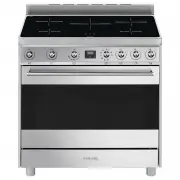
Description 7 EN 2 Description 2.1 General Description 1 Backguard 2 Cooktop 3 Control panel 4 Oven light 5 Seal 6 Door 7 Fan Rack/tray support frame shelf
Page 6 - Advantages of induction cooking
Description 8 2.2 Cooking hob * Power levels are approximate and can vary according to the pan used or the settings made. Advantages of induction cooking • Energy saving thanks to the direct transmission of energy to the pan (suitable magnetisable cookware is required) compared to traditional electr...
Page 7 - to a maximum of
Description 9 EN 2.3 2.4 Control panel 1 Cooking zone control knobs Useful for controlling the cooking zones of the induction hob.Turn the knobs clockwise to adjust the operating power of the hot plate from a minimum of 1 to a maximum of 9 . The working power is indicated on the display on the hob. ...
Page 8 - Shelves; Available accessories; Scraper
Description 10 Shelves The appliance features shelves for positioning trays and racks at different heights. The insertion heights are indicated from the bottom upwards (see 2.1 General Description). 2.6 Available accessories Scraper Useful for cleaning the cooktop. Rack Useful for supporting contain...
Page 9 - Use; Danger of burns
Use 11 EN 3 Use 3.1 Instructions High temperature inside the oven during use Danger of burns • Keep the oven door closed during cooking. • Protect your hands wearing heat resistant gloves when moving food inside the oven. • Do not touch the heating elements inside the oven. • Do not pour water direc...
Page 10 - Oven cavity
Use 12 3.2 First use 1. Remove any protective film from the outside or inside of the appliance, including accessories. 2. Remove any labels (apart from the technical data plate) from the accessories and from the oven cavity. 3. Remove all the accessories from the appliance and clean them (see 4 Clea...
Page 11 - Using the accessories; Racks and trays; Using the cooktop; • Enamelled steel cookware with thick
Use 13 EN 3.3 Using the accessories Racks and trays Racks and trays have to be inserted into the side guides until they come to a complete stop.• The mechanical safety locks that prevent the rack from being taken out accidentally have to face downwards and towards the oven back. 3.4 Using the cookto...
Page 12 - the symbol
Use 14 To see whether the pan is suitable, bring a magnet close to the bottom: if it is attracted, the pan is suitable for induction cooking. If you do not have a magnet, you can put a small amount of water in the pan, place it on a cooking zone and start the hot plate. If the symbol appears on the ...
Page 13 - Limiting the cooking duration; Set power level
Use 15 EN Limiting the cooking duration The hob has an automatic device which limits the duration of use. If the cooking zone settings are not changed, the maximum duration of operation for each zone depends on the power level selected.When the device for limiting the duration of use is activated, t...
Page 14 - Power levels; * see booster function; Residual heat; Power level; Improper use
Use 16 Power levels The power in the cooking zone can be adjusted to various levels. The table shows the levels suitable for various types of cooking. * see booster function Residual heat If the cooking zone is still hot after being switched off, the symbol will be displayed on the display. The symb...
Page 15 - Keep warm
Use 17 EN Keep warm To activate the Keep Warm function:• Turn the knob for the required cooking zone until the symbol appears on the corresponding display. Booster function • Turn the knob clockwise to the P position for two seconds and then release. The display shows the symbol . After 5 minutes th...
Page 16 - Controls lock; Using the storage compartment; Switching on the oven
Use 18 Controls lock 1. With all cooking zones off, simultaneously turn the two cooking zone control knobs anti-clockwise to the left (position A ). 2. Keep them turned until the symbols appear on the display. 3. Release the knobs. In order to remove the control lock repeat the same operations descr...
Page 17 - Preheating stage; and
Use 19 EN Preheating stage Cooking functions are always preceded by a preheating stage, which allows the appliance to heat up to cooking temperature.The indicator light comes on to indicate that the oven is heating up.The indicator light turns off to indicate that the food can be placed inside the o...
Page 18 - General advice
Use 20 3.7 Cooking advice General advice • Use a fan assisted function to achieve consistent cooking at several levels. • It is not possible to shorten cooking times by increasing the temperature (the food could be overcooked on the outside and undercooked on the inside). Advice for cooking meat • C...
Page 19 - Advice for defrosting and proving
Use 21 EN • With the Grill function, we recommend that you turn the temperature knob to the maximum value near the symbol to optimise cooking. • Foods should be seasoned before cooking. Foods should also be coated with oil or melted butter before cooking. • Use the oven tray on the first bottom shel...
Page 20 - Setting the time
Use 22 3.8 Programmer clock Value decrease key Clock key Value increase key Setting the time On the first use, or after a power failure, the digits will be flashing on the appliance’s display. 1. Hold down the clock key for two seconds. The dot between the hours and the minutes flashes. 2. The time ...
Page 21 - Timed cooking
Use 23 EN Timed cooking 1. Keep the clock key pressed until the symbol appears. 1. Press the clock key again. On the display the symbol and the text appear, alternating with the current time. 2. Use the value increase and value decrease keys to set the required minutes of cooking. 3. Select a functi...
Page 22 - Minute minder timer
Use 24 5. Press the menu key . The text will appear on the display in sequence with the pre-set cooking duration added to the current time (for example, the cooking end time shown is 18:30). 6. Press the or key to set the cooking end time. (for example, 19:30). 7. Wait approx. 7 seconds without pres...
Page 23 - Modifying the set data
Use 25 EN 4. Press the value decrease key to turn the buzzer off. Modifying the set data 1. Press the clock key . 2. Use the value increase and value decrease keys to set the number of minutes required. Deleting the set data 1. Press the clock key . 2. Hold down the value increase and value decrease...
Page 24 - Cooking information table
Use 26 Cooking information table Food Weight (Kg) Function Runner posi-tion from the bottom Temperature (°C) Time (minutes) Lasagne 3 - 4 Convection 1 220 - 230 45 - 50 Pasta bake 3 - 4 Convection 1 220 - 230 45 - 50 Roast veal 2 Fan assisted/Fan forced 2 180 - 190 90 - 100 Pork 2 Fan assisted/Fan f...
Page 25 - Cleaning and maintenance; Cleaning the appliance; Cleaning the cooktop
Cleaning and maintenance 27 EN 4 Cleaning and maintenance 4.1 Instructions 4.2 Cleaning the appliance Recommendations for cleaning the cooktop To keep the surfaces in good condition, they should be cleaned regularly after use. Let them cool first. Cleaning the cooktop Smudges from aluminium-based pa...
Page 26 - Weekly cleaning; Removing the door; Grasp the door on both sides with both
Cleaning and maintenance 28 Weekly cleaning Clean and maintain the cooktop once a week using an ordinary glass ceramic cleaning product. Always follow the manufacturer’s instructions. The silicon in these products creates a protective, water-repellent membrane which also resists dirt. All marks stay...
Page 27 - Cleaning the door glazing; Some models have an intermediate glass
Cleaning and maintenance 29 EN 4.4 Cleaning the door glazing The glass in the door should always be kept thoroughly clean. Use absorbent kitchen roll. In case of stubborn dirt, wash with a damp sponge and an ordinary detergent. 4.5 Removing the internal glass panes For easier cleaning the door inter...
Page 28 - Removing racks/trays support frames
Cleaning and maintenance 30 6. Reposition the internal glass pane. Take care to centre and insert the 4 pins into their housings in the oven door by applying slight pressure. Removing racks/trays support frames Removing the guide frames enables the sides to be cleaned more easily. This operation sho...
Page 29 - Vapour Clean setting
Cleaning and maintenance 31 EN • Pour approximately 40 cc of water into the tray. Make sure it does not overflow out of the cavity. • Spray a water and washing up liquid solution inside the oven using a spray nozzle. Direct the spray against the side walls, upwards, downwards and towards the deflect...
Page 30 - Extraordinary maintenance; Removing and installing the oven seal
Cleaning and maintenance 32 4.7 Extraordinary maintenance Removing and installing the oven seal To remove the oven seal:• Unhook the clips in the 4 corners and in the centre, then pull the oven seal. To install the oven seal:• Hook the clips in the 4 corners and in the centre onto the oven seal. Ove...
Page 31 - The appliance does not work.
Cleaning and maintenance 33 EN 4. Slide out and remove the light bulb. 5. Fit the new light bulb. 6. Refit the cover. Ensure the moulded part of the glass (A) is facing the door. 7. Press the cover completely down so that it attaches perfectly to the bulb support. What to do if... The appliance does...
Page 32 - Installation; Clearances above and around domestic appliances; Requirements
Installation 34 5 Installation 5.1 Clearances above and around domestic appliances This appliance must be installed by an authorised person in accordance with this instruction manual, AS/NZS 5601.1 – Gas installations (installation and pipe sizing), local gas fitting regulations, local electrical re...
Page 33 - Heavy appliance
Installation 35 EN 3. Additional requirements for Freestanding and Elevated Cooking Appliaces – (Measurements D & E) Where D, the distance from the periphery of the nearest burner to a horizontal combustible surface is less than 200 mm, then E shall be 10 mm or more, or the horizontal surface sh...
Page 35 - Positioning and levelling
Installation 37 EN Positioning and levelling • After making the gas and electrical connections, screw on the four feet supplied with the appliance. The appliance must sit level on the floor to ensure stability.• Screw or unscrew the bottom part of the foot until the appliance is stable and level on ...
Page 36 - Fastening to the wall
Installation 38 Fastening to the wall 1. Screw the wall fastening plate to the rear of the appliance. 2. Adjust the height of the 4 feet. 3. Assemble the fastening bracket. 4. Align the base of the hook on the fastening bracket with the base of the slot on the wall fastening plate. The anti-tip devi...
Page 38 - Wall fixing
Installation 40 Wall fixing 1. Turn the screw placed behind the cooktop near the gas connection. 2. Attach the chain to the cooker with the screw just removed. 3. Stretch it out horizontally so that the other end of the chain touches the wall. 4. Mark the wall in the position where the hole is to be...
Page 39 - Electrical connection; General information
Installation 41 EN 5.3 Electrical connection General information Check the grid characteristics against the data indicated on the plate.The identification plate bearing the technical data, serial number and brand name is visibly positioned on the appliance.Do not remove this plate for any reason.Per...
Page 40 - Fixed connection; For the installer
Installation 42 Fixed connection Fit the power line with an omnipolar circuit breaker in compliance with installation regulations. The circuit breaker should be located near the appliance and in an easily reachable position. Connection with plug and socket Make sure that the plug and socket are of t...