Page 2 - Instructions; General safety instructions
Instructions 4 1 Instructions 1.1 General safety instructions Risk of personal injury • During use the appliance becomes hot. Care should be taken to avoid touching heating elements inside the oven. • WARNING - Accessible parts will become hot when in use. To avoid burns young children should be kep...
Page 3 - Risk of damaging the appliance
Instructions 5 EN • CAUTION - The cooking process has to be supervised. A short term cooking process has to be supervised continuously. • When in use, do not place metal objects, such as dishes or cutlery, on the surface of the cooktop as they may overheat. • Do not insert pointed metal objects (cut...
Page 5 - Installation
Instructions 7 EN • Do not use cleaning products containing chlorine, ammonia or bleach on steel parts or parts with metallic surface finishes (e.g. anodizing, nickel- or chromium-plating). • Do not use harsh abrasive cleaners or sharp metal scrapers to clean the oven door glass since they can scrat...
Page 6 - For this appliance
Instructions 8 • Use cables withstanding a temperature of at least 90°C. • If the electrical supply is restricted, means of all-pole disconnection must be accessible and incorporated in the fixed wiring in accordance with the wiring rules. • If this cooking range is to be connected to a new or upgra...
Page 7 - Appliance purpose; How to read the user manual
Instructions 9 EN 1.4 Appliance purpose • This appliance is intended for cooking food in the home environment. Every other use is considered improper. • The appliance is not designed to operate with external timers or with remote-control systems. 1.5 This user manual This user manual is an integral ...
Page 8 - Description; General Description
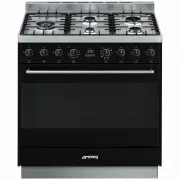
Description 10 2 Description 2.1 General Description 1 Backguard 2 Cooktop 3 Control panel 4 Oven light 5 Seal 6 Door 7 Fan 8 Storage compartment Rack/tray support frame shelf
Page 9 - AUX
Description 11 EN 2.2 Cooktop AUX = Auxiliary SR = Semi-rapid R = Rapid UR2 = Ultra rapid 2.3 Control panel 1 Cooktop burner knobs Useful for lighting and adjusting the cooktop burners.Press and turn the knobs anti-clockwise to the value to light the relative burners. Turn the knobs to the zone betw...
Page 10 - Programmer clock
Description 12 4 Programmer clock Useful for displaying the current time, setting programmed cooking operations and programming the minute minder timer. 5 Function knob The oven's various functions are suitable for different cooking modes. After selecting the required function, set the cooking tempe...
Page 11 - Available accessories; Deep tray
Description 13 EN 2.5 Available accessories Deep tray Useful for collecting fat from foods placed on the rack above. Rack Useful for supporting containers with food during cooking. Rack Useful for supporting containers with food during cooking. Ring reducer Useful when using small cookware. WOK ring...
Page 12 - Use; Danger of burns
Use 14 3 Use 3.1 Instructions High temperature inside the oven during use Danger of burns • Keep the oven door closed during cooking. • Protect your hands wearing heat resistant gloves when moving food inside the oven. • Do not touch the heating elements inside the oven. • Do not pour water directly...
Page 13 - Escaping gas may cause an explosion.
Use 15 EN Escaping gas may cause an explosion. If you smell gas or notice any faults in the gas installation:• Immediately shut off the gas supply or close the gas cylinder valve. • Immediately extinguish all naked flames and cigarettes. • Do not use any light or appliance switches and do not pull a...
Page 14 - Using the accessories; Ring reducers
Use 16 3.3 Using the accessories Ring reducers The ring reducers have to be placed on the cooktop grids. Make sure they are placed properly. Racks and trays Racks and trays have to be inserted into the side guides until they come to a complete stop.• The mechanical safety locks that prevent the rack...
Page 15 - Using the cooktop; Practical tips for using the cooktop
Use 17 EN 3.4 Using the cooktop All the appliance's control and monitoring devices are located together on the front panel. The burner controlled by each knob is shown next to the knob. The appliance is equipped with an electronic ignition device. Simply press the knob and turn it anti-clockwise to ...
Page 16 - Using the storage compartment; Switching on the oven
Use 18 3.5 Using the storage compartment 1. To open the storage compartment, press lightly on the left-hand side of the door until it clicks. 2. Gently release the storage compartment door. To close the storage compartment again, lift the door until it clicks. 3.6 Using the oven Switching on the ove...
Page 17 - and
Use 19 EN Small grill Using only the heat released from the central element, this function enables small portions of meat and fish to be grilled for making kebabs, toasted sandwiches and all types of grilled vegetable side dishes. The rotisserie is not present on this appliance. The rotisserie is on...
Page 18 - General advice
Use 20 3.7 Cooking advice General advice • Use a fan assisted function to achieve consistent cooking at several levels. • It is not possible to shorten cooking times by increasing the temperature (the food could be overcooked on the outside and undercooked on the inside). Advice for cooking meat • C...
Page 19 - Advice for defrosting and proving
Use 21 EN • Foods should be seasoned before cooking. Foods should also be coated with oil or melted butter before cooking. • Use the oven tray on the first bottom shelf to collect fluids produced by grilling. • Grilling processes should never last more than 60 minutes. Advice for cooking desserts/pa...
Page 20 - Setting the time
Use 22 3.8 Programmer clock Value decrease key Clock key Value increase key Setting the time On the first use, or after a power failure, the digits will be flashing on the appliance’s display. 1. Hold down the clock key for two seconds. The dot between the hours and the minutes flashes. 2. The time ...
Page 21 - Timed cooking
Use 23 EN Timed cooking 1. Keep the clock key pressed until the symbol appears. 1. Press the clock key again. On the display the symbol and the text appear, alternating with the current time. 2. Use the value increase and value decrease keys to set the required minutes of cooking. 3. Select a functi...
Page 22 - Minute minder timer
Use 24 5. Press the menu key . The text will appear on the display in sequence with the pre-set cooking duration added to the current time (for example, the cooking end time shown is 18:30). 6. Press the or key to set the cooking end time. (for example, 19:30). 7. Wait approx. 7 seconds without pres...
Page 23 - Modifying the set data
Use 25 EN 5. Press the value decrease key to turn the buzzer off. Modifying the set data 1. Press the clock key . 2. Use the value increase and value decrease keys to set the number of minutes required. Deleting the set data 1. Press the clock key . 2. Hold down the value increase and value decrease...
Page 24 - Cooking information table
Use 26 Cooking information table Food Weight (Kg) Function Runner posi-tion from the bottom Temperature (°C) Time (minutes) Lasagne 3 - 4 Convection 1 220 - 230 45 - 50 Pasta bake 3 - 4 Convection 1 220 - 230 45 - 50 Roast veal 2 Fan assisted/Fan forced 2 180 - 190 90 - 100 Pork 2 Fan assisted/Fan f...
Page 25 - Cleaning and maintenance; Cleaning the appliance; Recommendations for cleaning the cooktop
Cleaning and maintenance 27 EN 4 Cleaning and maintenance 4.1 Instructions 4.2 Cleaning the appliance Recommendations for cleaning the cooktop To keep the surfaces in good condition, they should be cleaned regularly after use. Let them cool first. Cleaning the cooktop 1. Pour some non-abrasive deter...
Page 26 - Removing the door; Grasp the door on both sides with both; Cleaning the door glazing
Cleaning and maintenance 28 Recommendations for cleaning the oven cavity For the best oven upkeep, clean it regularly after having allowed it to cool.Avoid letting food residue dry inside the oven cavity, as this could damage the enamel.Take out all removable parts before cleaning.For easier cleanin...
Page 27 - Removing the internal glass panes; Some models have an intermediate
Cleaning and maintenance 29 EN 4.5 Removing the internal glass panes For easier cleaning the door internal glass panes can be disassembled.1. Remove the internal glass pane by pulling the rear part gently upwards, following the movement indicated by the arrows ( 1 ). 2. Then, pull the front part upw...
Page 28 - Removing racks/trays support frames
Cleaning and maintenance 30 Removing racks/trays support frames Removing the guide frames enables the sides to be cleaned more easily. This operation should be performed each time the automatic cleaning cycle is used (on some models only).To remove the guide frames: Pull the frame towards the inside...
Page 29 - Vapour Clean setting
Cleaning and maintenance 31 EN • Pour approximately 40 cc of water into the tray. Make sure it does not overflow out of the cavity. • Spray a water and washing up liquid solution inside the oven using a spray nozzle. Direct the spray against the side walls, upwards, downwards and towards the deflect...
Page 30 - Extraordinary maintenance; Replacing the oven light bulb
Cleaning and maintenance 32 4.7 Extraordinary maintenance Replacing the oven light bulb 1. Completely remove all accessories from inside the oven. 2. Remove the racks/trays support frames. 3. Remove the bulb cover using a tool (e.g. a screwdriver). 4. Slide out and remove the light bulb. 5. Fit the ...
Page 31 - Removing and installing the oven seal
Cleaning and maintenance 33 EN Removing and installing the oven seal To remove the oven seal:• Unhook the clips in the 4 corners and in the centre, then pull the oven seal. To install the oven seal:• Hook the clips in the 4 corners and in the centre onto the oven seal. Oven seal maintenance tips The...
Page 32 - Installation; Minimum clearance to combustible surfaces; Freestanding cooker
Installation 34 5 Installation 5.1 Minimum clearance to combustible surfaces Freestanding cooker A 600 mm (Overhead) measured from the highest part of the highest burner and 750 mm for an exhaust fan. B 200 mm (Vertical combustible surface) measured form the edge of the nearest burner. C 10 mm (Hori...
Page 33 - The regulator must be fitted to the 1⁄2
Installation 35 EN (for checking the gas pressure) is supplied either with the regulator or as a separate fitting in the case of ULPG (propane) appliances.Connection of the appliance to the gas supply must be in accordance with the requirements of AS5601. A ½” BSP connector at the inlet is recommend...
Page 34 - Connection to liquid gas
Installation 36 Connection to liquid gas Use a pressure regulator and make the connection on the gas cylinder following the guidelines set out in the regulations in force.Make sure that the supply pressure complies with the values indicated in section ““Burner and nozzle characteristics table””. Roo...
Page 35 - Adaptation to different types of; Replacing nozzles
Installation 37 EN 5.3 Adaptation to different types of gas In case of operation with other types of gas, the burner nozzles must be changed and the minimum flame adjusted on the gas cocks. Replacing nozzles 1. Remove the pan stands, burner caps and flame-spreader crowns to access the burner casings...
Page 36 - Adjusting the minimum setting for LPG
Installation 38 Adjusting the minimum setting for LPG Tighten the screw located at the side of the cock rod clockwise all the way. Lubrication of gas cocks Over time the gas cocks may become difficult to turn and get blocked. Clean them internally and replace the lubrication grease. Burner and nozzl...
Page 37 - General information
Installation 39 EN 5.4 Positioning General information This appliance may be installed next to walls, one of which must be higher than the worktop, at a minimum distance of 50 mm from the side of the appliance, as shown in figures A and C relative to the installation classes.Any wall units positione...
Page 38 - Positioning and levelling
Installation 40 B - Class 2 subclass 1 (Built-in appliance) C - Class 2 subclass 1 (Built-in appliance) Positioning and levelling • After making the gas and electrical connections, screw on the four feet supplied with the appliance. The appliance must sit level on the floor to ensure stability.• Scr...
Page 39 - Assembling the backguard
Installation 41 EN Assembling the backguard The backguard must always be positioned and secured correctly on the appliance.1. Loosen the 4 screws ( A ) on the back of the cooktop (2 for each side) using a screwdriver. 2. Place the backguard on the worktop. 3. Align the slots of the backguard ( B ) w...
Page 40 - Align the base of the hook on the
Installation 42 3. Assemble the fastening bracket. 4. Align the base of the hook on the fastening bracket with the base of the slot on the wall fastening plate. 5. Align the base of the fastening bracket with the ground and tighten the screws to fix the measurements. 6. Use 50 mm for the distance fr...
Page 41 - Wall fixing
Installation 43 EN 7. Move the bracket onto the wall and mark the position of the holes to be drilled in the wall. 8. After drilling the holes in the wall, use wall plugs and screws to fasten the bracket to the wall. 9. Push the cooker towards the wall, and at the same time, insert the bracket in th...
Page 42 - Electrical connection
Installation 44 4. Mark the wall in the position where the hole is to be drilled. 5. Drill the hole and insert a wall plug. 6. Attach the chain and push the appliance to the wall. 5.5 Electrical connection General information Check the grid characteristics against the data indicated on the plate.The...
Page 43 - Fixed connection; For the installer
Installation 45 EN The appliance can work in the following modes:• 220-240 V 1N ~ use a 3 x 1,5 mm² three-core cable. Fixed connection Fit the power line with an all-pole disconnection switch, with a clearance between its contacts that allows the complete disconnection as per the overvoltage categor...


 Smeg A11X-7
User Manual
Smeg A11X-7
User Manual
 Smeg A11XPY-9
User Manual
Smeg A11XPY-9
User Manual
 Smeg A1PYID-7
User Manual
Smeg A1PYID-7
User Manual
 Smeg A1PYID-9
User Manual
Smeg A1PYID-9
User Manual
 Smeg A3AU-81
User Manual
Smeg A3AU-81
User Manual
 Smeg A5AU-81
User Manual
Smeg A5AU-81
User Manual
 Smeg ALFA1035EH
User Manual
Smeg ALFA1035EH
User Manual
 Smeg ALFA1035EHDS
User Manual
Smeg ALFA1035EHDS
User Manual
 Smeg ALFA1035EHT
User Manual
Smeg ALFA1035EHT
User Manual
 Smeg ALFA1035H
User Manual
Smeg ALFA1035H
User Manual
 Smeg ALFA1035H-2
User Manual
Smeg ALFA1035H-2
User Manual
 Smeg ALFA420EH
User Manual
Smeg ALFA420EH
User Manual
 Smeg ALFA420EHDS
User Manual
Smeg ALFA420EHDS
User Manual
 Smeg ALFA420EHT
User Manual
Smeg ALFA420EHT
User Manual
 Smeg ALFA625EH
User Manual
Smeg ALFA625EH
User Manual
 Smeg ALFA625EHDS
User Manual
Smeg ALFA625EHDS
User Manual
 Smeg ALFA625EHT
User Manual
Smeg ALFA625EHT
User Manual
 Smeg ALFA625H
User Manual
Smeg ALFA625H
User Manual
 Smeg ALFA625H-2
User Manual
Smeg ALFA625H-2
User Manual
 Smeg ALFA625HR-2
User Manual
Smeg ALFA625HR-2
User Manual