Page 2 - Instructions; General safety instructions
Instructions 4 1 Instructions 1.1 General safety instructions Risk of personal injury • During use the appliance becomes hot. Care should be taken to avoid touching heating elements inside the ovens. • Protect your hands by wearing oven gloves when moving food inside the oven. • Never try to put out...
Page 3 - Risk of damaging the appliance
Instructions 5 EN • Keep the oven door closed during cooking. • If you need to move food or at the end of cooking, open the door 5 cm for a few seconds, let the steam come out, then open it fully. • Do not open the storage compartment (where present) when the oven is on and still hot. • The items in...
Page 5 - Installation
Instructions 7 EN • Do not wash removable parts such as the hob pan support grids, flame-spreader crowns and burner caps in the dishwasher. • Never use the oven door to lever the appliance into place when fitting. • Avoid exerting too much pressure on the oven door when open. • Do not use the handle...
Page 6 - For this appliance
Instructions 8 must be installed and connected in accordance with current installation regulations. Pay particular attention to the relevant requirements regarding ventilation. For this appliance • Ensure that the appliance is switched off before replacing the bulb. • Do not rest any weight or sit o...
Page 7 - Identification plate
Instructions 9 EN dangerous and may result in a fire. • WARNING: If the surface is cracked, switch off the appliance to avoid the possibility of an electric shock. • Pyrolytic Models Only: During the automatic cleaning cycle, the outer door window could become hotter than normal. Excess spillage mus...
Page 8 - How to read the user manual
Instructions 10 1.5 This user manual This user manual is an integral part of the appliance and must therefore be kept in its entirety and within the user’s reach for the whole working life of the appliance. • Read this user manual carefully before using the appliance. 1.6 To save energy • Only prehe...
Page 9 - Description; General description
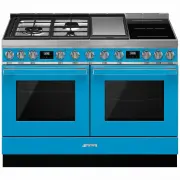
Description 11 EN 2 Description General description 1 Cooking hob 2 Control panel 3 Seals 4 Lamps 5 Temperature probe socket 6 Pyrolytic oven door 7 Humidified oven door 8 Fans 9 Storage compartments 10 Evaporation tray Rack/tray support frame shelf
Page 10 - SR
Description 12 2.1 Cooking hob SR = Semi-rapid burner R = Rapid burner BBQ = Barbecue plate 1 = Front induction cooking zone 2 = Rear induction cooking zone UR2 int. = Internal Ultra Rapid burner crown UR2 ext. = External Ultra Rapid burner Advantages of induction cooking • Energy saving thanks to t...
Page 12 - Barbecue indicator light; Available accessories; Used to distribute the steam inside the oven.
Description 14 9 Barbecue indicator light Turns on to indicate that the barbecue heating element is on. It turns off as soon as it reaches the set temperature. It flashes regularly to indicate that the temperature set for the element is kept constant. 2.3 Other parts Shelves The appliance features s...
Page 13 - Tray rack
Description 15 EN Tray rack To be placed over the top of the oven tray; for cooking foods which may drip. Rack Useful for supporting containers with food during cooking. Temperature probe (pyrolytic oven only) With the temperature probe, you can cook according to the temperature measured at the cent...
Page 14 - Use; Danger of burns
Use 16 3 Use Instructions High temperature inside the oven during use Danger of burns • Keep the oven door closed during cooking. • Protect your hands wearing heat resistant gloves when moving food inside the oven. • Do not touch the heating elements inside the oven. • Do not pour water directly ont...
Page 15 - Oven cavity; Using the accessories
Use 17 EN 3.1 First use 1. Remove any protective film from the outside or inside of the appliance, including accessories. 2. Remove any labels (apart from the technical data plate) from the accessories and from the cooking compartments. 3. Remove all the accessories from the appliance and clean them...
Page 16 - Racks and trays; Using the gas hob; and wait 60 seconds before trying
Use 18 Racks and trays Racks and trays have to be inserted into the side guides until they come to a complete stop.• The mechanical safety locks that prevent the rack from being taken out accidentally have to face downwards and towards the oven back. 3.3 Using the gas hob All the appliance’s control...
Page 17 - Practical tips for using the hob; Using the induction hot plates
Use 19 EN Correct positioning of the flame-spreader crowns and burner caps Before lighting the hob burners, make sure that the flame-spreader crowns are correctly positioned in their housings with their respective burner caps. Make sure that the holes in the flame-spreader crowns are aligned with th...
Page 18 - the symbol
Use 20 If you do not have a magnet, you can put a small amount of water in the pan, place it on a cooking zone and start the hot plate.To see whether the pan is suitable, bring a magnet close to the bottom: if it is attracted, the pan is suitable for induction cooking. If you do not have a magnet, y...
Page 19 - * see booster function; Improper use
Use 21 EN Limiting the cooking duration The hob has an automatic device which limits the duration of use. If the cooking zone settings are not changed, the maximum duration of operation for each zone depends on the power level selected.When the device for limiting the duration of use is activated, t...
Page 20 - Heating accelerator
Use 22 Heating accelerator This function allows the selected power to be achieved in the shortest amount of time.1. Turn the knob anti-clockwise to position A and then release it. The display shows the symbol . 2. Select the required heating power ( 1 - 8 ) within 3 seconds. The selected power and s...
Page 21 - To deactivate the Multizone function:
Use 23 EN 3. Use the front cooking zone knob to set the required power level: this knob now controls both the cooking zones that are in use. To deactivate the Multizone function: • Put both knobs back to the 0 position (off). Controls lock 1. With all cooking zones off, simultaneously turn the two c...
Page 22 - Barbecue plate
Use 24 The flashing of a power level indicates that it will be automatically limited to a new level selected by the power control module. Barbecue plate For grilling, cooking au gratin or as a barbecue.1. Remove the barbecue plate before starting cooking. 2. Lift heating element A and hold it in pla...
Page 23 - Switching on the ovens
Use 25 EN 3.5 Using the ovens Switching on the ovens To switch on the ovens:1. Select the cooking function using the function knob. 2. Select the temperature using the temperature knob. Pyrolytic and humidified oven function list Regular flashing of the thermostat indicator light during cooking is n...
Page 24 - Fan assisted; and
Use 26 Small grill (Pyrolytic oven only) Using only the heat released from the central element, this function allows you to grill small portions of meat and fish for making kebabs, toasted sandwiches and any types of grilled vegetable side dishes Fan assisted The operation of the fan, combined with ...
Page 25 - Cooking with the Direct Steam; Fill the tray with sufficient water for the
Use 27 EN 3.6 Cooking with the Direct Steam function (humidified oven) 1. Open the oven door.2. Lift the cover of the evaporation tray. 3. Fill the tray with sufficient water for the cooking duration (see Direct Steam cooking information table) . The maximum level is indicated by a mark on the insid...
Page 26 - End of Direct Steam cooking
Use 28 4. Put the cover back on the tray. 5. Place the food on the oven tray. 6. Place the tray with the food in the oven. 7. Select the Direct Steam function using the function knob. 8. Select the cooking temperature and time using the appropriate knobs. End of Direct Steam cooking 1. Stand to the ...
Page 27 - Using the temperature probe
Use 29 EN 3.7 Using the temperature probe (pyrolytic oven) With the temperature probe, roasts, pork loin and various cuts and sizes of meat can be cooked to perfection.The probe, in fact, allows foods to be cooked to perfection because it accurately monitors the core temperature of the food. High te...
Page 28 - Positioning the probe
Use 30 The core temperature of the food is measured by a sensor located in the tip of the probe. Positioning the probe 1. Place the food on a tray.2. Insert the tip of the probe into the food before placing it in the oven. 3. For best results, make sure that the temperature probe is placed transvers...
Page 29 - Minimum target temperature:
Use 31 EN 4. Close the door. 5. Press the button for a few seconds; Press the button again. The default target temperature is indicated on the display and the symbol flashes. 6. Use the and buttons to regulate the target temperature to a value between the minimum and a maximum. 7. Wait for a few sec...
Page 30 - At the end of cooking; Use of the storage compartments; General advice
Use 32 At the end of cooking When the set target temperature for the temperature probe is reached, the heating elements are switched off and the appliance emits a series of beeps. 1. Press a button on the programmer clock to stop the buzzer. 2. Open the door. 3. Remove the probe from the food and un...
Page 31 - Advice for defrosting and proving; Programmer clock
Use 33 EN Advice for cooking desserts/pastries and biscuits • Use dark metal moulds: they help to absorb the heat better. • The temperature and the cooking time depend on the quality and consistency of the dough. • To check whether the dessert is cooked right through: at the end of the cooking time,...
Page 32 - Setting the time
Use 34 Setting the time On the first use, or after a power failure, the digits will be flashing on the appliance’s display. 1. Hold down the clock button for two seconds. The dot between the hours and the minutes flashes. 2. The time can be set via the value increase button and value decrease button...
Page 33 - Programmed cooking
Use 35 EN 6. Press the clock key to reset the programmer clock. Programmed cooking 1. Set the cooking time as described in the previous point “Timed cooking”. 2. Hold the menu key down for 2 seconds. 3. Press the menu key again. The display will show the digits and the text in sequence, while the sy...
Page 34 - Minute minder timer
Use 36 Minute minder timer The minute minder timer can be activated at any time. 1. Keep the clock key pressed for per a few seconds. The display shows the figures and the symbol flashing between the hours and minutes. 2. Use the value increase and value decrease keys to set the number of minutes re...
Page 35 - Cooking information table; weight; Temperature
Use 37 EN Cooking information table Food weight (Kg) Function Runner position from the bottom Temperature (°C) Time (minutes) Lasagne 3 - 4 Convection 1 220 - 230 45 - 50 Pasta bake 3 - 4 Convection 1 220 - 230 45 - 50 Roast veal 2 Fan assisted 2 180 - 190 90 - 100 Pork 2 Fan assisted 2 180 - 190 70...
Page 36 - Direct Steam cooking information table
Use 38 Direct Steam cooking information table Food Weight (Kg) Water (ml) Runner position from the bottom Temperature (°C) Time (minutes) VEGETABLES Roast potatoes 1 80 2 210 - 220 40 - 45 Mixed roasted vegetables 0.6 80 2 210 35 REHEATING FOOD Pasta 0.3 100 - 110 2 120 15 - 25 Sliced roasted meats ...
Page 37 - Temperature probe-cooking information table; Type and cut of meat
Use 39 EN Temperature probe-cooking information table Type and cut of meat Target temperature (°C) Beef Roast beef: rare 50 - 53 Roast beef: medium 55 - 58 Roast beef: well done 65 - 70 Rib of beef: rare* 50 Rib of beef: medium* 58 Rib of beef: well done* 70 Pork Roast loin 70 - 80 Shoulder 80 - 85 ...
Page 38 - Cleaning and maintenance
Cleaning and maintenance 40 4 Cleaning and maintenance Instructions 4.1 Cleaning the appliance To keep the surfaces in good condition, they should be cleaned regularly after use. Let them cool first. Ordinary daily cleaning Always use only specific products that do not contain abrasives or chlorine-...
Page 39 - Weekly cleaning
Cleaning and maintenance 41 EN Use of corrosive detergents or rubbing of pan bases can wear away the decoration on the hob over time and contribute to the formation of stains. Weekly cleaning Clean and maintain the hob once a week using an ordinary glass ceramic cleaning product. Always follow the m...
Page 40 - Removing the doors; Grasp the door on both sides with both; Cleaning the door glazing
Cleaning and maintenance 42 4.2 Removing the doors For easier cleaning, the doors can be removed and placed on a tea towel or other protective sheet.To remove the door proceed as follows:1. Open the door completely and insert two pins into the holes on the hinges indicated in the figure. 2. Grasp th...
Page 41 - Cleaning the inside of the ovens; • Clean the oven racks with warm water
Cleaning and maintenance 43 EN 4.4 Cleaning the inside of the ovens To keep the ovens in perfect condition, clean them regularly after allowing them to cool. • Take out all removable parts. • Clean the oven racks with warm water and non-abrasive detergents. Carefully rinse and dry damp parts. Removi...
Page 42 - Preliminary operations
Cleaning and maintenance 44 Vapour Clean (humidified oven) Preliminary operations Before starting the Vapor Clean cycle:• Completely remove all accessories from inside the oven. The upper guard can be left inside the oven. • Pour approx. 40 cc of water onto the bottom of the oven. Make sure it does ...
Page 43 - End of the Vapor Clean cycle
Cleaning and maintenance 45 EN End of the Vapor Clean cycle 4. Open the door and wipe away the less stubborn dirt with a microfibre cloth. 5. Use a non-scratch sponge with brass filaments on hard to remove deposits. 6. In case of grease residues use specific oven cleaning products. 7. Remove the wat...
Page 44 - millimetres and pull it outwards.
Cleaning and maintenance 46 Cleaning the evaporation tray and cover (humidified oven) It is recommended that you clean and dry the evaporation tray and the perforated cover after using the Direct Steam function.Common cleaning products can be used: avoid using products that are too harsh and/or acid...
Page 45 - Door lock lever activated; Move the door lock lever to the right until
Cleaning and maintenance 47 EN The door lock lever is located in the first slot on the left under the control panel, in the upper part of the front of the oven. During normal cleaning operations, it is possible to accidentally activate the door lock lever. Door lock lever activated (view from above)...
Page 47 - button to confirm the; Extraordinary maintenance; Replacing the oven light bulb
Cleaning and maintenance 49 EN 4. Press the button to confirm the settings. 4.6 Extraordinary maintenance Replacing the oven light bulb 1. Completely remove all accessories from inside the oven. 2. Remove the racks/trays support frames. 3. Remove the bulb cover using a tool (e.g. a screwdriver). Be ...
Page 48 - Refit the cover. Ensure the moulded part
Cleaning and maintenance 50 4. Slide out and remove the light bulb. 5. Fit the new light bulb. 6. Refit the cover. Ensure the moulded part of the glass (A) is facing the door. 7. Press the cover completely down so that it attaches perfectly to the bulb support. Removing and installing the oven seal ...
Page 49 - The appliance does not work.
Cleaning and maintenance 51 EN What to do if... The appliance does not work. • The circuit breaker is faulty: look in the fuse box and check that the circuit breaker is in working order. • Power cut: check whether the kitchen light works. The oven does not heat up. • Faulty fuse: check and, if requi...
Page 50 - Installation; Minimum clearance to; Gas leak
Installation 52 5 Installation 5.1 Minimum clearance to combustible surfaces A 600 mm (Overhead) measured from the highest part of the highest burner and 750 mm for an exhaust fan. B 200 mm (Vertical combustible surface) measured form the edge of the nearest burner. C 10 mm (Horizontal combustible s...
Page 51 - Natural Gas; Gas Approval Consulting Pty Ltd; Smeg license 018 for SAI Global
Installation 53 EN This appliance is suitable for connection with rigid pipe or flexible hose. The isolating manual shut-off valve connection point must be accessible when the appliance is installed. Flexible hose assembly must be certified to AS/NZS 1869 class B or D, be of appropriate internal dia...
Page 52 - Room ventilation; Adaptation to different types of; Replacing nozzles
Installation 54 Room ventilation The room containing the appliance should have a permanent air supply in accordance with the standards in force. The room where the appliance is installed must have enough air flow needed for the regular combustion of gas and the necessary air change in the room itsel...
Page 53 - Internal nozzle
Installation 55 EN 2. Reposition the nozzles using a 7-mm spanner according to the gas to be used (see “Burner and nozzle specifications tables”). 1 External nozzle - 2 Internal nozzle 3. Reposition the burners in their respective housings. Adjusting the minimum setting for natural gas Light the bur...
Page 54 - Burner and nozzle specifications tables
Installation 56 Burner and nozzle specifications tables 5.4 Positioning Appliance dimensions: position of gas and electrical connections Position of gas and electrical connections (measurements given in mm). G = gas connection H = electrical connection 1 ULPG 2.75 kPa SR R DUAL int. + ext. Nominal g...
Page 55 - Positioning and levelling the appliance
Installation 57 EN Positioning and levelling the appliance After making the electrical and/or gas connections, properly level the appliance on the floor to ensure better stability. Screw or unscrew the bottom part of the leg until the appliance is stable and level on the floor. Installing the front ...
Page 56 - Align the holes on the back of the side
Installation 58 3. Align the holes on the back of the side plinths with those on the base of the appliance. 4. Fasten the side plinth using a screw. 5. Make sure that you fasten both plinths following the instructions provided. Assembling the upstand The upstand must always be positioned and secured...
Page 57 - Electrical connection; General information
Installation 59 EN 5.5 Electrical connection General information Check the grid characteristics against the data indicated on the plate.The identification plate bearing the technical data, serial number and brand name is visibly positioned on the appliance.Do not remove this plate for any reason.Per...
Page 58 - Accessing the terminal board
Installation 60 Accessing the terminal board To connect the power supply cable, you must access the terminal board on the rear casing:1. Remove the screws fastening the plate to the rear casing. 2. Gently rotate the plate and remove it from its seat. 3. Proceed with installation of the power supply ...
Page 59 - Instructions for the installer; DO NOT
Installation 61 EN 5.6 Instructions for the installer • The plug must be accessible after installation. Do not bend or trap the power cable. • The appliance must be installed according to the installation diagrams. • Do not try to unscrew or force the threaded elbow of the fitting. You may damage th...


 Smeg A11X-7
User Manual
Smeg A11X-7
User Manual
 Smeg A11XPY-9
User Manual
Smeg A11XPY-9
User Manual
 Smeg A1PYID-7
User Manual
Smeg A1PYID-7
User Manual
 Smeg A1PYID-9
User Manual
Smeg A1PYID-9
User Manual
 Smeg A3AU-81
User Manual
Smeg A3AU-81
User Manual
 Smeg A5AU-81
User Manual
Smeg A5AU-81
User Manual
 Smeg ALFA1035EH
User Manual
Smeg ALFA1035EH
User Manual
 Smeg ALFA1035EHDS
User Manual
Smeg ALFA1035EHDS
User Manual
 Smeg ALFA1035EHT
User Manual
Smeg ALFA1035EHT
User Manual
 Smeg ALFA1035H
User Manual
Smeg ALFA1035H
User Manual
 Smeg ALFA1035H-2
User Manual
Smeg ALFA1035H-2
User Manual
 Smeg ALFA420EH
User Manual
Smeg ALFA420EH
User Manual
 Smeg ALFA420EHDS
User Manual
Smeg ALFA420EHDS
User Manual
 Smeg ALFA420EHT
User Manual
Smeg ALFA420EHT
User Manual
 Smeg ALFA625EH
User Manual
Smeg ALFA625EH
User Manual
 Smeg ALFA625EHDS
User Manual
Smeg ALFA625EHDS
User Manual
 Smeg ALFA625EHT
User Manual
Smeg ALFA625EHT
User Manual
 Smeg ALFA625H
User Manual
Smeg ALFA625H
User Manual
 Smeg ALFA625H-2
User Manual
Smeg ALFA625H-2
User Manual
 Smeg ALFA625HR-2
User Manual
Smeg ALFA625HR-2
User Manual