Shark WD201 - Manuals

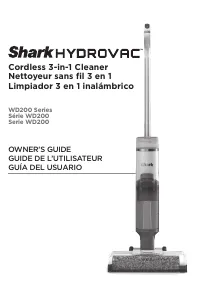
User Manual Shark WD201





Summary
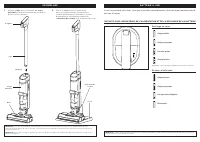
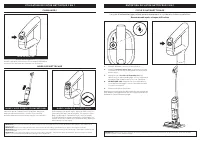
ASSEMBLY (Click) Handle Pole Main Body NOTE: The Shark® battery, like all lithium-ion batteries, will naturally decrease in capacity over time from the 100% capacity of a new battery. 1. Align the Pole with the opening in the Main Body and insert firmly until it clicks into place. 2. Place the Dock ...
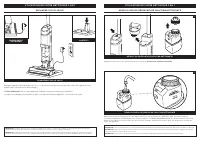
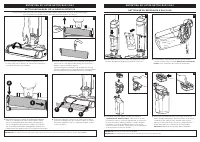
USING YOU R 3 - IN -1 CLE ANE R Press the release button and lift off the Clean Solution Tank . NOTE: When docked properly, the charging lights on the Main Body will blink, indicating that charging has begun. When charging is complete, all three indicator lights will turn off. NOTE: The main unit co...
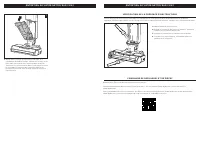
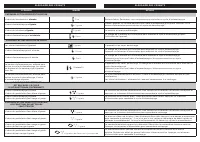
USING YOU R 3 - IN -1 CLE ANE R MAINTAINING YOU R 3 - IN -1 CLE ANE R HAR D FLOO R M O D E 1. Place the unit on the charging dock. 2 . Empty the Dirty Water Tank and make sure the clean solution tank is at least half full. 3. Press the Power Button to start the self-clean cycle. The icon will pulse ...
Shark Vacuums Manuals
-
 Shark AZ1002
User Manual
Shark AZ1002
User Manual
-
 Shark AZ2002
User Manual
Shark AZ2002
User Manual
-
Shark AZ2002
Manual
-
 Shark AZ3002
User Manual
Shark AZ3002
User Manual
-
 Shark CH901
User Manual
Shark CH901
User Manual
-
 Shark CH951
User Manual
Shark CH951
User Manual
-
 Shark CZ2001
User Manual
Shark CZ2001
User Manual
-
 Shark CZ351
User Manual
Shark CZ351
User Manual
-
 Shark HV301
User Manual
Shark HV301
User Manual
-
Shark HV301
Manual
-
 Shark HV380
User Manual
Shark HV380
User Manual
-
Shark HV380
Manual
-
 Shark HZ3002
User Manual
Shark HZ3002
User Manual
-
 Shark ICZ362H
User Manual
Shark ICZ362H
User Manual
-
Shark ICZ362H
Manual
-
 Shark IF250
User Manual
Shark IF250
User Manual
-
 Shark IW1111
User Manual
Shark IW1111
User Manual
-
 Shark IW3511
User Manual
Shark IW3511
User Manual
-
 Shark IX141
User Manual
Shark IX141
User Manual
-
 Shark IZ142
User Manual
Shark IZ142
User Manual