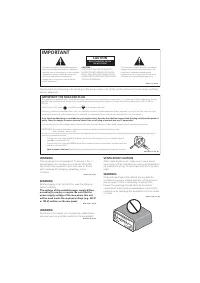
Page 2 - CAUTION; IMPORTANT
The exclamation point within an equilateral triangle is intended to alert the user to the presence of important operating and maintenance (servicing) instructions in the literature accompanying the appliance. The lightning flash with arrowhead symbol, within an equilateral triangle, is intended toal...
Page 3 - Operating Environment
Information for users on collection and disposal of old equipment and used batteries These symbols on the products, packaging, and/or accompanying documents mean that used electrical and electronic products and batteries should not be mixed with general household waste. For proper treatment, recover...
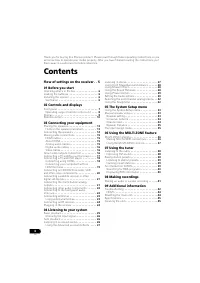
Page 4 - Contents
4 En Thank you for buying this Pioneer product. Please read through these operating instructions so you will know how to operate your model properly. After you have finished reading the instructions, put them away in a safe place for future reference. Contents Flow of settings on the receiver . . 5 ...
Page 5 - Flow of settings on the receiver; procedure below to make the connections and; (When using connections other than the
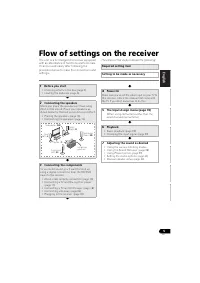
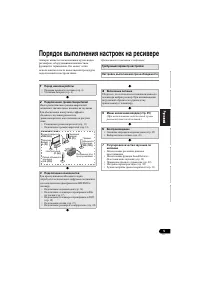
5 En English Français Italiano Español Nederlands Deutsch Flow of settings on the receiver The unit is a full-fledged AV receiver equipped with an abundance of functions and terminals. It can be used easily after following the procedure below to make the connections and settings. The colors of the s...
Page 6 - Before you start; Checking what’s in the box; Installing the receiver; Ventilation; Receiver
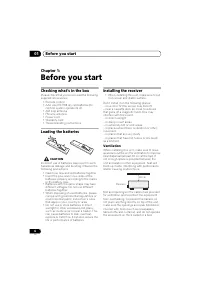
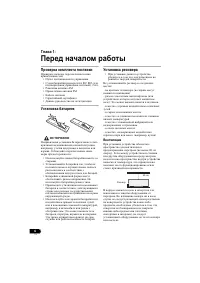
Before you start 01 6 En Chapter 1: Before you start Checking what’s in the box Please check that you’ve received the following supplied accessories: • Remote control • AAA size IEC R03 dry cell batteries (to confirm system operation) x2 • AM loop antenna • FM wire antenna • Power cord • Warranty ca...
Page 7 - English; Controls and displays; Front panel; Display
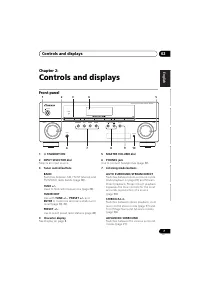
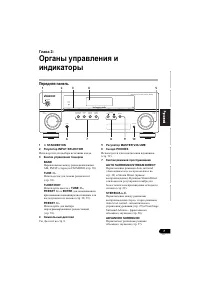
Controls and displays 02 7 En English Français Italiano Español Nederlands Deutsch Chapter 2: Controls and displays Front panel 1 STANDBY/ON 2 INPUT SELECTOR dial Selects an input source. 3 Tuner control buttons BAND Switches between AM, FM ST (stereo) and FM MONO radio bands (page 38). TUNE +/– U...
Page 8 - Using the MULTI-ZONE controls; Operating range of remote control unit; Auto playback
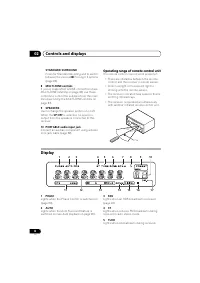
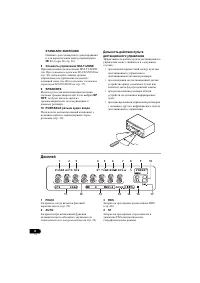
Controls and displays 02 8 En STANDARD SURROUND Press for Standard decoding and to switch between the various 2 Pro Logic II options (page 26). 8 MULTI ZONE controls If you’ve made MULTI-ZONE connections (see MULTI-ZONE listening on page 36) use these controls to control the sub zone from the main z...
Page 9 - Listening in surround sound
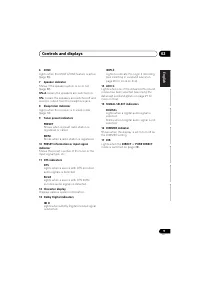
Controls and displays 02 9 En English Français Italiano Español Nederlands Deutsch 6 ZONE Lights when the MULTI-ZONE feature is active (page 36). 7 Speaker indicator Shows if the speaker system is on or not (page 32). SP A means the speakers are switched on. SP means the speakers are switched of...
Page 10 - RECEIVER
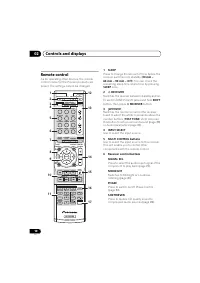
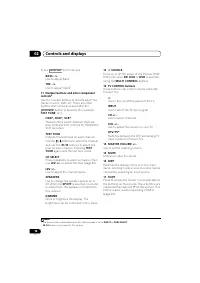
Controls and displays 02 10 En Remote control As for operating other devices, the remote control codes for the Pioneer products are preset. The settings cannot be changed. 1 SLEEP Press to change the amount of time before the receiver switches into standby ( 30 min – 60 min – 90 min – Off ). You can...
Page 13 - Connecting your equipment; Placing the speakers; Hints on the speaker placement
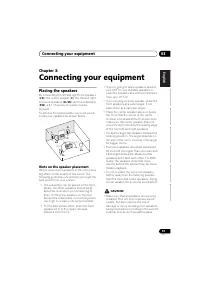
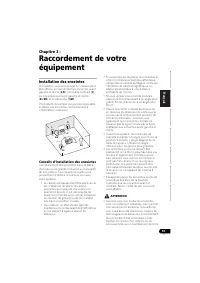
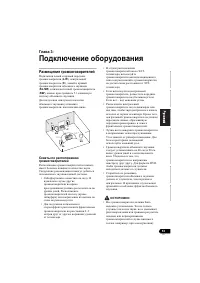
Connecting your equipment 03 13 En English Français Italiano Español Nederlands Deutsch Chapter 3: Connecting your equipment Placing the speakers By connecting the left and right front speakers ( L / R ), the center speaker ( C ), the left and right surround speakers ( SL / SR ), and the subwoofer (...
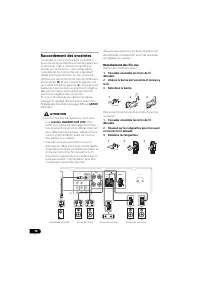
Page 14 - Speaker setting; Bare wire connections; Front speaker terminals:
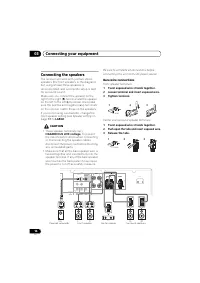
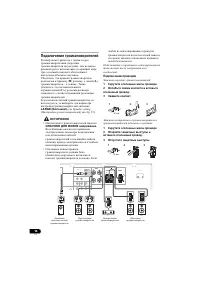
Connecting your equipment 03 14 En Connecting the speakers The receiver will work with just two stereo speakers (the front speakers in the diagram) but using at least three speakers is recommended, and a complete setup is best for surround sound. Make sure you connect the speaker on the right to the...
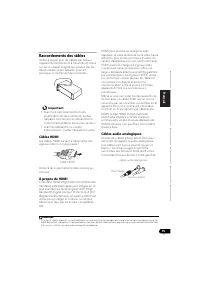
Page 15 - Making cable connections; Important; HDMI cables; HDMI cable; Analog audio cables
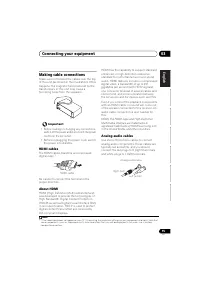
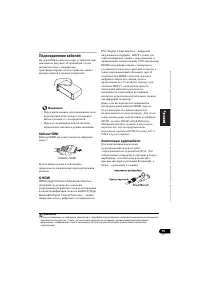
Connecting your equipment 03 15 En English Français Italiano Español Nederlands Deutsch Making cable connections Make sure not to bend the cables over the top of this unit (as shown in the illustration). If this happens, the magnetic field produced by the transformers in this unit may cause a hummin...
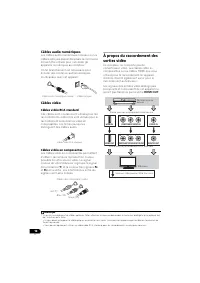
Page 16 - Digital audio cables; Standard RCA video cables; About video outputs connection; HDMI OUT
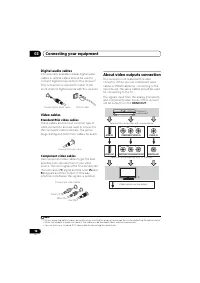
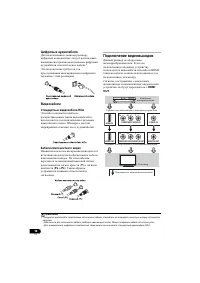
Connecting your equipment 03 16 En Digital audio cables Commercially available coaxial digital audio cables or optical cables should be used to connect digital components to this receiver. 1 This connection is required to listen to the multi-channel digital sounds with this receiver. Video cables St...
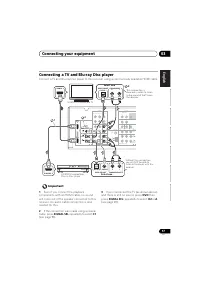
Page 17 - Connecting a TV and Blu-ray Disc player; SIGNAL SEL
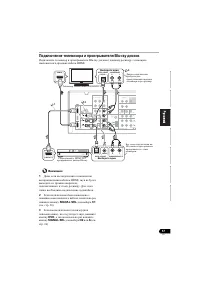
Connecting your equipment 03 17 En English Français Italiano Español Nederlands Deutsch Connecting a TV and Blu-ray Disc player Connect a TV and Blu-ray Disc player to this receiver using a commercially available HDMI cable. Important 1 Even if you connect the playback components with an HDMI cable,...
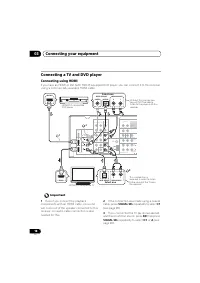
Page 18 - Connecting using HDMI
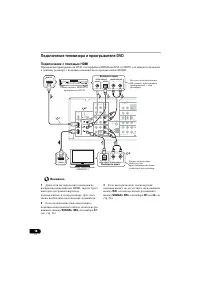
Connecting your equipment 03 18 En Connecting a TV and DVD player Connecting using HDMI If you have an HDMI or DVI (with HDCP) equipped DVD player, you can connect it to this receiver using a commercially available HDMI cable. Important 1 Even if you connect the playback components with an HDMI cabl...
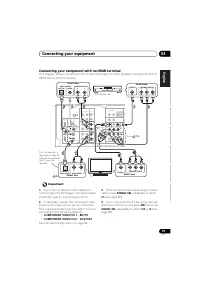
Page 19 - Connecting your component with no HDMI terminal; COMPONENT VIDEO IN 1; The Input Assign menu
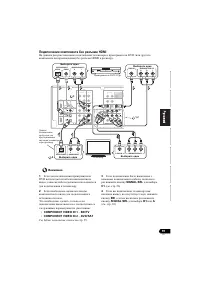
Connecting your equipment 03 19 En English Français Italiano Español Nederlands Deutsch Connecting your component with no HDMI terminal This diagram shows connections of a TV and DVD player (or other playback component) with no HDMI terminal to the receiver. Important 1 If you use component video ca...
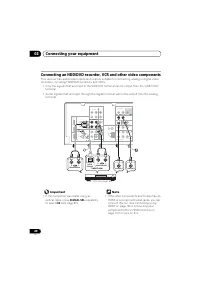
Page 21 - DVD; MULTI IN
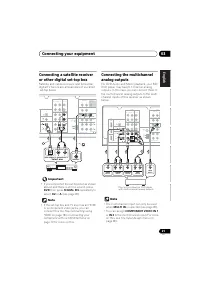
Connecting your equipment 03 21 En English Français Italiano Español Nederlands Deutsch Connecting a satellite receiver or other digital set-top box Satellite and cable receivers, and terrestrial digital TV tuners are all examples of so-called ‘set-top boxes’. Important • If you connected the set-to...
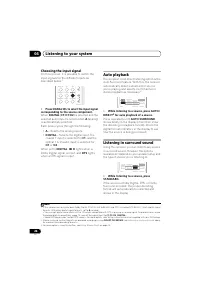
Page 22 - Choosing the input signal; INPUT SELECTOR
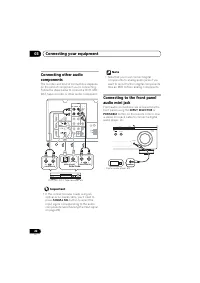
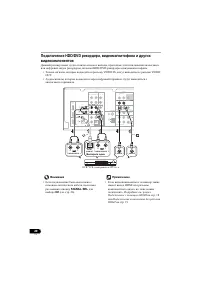
Connecting your equipment 03 22 En Connecting other audio components The number and kind of connections depends on the kind of component you’re connecting. Follow the steps below to connect a CD-R, MD, DAT, tape recorder or other audio component. Important • If the connection was made using an optic...
Page 23 - Connecting antennas; Push open the tabs, then insert one wire; Using external antennas; To improve FM reception
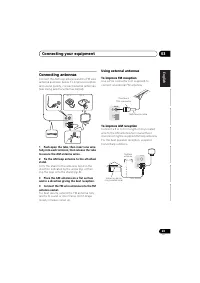
Connecting your equipment 03 23 En English Français Italiano Español Nederlands Deutsch Connecting antennas Connect the AM loop antenna and the FM wire antenna as shown below. To improve reception and sound quality, connect external antennas (see Using external antennas below). 1 Push open the tabs,...
Page 24 - Connect the IR receiver sensor to the IR IN; Plugging in the receiver; Plug the supplied power cord into the AC
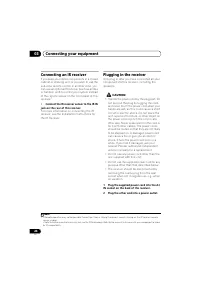
Connecting your equipment 03 24 En Connecting an IR receiver If you keep your stereo components in a closed cabinet or shelving unit, or you wish to use the sub zone remote control in another zone, you can use an optional IR receiver (such as a Niles or Xantech unit) to control your system instead o...
Page 25 - Listening to your system; Basic playback
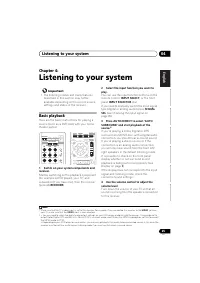
Listening to your system 04 25 En English Français Italiano Español Nederlands Deutsch Chapter 4: Listening to your system Important • The listening modes and many features described in this section may not be available depending on the current source, settings and status of the receiver. Basic play...
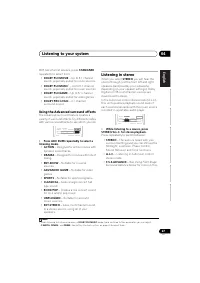
Page 27 - With two channel sources; Using the Advanced surround effects; Listening in stereo; Using Front Stage
Listening to your system 04 27 En English Français Italiano Español Nederlands Deutsch With two channel sources , press STANDARD repeatedly to select from: • DOLBY PLII MOVIE – Up to 5.1 channel sound, especially suited to movie sources • DOLBY PLII MUSIC 1 – Up to 5.1 channel sound, especially suit...
Page 28 - Using Stream Direct; Using the Sound Retriever
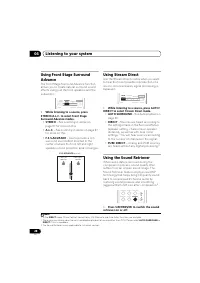
Listening to your system 04 28 En Using Front Stage Surround Advance The Front Stage Surround Advance function allows you to create natural surround sound effects using just the front speakers and the subwoofer. • While listening to a source, press STEREO/A.L.C. to select Front Stage Surround Advanc...
Page 29 - Using Phase Control; Press PHASE to switch on phase
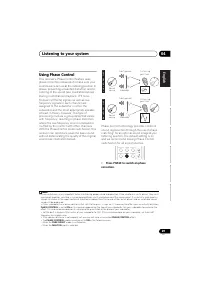
Listening to your system 04 29 En English Français Italiano Español Nederlands Deutsch Using Phase Control This receiver’s Phase Control feature uses phase correction measures to make sure your sound source arrives at the listening position in phase, preventing unwanted distortion and/or coloring of...
Page 30 - Setting; second = 25 frames; MIDNIGHT; LOUDNESS; OFF; ON
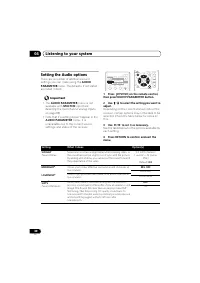
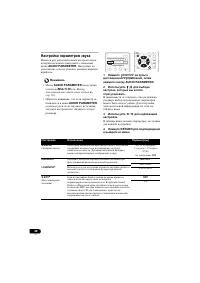
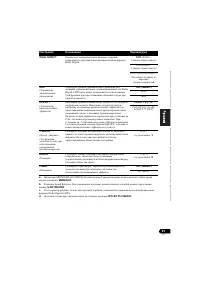
Listening to your system 04 30 En Setting the Audio options There are a number of additional sound settings you can make using the AUDIO PARAMETER menu. The defaults, if not stated, are listed in bold. Important • The AUDIO PARAMETER menu is not available with MULTI IN input (see Selecting the multi...
Page 31 - MAX
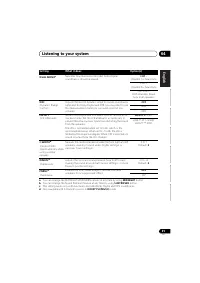
Listening to your system 04 31 En English Français Italiano Español Nederlands Deutsch a. You can change the MIDNIGHT/LOUDNESS options at any time by using MIDNIGHT button. b. You can change the Sound Retriever feature at any time by using S.RETRIEVER button. c. This setting works only with dual mon...
Page 33 - The System Setup menu; Using the System Setup menu
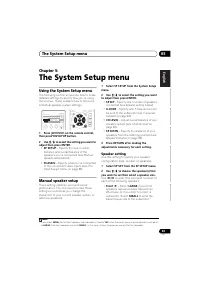
The System Setup menu 05 33 En English Français Italiano Español Nederlands Deutsch Chapter 5: The System Setup menu Using the System Setup menu The following section shows you how to make detailed settings to specify how you’re using the receiver. It also explains how to fine-tune individual speake...
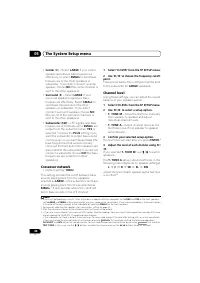
Page 34 - Crossover network
The System Setup menu 05 34 En • Center ( C ) – Select LARGE if your center speaker reproduces bass frequencies effectively, or select SMALL to send bass frequencies to the other speakers or subwoofer. If you didn’t connect a center speaker, choose NO (the center channel is sent to the other speaker...
Page 35 - Speaker Distance; Connecting your
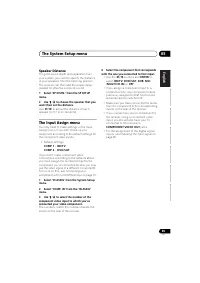
The System Setup menu 05 35 En English Français Italiano Español Nederlands Deutsch Speaker Distance For good sound depth and separation from your system, you need to specify the distance of your speakers from the listening position. The receiver can then add the proper delay needed for effective su...
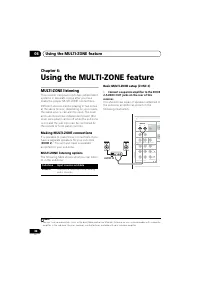
Page 36 - Using the MULTI-ZONE feature; Making MULTI-ZONE connections; MULTI-ZONE listening options; Connect a separate amplifier to the ZONE; Sub Zone; AUDIO IN
Using the MULTI-ZONE feature 06 36 En Chapter 6: Using the MULTI-ZONE feature MULTI-ZONE listening This receiver can power up to two independent systems in separate rooms after you have made the proper MULTI-ZONE connections.Different sources can be playing in two zones at the same time or, dependin...
Page 37 - controls; MULTI-ZONE remote controls; In; Button; buttons
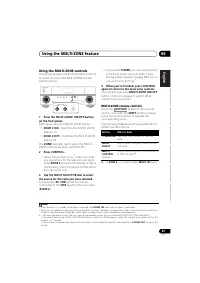
Using the MULTI-ZONE feature 06 37 En English Français Italiano Español Nederlands Deutsch Using the MULTI-ZONE controls The following steps use the front panel controls to select sources. See MULTI-ZONE remote controls below. 1 Press the MULTI-ZONE ON/OFF button on the front panel. Each press selec...
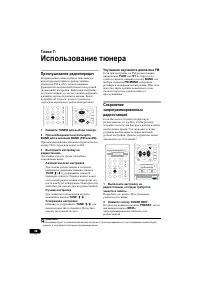
Page 38 - Using the tuner; Listening to the radio; Improving FM sound; Listening to the radio
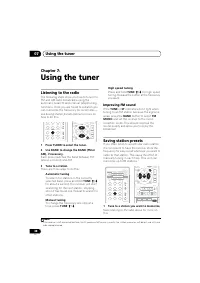
Using the tuner 07 38 En Chapter 7: Using the tuner Listening to the radio The following steps show you how to tune in to FM and AM radio broadcasts using the automatic (search) and manual (step) tuning functions. Once you are tuned to a station you can memorize the frequency for recall later— see S...
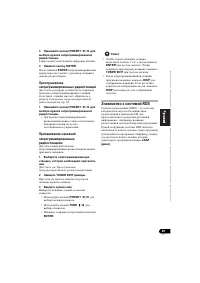
Page 39 - Naming preset stations; Listening to station presets; An introduction to RDS
Using the tuner 07 39 En English Français Italiano Español Nederlands Deutsch 2 Press TUNER EDIT. The display shows PRESET , then a blinking MEM and station preset. 3 Press PRESET / to select the station preset you want. You can also use the number buttons. 4 Press ENTER. After pressing ENTER , th...
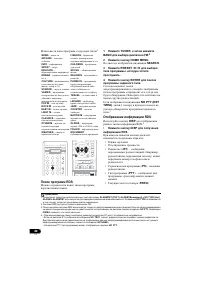
Page 40 - Searching for RDS programs
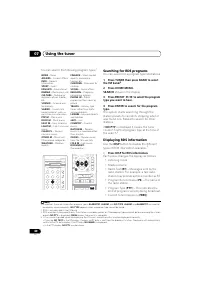
Using the tuner 07 40 En You can search the following program types: 1 Searching for RDS programs You can search for a program type listed above. 1 Press TUNER then press BAND to select the FM band. 2 2 Press HOME MENU. SEARCH shows in the display. 3 Press PRESET / to select the program type you w...
Page 41 - Making recordings
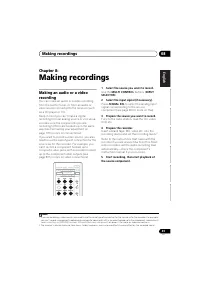
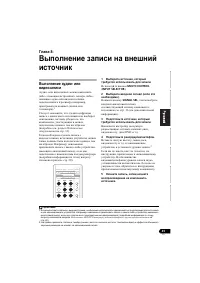
Making recordings 08 41 En English Français Italiano Español Nederlands Deutsch Chapter 8: Making recordings Making an audio or a video recording You can make an audio or a video recording from the built-in tuner, or from an audio or video source connected to the receiver (such as a CD player or TV)...
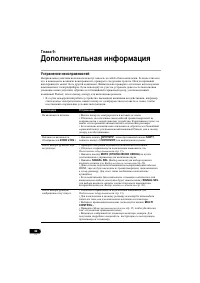
Page 42 - Additional information; Troubleshooting; authorized service center or your dealer to carry out repair work.
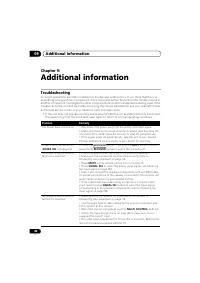
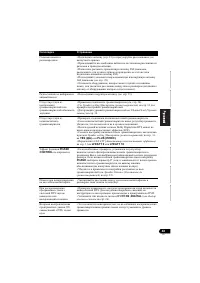
Additional information 09 42 En Chapter 9: Additional information Troubleshooting Incorrect operations are often mistaken for trouble and malfunctions. If you think that there is something wrong with this component, check the points below. Sometimes the trouble may lie in another component. Investig...
Page 43 - Problem
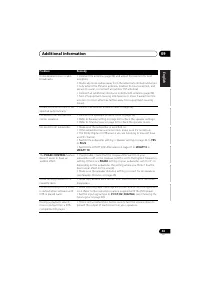
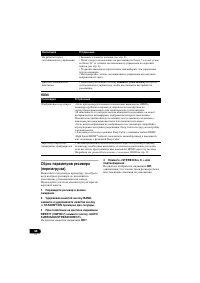
Additional information 09 43 En English Français Italiano Español Nederlands Deutsch Considerable noise in radio broadcasts. • Connect the antenna (page 23) and adjust the position for best reception.• Route any loose cables away from the antenna terminals and wires.• Fully extend the FM wire antenn...
Page 44 - Resetting the main unit; shows in the display.
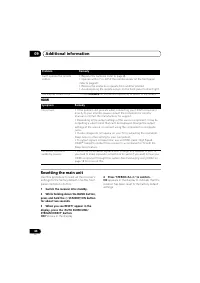
Additional information 09 44 En HDMI Resetting the main unit Use this procedure to reset all the receiver’s settings to the factory default. Use the front panel controls to do this. 1 Switch the receiver into standby. 2 While holding down the BAND button, press and hold the STANDBY/ON button for a...
Page 45 - Specifications; Cleaning the unit
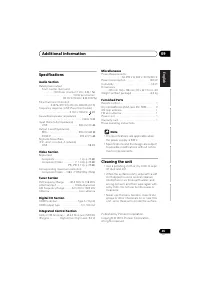
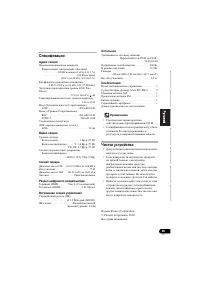
Additional information 09 45 En English Français Italiano Español Nederlands Deutsch Specifications Audio Section Rated power output Front, Center, Surround . . . . . . . . 130 W per channel (1 kHz, 6 Ω , 1 %) . . . . . . . . . . . . . . . . . . . . . . 100 W per channel (20 Hz to 20 kHz, 8 Ω , 0.09...
Page 46 - ATTENTION
Ce point d’exclamation, placé dans un triangle équilatéral, a pour but d’attirer l’attention de l’utilisateur sur la présence, dans les documents qui accompagnentl’appareil, d’explications importantes du point de vue de l’exploitation ou del’entretien. Ce symbole de l’éclair, placé dans un triangle ...
Page 48 - s’y référer ultérieurement.; Table des matières
4 Fr Nous vous remercions pour cet achat d’un produit Pioneer. Nous vous demandons de lire soigneusement ce mode d’emploi ; vous serez ainsi à même de faire fonctionner l’appareil correctement. Après avoir bien lu le mode d’emploi, le ranger dans un endroit sûr pour pouvoir s’y référer ultérieuremen...
Page 49 - Organigramme des réglages sur le récepteur; Les couleurs des étapes ont la signification suivante :; (Si vous voulez effectuer d’autres liaisons que
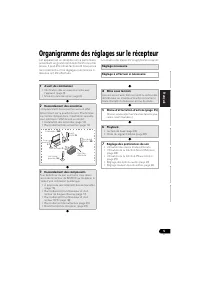
5 Fr English Français Deutsch Nederlands Italiano Español Organigramme des réglages sur le récepteur Cet appareil est un récepteur AV à part entière présentant un grand nombre de fonctions et de prises. Il peut être utilisé facilement lorsque les raccordements et les réglages mentionnés ci-dessous o...
Page 50 - Avant de commencer; Mise en place des piles; Installation du récepteur; Récepteur
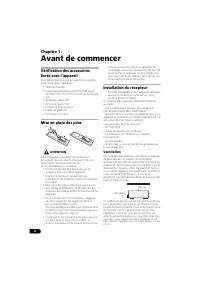
6 Fr Chapitre 1 : Avant de commencer Vérification des accessoires livrés avec l’appareil Veuillez vérifier que les accessoires suivants sont livrés avec l’appareil : • Télécommande • Piles à anode sèche AAA IEC R03 (pour vérifier le bon fonctionnement du système) x 2 • Antenne cadre AM• Antenne fila...
Page 51 - Commandes et affichages; Panneau frontal; Affichage
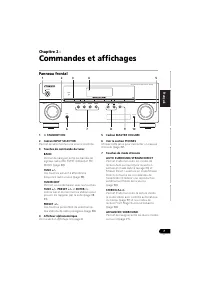
7 Fr English Français Deutsch Nederlands Italiano Español Chapitre 2 : Commandes et affichages Panneau frontal 1 STANDBY/ON 2 Cadran INPUT SELECTOR Permet de sélectionner une source d’entrée. 3 Touches de commande du tuner BAND Permet de naviguer entre les bandes de signaux radio AM, FM ST (stéréo...
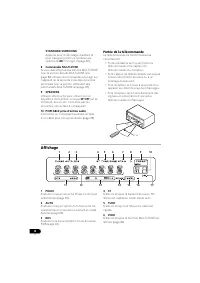
Page 52 - Utilisation des; Portée de la télécommande; Lecture en mode
8 Fr STANDARD SURROUND Appuyez pour le décodage standard et pour naviguer parmi les nombreuses options de 2 Pro Logic II (page 26). 8 Commandes MULTI-ZONE Si vous avez effectué des liaisons MULTI-ZONE (voir la section Écoute MULTI-ZONE à la page 36) utilisez ces commandes pour agir sur l’appareil de...
Page 53 - Écoute
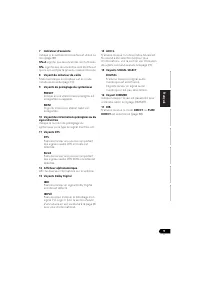
9 Fr English Français Deutsch Nederlands Italiano Español 7 Indicateur d’enceinte Indique si le système d’enceintes est utilisé ou non (page 32). SP A signifie que les enceintes sont utilisées. SP signifie que les enceintes sont éteintes et que le son sort par la prise du casque d’écoute. 8 Voya...
Page 54 - Télécommande
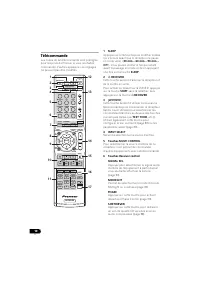
10 Fr Télécommande Les codes de la télécommande sont préréglés pour les produits Pioneer si vous souhaitez commander d’autres appareils. Les réglages ne peuvent pas être modifiés. 1 SLEEP Appuyez sur cette touche pour modifier le délai qui s’écoule avant que le récepteur ne passe en mode veille ( 30...
Page 55 - Lecture en mode Auto
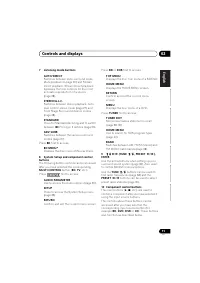
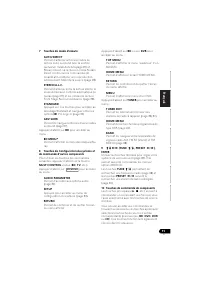
11 Fr English Français Deutsch Nederlands Italiano Español 7 Touches de mode d’écoute AUTO/DIRECT Permet d’alterner entre les modes de lecture Auto surround (voir la section Lecture en mode Auto à la page 26) et Stream Direct. La lecture en mode Stream Direct contourne les commandes de tonalité afin...
Page 57 - Installation des enceintes; Conseils d’installation des enceintes
13 Fr English Français Deutsch Nederlands Italiano Español Chapitre 3 : Raccordement de votre équipement Installation des enceintes Un système surround de type 5.1 canaux peut être obtenu en connectant les enceintes avant gauche et droite ( L / R ), l’enceinte centrale ( C ), les enceintes surround ...
Page 58 - Raccordement des enceintes; Réglage des enceintes; Branchement des fils nus; Bornes des enceintes avant :
14 Fr Raccordement des enceintes Le récepteur fonctionnera avec seulement deux enceintes stéréo (les enceintes avant sur le schéma), mais il est recommandé d’en utiliser au moins trois ; une configuration complète de huit enceintes est cependant idéale pour la production du son surround. Vérifiez qu...
Page 59 - Raccordements des câbles; Câbles HDMI; Câble HDMI; Câbles audio analogiques
15 Fr English Français Deutsch Nederlands Italiano Español Raccordements des câbles Veillez à ne pas plier les câbles par dessus l’appareil (conformément à l’illustration). Dans ce cas, le champ magnétique produit par les transformateurs de l’appareil pourrait provoquer le ronflement des enceintes. ...
Page 61 - Raccordement d’un téléviseur et d’un lecteur de disques Blu-ray
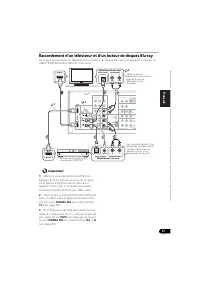
17 Fr English Français Deutsch Nederlands Italiano Español Raccordement d’un téléviseur et d’un lecteur de disques Blu-ray Vous pouvez raccorder un téléviseur et un lecteur de disque Blu-ray à cet appareil à l’aide d’un câble HDMI disponible dans le commerce. Important 1 Même si vous raccordez les d...
Page 62 - Raccordement d’un téléviseur et d’un lecteur DVD; Connexion au moyen de l’interface HDMI
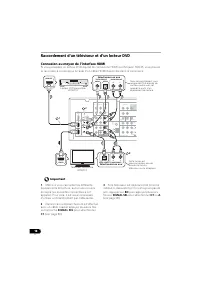
18 Fr Raccordement d’un téléviseur et d’un lecteur DVD Connexion au moyen de l’interface HDMI Si vous possédez un lecteur DVD équipé de connexions HDMI ou DVI (avec HDCP), vous pouvez le raccorder à ce récepteur à l’aide d’un câble HDMI disponible dans le commerce. Important 1 Même si vous raccordez...
Page 63 - Raccordement d’un équipement dépourvu de borne HDMI; Menu d’affectation d’entrée
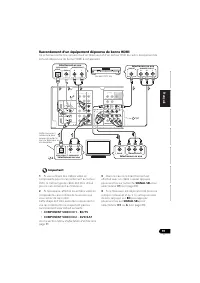
19 Fr English Français Deutsch Nederlands Italiano Español Raccordement d’un équipement dépourvu de borne HDMI Ce schéma montre les connexions d’un téléviseur et d’un lecteur DVD (ou autre équipement de lecture) dépourvus de borne HDMI à cet appareil. Important 1 Si vous utilisez des câbles vidéo en...
Page 65 - Menu d’affectation
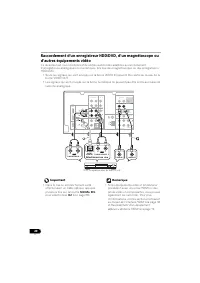
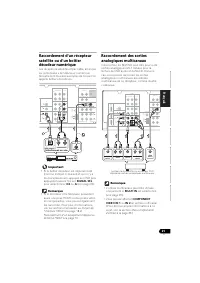
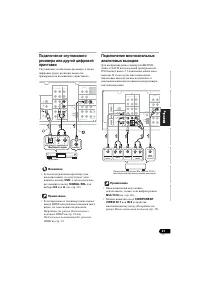
21 Fr English Français Deutsch Nederlands Italiano Español Raccordement d’un récepteur satellite ou d’un boîtier décodeur numérique Les récepteurs satellites et par câble, ainsi que les syntoniseurs de téléviseur numérique terrestre sont tous des exemples de ce que l’on appelle boîtiers décodeurs. I...
Page 66 - pour sélectionner le signal d’entrée; ou; de la
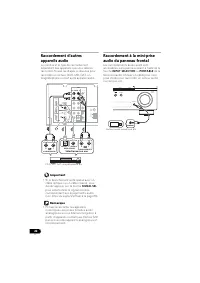
22 Fr Raccordement d’autres appareils audio Le nombre et le type de raccordement dépendent des appareils que vous désirez raccorder. Suivez les étapes ci-dessous pour raccorder un lecteur CD-R, MD, DAT, un magnétophone ou tout autre appareil audio. Important • Si le branchement a été réalisé avec un...
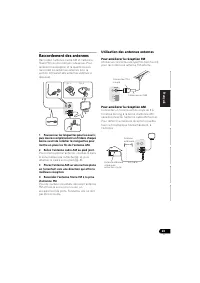
Page 67 - Raccordement des antennes; Poussez sur les languettes pour les ouvrir,; Utilisation des antennes externes; Pour améliorer la réception FM
23 Fr English Français Deutsch Nederlands Italiano Español Raccordement des antennes Raccordez l’antenne cadre AM et l’antenne filaire FM comme indiqué ci-dessous. Pour améliorer la réception et la qualité du son, raccordez les antennes externes (voir la section Utilisation des antennes externes ci-...
Page 68 - Raccordement d’un récepteur IR; Raccordez le capteur du récepteur IR à la; Branchement du récepteur; Enfichez le cordon d’alimentation fourni
24 Fr Raccordement d’un récepteur IR Si vous conservez vos composants stéréo dans une armoire fermée ou sur un élément de rayonnage ou si vous souhaitez utiliser la télécommande sous-zone dans une autre zone, vous pouvez utiliser un récepteur IR facultatif (par exemple, un appareil Niles ou Xantech)...
Page 69 - Lecture de base; Choix du
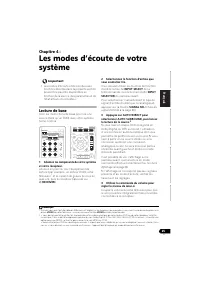
25 Fr English Français Deutsch Nederlands Italiano Español Chapitre 4 : Les modes d’écoute de votre système Important • Les modes d’écoute et de nombreuses fonctions décrites dans la présente section peuvent ne pas être disponibles en fonction de la source, des paramètres et de l’état actuels du réc...
Page 70 - Choix du signal d’entrée
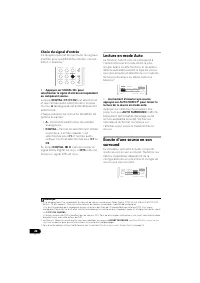
26 Fr Choix du signal d’entrée Ce récepteur permet de commuter les signaux d’entrée pour les différentes entrées, comme décrit ci-dessous. 1 • Appuyez sur SIGNAL SEL pour sélectionner le signal d’entrée correspondant au composant source. Lorsque DIGITAL ( C1 / O1 / O2 ) est sélectionné et que l’entr...
Page 71 - Pour les sources à deux canaux; Écoute en mode stéréo
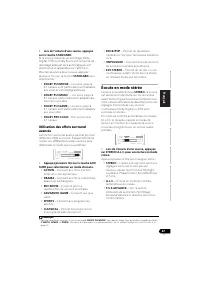
27 Fr English Français Deutsch Nederlands Italiano Español • Lors de l’écoute d’une source, appuyez sur la touche STANDARD. Si la source présente un encodage Dolby Digital, DTS ou Dolby Surround, le format de décodage adéquat sera automatiquement sélectionné et apparaîtra sur l’afficheur. Pour les s...
Page 73 - Appuyez sur la touche S.RETRIEVER pour
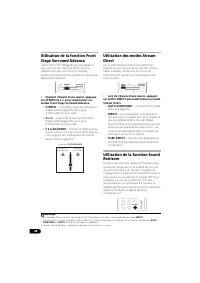
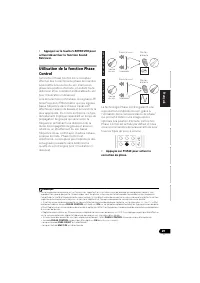
29 Fr English Français Deutsch Nederlands Italiano Español • Appuyez sur la touche S.RETRIEVER pour activer/désactiver la fonction Sound Retriever. Utilisation de la fonction Phase Control La fonction Phase Control de ce récepteur effectue des corrections de phase de manière à permettre à la source ...
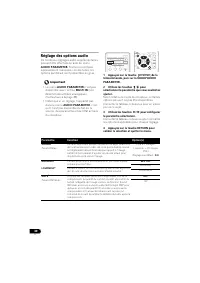
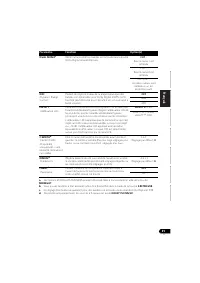
Page 74 - Réglage des options audio; Paramètre; seconde = 25 images
30 Fr Réglage des options audio De nombreux réglages audio supplémentaires peuvent être effectués à l’aide du menu AUDIO PARAMETER . Si elles ne sont pas expressément marquées comme telles, les options par défaut sont présentées en gras. Important • Le menu AUDIO PARAMETER n’est pas disponible avec ...
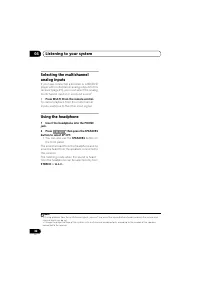
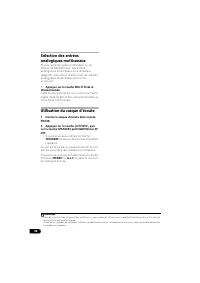
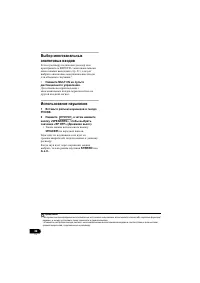
Page 76 - Appuyez sur la touche MULTI IN de la; Utilisation du casque d’écoute; Insérez le casque d’écoute dans la prise
32 Fr Sélection des entrées analogiques multicanaux Si vous avez raccordé un décodeur ou un lecteur de BD/DVD avec des sorties analogiques multicanaux à ce récepteur (page 21), vous devez sélectionner les entrées analogiques multicanaux pour le son surround. 1 • Appuyez sur la touche MULTI IN de la ...
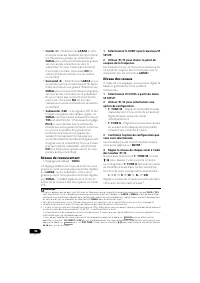
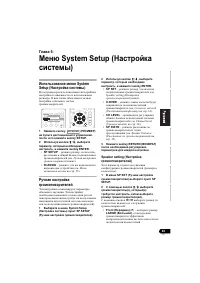
Page 77 - Réglage manuel des enceintes
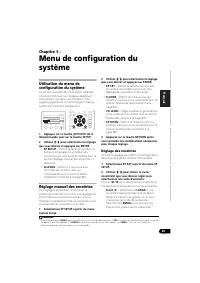
33 Fr English Français Deutsch Nederlands Italiano Español Chapitre 5 : Menu de configuration du système Utilisation du menu de configuration du système La section suivante décrit de façon détaillée comment effectuer les réglages adaptés à votre propre utilisation du récepteur. Elle explique égaleme...
Page 79 - Distance des enceintes
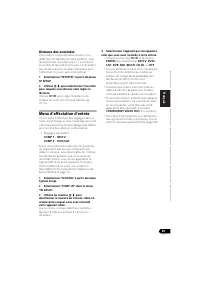
35 Fr English Français Deutsch Nederlands Italiano Español Distance des enceintes Pour obtenir une profondeur sonore et un détachement parfaits de votre système, vous devez préciser la distance qu’il y a entre vos enceintes et la position d’écoute. Le récepteur pourra alors ajouter le délai nécessai...
Page 80 - Options d’écoute MULTI-ZONE; Raccordez un amplificateur séparé aux; Sources d’entrée disponibles
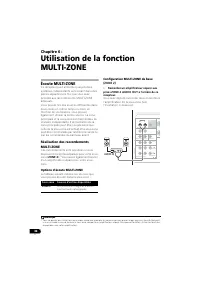
36 Fr Chapitre 6 : Utilisation de la fonction MULTI-ZONE Écoute MULTI-ZONE Ce récepteur peut alimenter jusqu’à deux systèmes indépendants se trouvant dans des pièces séparées une fois que vous avez procédé aux raccordements MULTI-ZONE adéquats.Vous pouvez lire des sources différentes dans deux zones...
Page 81 - Télécommandes MULTI-ZONE; Dans; Touche; Touches
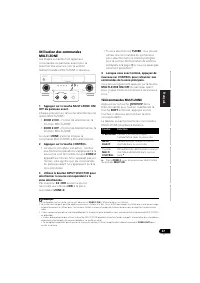
37 Fr English Français Deutsch Nederlands Italiano Español Utilisation des commandes MULTI-ZONE Les étapes suivantes font appel aux commandes du panneau avant pour la sélection des sources. Voir la section Télécommandes MULTI-ZONE ci-dessous. 1 Appuyez sur la touche MULTI-ZONE ON/ OFF du panneau ava...
Page 82 - Utilisation du tuner; Mémorisation de stations préréglées; Amélioration du son FM; Pour écouter la radio
38 Fr Chapitre 7 : Utilisation du tuner Pour écouter la radio Les étapes suivantes décrivent la façon de régler les bandes FM et AM à l’aide de la recherche automatique et des fonctions de réglage manuel. Lorsque vous avez réglé une station, vous pouvez en mémoriser la fréquence pour y accéder ultér...
Page 83 - Pour écouter les stations préréglées; Mémorisation de; Présentation du système RDS
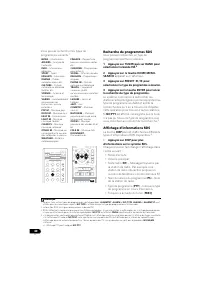
39 Fr English Français Deutsch Nederlands Italiano Español 2 Appuyez sur la touche TUNER EDIT. L’écran affiche PRESET , puis un MEM clignotant et une station préréglée. 3 Appuyez sur la touche PRESET / pour sélectionner la station préréglée que vous désirez. Pour cela, vous pouvez aussi utiliser l...
Page 85 - Enregistrement; Raccordement de votre équipement
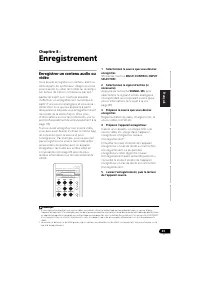
41 Fr English Français Deutsch Nederlands Italiano Español Chapitre 8 : Enregistrement Enregistrer un contenu audio ou vidéo Vous pouvez enregistrer un contenu audio ou vidéo à partir du syntoniseur intégré ou d’une source audio ou vidéo raccordée au récepteur (un lecteur de CD ou un téléviseur par ...
Page 86 - Informations complémentaires; Guide de dépannage; Problème éventuel
42 Fr Chapitre 9 : Informations complémentaires Guide de dépannage Une utilisation incorrecte de l’appareil est souvent interprétée comme un problème ou un dysfonctionnement. Si vous êtes convaincu que cet appareil ne fonctionne pas correctement, contrôlez les points ci-dessous. Quelquefois, le prob...
Page 88 - Mettez le récepteur en mode de veille.; apparaît sur l’afficheur.; Connexion au moyen de
44 Fr HDMI Réinitialisation de l’unité principale Respectez cette procédure pour rétablir les réglages d’usine du récepteur. Utilisez les commandes du panneau frontal pour ce faire. 1 Mettez le récepteur en mode de veille. 2 Tout en maintenant la touche BAND enfoncée, appuyez sur la touche STANDBY...
Page 89 - Spécifications; Nettoyage de l’appareil
45 Fr English Français Deutsch Nederlands Italiano Español Spécifications Section audio Puissance nominale de sortie Avant, Centrale, Surround . . . . . . . . . . 130 W par canal (1 kHz, 6 Ω , 1 %) . . . . . . . . . . . . . . . . . . . . . . . . 100 W par canal (20 Hz à 20 kHz, 8 Ω , 0,09 %) Distors...
Page 93 - ray
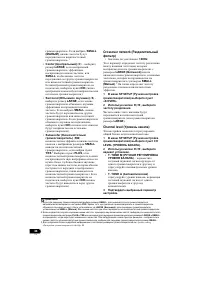
5 Ru English Français Deutsch Nederlands Italiano Español - , . . Ц : , 1 • ( . 6) • ( . 6) 2 . , . • ( . 13) • ( . 14) 3 BD/DVD . • ( . 16) • Blu- ray ( . 17) • DVD ( . 18) • ( . 23) • ( . 24) Передний левый (L (Л)) Левый объемного звучания (LS (ЛO)) Правый объемного звучания (RS (ПO)...
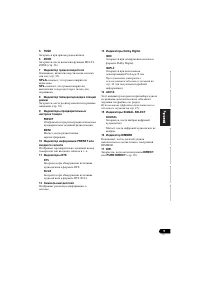
Page 94 - Pec
6 Ru 1: : • • AAA IEC R03 ( ), 2 . • • FM • • • , , . : • . • , . • . . • . • , , . Э , , . Э . • , . : – ( ) – ( , ). Э . – – – – – – , ( , ) ( 60 ). , , / . . - , , - ( , ), . Pec ep 60 VSX-420_SYXCN_Ru.book 6 ページ 年 月 9日 金曜日 午前9時 6分
Page 95 - Auto surround
7 Ru English Français Deutsch Nederlands Italiano Español 2: 1 STANDBY/ON 2 Pery INPUT SELECTOR . 3 BAND AM, FM ST ( ) FM MONO ( . 38). TUNE +/– ( . 38). TUNER EDIT TUNE +/– , PRESET +/– ENTER ( . 38, 39). PRESET +/– ( . 38). 4 . Д . 8. 5 Pery MASTER VOLUME 6 PHONES ( . 32). 7 AUTO SU...
Page 96 - PHASE; RDS
8 Ru STANDARD SURROUND 2 Pro Logic II ( . 26). 8 MULTI-ZONE MULTI-ZONE ( . MULTI-ZONE . 36), ( . MULTI-ZONE . 37). 9 SPEAKERS / . SP OFF , , . 10 PORTABLE ( . 22). Э : • ; • ; • , ; • . 1 PHASE , ( . 29). 2 AUTO ( . . 26). 3 RDS RDS ( . 40). 4 ST FM . 30° 30° 7 1 2 4 3 5 6 7 8 9 10 11 13 12 14...
Page 97 - PRESET
9 Ru English Français Deutsch Nederlands Italiano Español 5 TUNE . 6 ZONE , MULTI- ZONE ( . 36). 7 , ( . 32). SP A , . SP , . 8 , ( . 10). 9 PRESET . MEM , . 10 PRESET . . 11 DTS DTS DTS. 96/24 DTS 96/24. 12 . 13 Dolby Digital 2 D Dolby Digital. 2 PLll Pro Logic II ( . . 26 ). 14 ADV.S. Э ( ...
Page 98 - Pioneer; CD
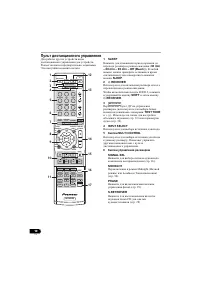
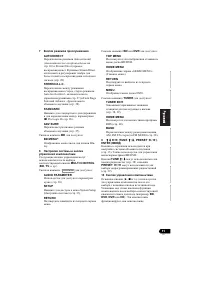
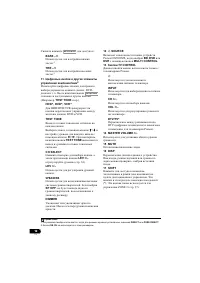
10 Ru Pioneer . Э . 1 SLEEP ( 30 min – 60 min – 90 min – Off ( .) ). SLEEP . 2 RECEIVER . / ZONE 2, SHIFT RECEIVER . 3 ( : TEST TONE . .). ( . 33) ( . 30). 4 INPUT SELECT . 5 MULTI CONTROL . . 6 SIGNAL SEL ( . 26). MIDNIGHT Midnight ( ) Loudness ( ) ( . 30). PHASE / ( . 29). S.RETRIEVER CD (...
Page 101 - Audio
13 Ru English Français Deutsch Nederlands Italiano Español 3: ( L / R ), ( C ), ( SL / SR ) ( SW ), 5.1- . , . P . . • . . ( ) . • 2–3 . • Э - , Э - . • , . – . • , . , , . • . . . • 60 o 90 . , . DVD- Audio . • , . . • . Э , ( , ). 120 120 S L L S W C R S R VSX-420_SYXCN_Ru.book 13 ページ 年 月 9日 金曜日...
Page 103 - HDMI High-Definition; Кабель HDMI
15 Ru English Français Deutsch Nederlands Italiano Español ( ). , , . • . • . HDMI HDMI . 1 . HDMI HDMI (High Definition Multimedia Interface – ) HDCP (High Bandwidth Digital Content Protection – ) DVI (Digital Visual Interface – ). HDCP x , DVI . HDMI , , . HDMI , 2,2 ( HDTV), ( ) / , . HDMI, , . ....
Page 104 - RCA
16 Ru . 1 Э . RCA Э . . . , ( Y ) ( P B P R ). . . HDMI, . , ( ) , HDMI OUT . 1 • , . • . . • RCA. VIDEO IN P R P B Y COMPONENT VIDEO IN HDMI IN MONITOR OUT P R P B Y COMPONENT VIDEO MONITOR OUT HDMI OUT . VSX-420_SYXCN_Ru.book 16 ページ 年 月 9日 金曜日 午前9時 6分
Page 111 - o 6
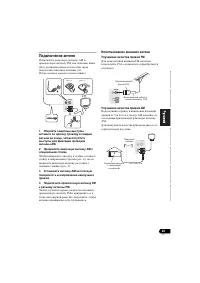
23 Ru English Français Deutsch Nederlands Italiano Español FM, . ( . ). 1 , , AM. 2 AM . , ( . ), ( . ). 3 AM . 4 FM FM. , FM . , . FM FM- PAL- ( ). AM 5 o 6 AM , AM. . ANTENNA AM LOOP 2 1 3 4 рис. а рис. б ANTENNA FM UNBAL 75 Ω AM LOOP 75 Ω PAL ANTENNA AM LOOP 5 6 ( ) VSX-420_SYXCN_Ru.book 23 ページ...
Page 112 - Niles; IR IN
24 Ru - , , - ( , Niles Xantech), . 1 • - IR IN . - . - . ( ). • . , , , . , - . . , . . . , - Pioneer. • , . • , . • ( , ), , . 1 , , AC IN . 2 . 1 • , К - . • , , К - . К - . VSX-420_SYXCN_Ru.book 24 ページ 年 月 9日 金曜日 午前9時 6分
Page 114 - Dolby Digital; DTS
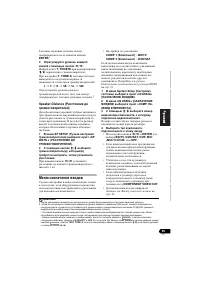
26 Ru , . 1 • SIGNAL SEL ( ), , - . DIGITAL ( C1 / O1 / O2 ) , A ( ). : • A – . • DIGITAL – . C1 1, O1 O2 1 2. DIGITAL , Dolby Digital 2 D , DTS - DTS . C Auto Surround ( ). , , . 2 • AUTO/DIRECT 3 . , AUTO SURROUND ( ). . . , , . • STANDARD ( ). Dolby Digital, DTS Dolby Surround, , . ...
Page 116 - (Front Stage Surround; STEREO; Stream; Surround Setup; PCM; Sound
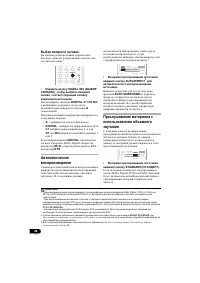
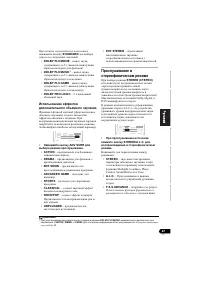
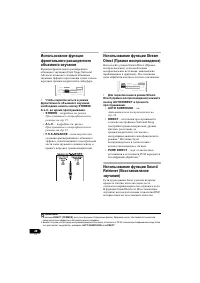
28 Ru (Front Stage Surround Advance) . • STEREO/ A.L.C. . • STEREO – . . 27. • A.L.C. – . . 27. • F.S.S.ADVANCE – , . Stream Direct ( ) Stream Direct ( ), , . . • Stream Direct ( ) AUTO/DIRECT . • AUTO SURROUND – . . 26 • DIRECT – Surround Setup ( , , ), . 1 . • PURE DIRECT – PCM...
Page 119 - Dolby Digital DTS.; MONO; Dolby
31 Ru English Français Deutsch Nederlands Italiano Español a. MIDNIGHT/LOUDNESS ( / ) , MIDNIGHT . b. Sound Retriever ( ) S.RETRIEVER . c. Э , Dolby Digital DTS. d. DOLBY PLII MUSIC . DUAL MONO c , Dolby Digital. CH1 ( 1) – 1 CH2 ( 2) – 2 CH1 CH2 ( 1 2) – DRC ( ) , Dolby Digital DTS ( ). OFF ( .) MA...
Page 121 - System
33 Ru English Français Deutsch Nederlands Italiano Español 5: System Setup ( ) System Setup ( ) . . 1 ( ) , SETUP. 2 / , , , ENTER . • SP SETUP – , , ( . ). • IN ASSIG – , ( . . 35). Э . Э ( ). 1 System Setup ( ) SP SETUP ( ). 2 / , , , ENTER. • SP SET – / ( . Speaker setting ( ) ). • ...
Page 123 - SR
35 Ru English Français Deutsch Nederlands Italiano Español ENTER . 1 4 / . T. TONE M , / . T. TONE A ( ): L C R SR SL SW , . 2 Speaker Distance ( ) . , . 1 SP SETUP ( ) «SP DISTN.» ( ). 2 / ( ), ( ) , . / ( 0,1 ). , . • : COMP 1 ( ) – BD/TV COMP 2 ( ) – DVD/SAT , ( ). . H...
Page 124 - ZONE; ZONE; ZONE 2 AUDIO OUT
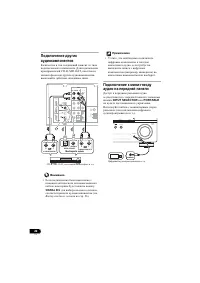
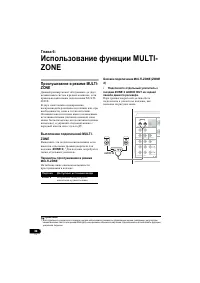
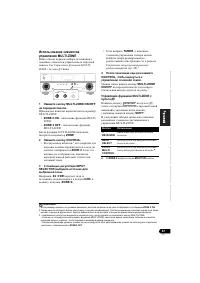
36 Ru 6: MULTI- ZONE MULTI- ZONE , MULTI- ZONE. , , . ( , ), . MULTI- ZONE ( ZONE 2 ). 1 . MULTI-ZONE : MULTI-ZONE (ZONE 2) • ZONE 2 AUDIO OUT . , . 1 ( , / Midnight) . . ZONE 2 . AUDIO COMPONENT VIDEO A (BD/TV) IN 1 (DVD/SAT) IN 2 1 - 2 ASSIGNABLE OUT MONITOR Y P B P R ZONE2 OUT MONITOR OUT BD/TV...
Page 126 - FM AM
38 Ru 7: FM AM ( ) ( ) . , . . e. 1 TUNER . 2 BAND BAND (FM AM). FM ( ) AM. 3 . Э , . TUNE / . , . . TUNE / . TUNE / . . FM FM- TUNE ST - , BAND FM MONO . , . , , . Э , . 30 . 1 1 , . . e. 2 TUNER EDIT. PRESET , MEM . ENTER RETURN AUDIO PARAMETER TUNER EDIT TOOLS MASTERVOLUME...
Page 129 - MULTI CONTROL
41 Ru English Français Deutsch Nederlands Italiano Español 8: - - , , ( , - ). 1 , , , , , ( . . 13). , . , - , , ( . 20). 1 , . MULTI CONTROL ( INPUT SELECTOR ). 2 ( ). SIGNAL SEL , , - ( . . 26 ). 3 , . , - , , DVD . . 4 / . , - , . . . 2 , , . , . . , , . 5 , - . 1 , . , - , , ( HDD/DVD ,...
Page 131 - LFEATT 0
43 Ru English Français Deutsch Nederlands Italiano Español . • ( . 23) . • . • FM , ( FM). • AM ( . . 23). • , , ( , ). . • ( . . 23). . • ( . . 14). • . Speaker setting ( ) . 33 . • . Channel level ( У ) . 34. . • , . • , , . • Dolby Digital DTS (LFE). • , Speaker setting ( ) . 33, YES ( ) PLUS ( )...
Page 132 - «AUTO; DIMMER
44 Ru HDMI ( ) , . . 1 . 2 BAND, STANDBY/ON . 3 RESET? ( ?) «AUTO SURROUND/STREAM DIRECT». OK? . 4 «STEREO/A.L.C.» . OK , , . . • ( . . 8). • 7 30° ( . . 6). • . • . . • DIMMER ( ) , . . • HDMI , . • - , , . ; . • , , Deep Color . • Deep Color, HDMI (High Speed HDMI ® ), Deep Color. . • ...
Page 133 - LINE Pure; Pioneer Corporation.
45 Ru English Français Deutsch Nederlands Italiano Español , , . . . . . . . . . . . 130 (1 , 6 Ω , 1 %) . . . . . . . . . . . . . . . . . . . . . . . . . 100 (20 20 , 8 Ω , 0,09 %) . . . . 0,06 % (20 20 , 8 Ω , 95 / .) ( LINE Pure Direct) . . . . . . . . . . . . . . . . . . . . 5 100 . . . . . . ...
Page 136 - PIONEER CORPORATION; PIONEER EUROPE NV
<5707-00000-398-1S> Published by Pioneer Corporation. Copyright © 2010 Pioneer Corporation. All rights reserved. Publication de Pioneer Corporation. © 2010 Pioneer Corporation. Tous droits de reproduction et de traduction réservés. Printed in China Imprimé en Chine Примечание: В с оответствии ...


 Pioneer A-10 / A-20 / A-30
User Manual
Pioneer A-10 / A-20 / A-30
User Manual
 Pioneer A-50 / A-70
User Manual
Pioneer A-50 / A-70
User Manual
 Pioneer A-A6MK2-K
User Manual
Pioneer A-A6MK2-K
User Manual
 Pioneer PIOGMDX871
User Manual
Pioneer PIOGMDX871
User Manual
 Pioneer PIOGMDX874
User Manual
Pioneer PIOGMDX874
User Manual
 Pioneer PIOGMDX971
User Manual
Pioneer PIOGMDX971
User Manual
 Pioneer PIOGMDX975
User Manual
Pioneer PIOGMDX975
User Manual
 Pioneer SC-LX71 / SC-LX81
User Manual
Pioneer SC-LX71 / SC-LX81
User Manual
 Pioneer SC-LX73 / SC-LX83
User Manual
Pioneer SC-LX73 / SC-LX83
User Manual
 Pioneer SC-LX90
User Manual
Pioneer SC-LX90
User Manual
 Pioneer VSX-1016V
User Manual
Pioneer VSX-1016V
User Manual
 Pioneer VSX-1017AV
User Manual
Pioneer VSX-1017AV
User Manual
 Pioneer VSX-1018AH
User Manual
Pioneer VSX-1018AH
User Manual
 Pioneer VSX-2014i
Manual
Pioneer VSX-2014i
Manual
 Pioneer VSX-2016AV
User Manual
Pioneer VSX-2016AV
User Manual
 Pioneer VSX-2020
User Manual
Pioneer VSX-2020
User Manual
 Pioneer VSX-322-K
User Manual
Pioneer VSX-322-K
User Manual
 Pioneer VSX-323 / VSX-423
User Manual
Pioneer VSX-323 / VSX-423
User Manual